What's New?

Oct 27, 2026
24 min read
4 views
2/6/2025 - Glasp Extension on the Edge Browser
We released the native Glasp extension on the Edge browser!
Please install the Glasp Edge extension.
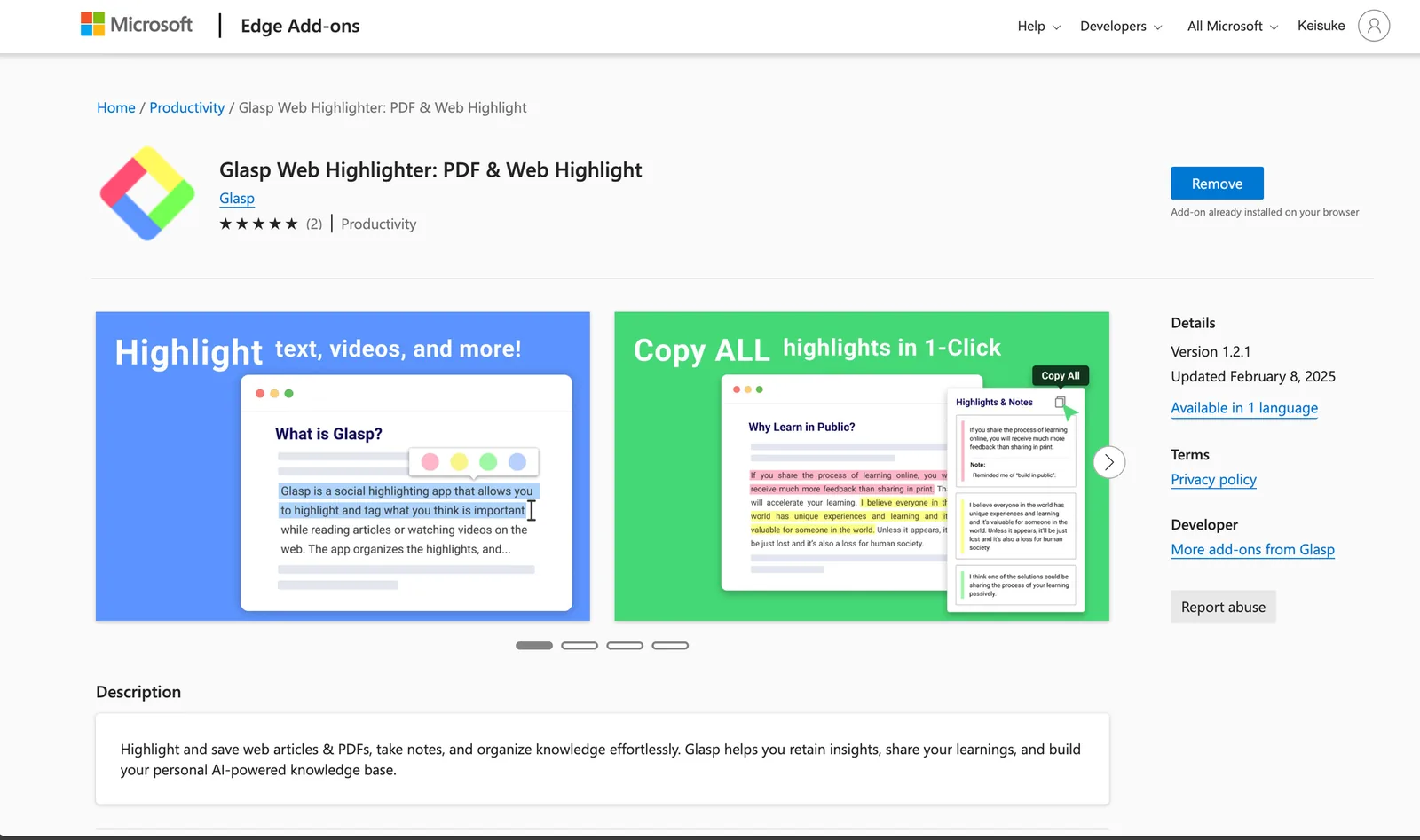
Glasp Web Highlighter: PDF & Web Highlight
2/6/2025 - Chrome Browser Extension Update
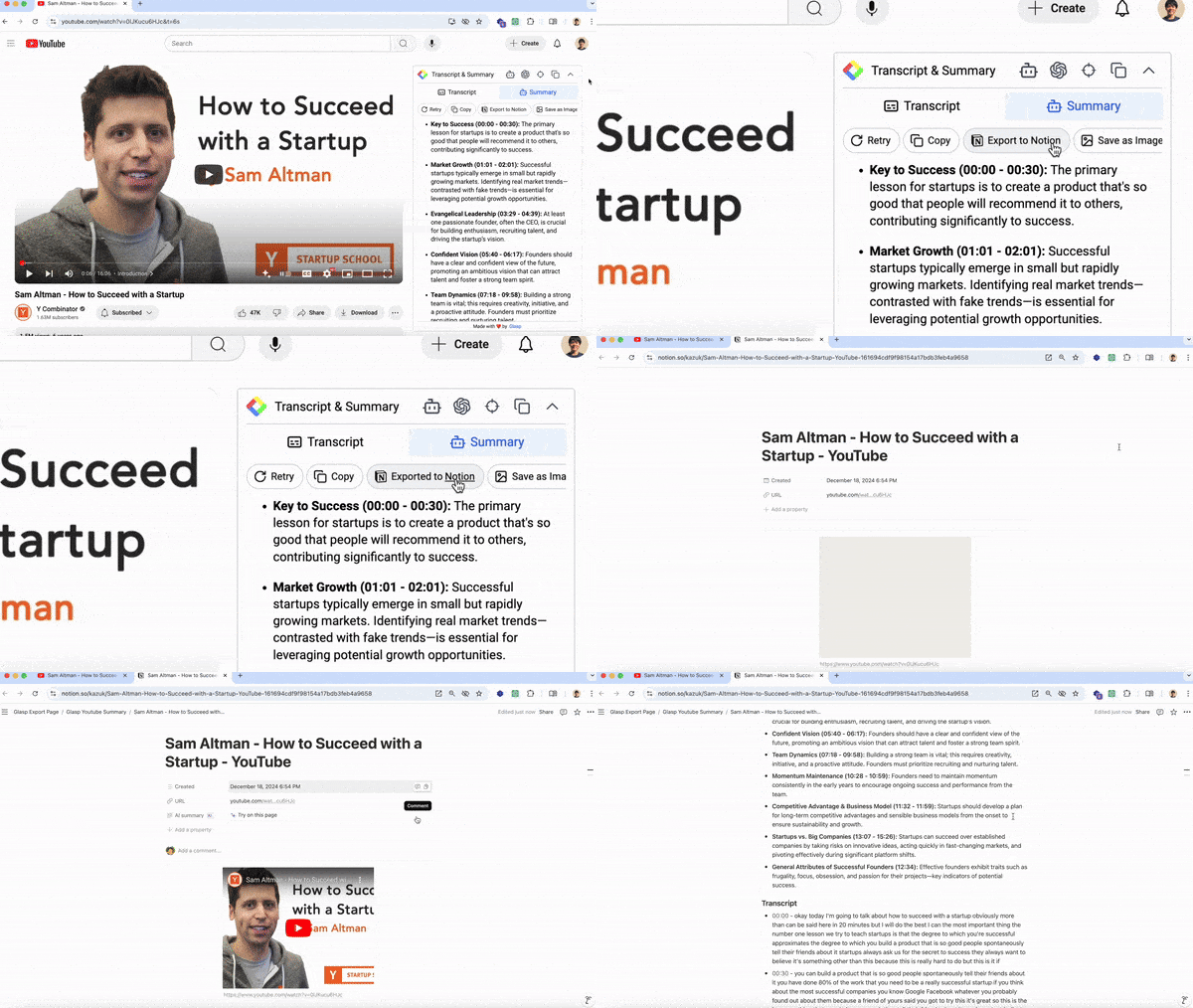
Introduced the 'Export to Notion' feature for YouTube summaries.
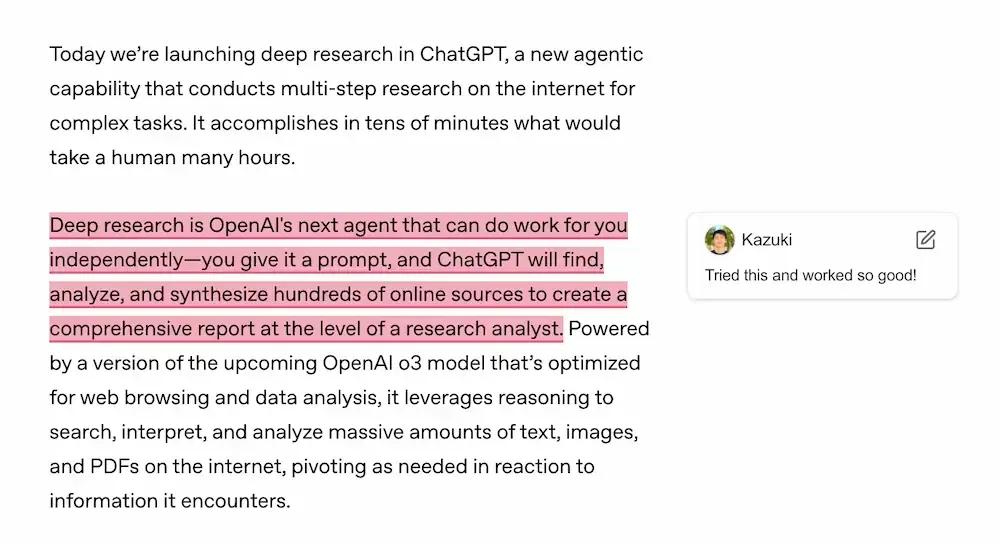
Added a highlight note popup that appears when hovering over highlights.
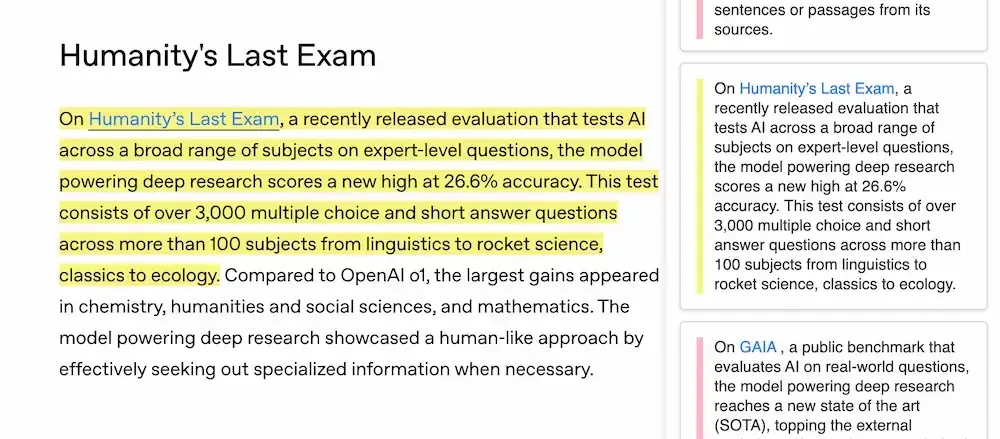
Improved highlighting function to capture links within the highlighted text.
Fixed a bug in the Kindle highlight import feature.
Updated the UI for the highlight popup and sidebar.
1/13/2025 - YouTube Summary for Firefox Browser Extension
We released YouTube Summary for Firefox. Now, it can enhance your YouTube viewing experience with quick and easy summaries directly in Firefox!
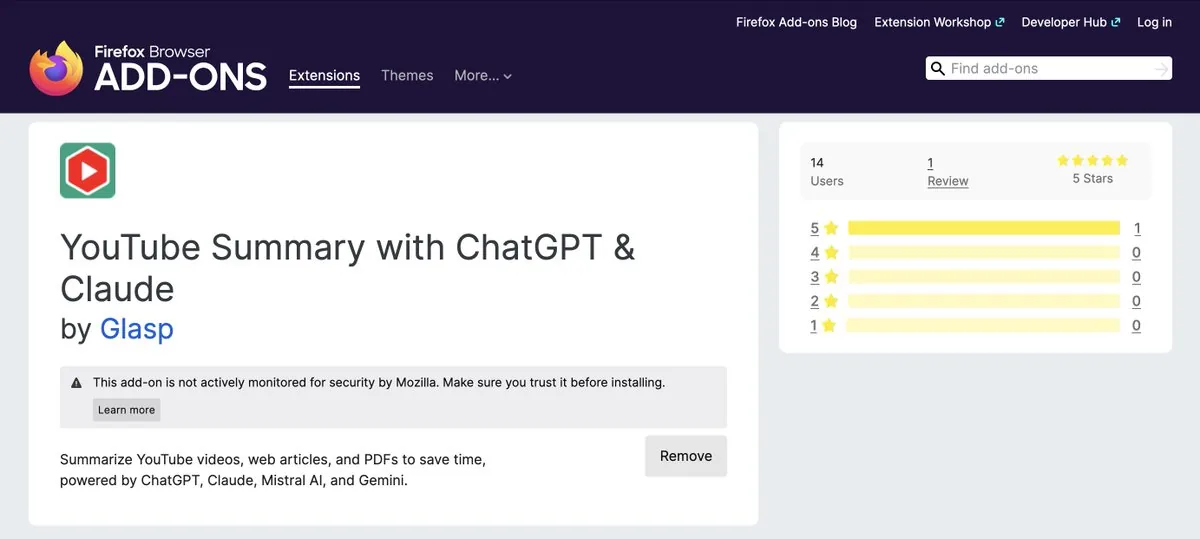
Please check the link below to install!
👉 YouTube Summary with ChatGPT & Claude
12/22/2024 - Added 'Save as Image' Option for On-Page Summaries
We added a new feature that allows you to save a summarized YouTube video as an image. It lets you quickly grasp the YouTube content at a glance and save it as an image.
Watch on YouTube: How to Save YouTube Summary as an Image
12/22/2024 - Introduced the 'Export to Notion' Feature for On-Page YouTube Summaries
We added a new feature that allows you to export a summarized YouTube video to Notion with one click. It lets you quickly grasp the YouTube content at a glance and save it on Notion for future reference.
Watch on YouTube: How to Export Summarized YouTube Video Content to Notion
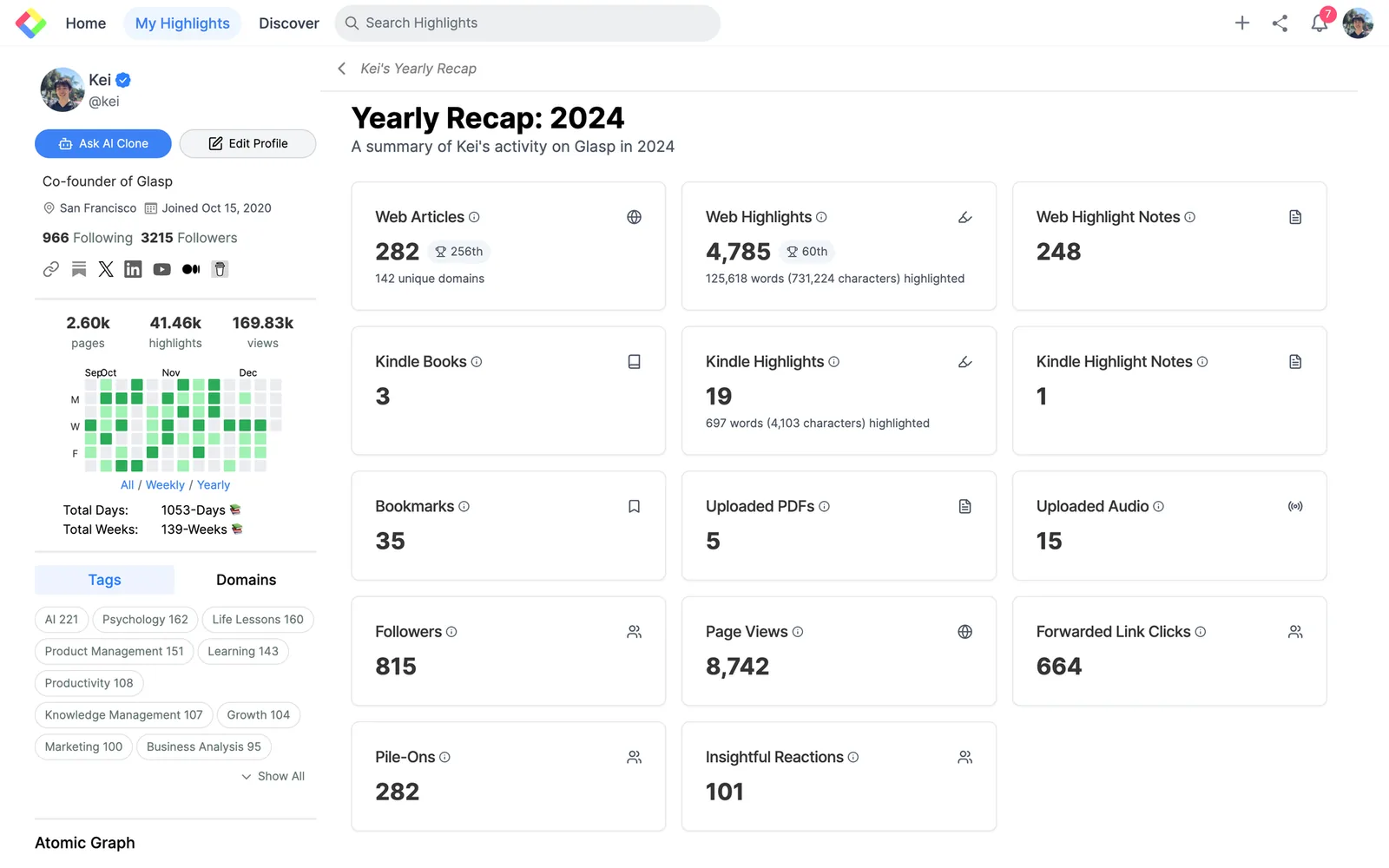
12/13/2024 - Year-End Recap
We added and sent an email about the Year-End recap. You can see:
The number of web articles you read (& rankings)
The number of web highlights (& rakings)
The number of web highlights notes
The number of Kindle books imported
The number of Kindle Highlights imported
The number of Kindle Notes imported
etc
12/10/2024 - Shortcut Key to Highlight
We added a new way to highlight text. Now, you can highlight with a keyboard shortcut. After selecting the text, click Shift + T + T. Then, it highlights the text.
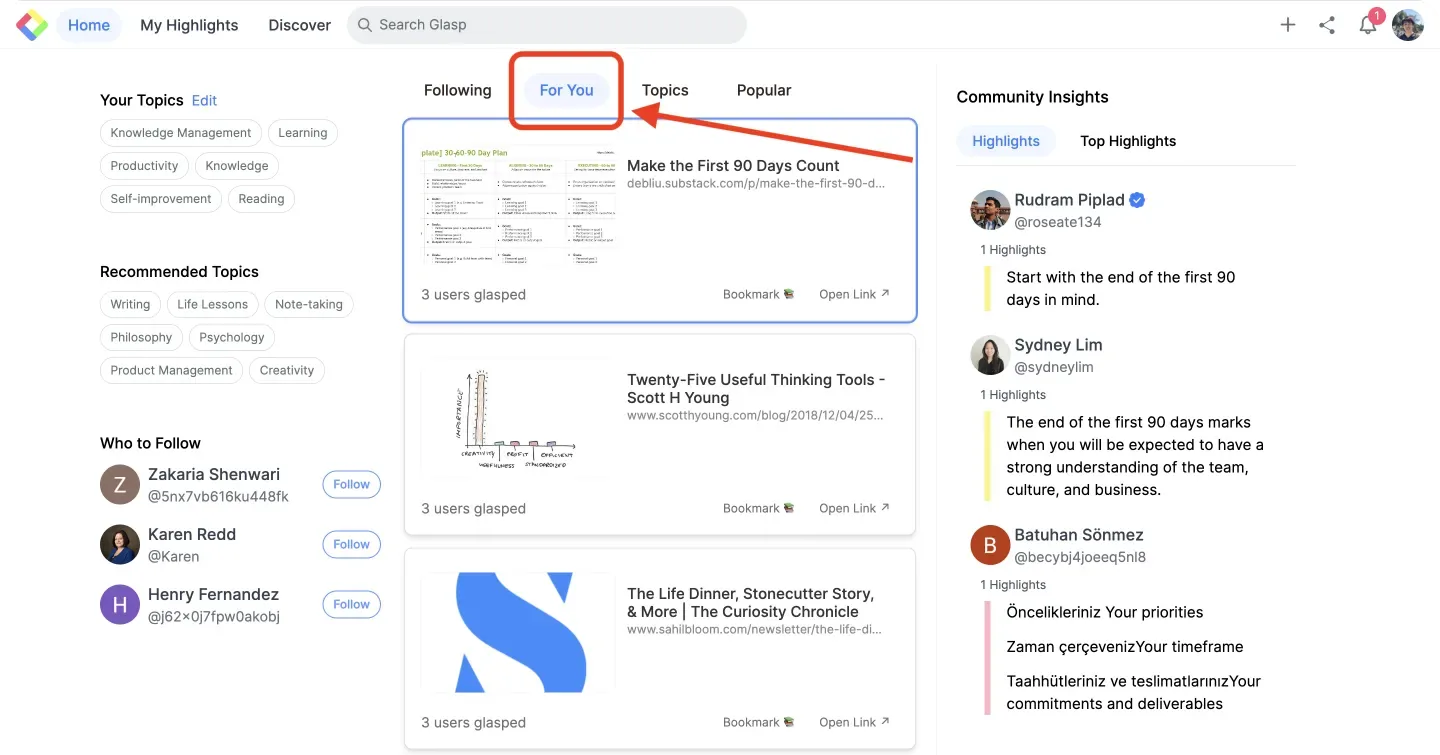
12/2/2024 - Get Personalized Recommendation
We recently implemented a basic recommendation feature for the “For You” feed! Based on your highlights, we curate content tailored to your interests. Open the Glasp Home feed and head to the “For You” tab to discover great content you'll love!
11/27/2024 - Save YouTube Summary
We added a new feature to save a summary of YouTube on Glasp. When you summarize the video with Glasp, it's automatically saved on Glasp (It's privately saved, no others can see it).
Watch on YouTube: How to Save YouTube Summary on Glasp
11/23/2024 - Edit Transcripts
You can now edit transcripts of your uploaded audio files!
Transcribe, summarize, highlight, and publish your audio effortlessly with Glasp!
Watch on YouTube: How Edit Transcripts of Audio File
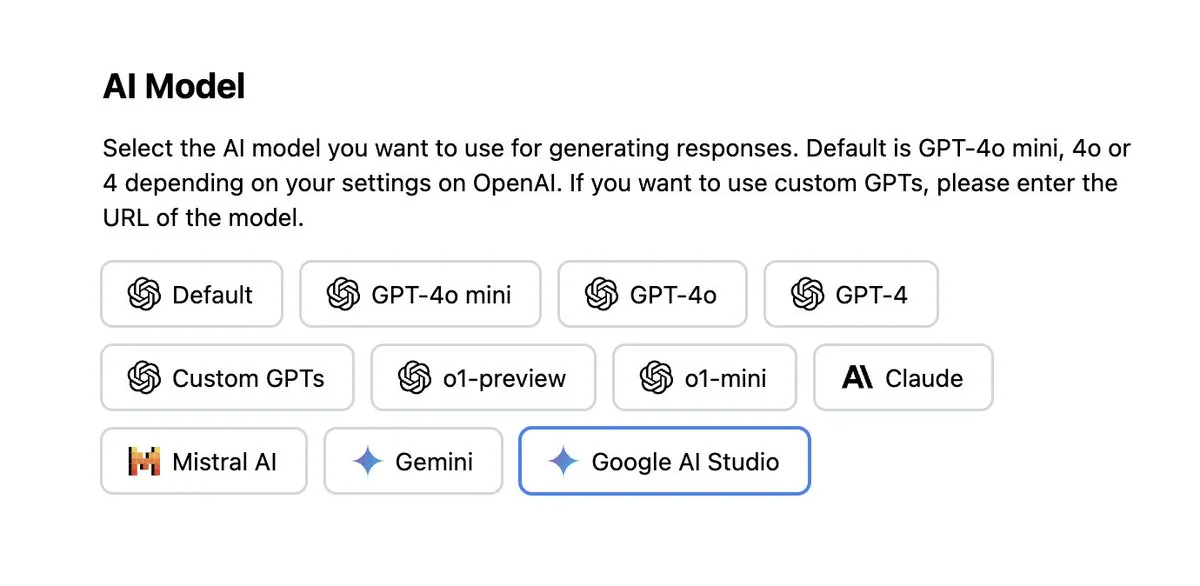
11/13/2024 - YouTube Summary Update
We added "Google AI Studio" as an AI model option to the YouTube Summary with ChatGPT extension!
Now you can summarize videos over 10 hours long in just one click, thanks to its ability to handle up to 1M tokens. 🚀
11/7/2024 - YouTube Summary Edge Extension
We added a YouTube Summary extension on Microsoft Edge. Edge users can:
Quick Summaries: Save time by reading video summaries directly on YouTube.
Seamless Integration: Easy to use with a clean interface that fits right into your browsing experience.
Please visit this page to install it on Edge.
YouTube Summary with ChatGPT & Claude - Microsoft Edge Addons
Make Microsoft Edge your own with extensions that help you personalize the browser and be more productive.
11/5/2024 - New Premium Plan
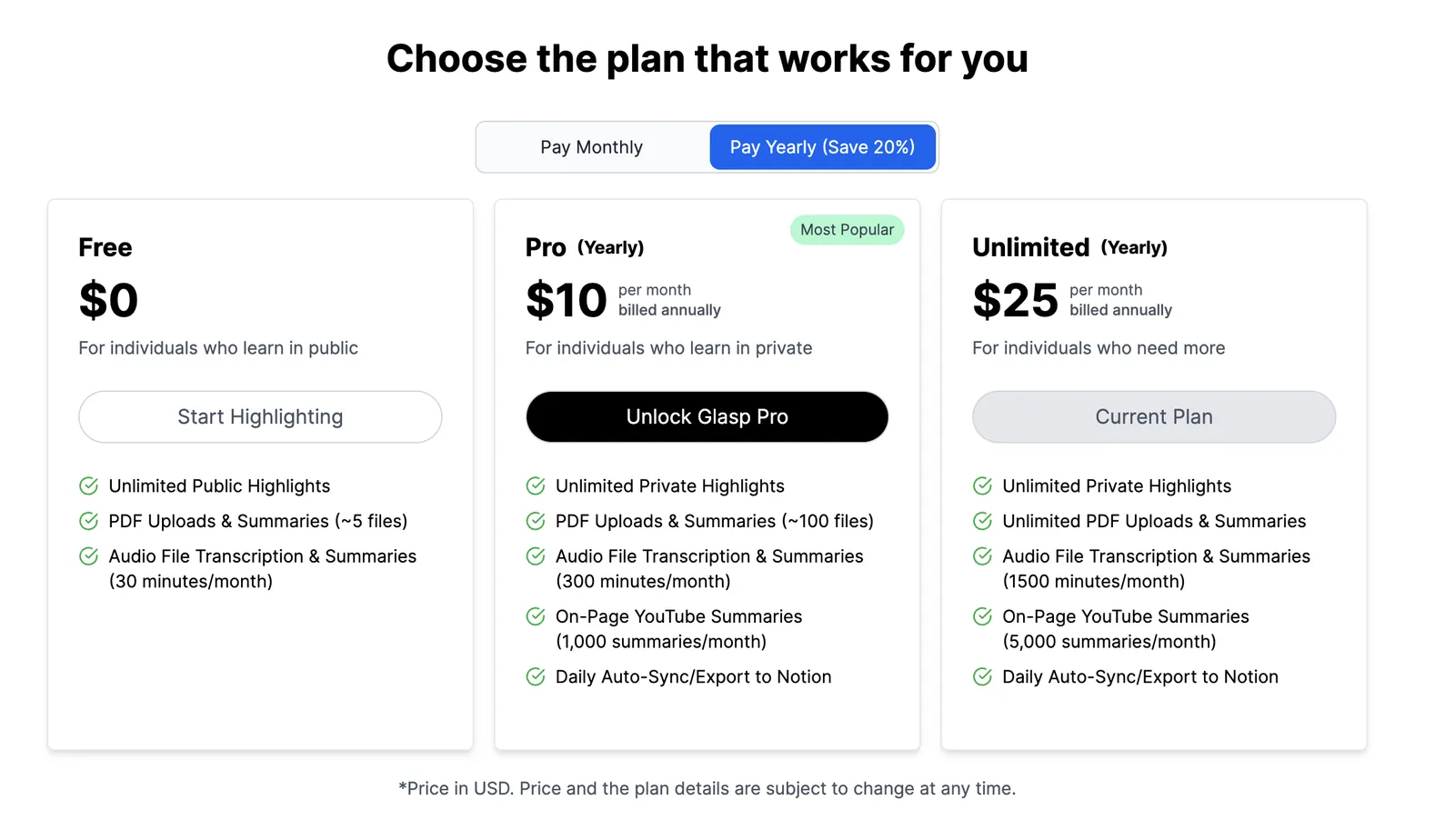
We added a new premium plan, Unlimited!
The new plan includes:
Unlimited Private Highlights
Unlimited PDF Uploads & Summaries
Audio File Transcription & Summaries (1500 minutes/month)
On-Page YouTube Summaries (5,000 summaries/month)
Daily Auto-Sync/Export to Notion
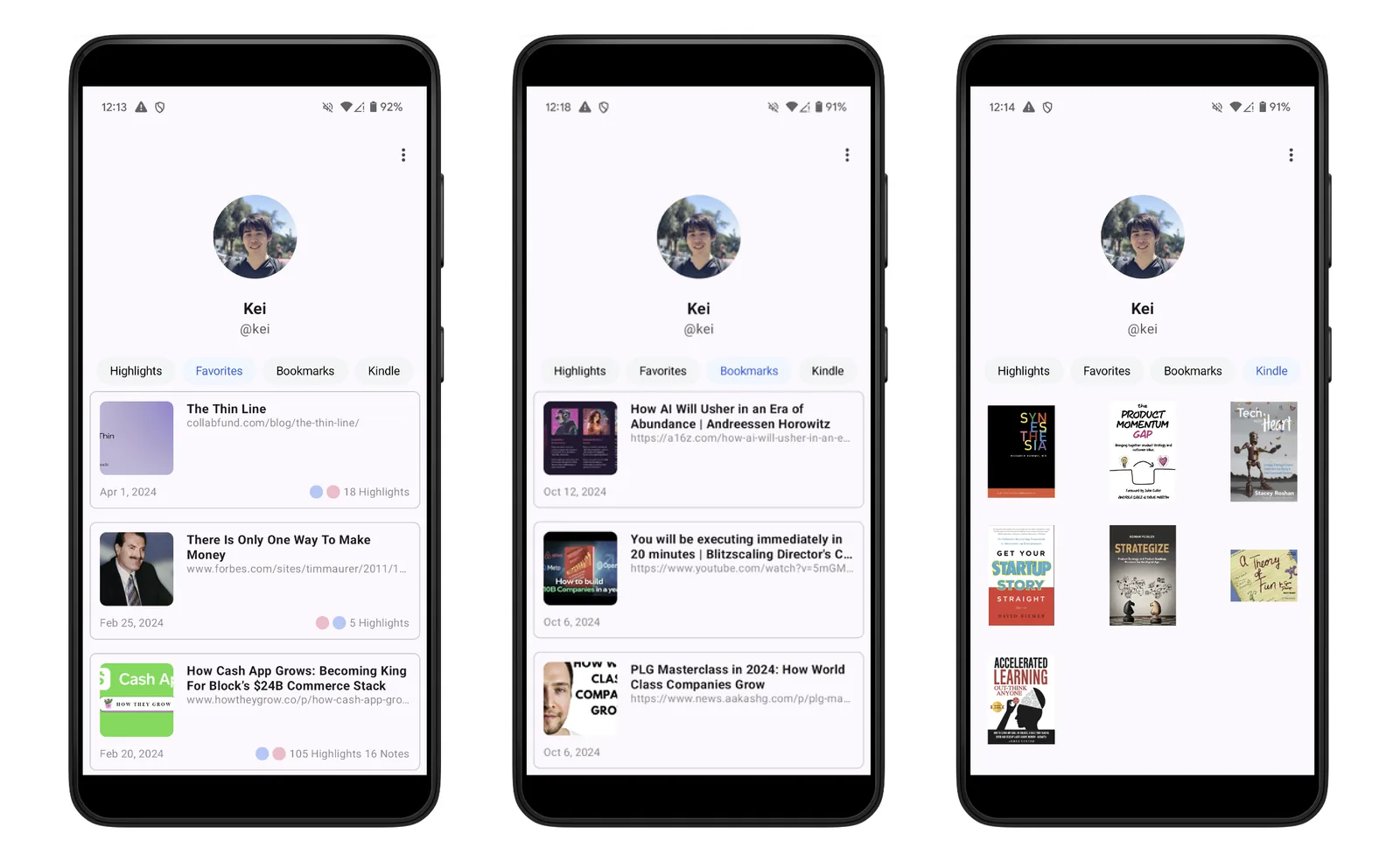
10/30/2024 - View Favorites, Bookmarks, and Kindle on Android devices
We’ve added a feature that allows you to view Favorites, bookmarks, and Kindle highlights & notes on Android devices. Now, you can review your Favorites, bookmarks, and Kindle highlights from anywhere, whether on your Android device or desktop! To get started with the Glasp app on Android devices, please visit the Play Store.
👉 How to Use the Glasp Android Mobile/Tablet App
10/15/2024 - Started Glasp Tech Blog
We’re excited to launch this blog as a space to share the behind-the-scenes journey of building Glasp, an AI-powered platform that democratizes access to learning and knowledge. As Glasp grows, we want to create more transparency in the engineering and product development processes. Please check it out and stay tuned 👀
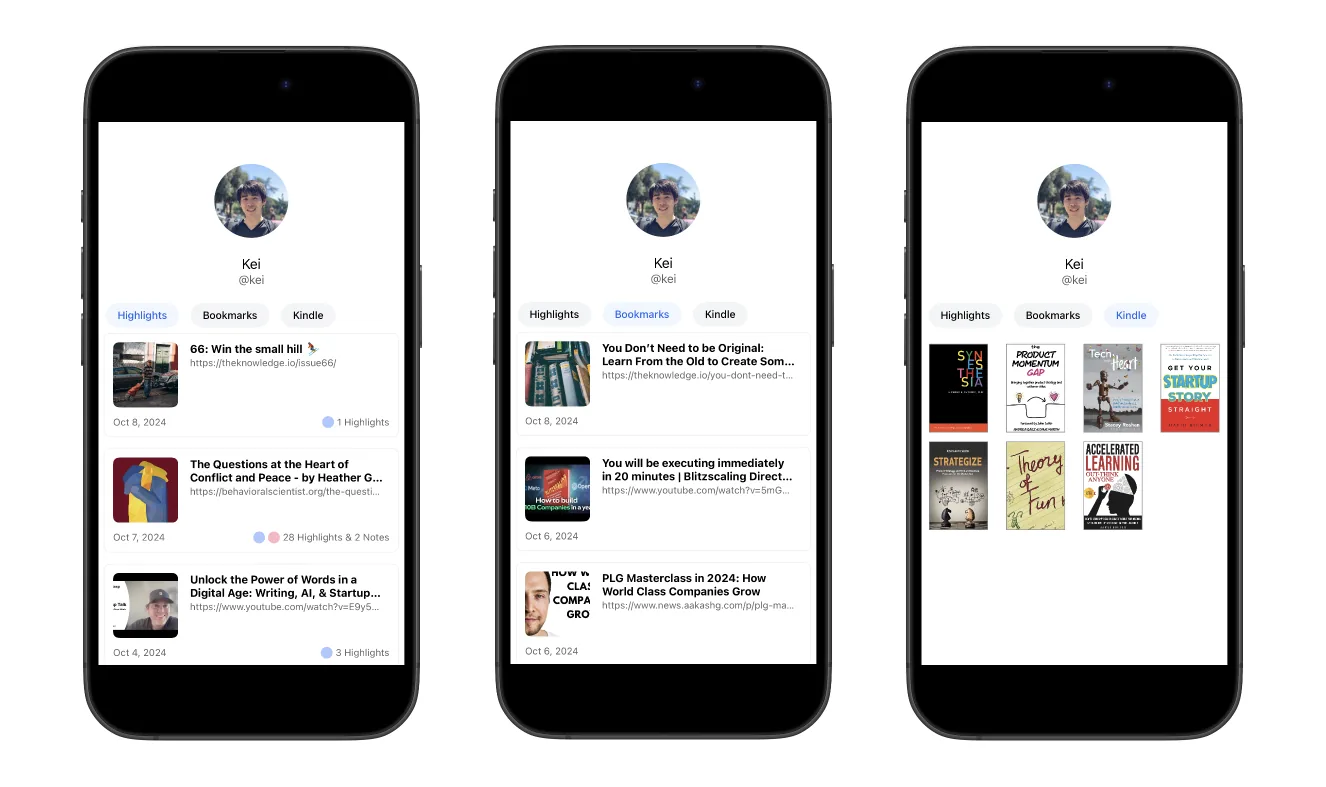
10/9/2024 - View Bookmarks and Kindle on iPhone and iPad
We’ve added a feature allowing you to view bookmarks, Kindle highlights & notes on iOS devices. Now, you can review your bookmarks and Kindle highlights from anywhere, whether on your iOS device or desktop! Please read this tutorial to get started with the Glasp app on mobile devices.
👉 How to Use Glasp iOS/iPad App?
10/1/2024 - Audio Transcripts
You can upload audio files to Glasp, which will automatically transcribe and summarize them. Highlight key parts, leave comments, and share the transcriptions with the world if you want 😄 👉 How to Transcribe Audio Files: Audio Transcripts
9/16/2024 - YouTube Summary Update
We added OpenAI's o1-mini and o1-preview models (beta).
We added a 'Temporary Chat' option for ChatGPT users.
9/2/2024 - iOS Mobile App Update
We released the new version of the Glasp iOS app. This version includes:
Bug Fixes and Stability Improvements: We’ve been hard at work squashing bugs to ensure a smoother and more reliable experience. Thanks to your feedback, we’ve identified and fixed several performance and functionality issues.
View bookmarks: You can see the lists of the bookmarks you saved from the mobile app and the desktop, open them on the Glasp mobile app, and highlight them seamlessly!
Enhanced User Experience: Minor tweaks and adjustments have been made to make your experience even better. Enjoy improved responsiveness and a more seamless interaction.
Download the app below!
Glasp is a free app that lets you quickly capture online content with colored highlighting options, which are then automatically curated to your Glasp homepage. These highlights can then be tagged, searched for, linked to, and shared on a variety of other platforms, including Twitter, Teams, and Sla…
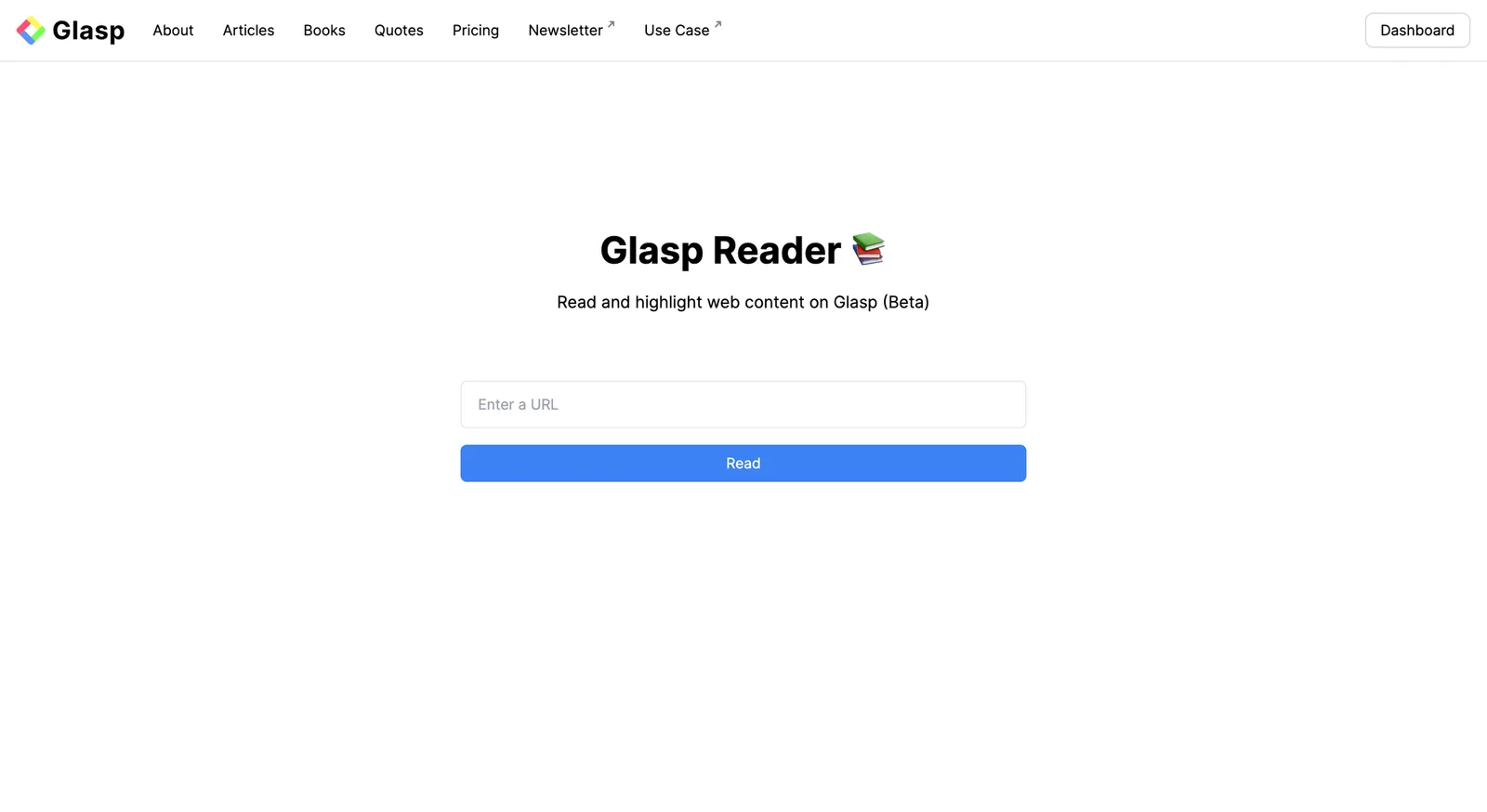
8/30/2024 - Reader Feature
We added a new feature called "Reader." It allows you to highlight web content directly on the web content; without the Glasp Chrome extension, you can highlight it.
8/29/2024 - Mobile App Update
We released the new version of the Glasp Android app. This version includes bug fixes and stability improvements. We’ve been hard at work squashing bugs to ensure a smoother and more reliable experience. We’ve identified and fixed several performance and functionality issues.
Please check it below!
Glasp lets you quickly capture online content with colored highlighting options.
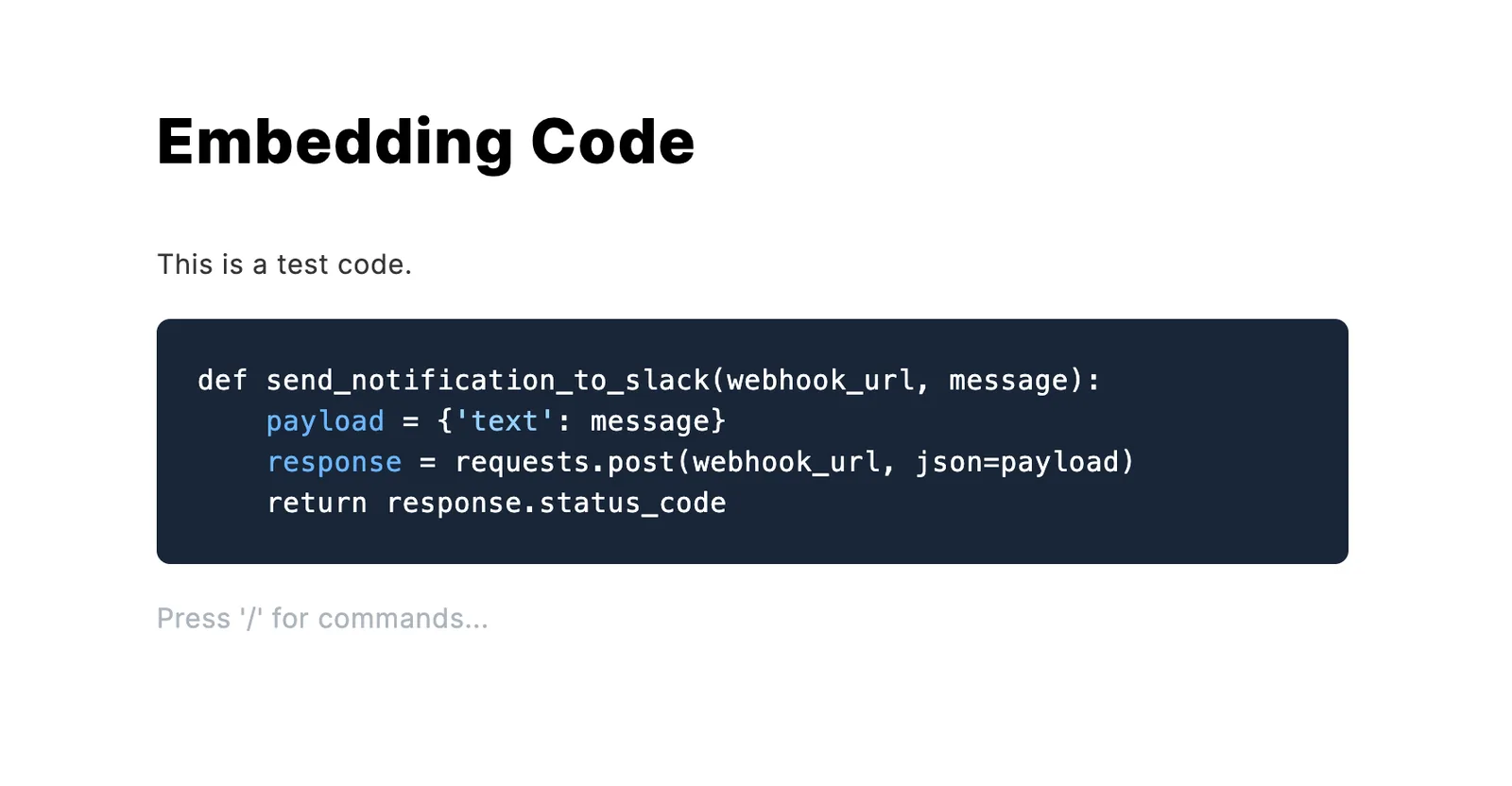
8/23/2024 - Embedding Code in Posts
We updated the Post feature to be able to embed code on the post.
Type ``` to start embedding the code on the post.
8/22/2024 - On Page YouTube Summary
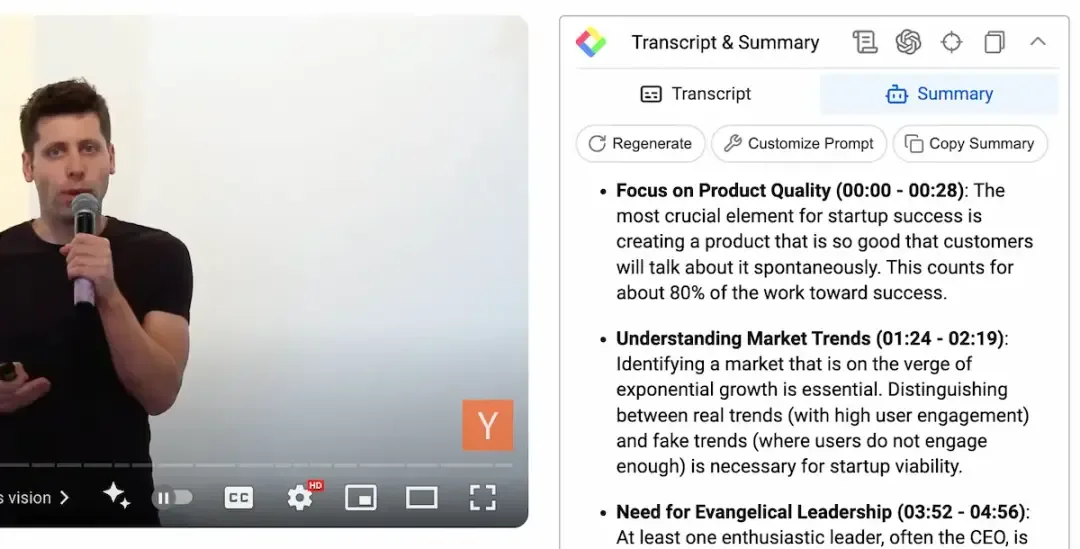
We added two features to the Glasp & YouTube Summary Chrome extension.
On-page summary for YouTube (beta). View the summary while watching videos.
The video timestamp to the summary prompt for better context.
8/10/2024 - Comment Feature on the Post
We added the commenting feature to the Post Feature. You can leave a comment on users' post pages to interact with the writer and other learners.
Here's the example comment. Please check it out 👀
7/26/2024 - Added Post Feature
We added the "post" feature, which allows you to write posts or blogs directly on Glasp ✍️ This new addition is designed to streamline the workflow for creators and learners alike, enabling you to transform your collected ideas into insightful content effortlessly. Please check the tutorial below to see how it works 👀
Introducing the New Post Feature on Glasp: Curate to Create | Glasp
At Glasp, we are always striving to enhance the way our users collect, organize, and share knowledge. We are excited to announce our latest feature: the “post” feature, which allows you to write posts…
7/22/2024 - Added GPT-4o mini option
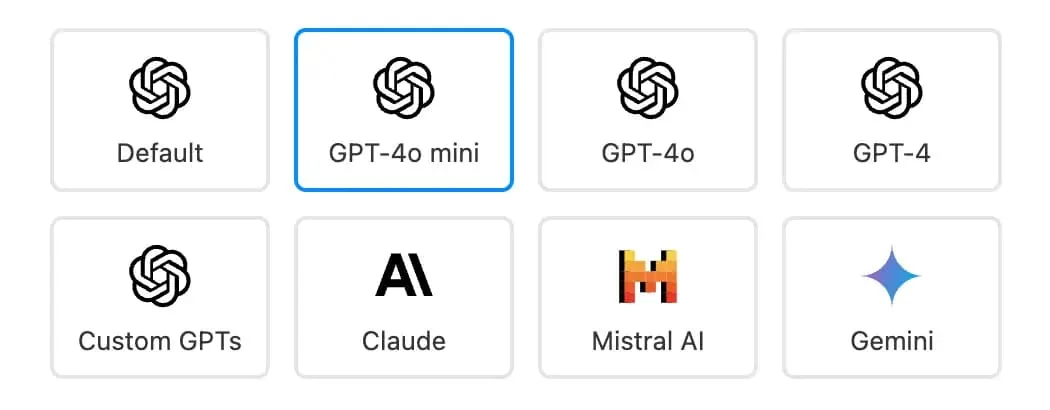
Added the GPT-4o mini option to AI models.
6/22/2024 - Image highlights, Gemini and Custom GPTs option to AI models, and 'Find Summary Article' feature in YouTube Summary
We added three new features.
Image highlights: When you mouse over an image, right-click it. On the options menu, you can see
Highlight Image. Visit this tutorial to see how it works.Gemini and Custom GPTs option to AI models: When you summarize a YouTube video or an article, you can select Gemini and Custom GPTs as the default AI model to summarize it.
"Find Summary Article" function on YouTube Summary: When you click the
Find Summary Articlebutton on the sidebar on YouTube, you can see a summary article about the video and read the details.
6/14/2024 - Import highlights from Readwise
We added a new feature to import highlights from Readwise to Glasp. With this feature, you can see all the highlights you stored in Readwise on Glasp and organize them anytime. It's easy to set up the import, so follow this tutorial and start organizing your knowledge more flexibly! Visit this tutorial to see how it works 👀
How to Import Highlights from Readwise
We added a new feature to import highlights from Readwise to Glasp. With this feature, you can see all the highlights you stored in Readwise on Glasp and organize them anytime. It’s easy to set up the import, so follow this tutorial and start organizing your knowledge more flexibly! If
6/5/2024 - Hatch ideas
We added a new feature called Hatch. It generates new ideas by connecting the dots; your highlights. By selecting manually or randomly, Glasp finds common things, makes sense, and creates new ideas 🐣
Please watch this tutorial or the video below to see how it works 👀
Watch on YouTube: Hatching Ideas with Glasp AI
May 21, 2024 - Importing Medium highlights
We have introduced a feature to import highlights from Medium into Glasp. You can sync Medium highlights and make them searchable and organizable on your Glasp profile page 📚 Please check this tutorial to see how it works.
Watch on YouTube: How to Import Highlights from Medium into Glasp
May 15, 2024 - Importing Highlights from Instapaper
We added a new feature to import highlights from Instapaper. If you make highlights (note on Instapaper), you can import them into Glasp. Please check this tutorial to see how it works.
Watch on YouTube: How to Import Highlights from Instapaper to Glasp
May 2, 2024 - Bookmark Feature
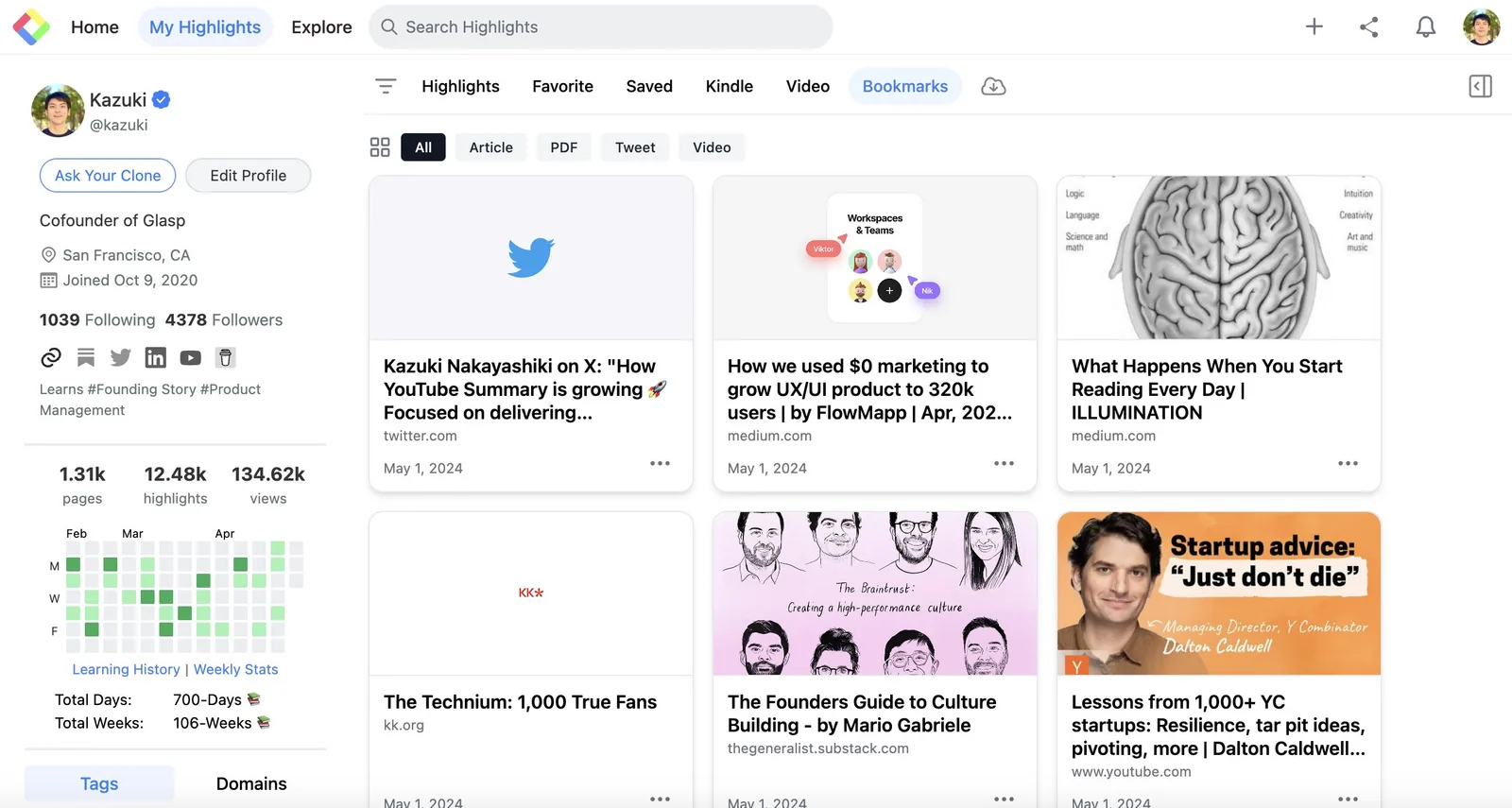
We added the bookmarking feature to Glasp. You can save a URL to read it later. Please check how to bookmark here 👀
April 26, 2024 - Finding like-minded people
We updated like-minded people's graphs recently! You can check who are the nearest neighbors with the same interests. Please check here to see how to see your like-minds 🤝
April 17, 2024 - Notion Integration with Glasp
We added a new feature to export Glasp highlights into Notion with Notion API. Please visit the YouTube below or this article for the detailed tutorial.
Watch on YouTube: How to integrate with Notion and send highlights from Glasp to Notion
April 2, 2024 - Mistral AI for YouTube Summary
We added Mistral AI to the list of AI models you can use for the YouTube summary feature. You can send the transcript of the YouTube video to Mistral AI and get the summary of it.
Please watch the video below to see how to use it.
Watch on YouTube: MistralAI for YouTube Summary
March 27, 2024 - Popular Videos on Glasp
We added a web page to show popular YouTube videos on Glasp. The popularity is based on the number of summarizations made for each video by week because Glasp offers a YouTube summary feature.
Here's the weekly top of March 18, 2024.
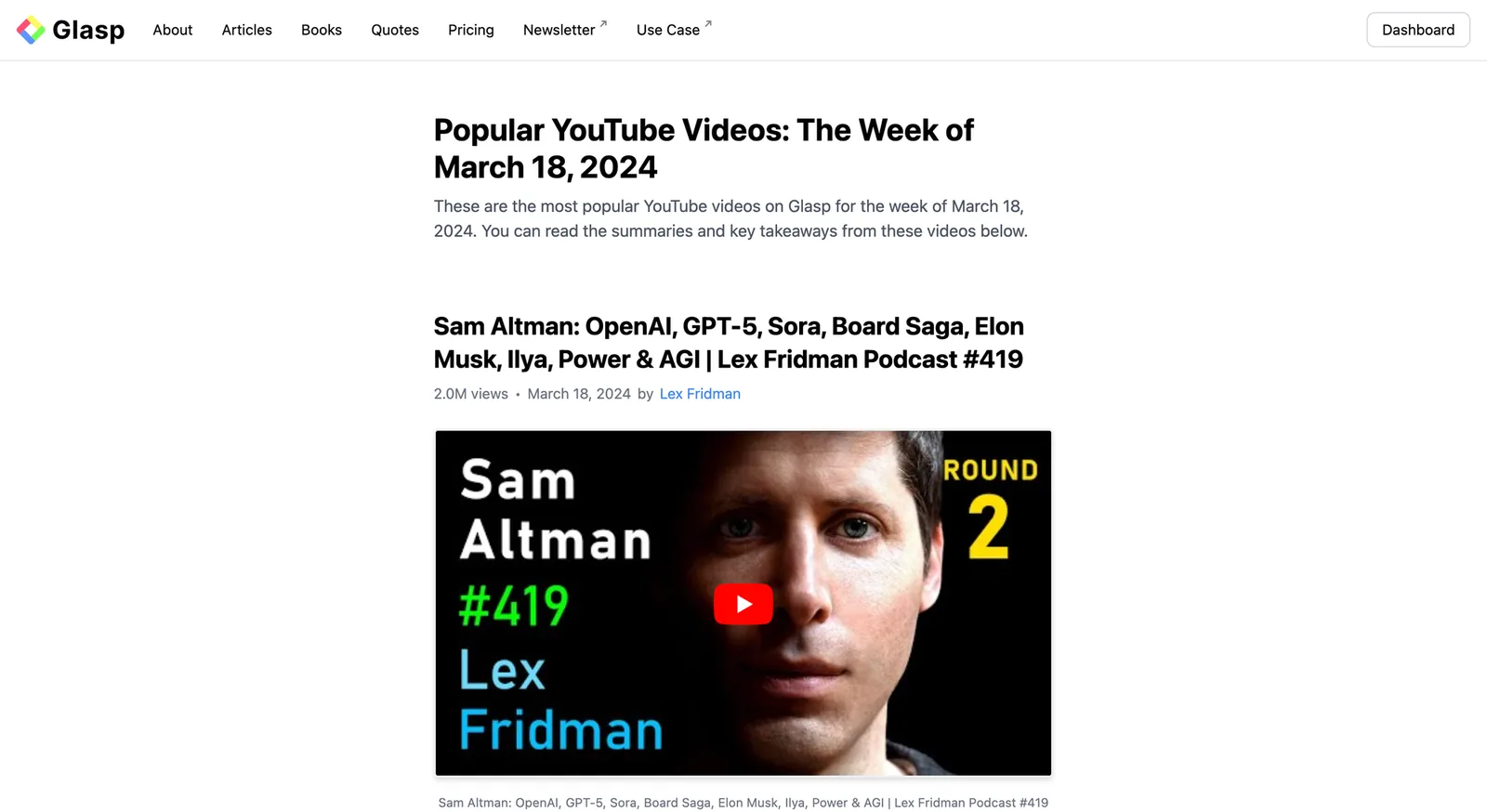
the weekly top of March 18, 2024.
March 20, 2024 - Private Highlights
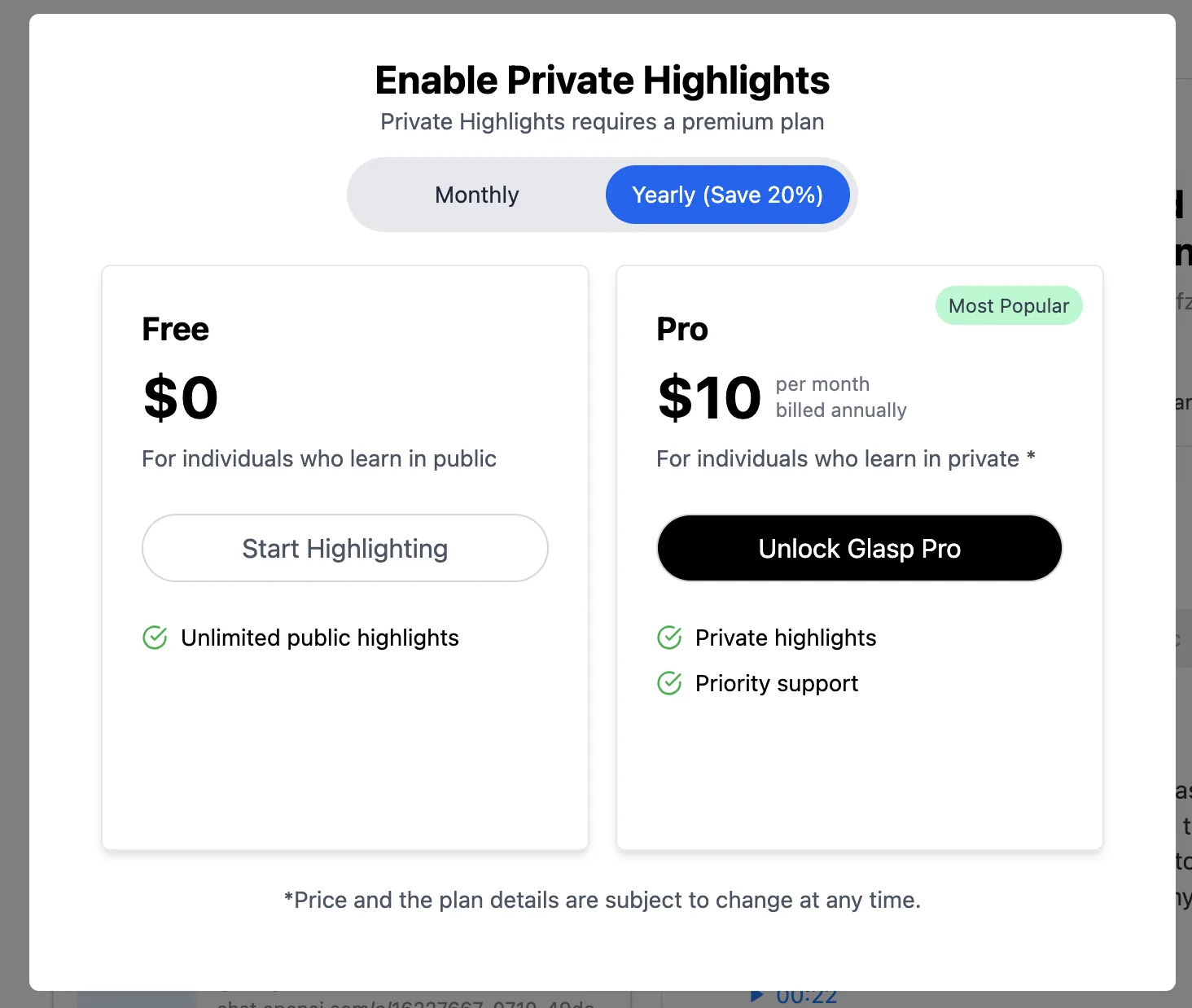
We have introduced a private version for highlights. Now, all highlights are visible to everyone, including non-Glasp users. However, with private highlights, your highlights will not be visible to either other users or non-Glasp users.
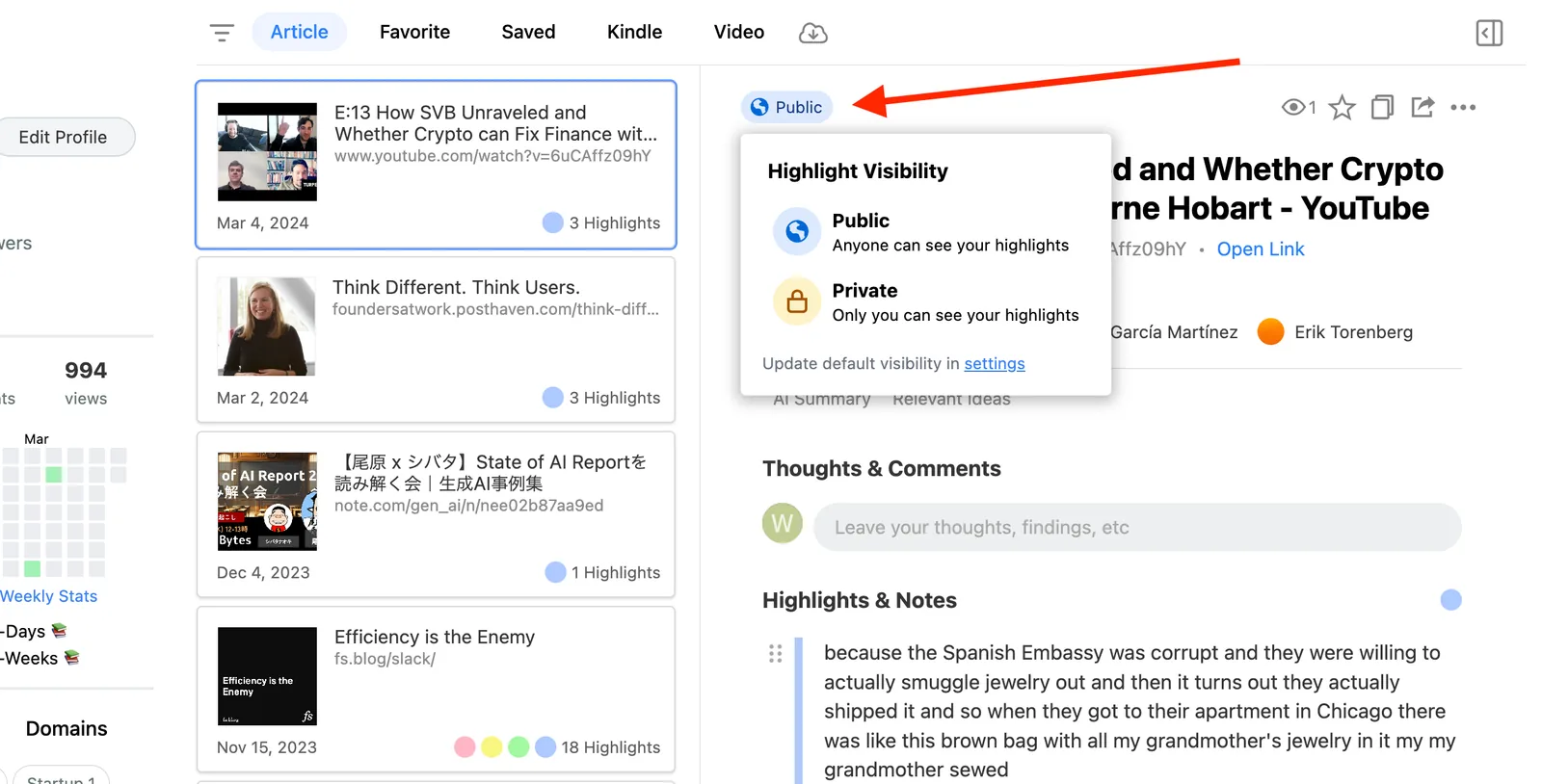
To make your highlights private, visit the My Highlights page. You can see the Public icon at the top, so please click it. On the popup, you can see the Private icon, so click it to update the setting. If you see a modal that asks you to subscribe, please do so to start using private highlight.
February 1, 2024 - Summaries of YouTube Videos
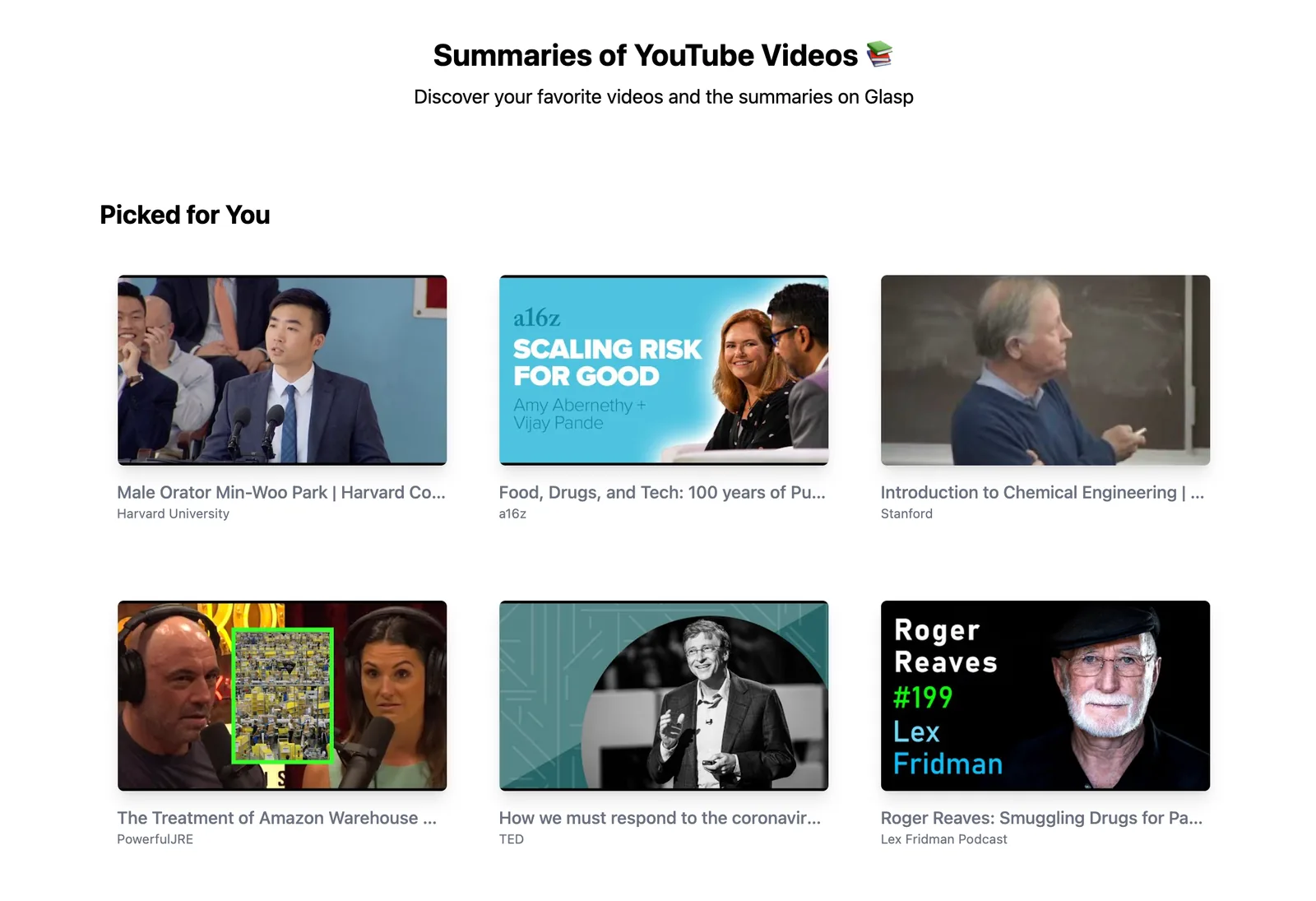
We added articles of summaries of the YouTube videos.
You can read the content of the YouTube video in text.
You can get transcripts of the YouTube video.
Please visit this page to see the summaries of the videos!
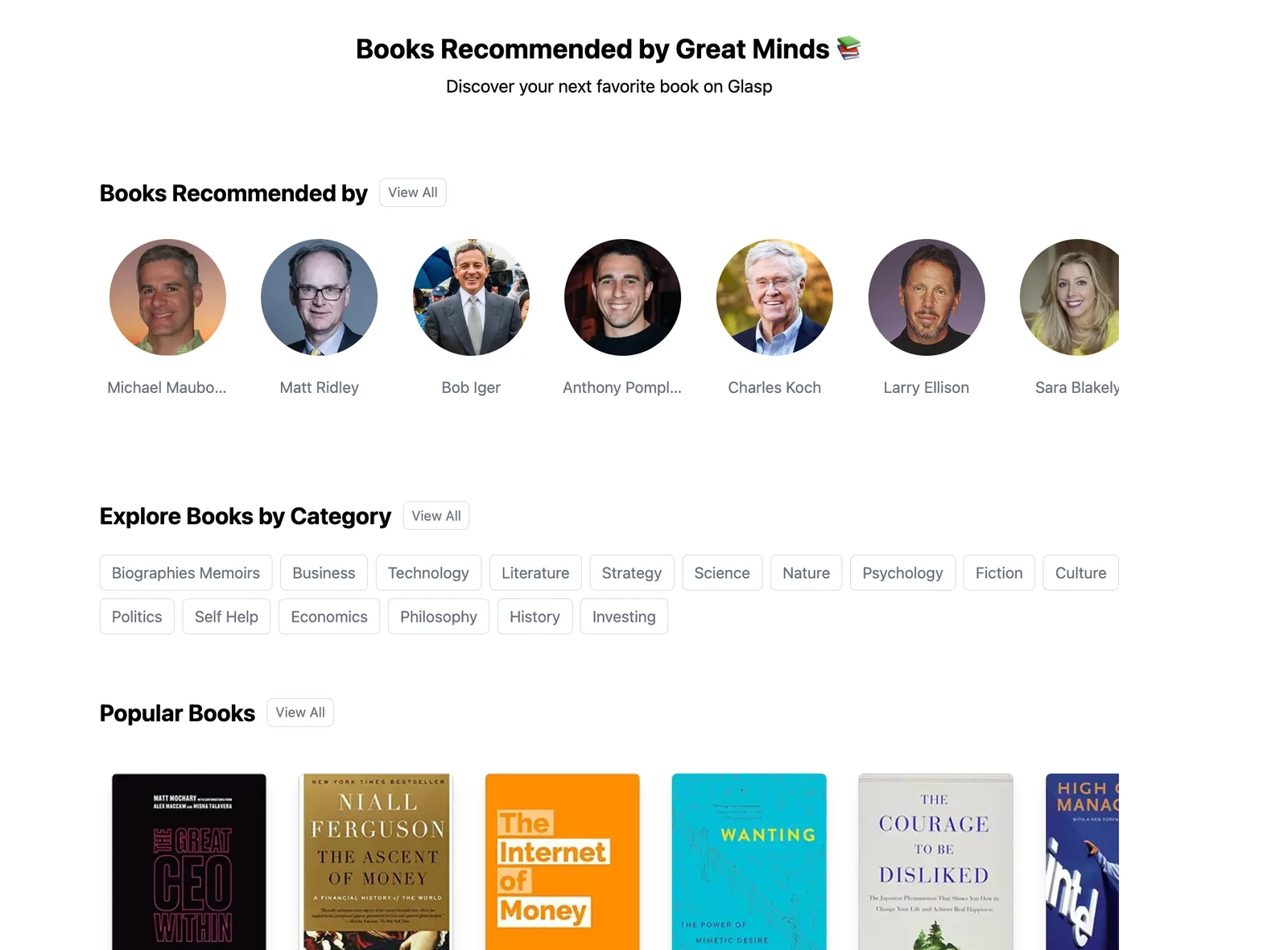
January 17, 2024 - Recommended by Great Minds 📚
We added a feature to curate and collect books recommended by great minds!
You can find great books by great minds! The great minds include Naval Ravikant, Bill Gates, Warren Buffett, Karlie Kloss, and more!
Please visit this page to explore what they're recommending 👀
October 19, 2023 - Updated YouTube Summary with ChatGPT & Claude
We updated the YouTube Summary with ChatGPT & Claude:
Custom follow-up prompts
Multiple lines in the custom prompt
PDF Summary
Please check out the video below to see how it works.
Watch on YouTube: YouTube Summary with ChatGPT & Claude: Updates on Follow-up Prompts & PDF Summary
October 11, 2023 - AI Personality Test with Books You Read
We launched a world-first AI-powered personality test that analyzes your Kindle reading history to reveal personality traits. Simply import your Kindle books to discover insights.
Please check out this page to start taking the personality test.
Watch on YouTube: How to Take Personality Test with Books You Read with Glasp
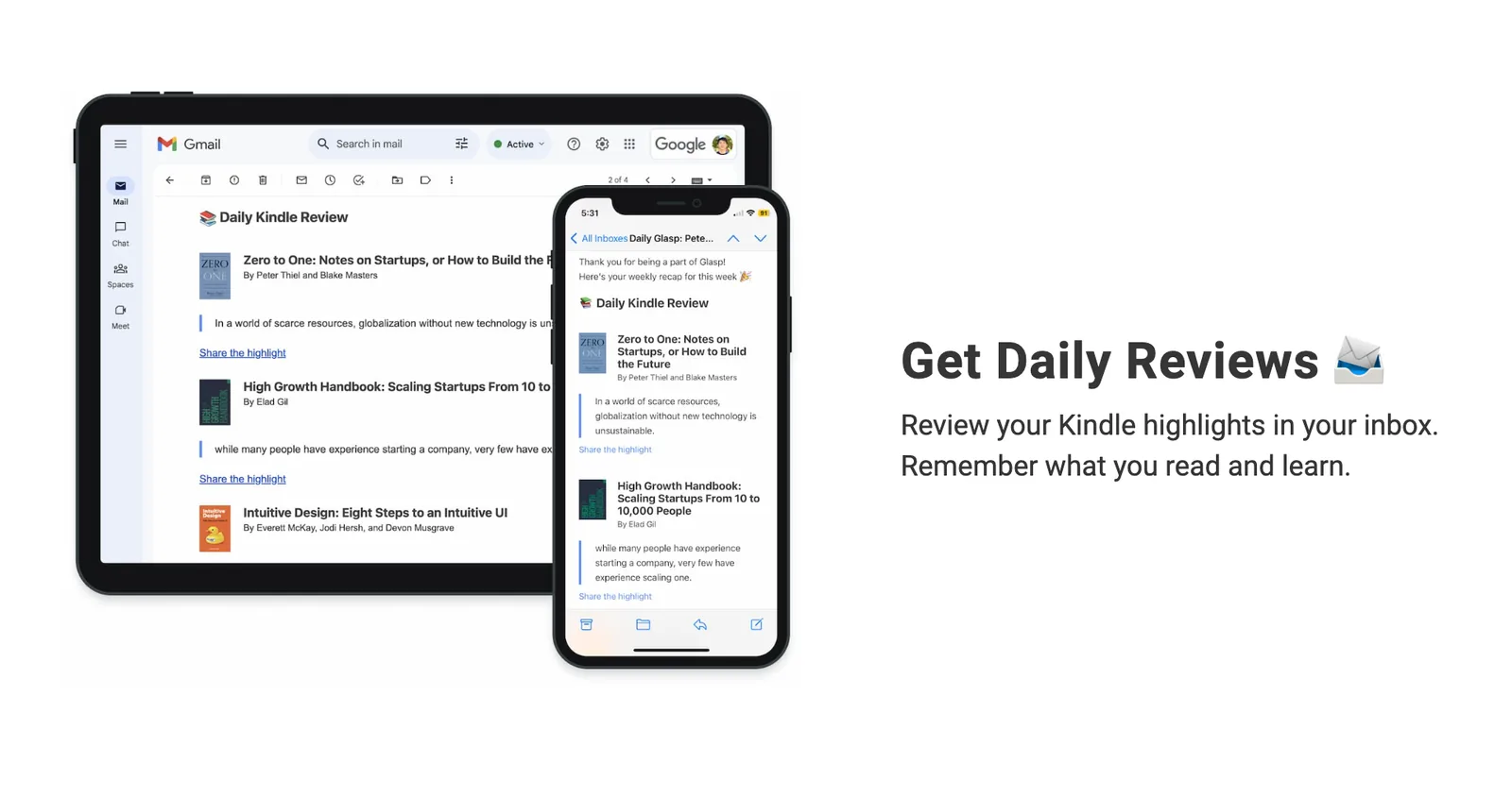
September 22, 2023 - Daily Review of Kindle highlights
We added a new feature to import Kindle highlights and send the review of highlights daily via email. Glasp can accept importing Kindle highlights from more than 12+ languages.
Please check out this page to start importing Kindle highlights.
September 22, 2023 - Mobile Apps released on App Store and Play Store
We finally released the iOS and Android app on the App Store and Play Store! This is our initial launch, so it'd have some bugs. Please bear with us and report a bug through here.
Please install the app from the link below.
👉 Install the Glasp iOS app
👉 Install the Glasp Android app
September 14, 2023 - Weekly Stats are visible on your Glasp profile
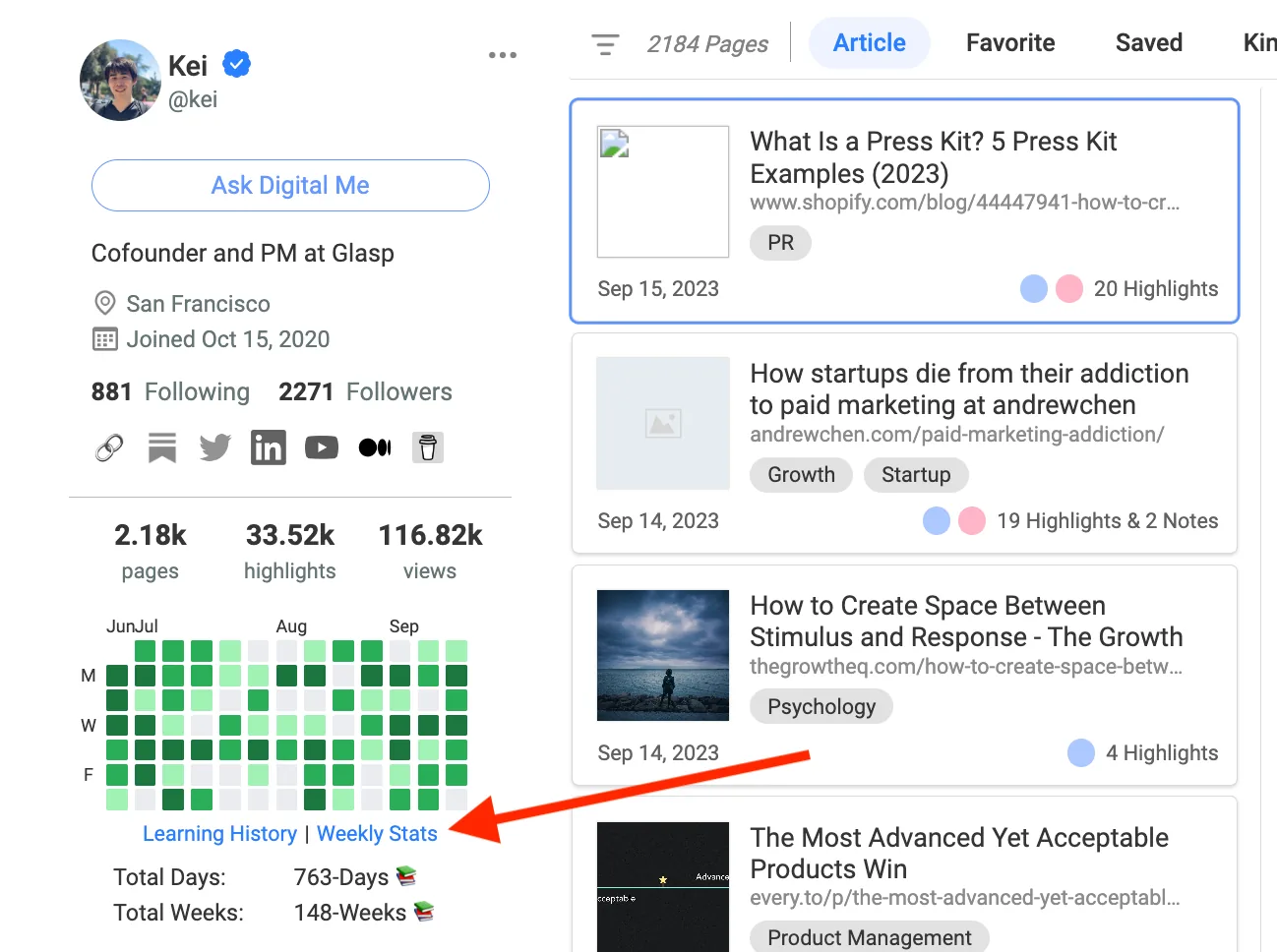
You can see your weekly stats and contributions on your Glasp profile page. The stats are based on the weekly stats that we've been sending every weekend via email.
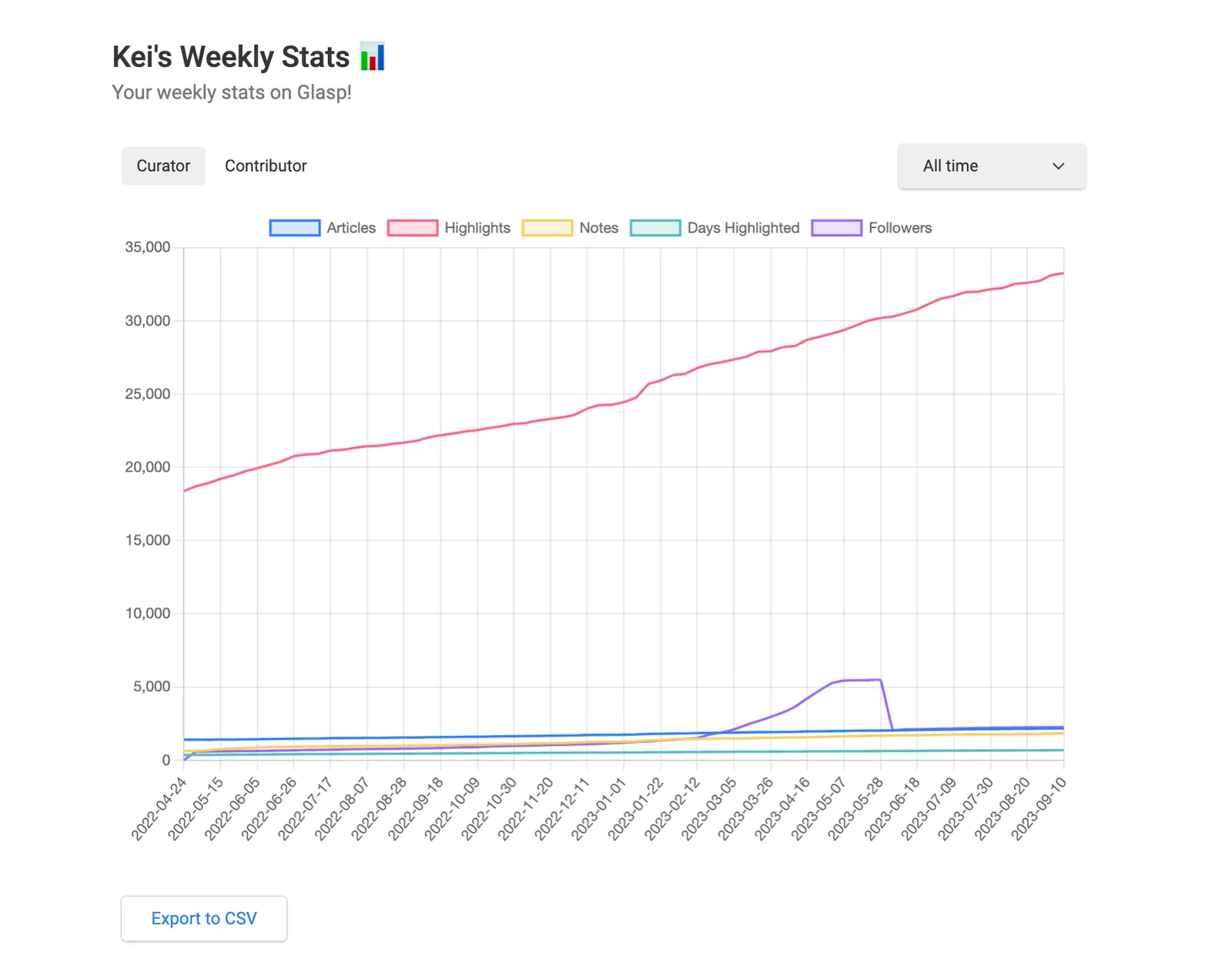
To access the Weekly Stats, please go to your My Highlights page. Click Weekly Stats on the left.
September 12, 2023 - See Top Highlights of Kindle Books and Other Readers
We launched a new feature to see top highlights of the Kindle books and other readers. You can find top 5 highlights in the book and access the page through Explore page.
Glasp on Zero to One: Notes on Startups, or How to Build the Future / Glasp
Explore ideas from the best writers and thinkers on the internet and save them to your Glasp library.
September 8, 2023 - Import Highlights from Weava
We launched a new feature to import highlights from Weava into Glasp. Please check the tutorial below to see how it works.
How to import highlights from Weava into Glasp
We have been receiving a lot of requests about importing highlights and notes from Weava into Glasp. This tutorial introduces how to import your highlights and notes on Weava into Glasp with a visual guide. If you haven’t signed up for Glasp or installed the Glasp browser extension, please do
September 7, 2023 - Import Highlights from Hypothesis
We launched a new feature to import highlights from Hypothesis into Glasp. Please check the tutorial below to see how it works.
How to import highlights from Hypothesis into Glasp
We have been receiving a lot of requests about importing highlights and notes from Hypothesis into Glasp. This tutorial introduces how to import your highlights and notes on Hypothesis into Glasp with a visual guide. If you haven’t signed up for Glasp or installed the Glasp browser extension, pleas…
August 2, 2023 - iOS Mobile & Tablet App on TestFlight
We launched an iOS mobile & tablet app on TestFlight. You can test it through here.
August 1, 2023 - YouTube Summary with Claude
Our YouTube Summary has a new option to choose Claude by Anthropic to summarize YouTube video. With this update, you can:
Summarize much longer videos without truncation (> 2 hr videos)
You can also summarize web articles (~100K token = 75,000 words)
And it still remains free to use!
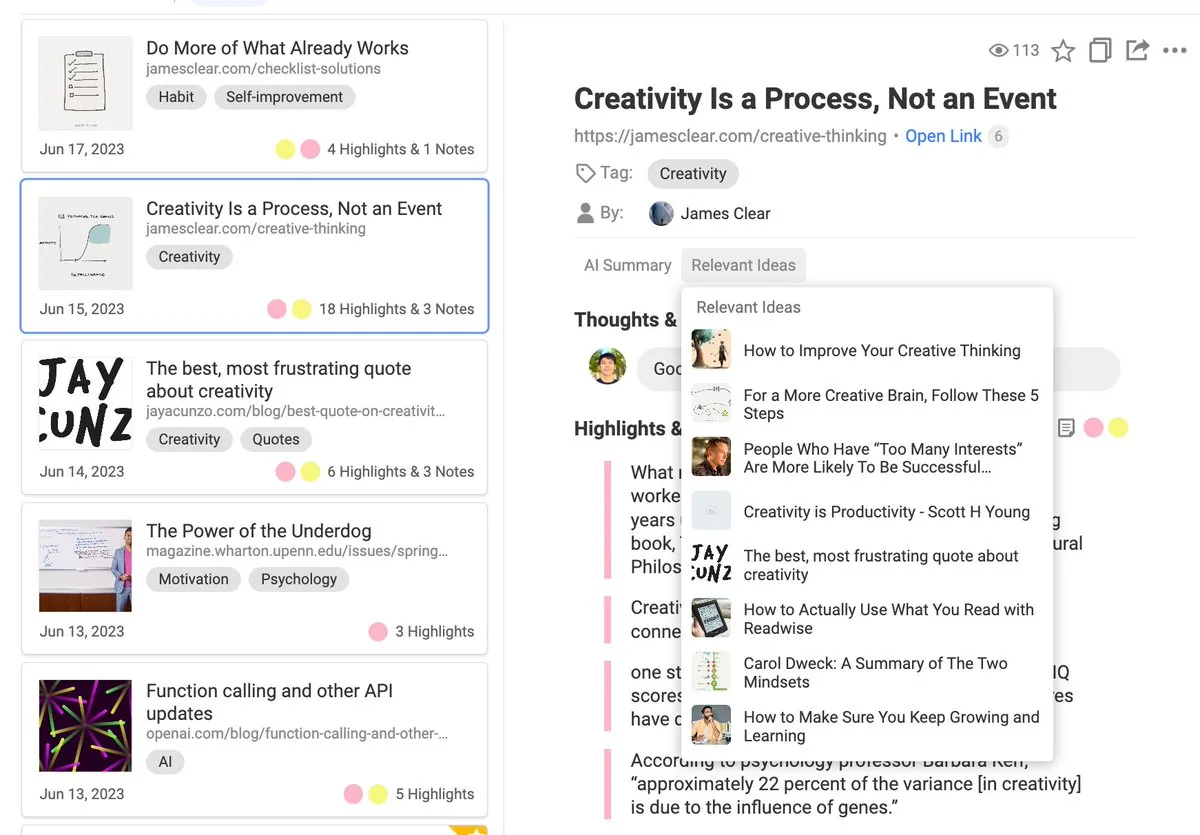
July 19, 2023 - Find Relevant Ideas
You can find relevant ideas based on highlights and notes on your Glasp profile page. Please visit My Highlights page and click Relevant Ideas to see them.
June 28, 2023 - Highlight Sentences with a Keyboard Shortcut
We added a keyboard shortcut to highlight web content. To use the feature, you need to enable it first. You can update the setting through the sidebar extension. Open any article and the sidebar.
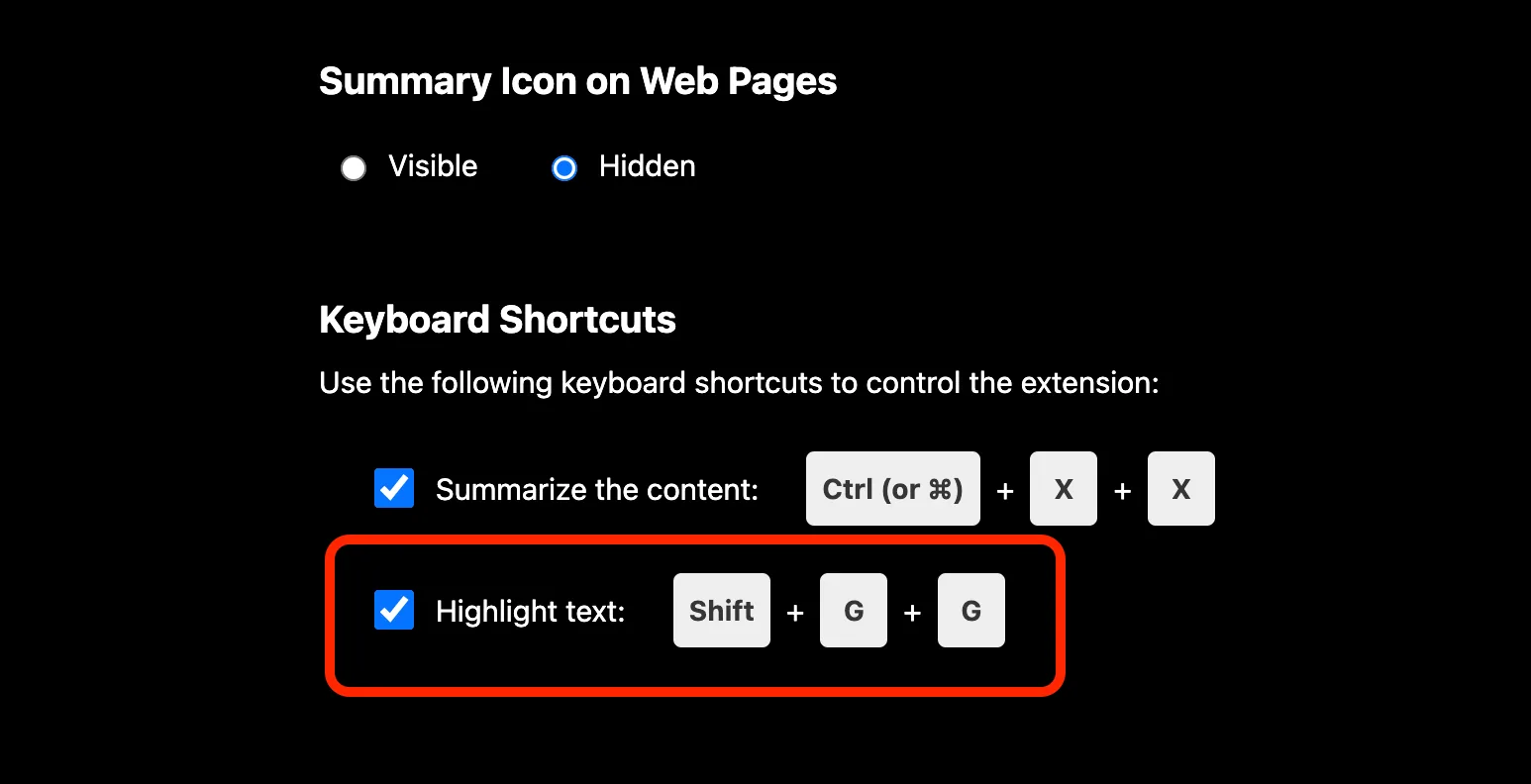
How to highlight sentences with a keyboard shortcut?
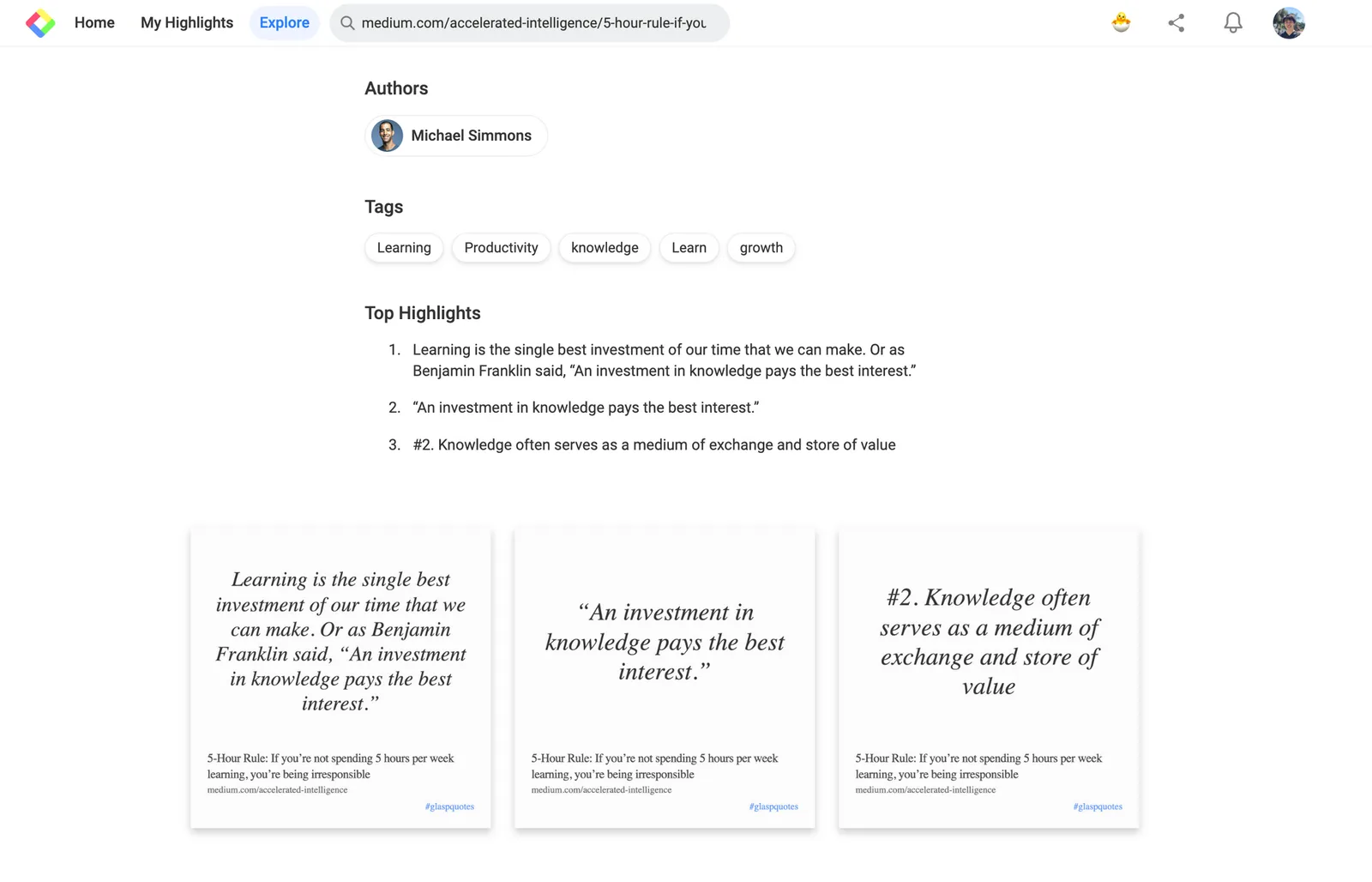
June 24, 2023 - Quote Shot on the Explore Page
We updated the Explore page to have quote shots of highlights. You can see highlights in beautiful images, download and share them.
5-Hour Rule: If you’re not spending 5 hours per week learning, you’re being irresponsible
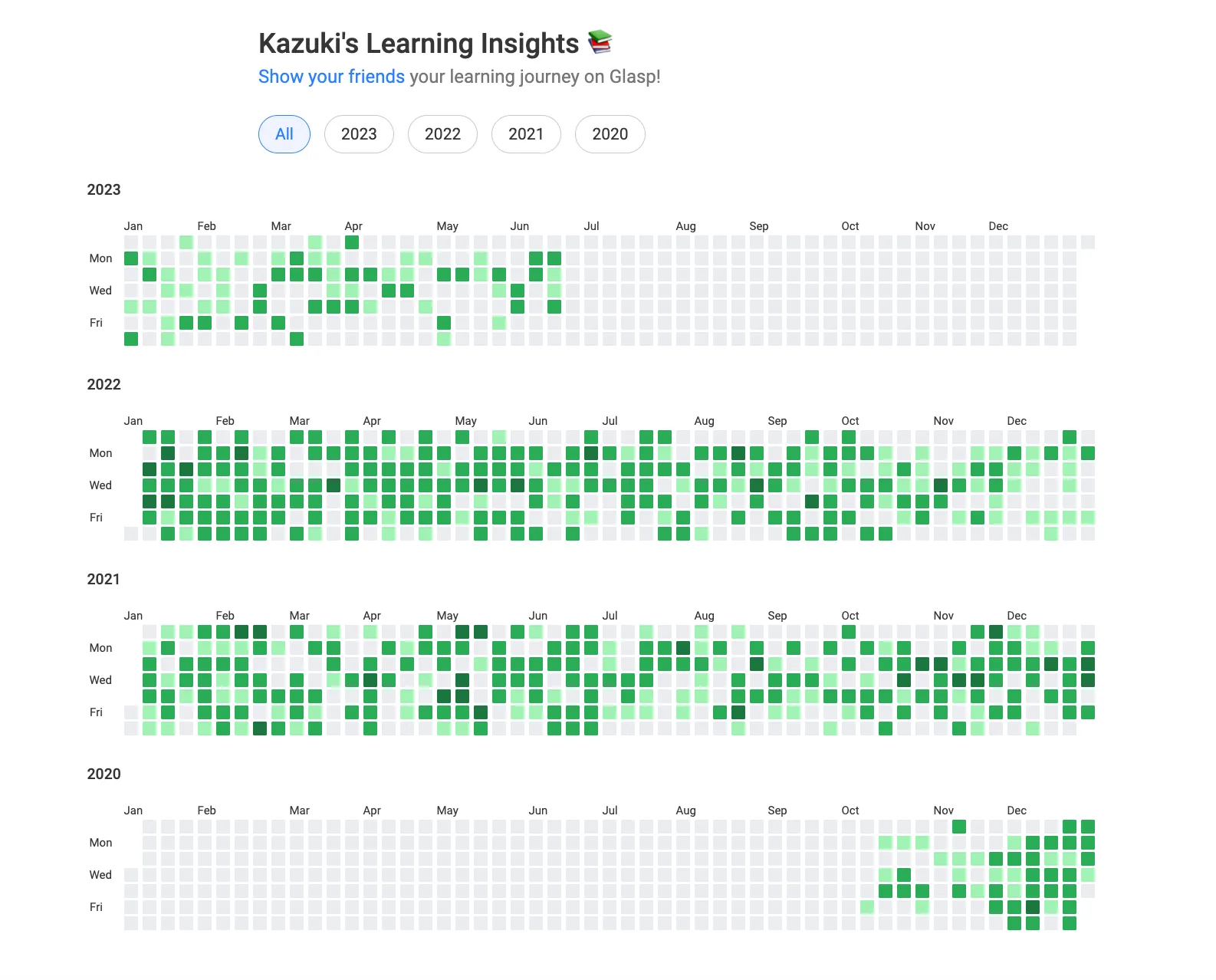
June 18, 2023 - Learning Insights
We updated and added Learning Insights on Glasp. You can see all the history and contribution to human society since you joined Glasp.
June 15, 2023 - For You on the Home feed
We updated the Home feed on Glasp and added a new tab For You. It shows articles that your followings read but you haven't read yet. With this update, you can find interesting and insightful articles from like-minded people.
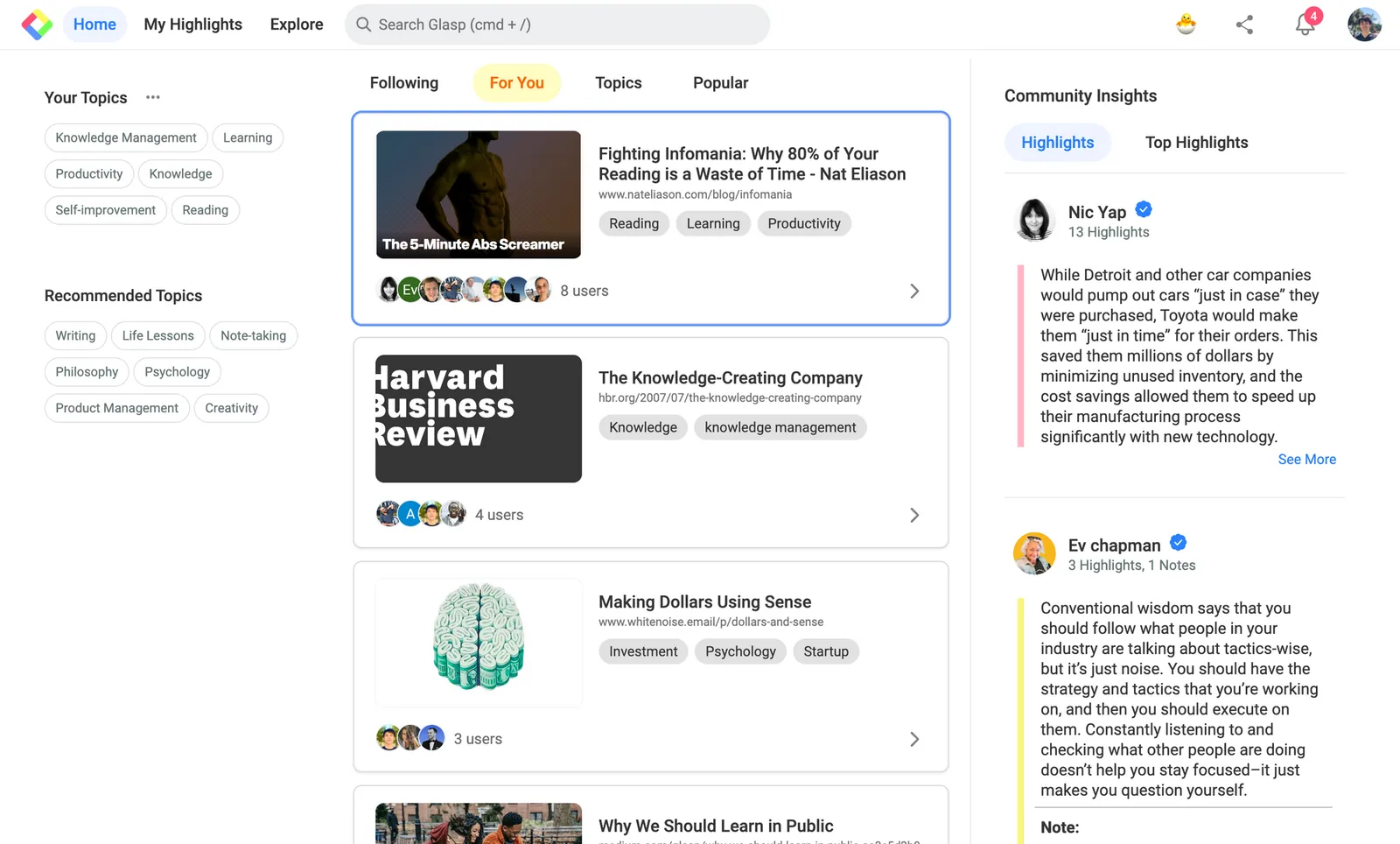
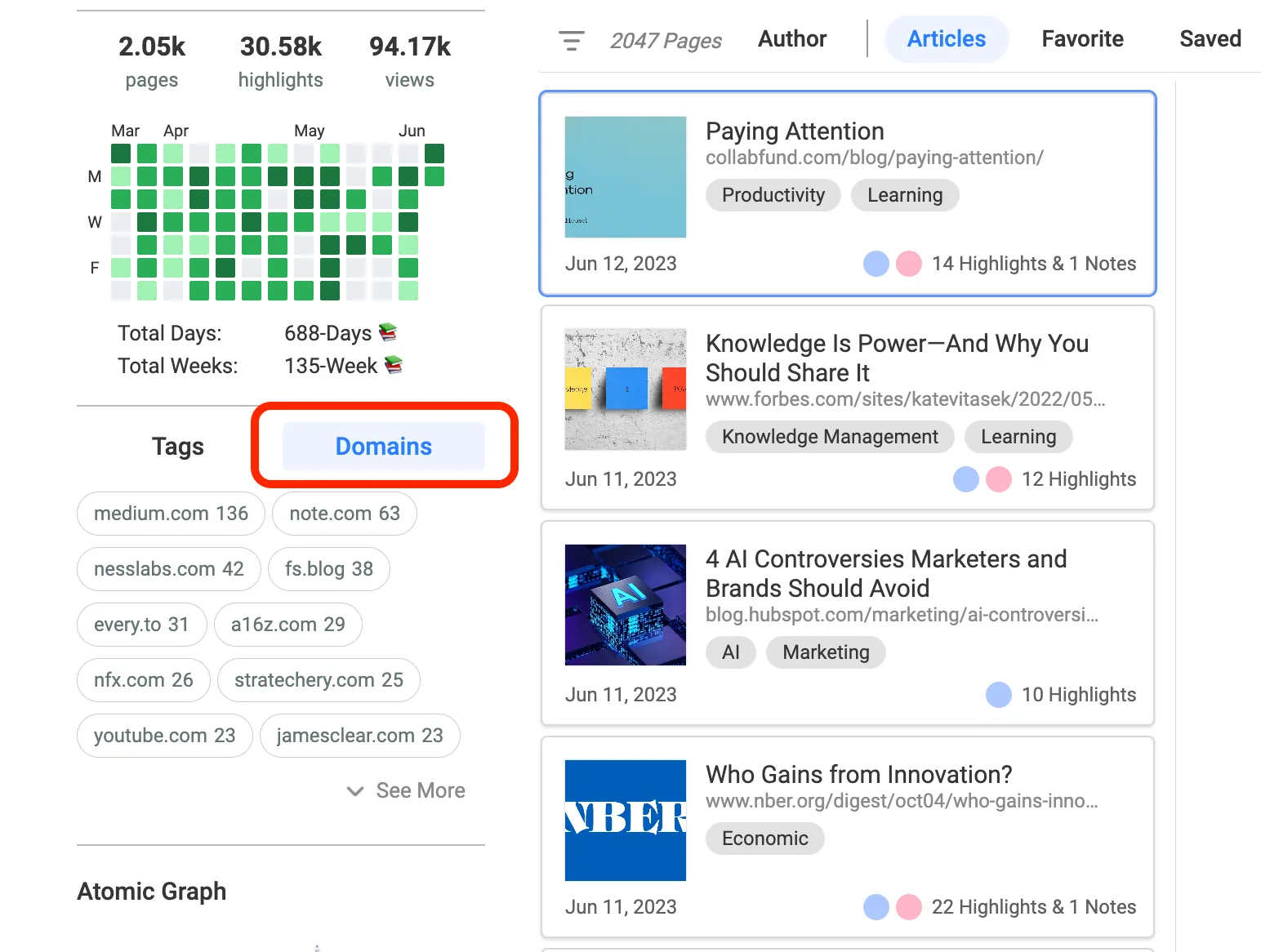
June 10, 2023 - Show Users' Top Domain
We updated and showed users' top domains on My Highlights. You can see your most-reading articles' domains.
May 20, 2023 - Hatch Launched
Introducing Hatching Ideas with Glasp AI
Free idea generation
Auto-hatch as you curate (LLMs take care of creation)
Model: GPT-3.5, GPT-4, PaLM, etc
Empowering 300M+ curators to become new creators!
Watch on YouTube: Hatching Ideas with Glasp AI
May 3, 2023 - Article Summary Launched
Introducing Article Summary powered by ChatGPT:
1-click to summarize web articles
Keyboard shortcut to summarize
Select ChatGPT models (GPT-3.5, GPT-4, Plugins or Browsing)
Strategies for longer content
Watch on YouTube: YouTube & Article Summary powered by ChatGPT | Chrome Extension
April 28, 2023 - Start Sending a Newsletter through Substack
We're switching an email sender to Substack. Please subscribe to our Substack newsletter to keep learning!
We carefully curate informative articles and deliver them to you on a weekly basis. Let’s learn in public together! Click to read Glasp, a Substack publication with thousands of subscribers.
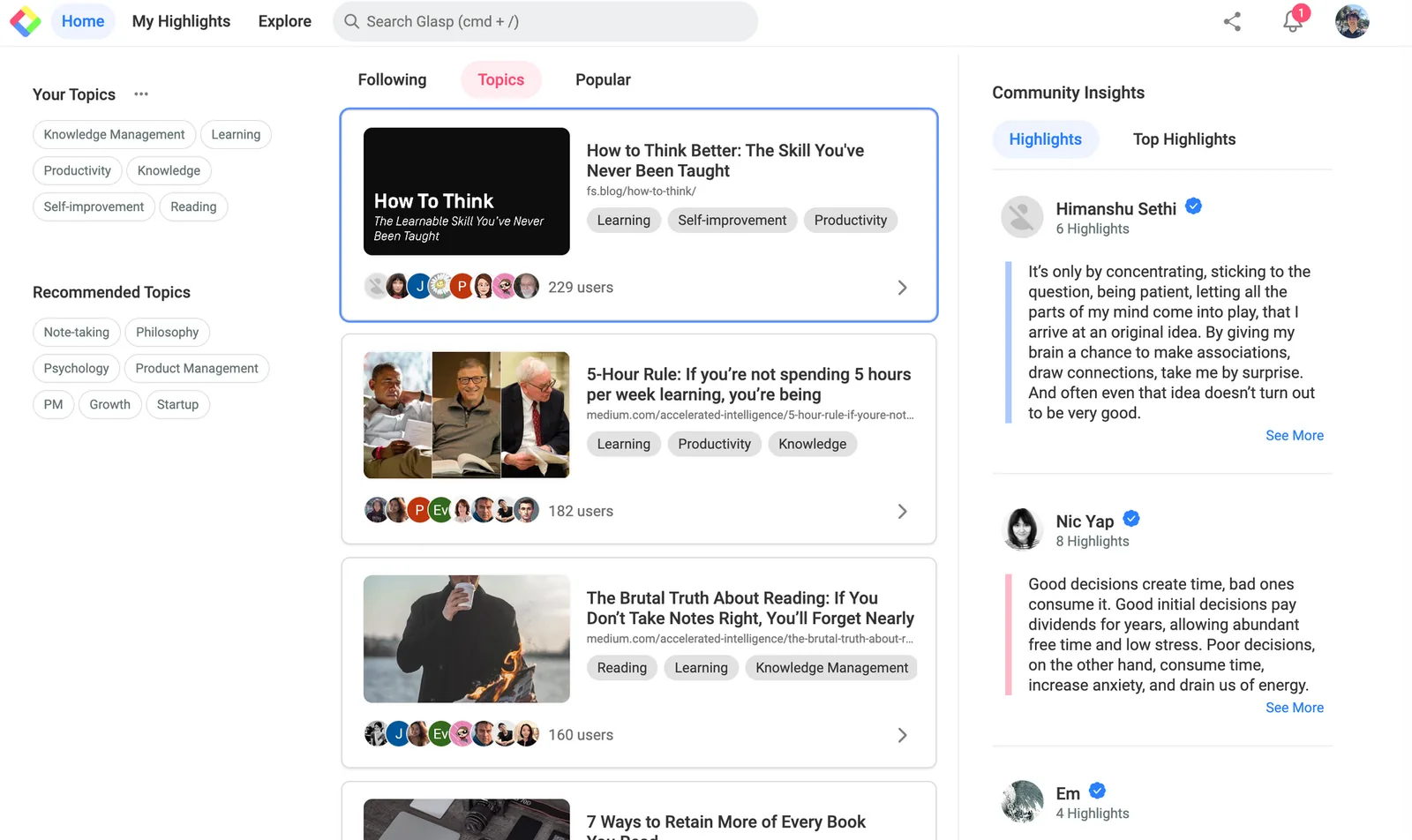
April 24, 2023 - Updates on the Home feed
We have updated the Topic and Popular on the Home feed.
You can discover interesting article and insights more clearly.
April 12, 2023 - Updates on YouTube Summary
Select ChatGPT models
Strategies for longer videos
Bug fix on auto-summarization
ChatGPT changed the system and some users are having issues with not auto-start summarizing. We fixed the bug. Hope this helps your learning process!
Watch on YouTube: YouTube Summary Updates - Model Select & Strategy for Longer Videos
February 11, 2023 - YouTube Summary with ChatGPT Update
With v1.0.8 and above, you can now
Access the video summary from YouTube *iframes*
Change theme (dark/light)
Customize prompt for a summary!
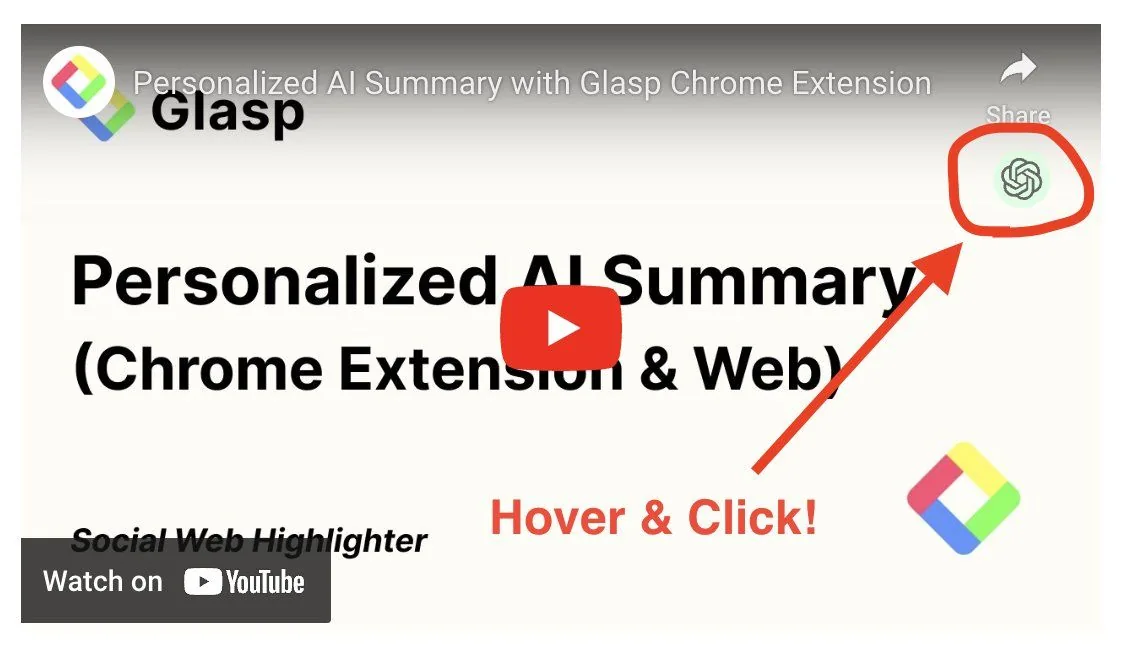
To access the video summary from iframes, please hover an iframe on any websites and click a summary icon. That's it!
February 2, 2023 - "Ask Digital Me" Update
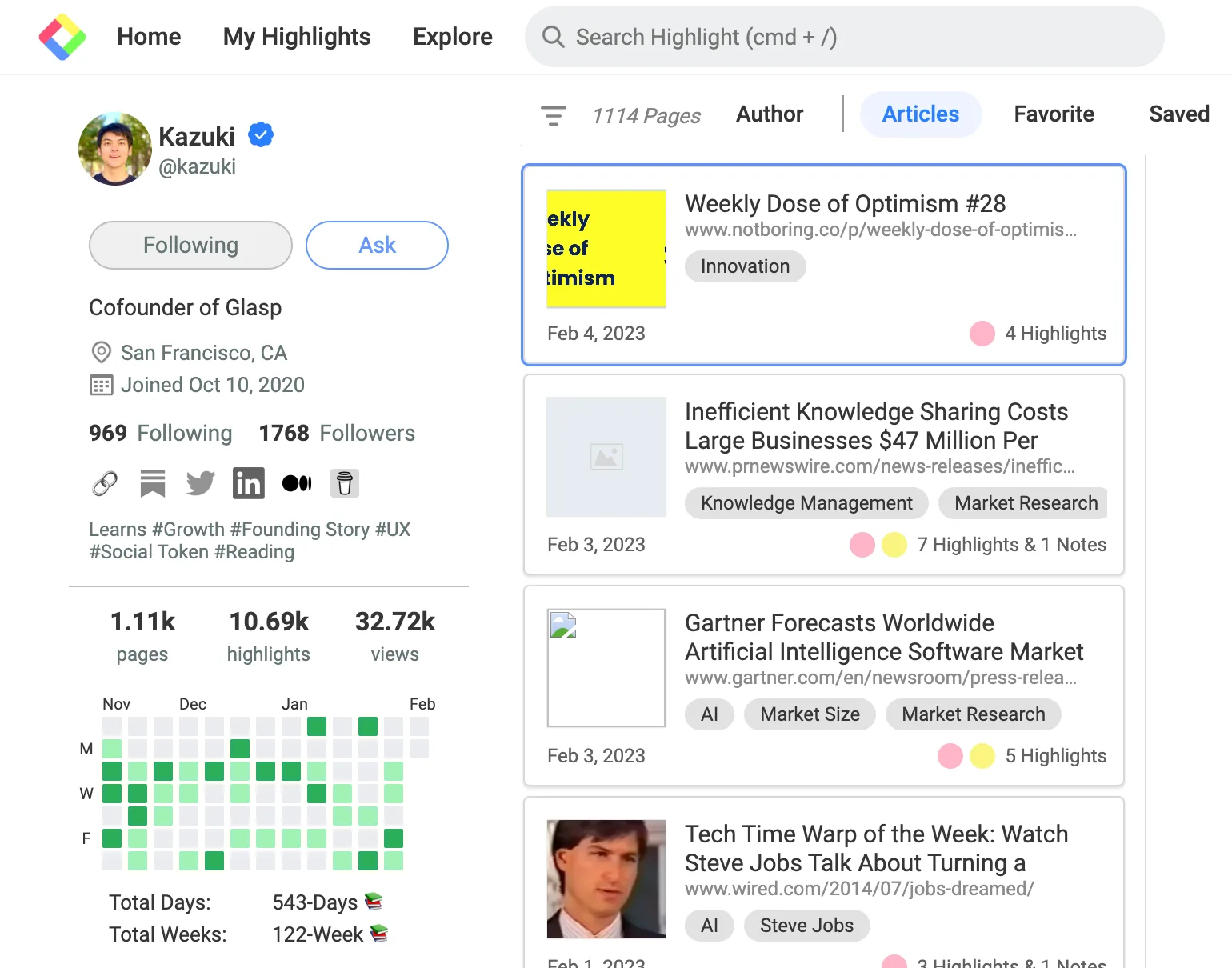
We released the "Ask Digital Me" feature to the public! You can ask any questions to your digital you or others' digital twins. With your highlights, Glasp creates your digital twin, and you can ask any questions. If the AI doesn't have answers, it shows Kazuki's or Kei's digital twins. The more you make highlights, the smarter your digital twin becomes. To use the feature, please click "Ask" button on your or others' profile page.
Watch on YouTube: How to Build Your "Digital Me" with Glasp
January 19, 2023 - YouTube Summary Update
With v1.0.6 and above, you can now easily access the summary of videos with just one click :)
Hover thumbnails
Click a summary icon
Voila!
Watch on YouTube: [Updates] YouTube Summary with ChatGPT
December 31, 2022 - Digital Clone Model with Glasp
Introducing Building Your Digital Clone Model with Glasp.
✅ Free (private beta; waitlisted)
✅ Grow your model as you learn
✅ AI-powered generative search engine of "you"
How it works:
• Build your knowledge base with Glasp.
• Ask your model anything.
• The model answers with a list of articles/videos/pdfs with highlights & notes + comments.
It's like a generative search engine that reflects who you are and what you care about!
Watch on YouTube: How to Build Your Digital Clone with Glasp
December 20, 2022 - Updated the Chrome & Safari Extension from manifest v2 to v3 And added YouTube Summary with ChatGPT
It's a major update on both platforms and for better security for users.
We updated Chrome & Safari extension to v3 🙌 (You won't see any changes in front though)
We are so sorry if you come across any bugs or inconvenience due to the update in advance 🙇♂️
If so, please try uninstall/install the extension on Chrome or Safari. Also, we recently added YouTube Summary with ChatGPT (OpenAI) so hope it helps your learning process!
Please let us know if you find any bugs or unknowns while using the extension!
Watch this video for further instructions.
Watch on YouTube: YouTube Summary with ChatGPT | Chrome Extension
November 26, 2022 - AI Summary with AI through Glasp Chrome Extension
After v0.1.104, you can use an AI-powered summary function through Glasp Chrome Extension! Highlight, Leave Notes, and Get Your Personalized Summary with Glasp 🌱
Learn more here: https://glasp.co/ai-summary
Watch on YouTube: Personalized AI Summary with Glasp Chrome Extension
November 24, 2022 - Article Summary with AI
You can see an AI-powered summary based on your highlights & notes! (personalized summary) Since everyone has unique highlights & notes, you'll see different summaries from other people 😍
Let's Glasp it ❤️ (Check out the tweet)
Watch on YouTube: AI-powered summary based on your curated information | Glasp
September 12, 2022 - YouTube Highlight
You can highlight YouTube videos! Also, you can copy-n-paste all the highlights & transcripts into your note-taking apps in one-click 🥰 Let's capture what you resonate with while watching videos with Glasp ❤️
💡 This feature is available on Chrome Extension with v0.1.98 or later. To update your current Chrome Extension, the fastest way would be uninstall/re-install :)
Watch on YouTube: How to Highlight YouTube Videos
September 6, 2022 - PDF Highlight
You can highlight and leave notes on PDF files 🥰
Let’s share more about what you’re reading and learning with Glasp ❤️
Please find more details from here:
https://glasp.co/src/pdf/glasp_pdf_highlighter.pdf
Watch on YouTube: How to Highlight PDF Files on the Web
August 28, 2022 - Kindle Integration
You can sync all your highlights and notes from Kindle and see them in your Glasp profile 📚 You can also find what your friends or colleagues are reading these days 🥰
Let’s share more about what you’re reading and learning with Glasp ❤️
Please find more details from here:
Notion – The all-in-one workspace for your notes, tasks, wikis, and databases.
A new tool that blends your everyday work apps into one. It’s the all-in-one workspace for you and your team
Watch on YouTube: How to Download Highlights & Notes from Kindle
July 29, 2022 - Updated Atomic Graph
You can see how your interests are connected visually with the newly updated Atomic Graph. Also, you can search topics from the search bar 🔍
It's fun and really inspiring to see other people's graphs ❤️ (check out the tweet)
July 9, 2022 - Weekly Recap Email
We started sending weekly recaps with weekly stats 📊
If you highlight some articles, those will come back to you with notes and links over the weekend ❤️ ( 👉 Link to Tweet )
July 8, 2022 - Color Label Setting
Now, you can set color labels and show the definition of your color choice! Everyone has their unique definition for each color, and knowing it must be fun 🥰
Hope it helps your online reading and learning ❤️ ( 👉 Link to Tweet )
Please visit the tutorial below to see how it works.
What Does Each Highlighting Color Mean?
You can give any meaning to each highlighting color. Glasp offers four colors, red, blue, yellow, and green. We’d give more customizability for choosing colors in the future, but we limit it to four colors now. You can add color labels on your profile page if you’d like to show
Jun 29, 2022 - Atomic Notes in Sidebar
Want to connect the dots? You can write and connect what you read and learned with Glasp's Atomic Notes ✍️ Easy copy-n-paste into Substack, Medium, Notion, Obsidian, and any note-taking apps 🥰 Hope it helps your online reading and learning ❤️ ( 👉 Link to Tweet )
Jun 22, 2022 - Embed Your Glasp in Your Blog
You can share what you’re reading and learning these days with Glasp Embed Link 🥰 Hope it helps you organize and share your online reading in a fun and meaningful way ❤️ ( 👉 Link to Tweet )
Watch on YouTube: Show your reading list on Notion, Obsidian, and your website with Glasp
Jun 18, 2022 - Friends Invite via Invite Code
Love Glasp? If so, let's invite your friends via unique invitation code 🥰 You can paste it on your blog, newsletter, and anywhere! Hope it makes your online reading more fun and meaningful ❤️ ( 👉 Link to Tweet )
How to see the number of people you invited to Glasp?
Glasp provides a way of inviting non-Glasp users to Glasp and of recognizing if a new user signed up through you. This helps you see how many people have been inspired by you. How to see the number of people signed up through you You can see the number of
Jun 8, 2022 - Find Content through Topic / Tag
You can search for content through “Topic (Tag)” at explore page (if you’re logged in) or at our landing page http://glasp.co 😉
Hope it helps you find interesting content from Glasp community 🥰 (👉 Link to Tweet )
Jun 4, 2022 - More Social Profile Options
Now, you can set your location, own website, and "buy me a coffee" link in your profile 😉
Let's learn and leave more together 🚀 (👉 Link to Tweet )
Jun 1, 2022 - Glasp Profile on Twitter Profile
Now, you can now see Glasp user's profile on Twitter profile page with our browser extension 🚀 It's a great way to know if the user has a Glasp page or not 🥰 (👉 Link to Tweet )
May 16, 2022 - Twitter Integration (Share Tweet)
Now, you can tweet quotes with a beautiful quote image through Twitter Integration 🎉
Let's learn and share 😉
May 7, 2022 - Atomic Interest Graph
Now, you can see you and other people's "Atomic Interest Graph" 📚✨
It's fun and really inspiring to see other people's graphs!
If you haven’t signed up for Glasp or installed the Glasp browser extension, please do so. You can refer to this tutorial. To show the Atomic Interest Graph, you need to add multiple category tags to multiple articles. Step 1: Add Tags As you’re reading and highlighting articles, this
April 30, 2022 - Export to Readwise
Now, you can "export" your highlights and notes to Readwise!
How to Export Web Highlights into Readwise
Things Needed * Readwise * Glasp * Desktop and browser (Chrome, Brave, Edge, or Safari) If you haven’t signed up for Glasp or installed the Glasp browser extension, please do so. You can refer to this tutorial. Also, if you want to import Readwise highlights into Glasp, please refer to this tutorial. Step
April 28, 2022 - Export markdown files to Obsidian
You can download highlights and notes in MD file format. So, if you are an Obsidian user, you can just download article’s highlights and notes directly from Glasp to Obsidian.
How to Export Web Article’s Highlighted Sentences into Obsidian
Things Needed * Glasp * Obsidian * Desktop & browser (Chrome, Brave, Edge, or Safari) If you haven’t signed up for Glasp or installed the Glasp browser extension, please do so. You can refer to this tutorial. There are two ways to export Glasp’s highlights & notes into Obsidian. The first one is through copy-n-paste.
Glasp Extensions - Download
Chrome Extension
Glasp: Social Web Highlighter & Note-taking
Take notes and add highlights on web pages. Discover and save articles from friends. A tool for writers, avid readers, and thinkers.
Safari Extension
Glasp - Social Web Highlighter
Glasp beautifully organizes your collection of highlights, so that you can easily come back to what truly matters to you anytime. By following like-minded people, you will discover useful content that expands your knowledge and thoughts. Collective learning is how humans got smarter across generati…
Other Resources
Further Tutorials:
Export Your Highlights into Notion
How to Export Web Article’s Sentences into Notion
People Who Would Benefit * Want to export selected sentences from web articles into Notion to take note. * Use Notion and want to cite sentences from web articles. Why Glasp? 1. We don’t disturb your reading experience 💡 * What you need is just highlighting sentences you like, which end wi…
Export Your Highlights into Obsidian
How to Export Web Article’s Highlighted Sentences into Obsidian
People Who Would Benefit * Want to export selected sentences from web articles into Obsidian at once. * Use Obsidian and want to cite sentences from web articles. Why Glasp? 1. We don’t disturb your reading experience 💡 * What you need is just highlighting sentences you like, which end wit…
Export Your Highlights into Roam Research
How to Export Web Highlights into Readwise
People Who Would Benefit * Want to export selected sentences on the web articles into Readwise at once. * Use Readwise and want to cite sentences from web articles. Why Glasp? 1. We don’t disturb your reading experience 💡 * What you need is just highlighting sentences you like, which end w…
Articles about Glasp written by Glasp users:
We collect articles and designs by Glaspers so that other Glaspers can see how they use, how they feel, and what they like about!