How to Import Highlights from Medium into Glasp

Sep 21, 2025
4 min read
73 views
Do you save highlights on Medium and want to manage them more effectively? With Glasp, you can now import your Medium highlights directly into Glasp, where you can organize, revisit, and share them with others.
This feature makes it easier to:
Build a personal knowledge library from your Medium reading
Organize highlights by tags, colors, and notes
Export highlights to apps like Notion, Obsidian, and Logseq
Share key insights with your community
In this tutorial, we’ll show you step by step how to import your Medium highlights into Glasp.
If you haven't signed up for Glasp or installed the Glasp browser extension, please do so. You can refer to this tutorial.
How to Import Highlights from Medium into Glasp (YouTube)
Step 1: Go to the Settings page
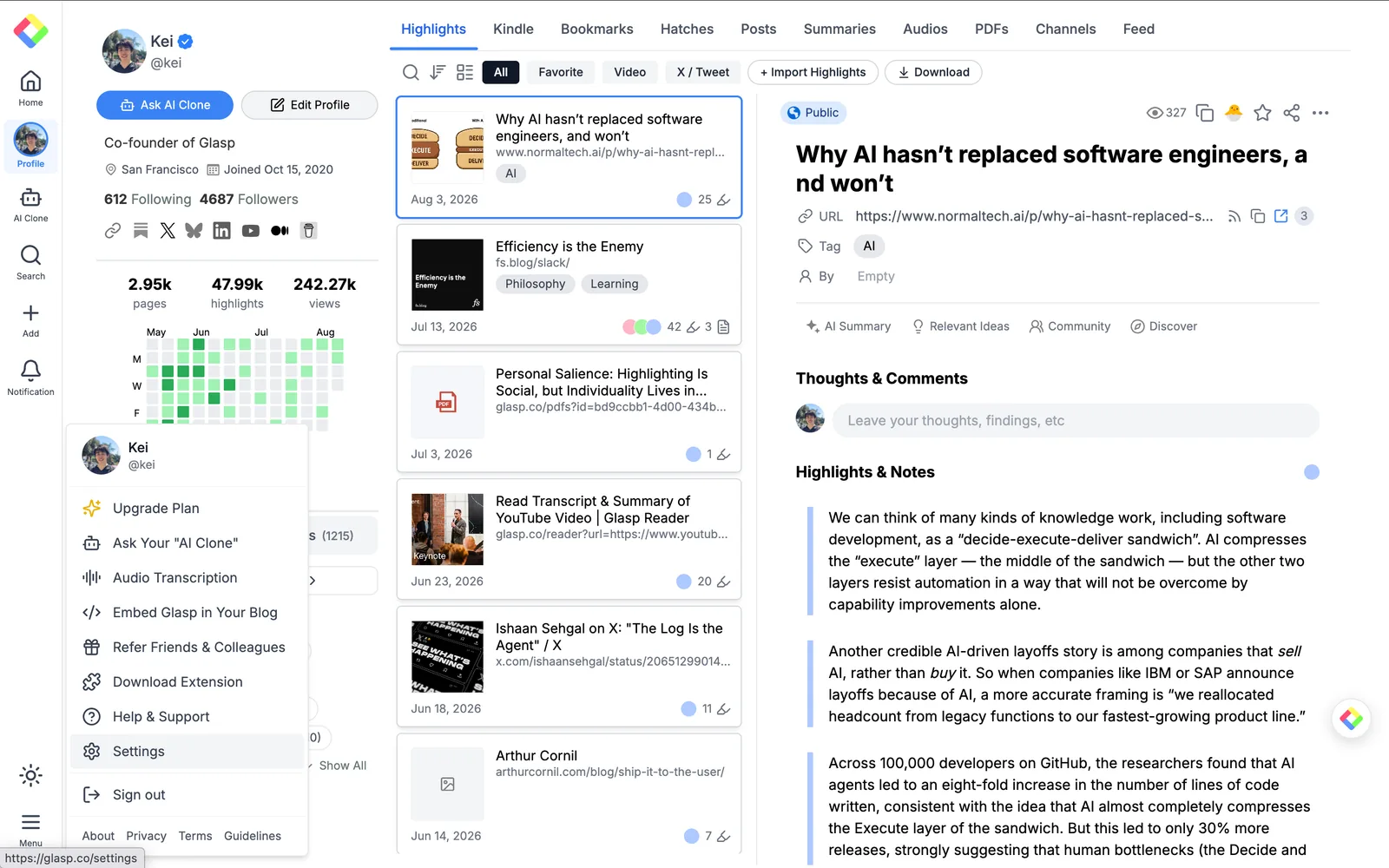
Please click Menu at the bottom left of the sidebar. It opens a menu, so click Settings to go to the Settings page.
On the Settings page, click Integrations in the left sidebar and open the Import tab.
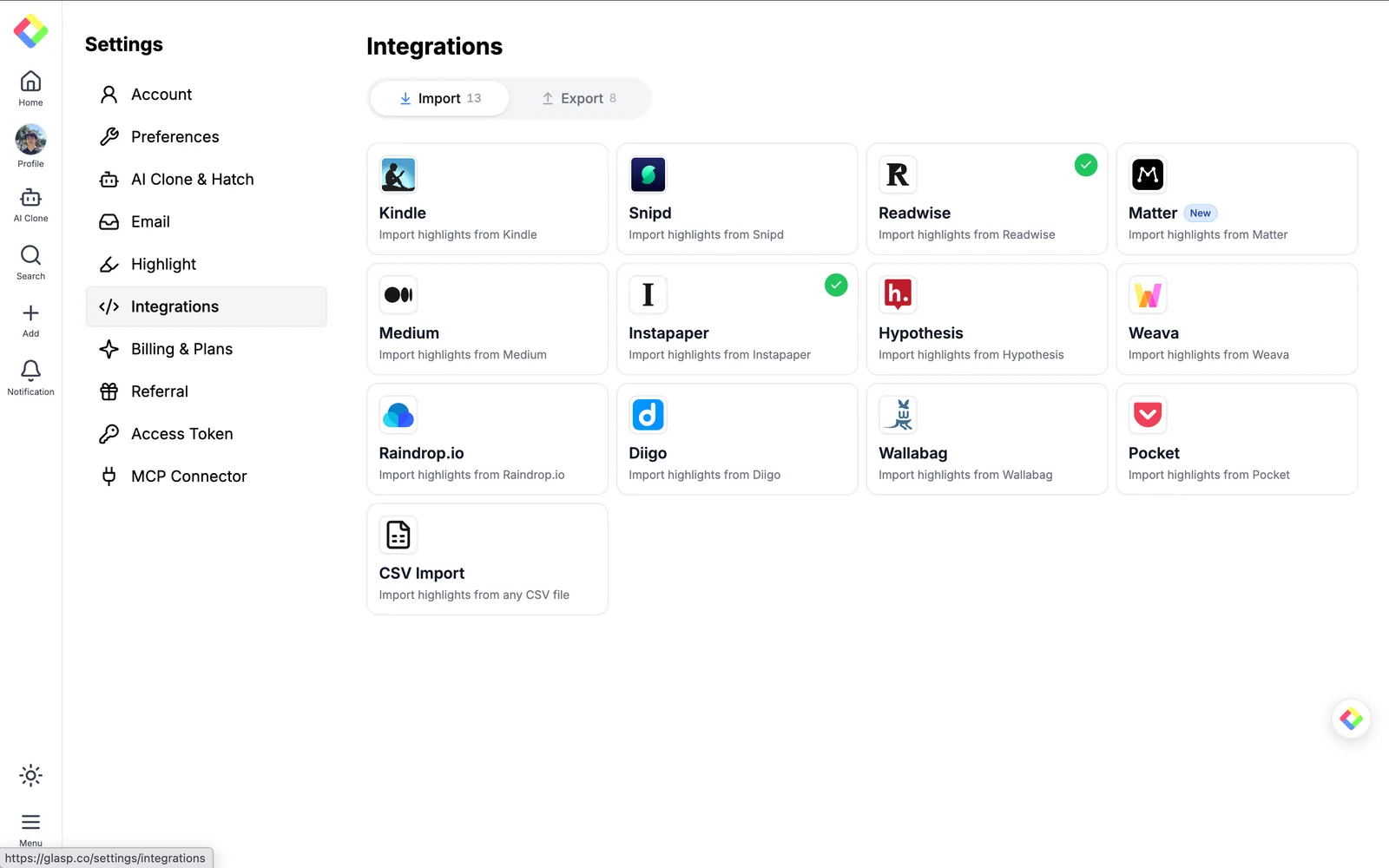
Then, find Medium and click it.
Step 2: Connect with Medium
It opens a modal to connect with Medium. Enter your public Medium username (e.g., @username) and click Connect. That's it — no integration token is required.

Step 3: Sync Glasp with Medium
After clicking Connect, Glasp automatically starts syncing your Medium highlights. This may take a while, and you can close the tab while it runs.

Once the sync is finished, you'll see the completion screen.

The color and visibility of highlights are dependent on your default highlight settings. To update them, please check the tutorial below.
Step 4: View imported Highlights on Glasp
Once importing highlights is finished, please click Go to My Highlights. It takes you to your profile page.
You can see all the imported highlights on your profile page. The imported date is set to the date when you import highlights from Medium.
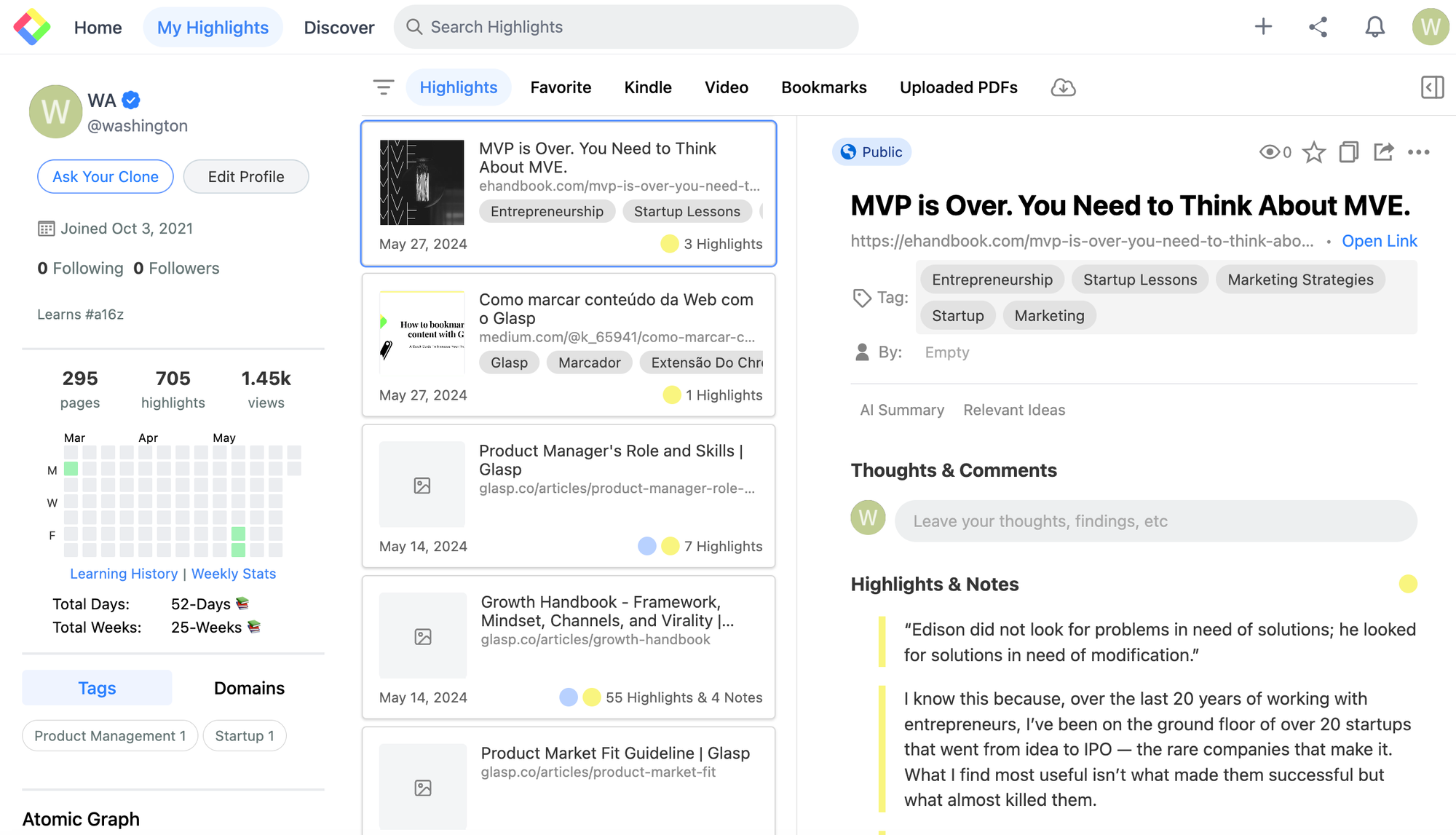
By default, the imported highlights are visible to anyone, so be careful when you sync with Medium. If you'd like to hide your highlights, please upgrade to the Pro plan.
If you see any issues importing highlights from Medium, please try it again. If the issue continues, please let us know through the bug report form, Slack, X, or LinkedIn 🙏
(Optional) Step 5: Delete the imported highlights
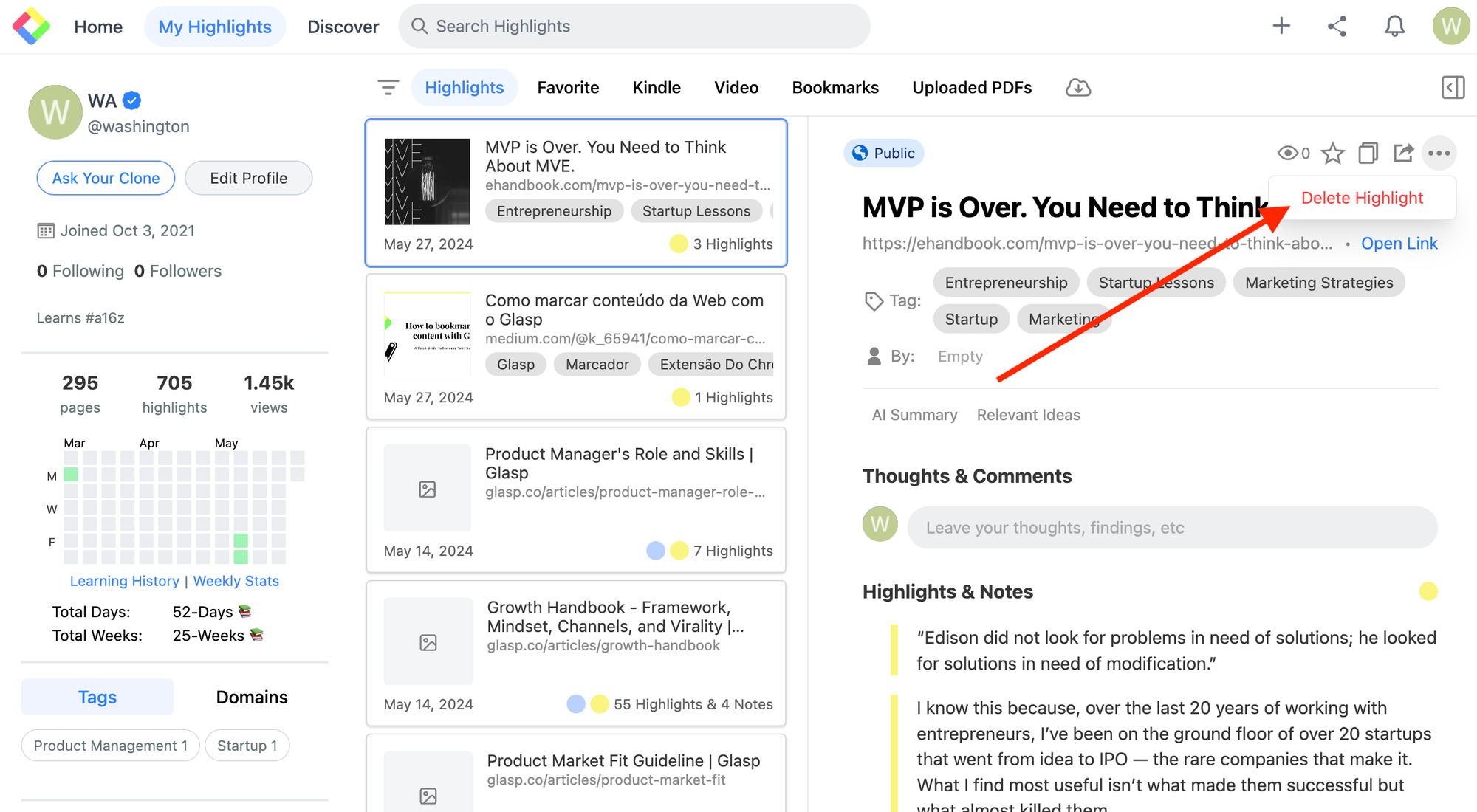
If you'd like to delete the imported highlights, please go to your profile page. Select the imported article you'd like to delete. At the top right, there is the three dots button, so please click it. You can see Delete Highlight to delete the article and highlights.
FAQs
Q. Do I need a Glasp account to import Medium highlights?
Yes. You’ll need to sign up for a free Glasp account and install the browser extension before importing.
Q. What do I need to connect Medium to Glasp?
Just your public Medium username (e.g., @username). Enter it in the connect modal and click Connect — no integration token is required.
Q. Are imported Medium highlights public or private?
By default, imported highlights are public on your Glasp profile. To make them private, you’ll need a Glasp Pro plan.
Q. Do imported highlights keep the original Medium highlight date?
No. Imported highlights show the import date, not the original date from Medium.
Q. Can I change the color of imported highlights?
Yes. Imported highlights use your default highlight color setting in Glasp. You can update this in your settings before syncing.
Q. Can I delete imported Medium highlights later?
Yes. Go to your profile page, select the article, and click the three dots menu → Delete Highlight.
Q. Is the import automatic (real-time sync)?
Once connected, Glasp automatically syncs your highlights from Medium. You can also trigger a manual sync anytime by clicking Sync Now on the Medium card of the Integrations page.
Q. How do I disconnect Medium from Glasp?
Open the Medium card on the Integrations page and click Remove Connection.
Q. Is importing Medium highlights free?
Yes. The feature is free. Pro is only required if you want private highlights or advanced features.
Q. Can Claude or ChatGPT read my Glasp highlights?
Yes. With the Glasp MCP Connector, AI assistants such as Claude, ChatGPT, and Claude Code can search and read your own highlights, notes, Kindle highlights, and AI summaries, including your YouTube summaries. The connection is read-only and private to you. See How to Connect Glasp to Claude, ChatGPT, and Claude Code (MCP Connector).
Q. Can I use Glasp on my phone?
Yes. Glasp has native apps for iPhone, iPad, and Android, and the Glasp Safari extension for iPhone and iPad comes with the iOS app. Your highlights sync between the apps, the web, and the desktop extension. See How to Use the Glasp Mobile App on iOS, iPad, and Android.
Before you leave
If you have any questions, please refer to the FAQ or contact us.
👉 FAQs
👉 X
See you next time,
Glasp team