Hatch Ideas with AI

New ideas out of things you already read

Glasp pulls passages from your own library — at random, or the ones you choose — and asks an AI what connects them. The raw material is yours, so the idea is too.

4.5 on Chrome Store2,000,000+ highlightersChrome · Safari · Edge · Firefox
In short

What is Glasp Hatch?

Hatch takes passages you have already highlighted — drawn at random across years of reading, or hand-picked — and asks a large language model what connects them. Unlike a general chatbot, the input is sentences you personally decided were worth keeping, from sources you chose. That is what makes the output usable: it is a connection between your own material rather than a plausible paragraph about a topic. Free monthly quota, no credit card.

Input
Your own highlights and notes
Selection
Random draw or hand-picked
Price
Free monthly quota, no card
Reading is input. This is the output.

How an idea gets hatched

  1. 01

    Build up a library

    Highlight as you read. Articles, PDFs, YouTube videos and Kindle books all land in the same place.

  2. 02

    Draw the passages

    Let Glasp pull highlights at random, or pick the ones you want to put in the same room together.

  3. 03

    Hatch the idea

    An AI reads the selected passages and proposes the connection between them. Keep what is worth keeping and publish it as a post.

What you get

A library that gives something back

Draw from years of reading, at random or by hand

Left to yourself you would compare the two things you read this week. A random draw across three years puts a passage from a 2023 paper next to one from last night's essay — and that adjacency is where most ideas actually come from. When you already suspect two things are related, pick those highlights instead.

  • Random draw across your whole library, or hand-picked
  • Web, PDF, YouTube and Kindle highlights all eligible
  • Your notes count as material too, not just the quotes
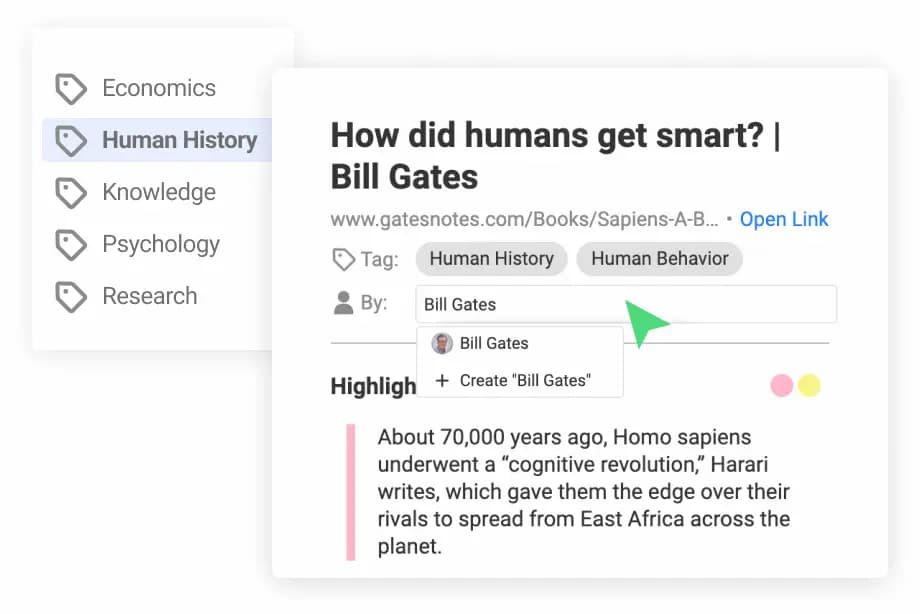
A Glasp library of highlights organized by tag and author, from which passages are drawn

An AI that argues from your own passages

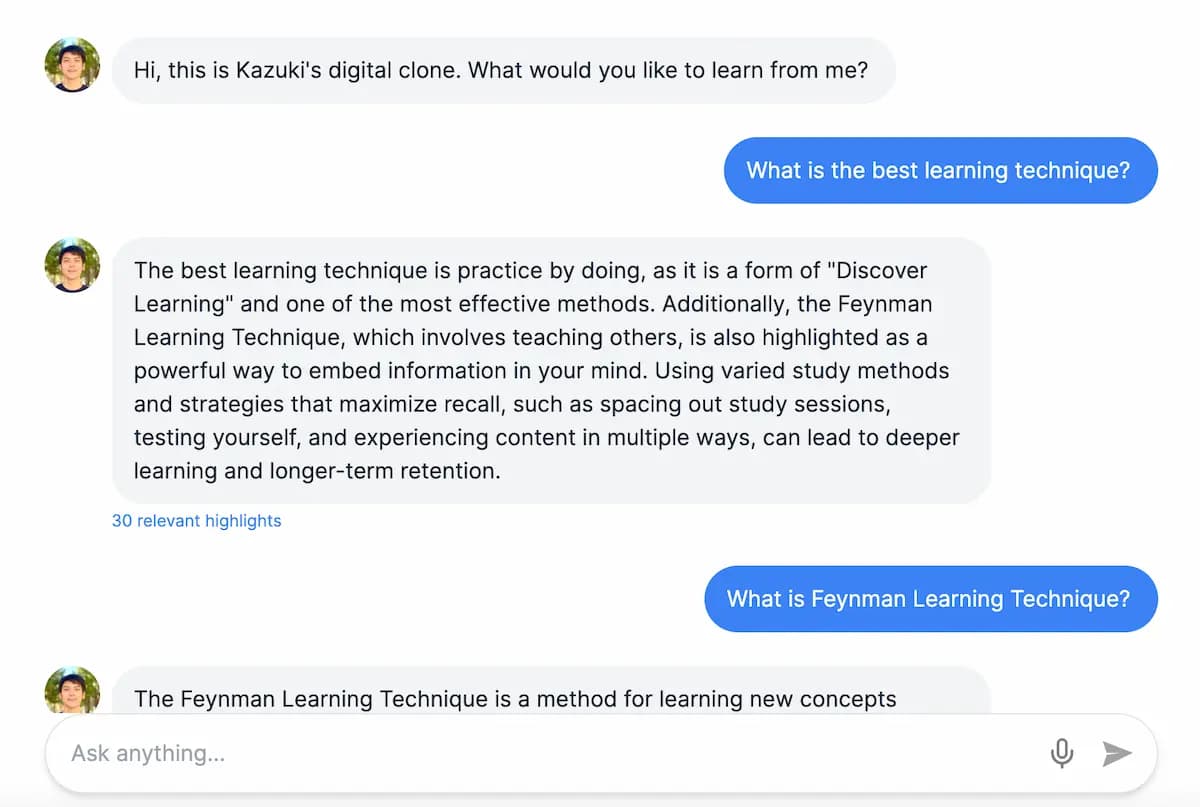
The model is given your highlights, not the open web, and asked what connects them. It answers with the passages it used, so a proposed connection can be checked against the sentences it came from rather than taken on trust.

A Glasp AI answering from a reader's own highlights, citing how many were relevant

Publish it with its sources attached

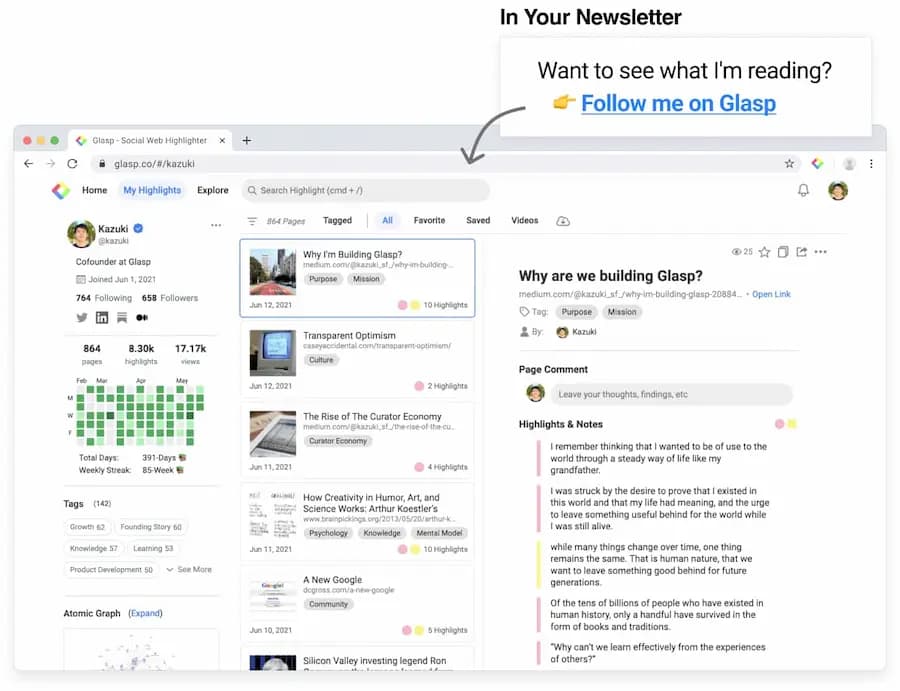
A hatched idea can become a Glasp post carrying the highlights it grew from, on a profile people can follow — so a reader can trace it back to the original sentences instead of taking your word for it.

A public Glasp profile showing published posts and the highlights behind them
2,000,000+

researchers, students, and lifelong learners highlight with Glasp.

ForbesThe GuardianBusiness InsiderEntrepreneurLifehackerMakeUseOf

What readers say

  • I love Glasp! I use it every time I read online articles. Highlighting with Glasp enforces me to actually read rather than scan through an article. I retain so much more info and can easily revisit my previously read articles to recall details and notes I've made.
    Olive
    Product Designer
  • I've researched every highlighting tool from Liner and Hypothesis to Instapaper and Pocket, and Glasp is the best hands-down. First, it creates a whole category of its own with social highlighting. This is important because it helps learners get recognized for finding amazing highlights, and it helps them connect with others who are learning the same thing at the same time. Also, it has the best highlighting workflow. While reading an article, you can select text in order to highlight and annotate without having to go to a different page. Furthermore, all of your highlights for a specific article appear on a right sidebar as you're reading, and they're easy to copy and paste into another note-taking app.
    Michael Simmons
    Bestselling Author
  • I used Instapaper but ended up hating it and stopped. There just wasn't a tool for me to continue using until Glasp. I was hooked immediately for the ease of use (highlight directly on the article web page), organized feed, and learning from others' highlights and notes. It makes sticking to learning something so easy and you can no longer find any excuses. Highly recommended to anyone who loves reading awesome articles or want to start forming such habit.
    Puppy Tsai
    Product Manager
Answers

Frequently asked questions

What is Hatch on Glasp?

Hatch takes passages you have already highlighted — drawn at random or chosen by you — and asks a large language model what connects them. It is a way of getting an idea out of a reading library instead of only getting search results out of it.

How is Hatch different from asking ChatGPT for ideas?

The input. ChatGPT invents from the open web; Hatch starts from sentences you thought were worth keeping, months or years apart, from sources you chose. The connection it proposes is between your own material, which is why it tends to be usable rather than generic.

Why does random selection help?

Because your own recall is biased toward what you read last week. Pulling two highlights at random from three years of reading puts things next to each other that you would never have thought to compare, and that adjacency is where most new ideas come from.

Do I need a lot of highlights before Hatch is useful?

You need enough for the draws to be surprising. A few dozen highlights across a handful of sources is enough to start; it gets noticeably better once you have been highlighting for a few months.

Is Hatch free?

Yes. Every Glasp account includes a free monthly AI quota with no credit card, and Hatch draws on it. The pricing page has higher limits.

Can I publish what I hatch?

Yes. A hatched idea can become a Glasp post with the highlights it came from attached, so a reader can see the sources rather than taking your word for it.

Are my highlights used to train AI models?

No. Glasp does not sell your data and does not use your content to train public AI models. The privacy policy sets out how it is handled.

More questions? Read the docs or email hi [at] glasp.co.

Collect ideas worth sharing

Add Glasp to your browser, highlight what strikes you, and see what it adds up to. It's free.