Chat with PDF is an AI assistant for any PDF open in your browser. Install the Glasp extension, open a document, and ask for a summary, a definition or a clarification; answers stream in and cite the pages they came from. Every Glasp account includes a free monthly quota with no credit card. Because the chat sits beside your highlights on the same PDF, the passages you kept become context for the answers.
Price
Free monthly quota, no card
Models
OpenAI GPT + Anthropic Claude
Citations
Answers cite their pages
Three steps, no new app
How to chat with a PDF
01
Install the Glasp extension
Add Glasp to Chrome, Safari, Edge or Firefox. Brave and Opera install the Chrome build.
02
Open a PDF, or upload one
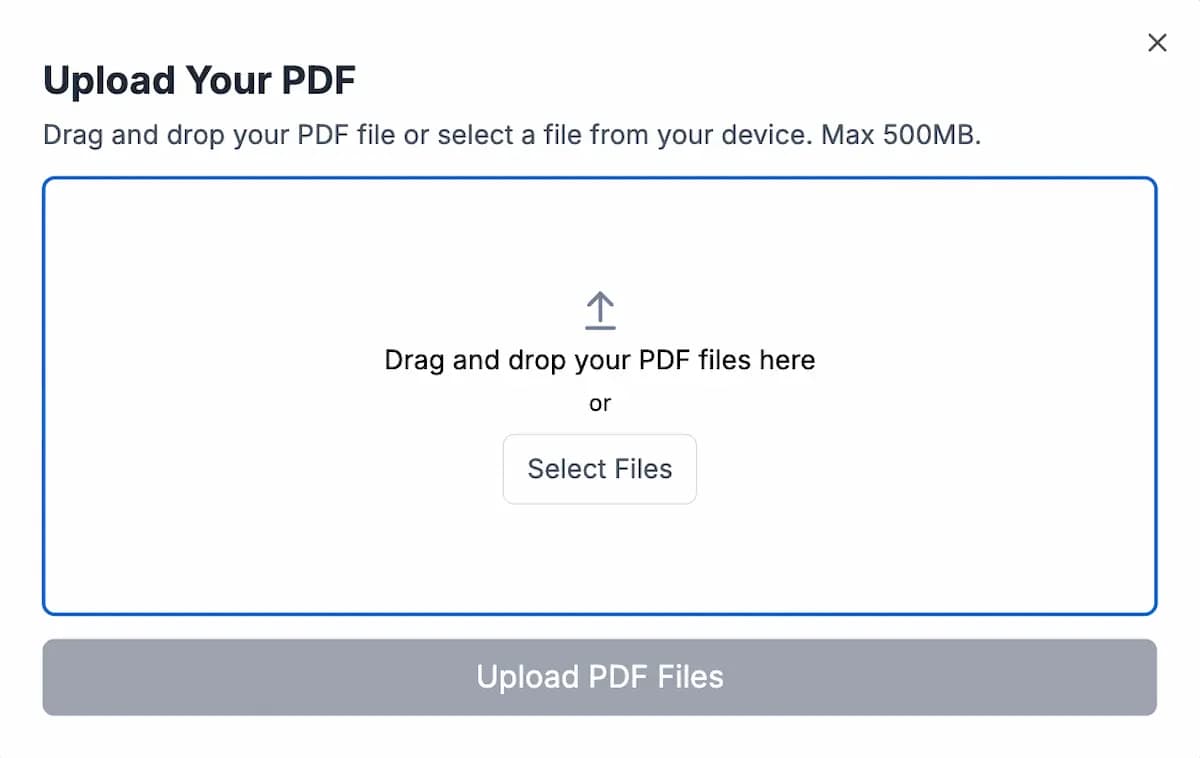
Open any PDF on the web, or upload a file to your Glasp library if it is not publicly accessible.
03
Ask your question
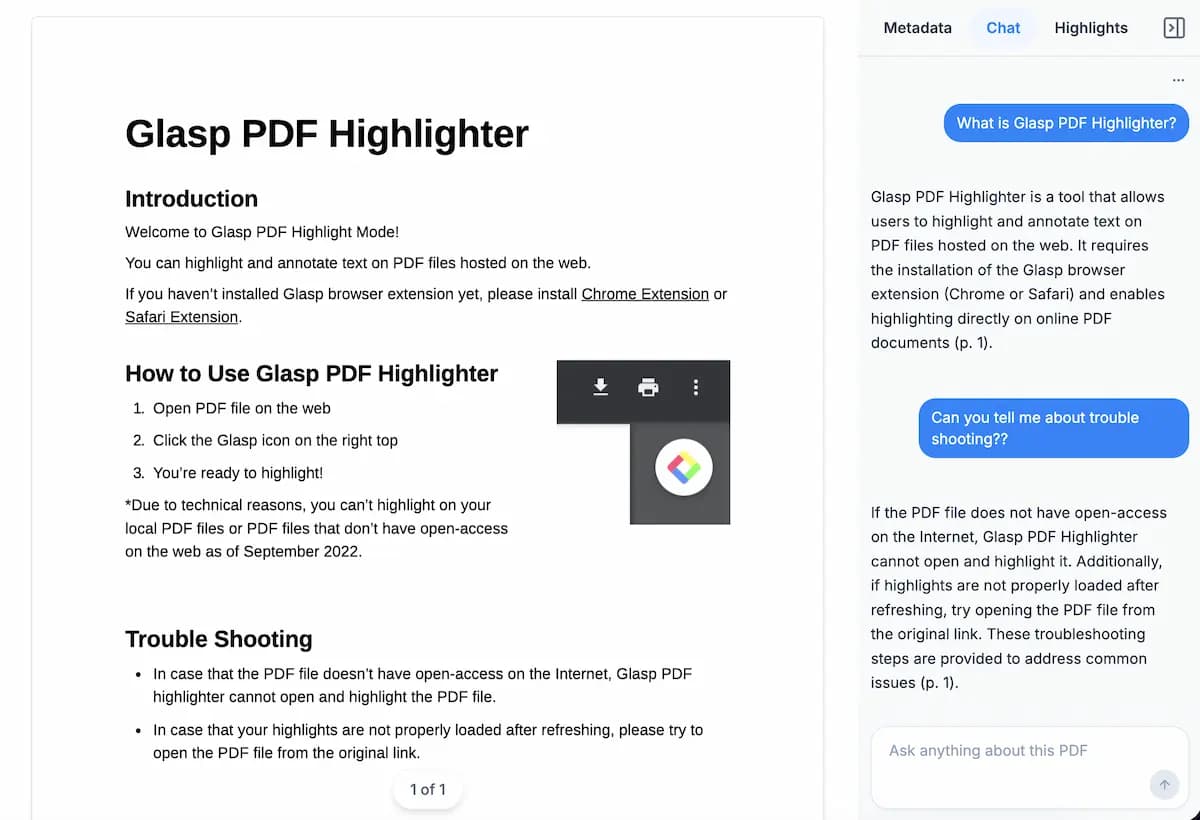
Open the chat sidebar and type. Answers stream in as the model reads the document and cite the pages they came from.
What you get
A reading assistant, not another chat window
Upload a PDF, or use one that is already on the web
Glasp chats with a PDF you have open in the browser. If the file is not publicly accessible — a paper behind a login, something on your own machine — upload it to your library and it works the same way.
Answers that cite the page they came from
Every answer streams in with the pages it drew from, so you can check it against the document instead of trusting it. A summary you cannot verify is worse than no summary.
Streaming responses as the model reads
Chat history saved per document
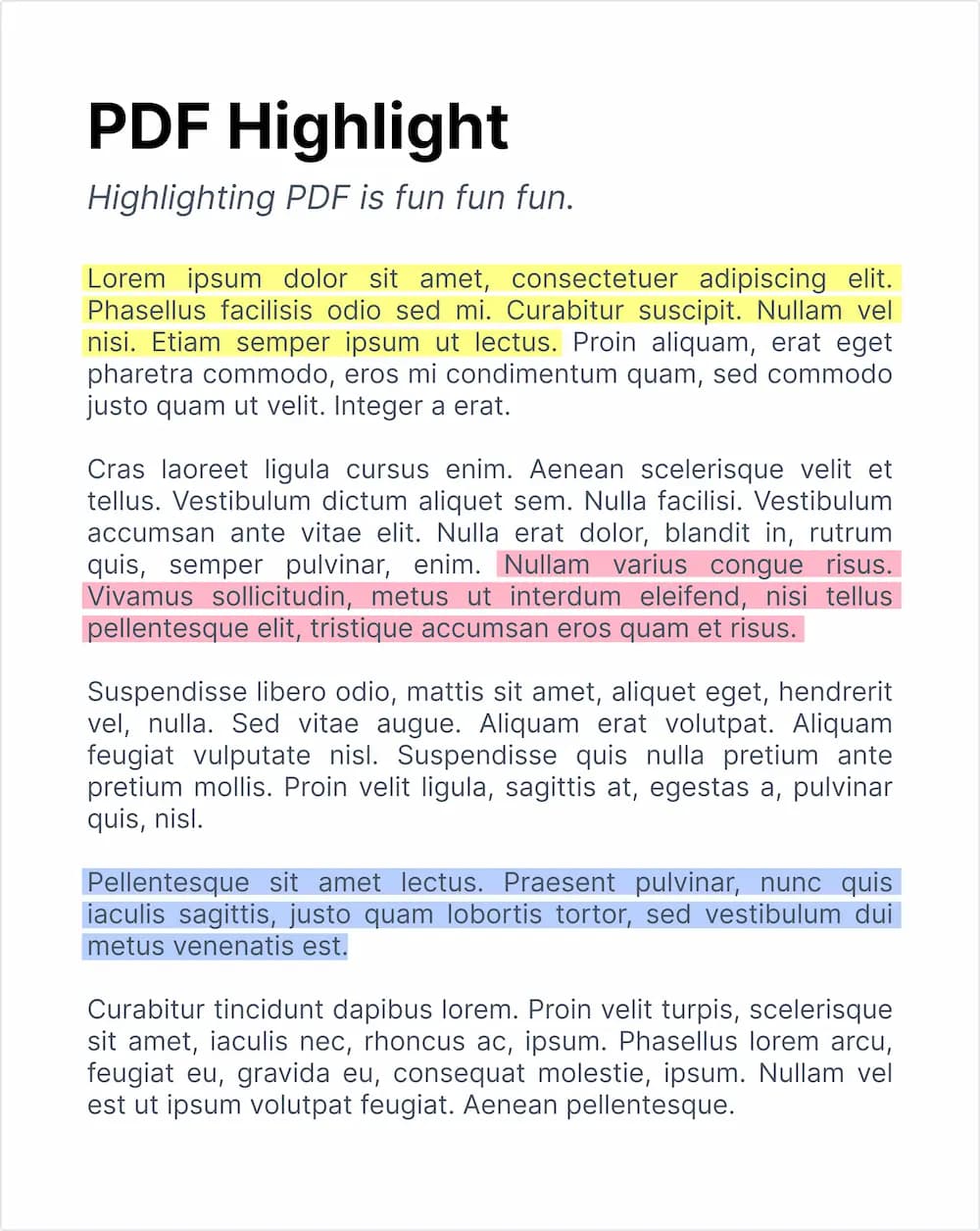
Highlights passed to the model as context
Highlight and chat on the same document
Highlight the passages that matter, then ask your question. Your highlights become context for the answer, and both stay attached to the PDF after you close the tab.
Copy the text out cleanly
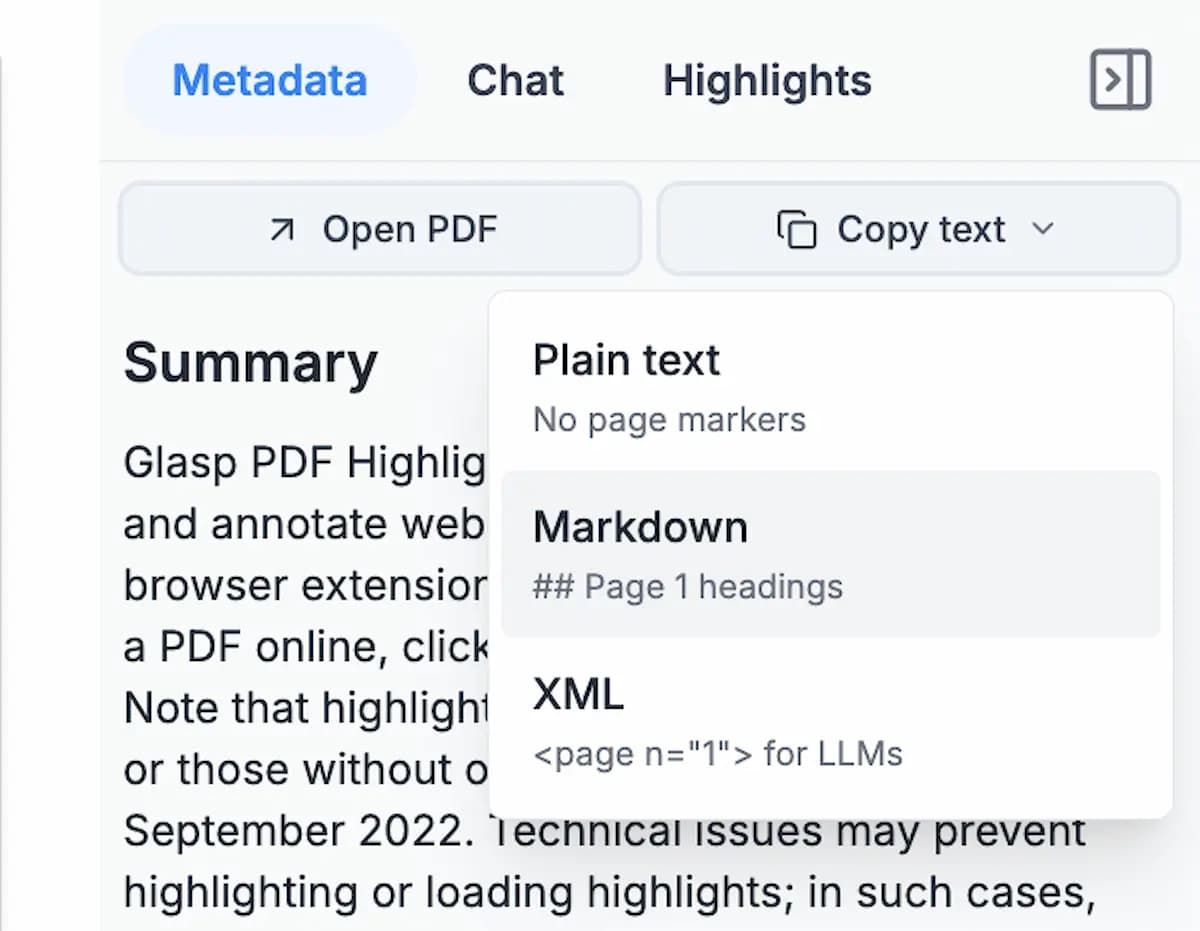
Copy any passage as Markdown, XML or plain text, with its structure intact rather than as the single hyphenated line a PDF viewer normally gives you.
“I love Glasp! I use it every time I read online articles. Highlighting with Glasp enforces me to actually read rather than scan through an article. I retain so much more info and can easily revisit my previously read articles to recall details and notes I've made.”
Olive
Product Designer
“I've researched every highlighting tool from Liner and Hypothesis to Instapaper and Pocket, and Glasp is the best hands-down. First, it creates a whole category of its own with social highlighting. This is important because it helps learners get recognized for finding amazing highlights, and it helps them connect with others who are learning the same thing at the same time. Also, it has the best highlighting workflow. While reading an article, you can select text in order to highlight and annotate without having to go to a different page. Furthermore, all of your highlights for a specific article appear on a right sidebar as you're reading, and they're easy to copy and paste into another note-taking app.”
Michael Simmons
Bestselling Author
“I used Instapaper but ended up hating it and stopped. There just wasn't a tool for me to continue using until Glasp. I was hooked immediately for the ease of use (highlight directly on the article web page), organized feed, and learning from others' highlights and notes. It makes sticking to learning something so easy and you can no longer find any excuses. Highly recommended to anyone who loves reading awesome articles or want to start forming such habit.”
Chat with PDF is an AI assistant for any PDF you open in your browser. Install the Glasp extension, open a PDF, and ask for a summary, a clarification, a definition or anything else. Answers stream in and cite the pages they came from. Unlike a standalone chat tool, Glasp keeps the chat next to your highlights and notes on the same document, so your reading and your questions stay in one place.
How do I chat with a PDF?
Install the Glasp extension for Chrome, Safari, Edge or Firefox, open any PDF on the web or upload one to your Glasp library, then open the chat sidebar and type your question. If you highlight passages first, Glasp uses those highlights as extra context for the answer.
Is Chat with PDF free?
Yes. Every Glasp account includes a free monthly PDF chat quota and no credit card is required. Heavier users can raise their limits on the pricing page, but you can keep using Chat with PDF for free without ever upgrading.
Can I chat with a PDF online without installing an app?
Glasp runs as a browser extension, so there is no separate desktop application to install. Open any openly accessible PDF on the web, click the Glasp icon, and chat. Your chat history is saved to your Glasp account, so you can come back to it later.
What AI models power Glasp's PDF chat?
Glasp uses large language models from OpenAI (the GPT family) and Anthropic (Claude). We re-evaluate and update the underlying models as better ones ship, so the answer quality is not frozen at whichever model was current the day you signed up.
Is my PDF data secure?
Your PDFs and chat history are tied to your Glasp account and stored securely. Glasp does not sell your data and does not use your PDFs to train public AI models. The privacy policy has the details on how your data is handled.
Can I chat with multiple PDFs?
Each PDF in your Glasp library has its own conversation, so documents stay separate and you can return to any of them. If you want to ask across everything you have ever read — PDFs, articles, YouTube videos and books together — that is the Chat with Highlights page.
Does Glasp save my chat history?
Yes. Every conversation is saved to your account and tied to the PDF it is about, so reopening the document brings the previous chat back with it. You can delete any conversation at any time.
How is Glasp different from ChatPDF and PDF.ai?
Those tools give you a chat window and nothing else. Glasp chats with the PDF inside the browser where you were already reading it, and keeps the conversation next to your highlights and notes on that document — so the passages you chose to keep become context for the answers, and both survive after you close the tab.
Can I use PDF chat together with highlights and notes?
Yes, and that is the point. Highlight the passages that matter, then ask your question; Glasp passes your highlights to the model as context, and the answer lands in the same place as the notes you were already taking.
More questions? Read the docs or email hi [at] glasp.co.
Start chatting with your PDFs
Add Glasp to your browser and ask your first question today. It's free.