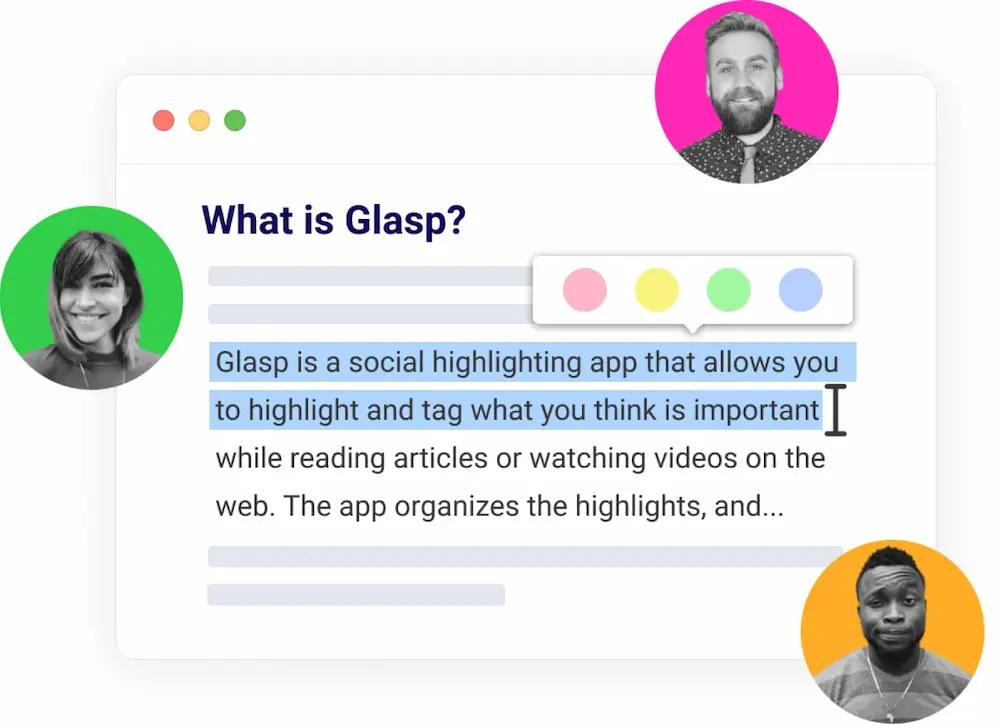
Import Raindrop.io Highlights to Glasp
Import your highlights and notes from Raindrop.io to Glasp. Keep your collections as tags, organize everything in one place, and export to your favorite note-taking apps 🚀
Reading on your phone?
Run this import from inside the Glasp app: Add → Import Highlights → Raindrop.io.


4.5
(2,000,000+ users)

Download Your Raindrop.io Export & Upload to Glasp
Export your Raindrop.io data as a CSV file and upload it to Glasp. Your highlights, notes, and collections are imported in seconds 🚀
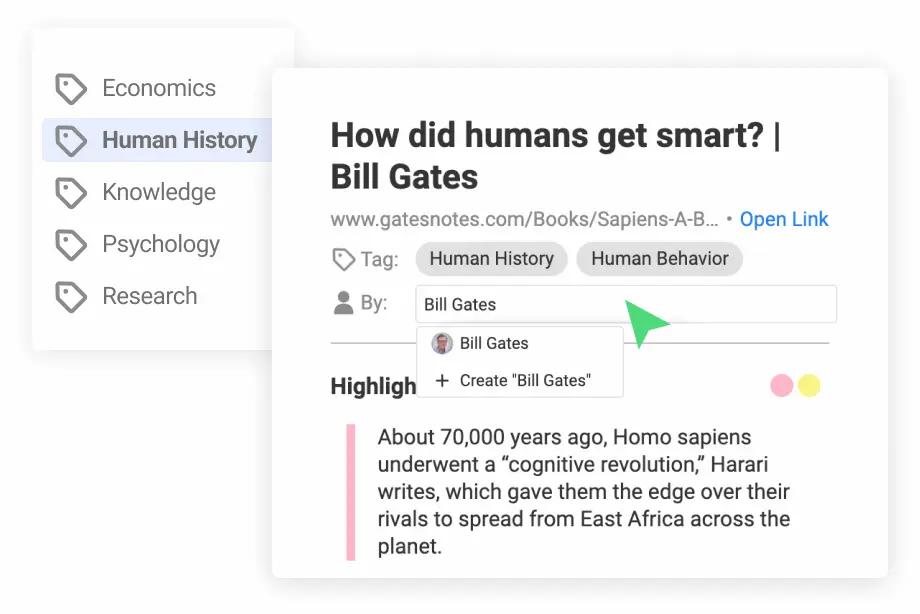
Organize Your Highlights & Notes with Tags & Authors
You can organize your highlights and notes with your own tags and authors. Find your highlights and notes easily with tags and authors anytime 🏷
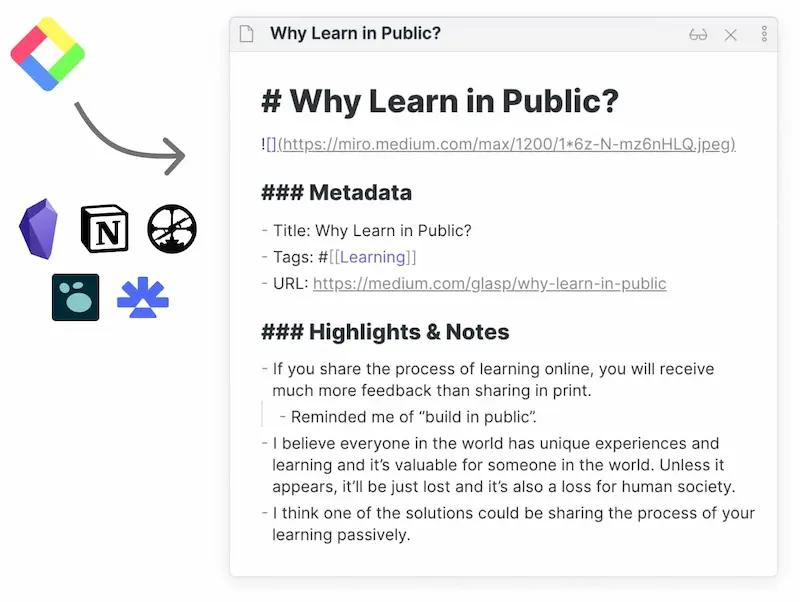
Export Highlights & Notes to Your Note-taking Apps
Export your highlights and notes to your favorite note-taking apps such as Roam Research, Notion, and Obsidian. Export your highlights in Markdown, HTML, CSV, and JSON formats 💎
Keep Track of Your Learning Progress & Find Like-minds
Glasp helps you keep track of your learning progress with the knowledge graph. Follow like-minded people and discover insightful content from their highlights and notes 🌟
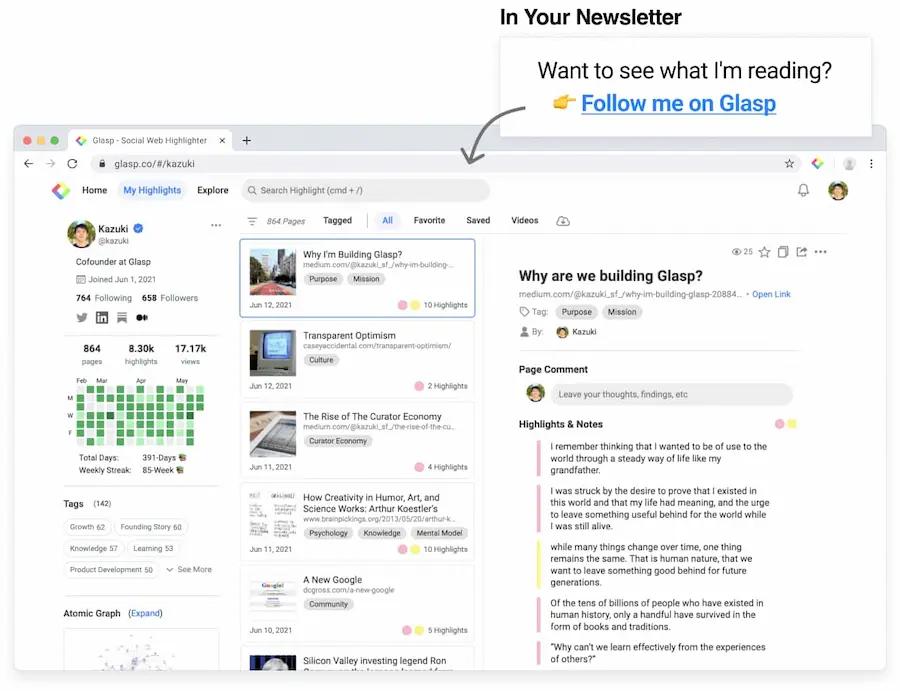
Import Highlights from Other Apps
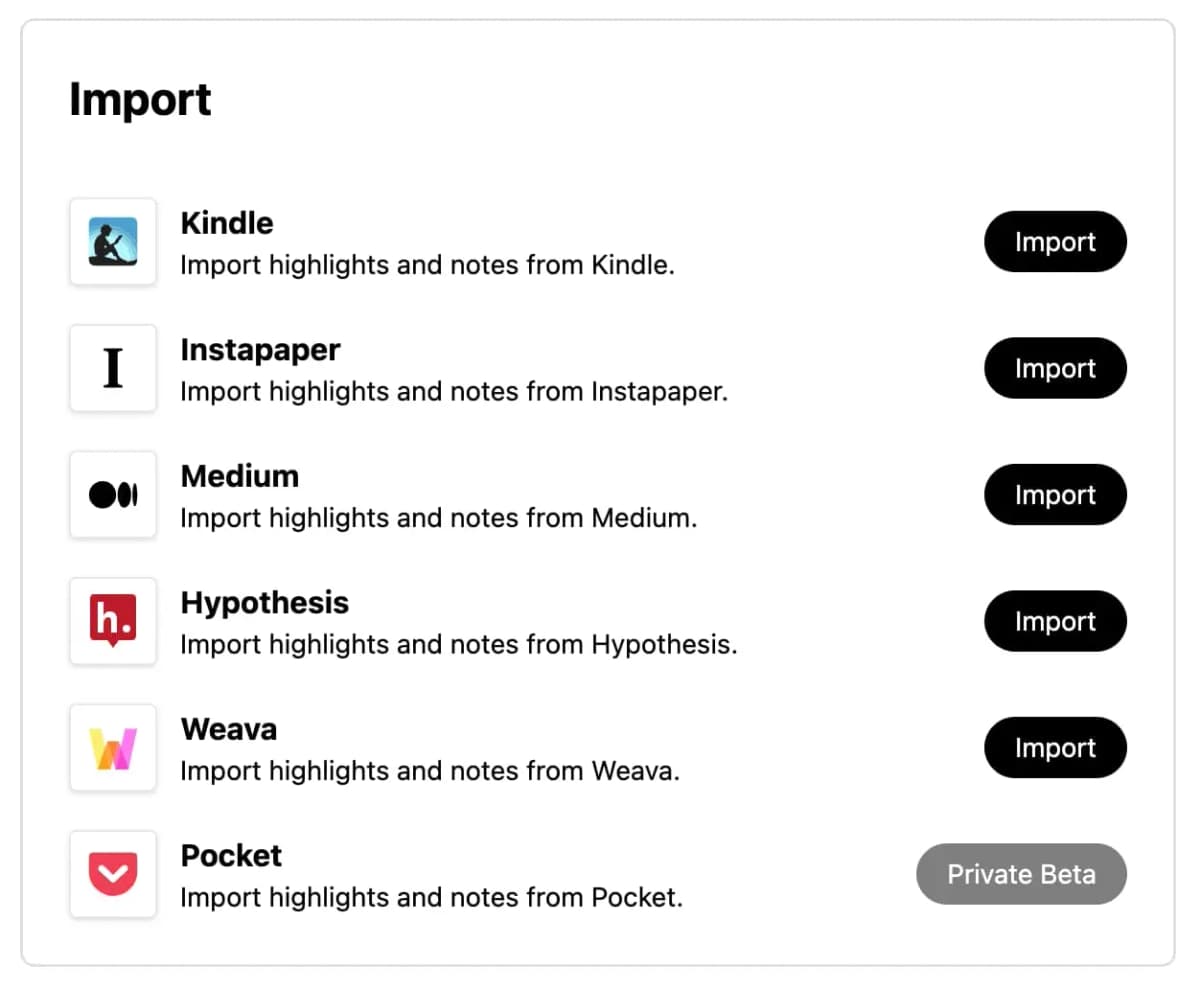
Glasp imports from more than Raindrop.io. Bring in your highlights from Kindle and other highlighters, or convert a Kindle My Clippings.txt file right in your browser.
Import Kindle Highlights
Import highlights and notes from Kindle Cloud Reader, then export or review them daily
Import Readwise Highlights
Bring your Readwise highlights and notes into Glasp
Import Pocket Highlights
Bring your Pocket highlights and saved articles into Glasp
Import Medium Highlights
Bring your Medium highlights and notes into Glasp
Import Instapaper Highlights
Bring your Instapaper highlights and notes into Glasp
Import Hypothesis Highlights
Bring your Hypothes.is annotations and notes into Glasp
Import Diigo Highlights
Bring your Diigo highlights and annotations into Glasp
Import Weava Highlights
Bring your Weava highlights and annotations into Glasp
Convert My Clippings.txt
Turn a Kindle My Clippings.txt file into Markdown, CSV, Anki, or JSON — no account needed
Do More with Glasp
AI Summary
Summarize any webpage, PDF, or YouTube video with AI
YouTube Summary
Highlight and summarize your favorite YouTube videos
PDF Summary
Highlight and summarize your favorite PDF documents
Kindle Daily Review
Export your Kindle highlights and notes and review them daily
Highlight Quoteshots
Create and share beautiful quoteshots from your highlights
Chat with Highlights
Chat with your highlights and notes to get insights
Audio Transcription
Transcribe audio to text and summarize it with AI
Image Highlight
Highlight images and save them to your Glasp account
Export Highlights
Export your highlights to Roam Research, Notion, and Obsidian
Loved by 2,000,000+ Users ❤️
Glasp is used and loved by over 2,000,000 users worldwide. People from bestseller authors, researchers, and students use Glasp to enhance their research and learning.
"I love Glasp! I use it every time I read online articles. Highlighting with Glasp enforces me to actually read rather than scan through an article. I retain so much more info and can easily revisit my previously read articles to recall details and notes I've made."

Olive
Product Designer
"I've researched every highlighting tool from Liner and Hypothesis to Instapaper and Pocket, and Glasp is the best hands-down. First, it creates a whole category of its own with social highlighting. This is important because it helps learners get recognized for finding amazing highlights, and it helps them connect with others who are learning the same thing at the same time. Also, it has the best highlighting workflow. While reading an article, you can select text in order to highlight and annotate without having to go to a different page. Furthermore, all of your highlights for a specific article appear on a right sidebar as you're reading, and they're easy to copy and paste into another note-taking app...."

Michael Simmons
Bestselling Author
"I used Instapaper but ended up hating it and stopped. There just wasn't a tool for me to continue using until Glasp. I was hooked immediately for the ease of use (highlight directly on the article web page), organized feed, and learning from others' highlights and notes. It makes sticking to learning something so easy and you can no longer find any excuses. Highly recommended to anyone who loves reading awesome articles or want to start forming such habit...."

Puppy Tsai
Product Manager
"I love the way Glasp is always there while I'm reading articles on the web ready to help me remember key phrases or interesting ideas. The interface looks like Tumblr meets Google Reader. It's always full of fresh and interesting things that struck someone else as valuable. What a wonderful place to visit!"

Jason Shellen
Founder & Advisor
"Glasp drastically reduces the time for note-taking for me. I needed a common platform to keep references and notes, where everyone could seamlessly collaborate. In any situation that requires collaboration, oftentimes, it acts as a references repository for our knowledge base. It allows me to keep my notes easily accessible to myself and across my teams. I’ve been using the tool religiously over the past 6 months and with Glasp, I’ve been able to keep my work more organized and productive. I use it every time I read anything online. Moreover, the Glasp community—even outside my inner team—allows me to explore what others are reading, helping me discover interesting new articles every day. Absolutely love discovering this new social network!..."

Rudram
Product Manager
"Glasp is such a meaningful product! It helps me focus and think deeply on the content that resonates with me the most, and share my thoughts with friends and colleagues effortlessly by simply highlighting the content that I love. I’m constantly inspired by everyone’s highlights, shared articles, and resources from Glasp’s community, and these daily inspirations make me a better thinker and help me see the world from different perspectives. Thank you for coming into my life, Glasp..."

Snow Huo
Startup Founder
"As someone who has been following the GTD, Zettelkasten, PKM, Second Brain, zettelkasten ways of working, Glasp helped me shift from following to doing. It acts as a forcing function, motivating me to think through what stood out, why it stood out, and to categorize it according to what I'd be interested in learning more about. Also, Glasp lets me see other's highlights, which feels like following a bread crumb trail to interesting content and insights I wouldn't have normally come across. Glasp helps me curate thoughtful, provocative information, that I can build into my writing practice...."

Moe
Designer & Content Writer
"Glasp has been a lifesaver! It helps me quickly refer to important parts of articles I need to come back to for assignments as well as work. With it, I’ve been more organized and productive! I also often discover useful articles and resources that friends have been reading."

Ananya
Content Creator
"Glasp is a habit now. It helps me build an archive of the most interesting ideas I come across online. It's a wonderful tool that makes me read with more attention and allows me to discover great insights from all kinds of interesting users."

Thiény Konaté
Agency Founder
"Glasp makes it easy for me to remember what I read and watch on a daily basis. The app is always ready to let me highlight the important passages and create notes. Exporting the higlights is as easy as using a one-click button to paste it to my Obsidian vault. Glasp not only has these features but it also functions as a community where you can see what your friends are reading and highlighting, so everyone can learn from each other. It takes the concept of "learning in public" to the next level. Highly recommended for life-long learners...."

Nic Yap
Technical Writer
Read more on our Wall of Love ❤️
Trusted by Users at
Glasp is trusted by users from various domains. People from tech companies, universities, and research institutions use Glasp to enhance their research and learning 🚀

2M+
Users
1M+
Highlighted Domains
10M+
Highlights & Notes
50M+
Views
Featured by Top Media Outlets
We are proudly featured by top media outlets and tech blogs such as Forbes, Lifehacker, Business Insider, Entrepreneur, The Guardian, The Economic Times, and more 🚀
Let's Learn in Public Together 🤝
Frequently Asked Questions
How do I export my highlights from Raindrop.io?
Open Raindrop.io and go to Settings → Export, then download your data as a CSV file. Daily backups (Settings → Backups) in CSV format work too. Once you have the file, open Glasp's Integrations settings, choose Raindrop.io, and upload the file. Your highlights, notes, and collections are imported right away.
What Raindrop.io data is imported?
Glasp imports your highlights with their notes, page titles, tags, and creation dates. Your Raindrop collections are added as tags so your organization carries over. Bookmarks that don't have any highlights are skipped — Glasp is a home for your highlights and notes.
Is Glasp FREE to use?
Yes, Glasp is free for everyone. You can unlimitedly highlight text on websites and PDF documents, organize your highlights and notes, and even export these to various note-taking apps—all at no cost.
For users seeking more privacy and enhanced features, Glasp Pro is available. By upgrading to Glasp Pro, you gain access to unlimited private highlights and notes, allowing you to keep your insights just to yourself or share them selectively.
Is there a mobile app or tablet app for Glasp?
Yes, Glasp is available on mobile devices. We offer dedicated apps for both iOS and Android platforms, ensuring you can easily access and use Glasp on your smartphones and tablets. Additionally, Glasp can be accessed through any mobile browser for convenience. For more details and download options, please visit our Glasp Mobile Apps page.
Do my highlights and notes sync across devices?
Yes, all your highlights and notes seamlessly sync across devices when you use your Glasp account. Our automatic sync feature ensures that your highlights and notes are always updated and accessible on any device, keeping your learning synchronized wherever you go!
Collect Ideas Worth Sharing
Let's start highlighting your favorite quotes and thoughts from the web and PDFs. Add Glasp to your Chrome or Safari browser today 🌱
Reading on your phone?
Run this import from inside the Glasp app: Add → Import Highlights → Raindrop.io.
4.5
(2,000,000+ users)