How to Export Highlights and Notes into Roam Research

Sep 22, 2025
4 min read
269 views

Do you use Roam Research to connect ideas and build a knowledge graph from what you read? While Roam is powerful for thinking and linking, getting highlights and notes from the web into Roam can still feel manual and fragmented.
With Glasp, you can now export your highlights and notes into Roam Research in two ways: the new Roam Export integration, which sends your highlights directly to your graph, or a quick copy and paste. Either way, you can move insights from articles, PDFs, Kindle highlights, and YouTube transcripts into your graph without breaking your reading flow.
In this tutorial, you'll learn both methods step by step, so you can turn what you read into connected, reusable knowledge instead of isolated notes.
If you haven't signed up for Glasp or installed the Glasp browser extension, please do so. You can refer to this tutorial.
Method 1: Connect the Roam Export integration
This is the direct way. Once connected, each article becomes a Roam page with your highlights as blocks.
Step 1. Open the Roam Export card
Go to the Settings page on Glasp and click Integrations in the left sidebar. Open the Export tab, find Roam Export, and click it. It opens the Roam Research modal.

Step 2. Create a graph token in Roam
In Roam Research, open your graph and go to Settings, then Graph tokens. Create an API token with edit access and copy it. Please don't share the token anywhere.
Step 3. Connect Glasp with your graph
Back in the Glasp modal, enter your graph name and paste the API token, then click Connect. That's it. Glasp exports your highlights to Roam Research, where each page becomes a Roam page with your highlights as blocks, so you can restructure, tag, or link them to fit your knowledge graph.
After the initial export, Glasp also syncs your new highlights to Roam automatically once a day. You don't need to re-export anything by hand.
Method 2: Copy and paste (no setup needed)
If you'd rather not connect your graph, the classic copy-and-paste method still works well for a single article.
Step 1. Copy your highlights on Glasp
Go to your profile page by clicking Profile in the left sidebar. Select an article you want to export, then click Copy Highlights.
If you click another article, you can export that article's highlighted sentences.
Step 2. Paste sentences on Roam Research
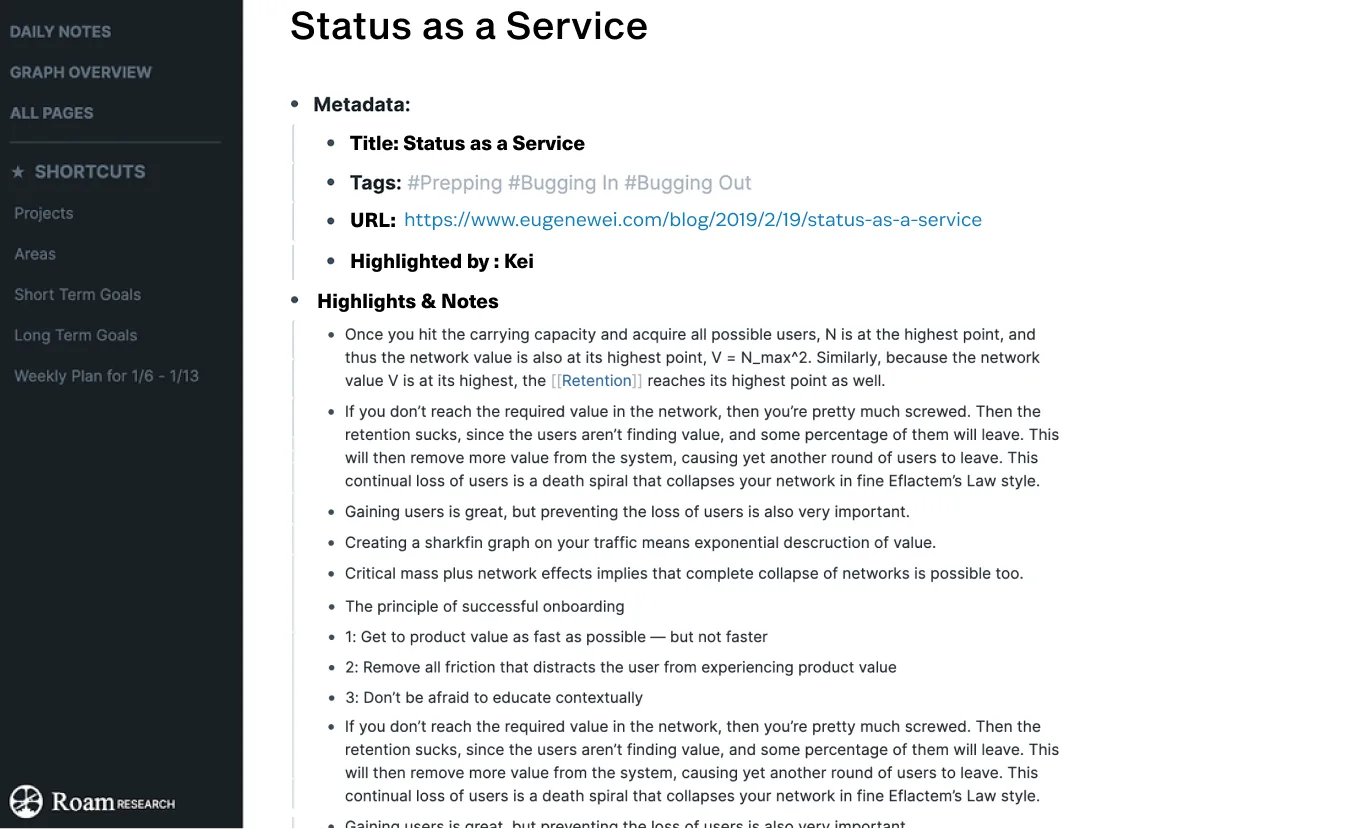
Open a New note on Roam Research and paste highlighted sentences by
Command+Vfor Mac orCtrl+Vfor Windows.Yay, you got everything copied and pasted from the web article 🎉
You can edit the sentence or style as you want 🙂
FAQs
Q. Is there a direct integration between Glasp and Roam Research?
Yes. Use the Roam Export integration in Settings → Integrations → Export. Enter your graph name and an API token with edit access, and Glasp exports your highlights to Roam, with each article as a Roam page and your highlights as blocks. New highlights sync automatically once a day.
Q. Can I export multiple articles at once into Roam?
Yes. With the Roam Export integration, your highlights are exported to your graph directly, so you don't need to copy articles one at a time. The copy-and-paste method works one article at a time, and you can also download highlights as files (TXT, CSV, or MD) and import them separately.
Q. Where do I find my Roam API token?
In Roam Research, open your graph and go to Settings, then Graph tokens. Create a token with edit access. Glasp needs edit access to create pages and blocks in your graph.
Q. Does Glasp keep the original article link when exporting?
Yes. The copied highlights include the title and link to the original article, so you can always revisit the source.
Q. Can I edit highlights once exported into Roam?
Absolutely. Once the highlights are in Roam, you can restructure, tag, or link them to fit your knowledge graph.
Q. Can Claude or ChatGPT read my Glasp highlights?
Yes. With the Glasp MCP Connector, AI assistants such as Claude, ChatGPT, and Claude Code can search and read your own highlights, notes, Kindle highlights, and AI summaries, including your YouTube summaries. The connection is read-only and private to you. See How to Connect Glasp to Claude, ChatGPT, and Claude Code (MCP Connector).
Q. Can I use Glasp on my phone?
Yes. Glasp has native apps for iPhone, iPad, and Android, and the Glasp Safari extension for iPhone and iPad comes with the iOS app. Your highlights sync between the apps, the web, and the desktop extension. See How to Use the Glasp Mobile App on iOS, iPad, and Android.
Before you leave
Before you leave, remember that Roam Research shines when your notes are connected, not isolated. By exporting your highlights and notes with Glasp, you can bring external insights directly into your Roam graph and link them to your ongoing thinking.
See you next time,
Glasp team