How to make cinematic YouTube videos with LTX Studio
TL;DR
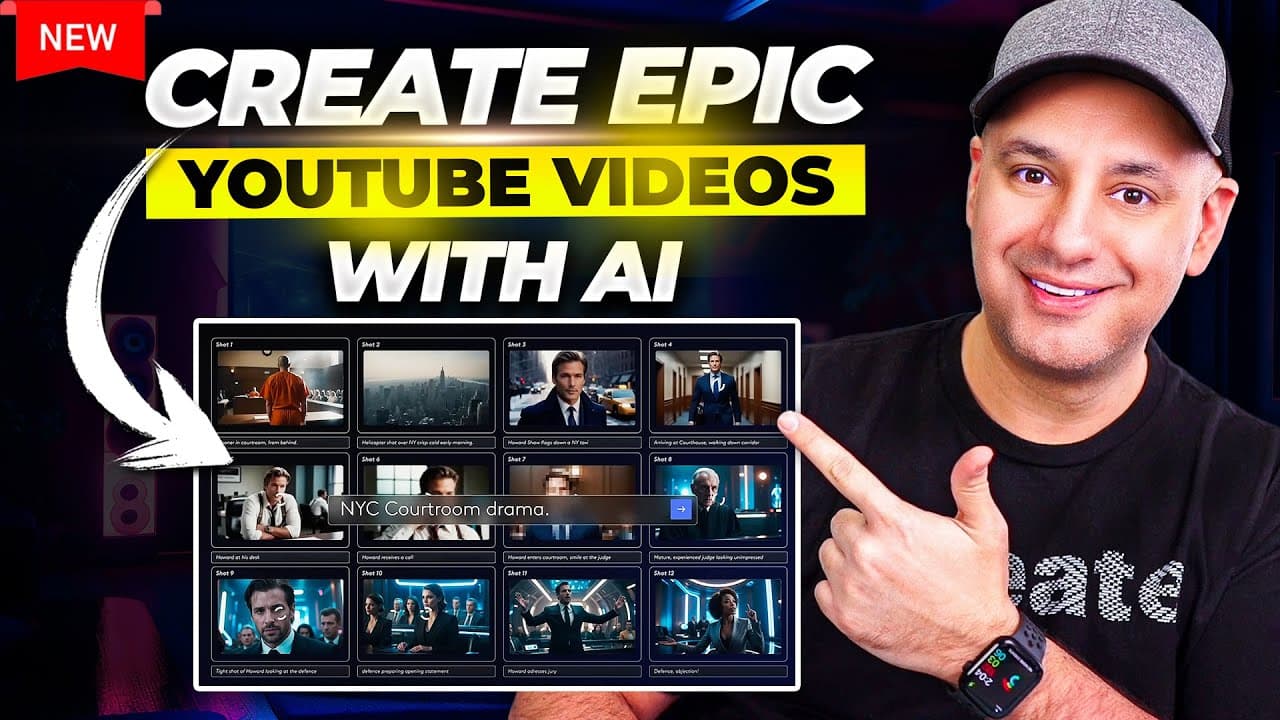
LTX Studio can generate a complete story based YouTube video from a single prompt, including characters, narration, visuals, and audio. The workflow shown uses prompts in ChatGPT to ideate a synopsis, then LTX Studio creates scenes, voiceover, and frames, with options for different styles and voice choices. The result is a polished cinematic short crafted in minutes rather than hours.
Transcript
I've had an idea for a YouTube channel for a long time to basically create cinematic little short films around historical events specifically around old Empires like the Roman Empire Egyptians Persians and I tried this seven eight years ago with kind of Animation apps but it took a really long time like 7 eight hours to create a little short 5 minu... Read More
Key Insights
- LTX Studio creates a complete story based video from a single prompt, including visuals, narration, and audio, enabling faster production cycles.
- The process uses ChatGPT to generate a synopsis and scene prompts, which are then fed into LTX Studio to build a consistent cast and shot list for the project.
- Different visual styles are supported, including cinematic, anime, and retro, plus an aspect ratio option that aligns with YouTube shorts or longer videos.
- Voiceover customization is available with narrator choices and the ability to shift narration between first and third person perspectives to suit the story.
- Scenes are composed from prompts that specify shot types such as wide establishing and close up, enabling controlled storytelling flow.
- The platform allows object removal and generative fill to refine frames, making it easy to adjust visuals without redoing entire scenes.
- A waitlist and sign up link are provided to access LTX Studio early, highlighting the platform’s current beta or early access model.
- The example demonstrates a practical application by outlining a Roman Empire themed narrative and showing how to use AI to automate and polish production steps
- More videos from this channel:
- More from this channel: Skill Leap AI
Install to Summarize YouTube Videos and Get Transcripts
Explore YouTube Video Summarizer or Get YouTube Transcript Extractor
Questions & Answers
Q: How can LTX Studio be used to create a full narrative video from a single prompt
LTX Studio accepts a text prompt that defines the story and style, then automatically generates video clips, audio, and a cohesive narrative flow. It uses the prompt to cast recurring characters and build scenes with multiple shots. Users can refine by adding customized narration, voiceover, and scene prompts, finishing with a polished cinematic video that would have taken much longer using traditional methods.
Q: What role does ChatGPT play in the workflow
ChatGPT is used to ideate and flesh out the synopsis, creating detailed prompts for characters, settings, and scenes. It helps generate variations and shot ideas, which are then fed into LTX Studio. This speeds up planning and ensures consistent character and visual direction across scenes.
Q: Can you customize voiceover in LTX Studio
Yes, you can choose different voiceover options and assign voices to characters and narration. The process includes selecting a narrator, adjusting narration length per scene, and replacing default AI narration with specific prompts to fit the desired tone and point of view.
Q: How are scenes and shots organized in the tool
Scenes are organized sequentially, with each scene containing multiple shots. You can specify shot types like wide establishing shots or close ups and adjust framing. This structure helps manage pacing and ensures a clear visual narrative across the entire video.
Q: What visual styles are available in LTX Studio
The platform supports multiple visual styles such as cinematic, anime, and retro. An aspect ratio option is available to tailor the look for different platforms like YouTube full length videos or short form formats such as Shorts.
Q: Is it possible to edit or remove elements in a scene after generation
Yes, the tool provides editing features such as removing objects from a frame and using generative fill to replace or add elements. These capabilities allow refining visuals without redoing entire scenes, improving flexibility and iteration speed.
Q: What is the value of using a waitlist for LTX Studio
Joining the waitlist gives early access to LTX Studio, offering the chance to explore its features ahead of general availability. The video description also promotes a longer tutorial that provides a deeper walkthrough of the platform for newcomers.
Q: How does the example use historical fiction content to illustrate the workflow
The example uses a Roman Empire premise to demonstrate creating a cinematic short from concept to final narration. It shows how prompts, visual styles, cast, and voiceover can be orchestrated to tell a historical fiction story efficiently while highlighting the platform’s versatility and speed.
Summary & Key Takeaways
-
A workflow using ChatGPT prompts to generate a Roman Empire themed synopsis for an AI driven video project demonstrates how to accelerate ideation and casting. The system then builds scenes, shots, and voiceover automatically within LTX Studio to produce a cohesive short film. The example emphasizes time savings and style versatility while outlining how to customize narration and visuals.
-
The video highlights the ability to switch styles such as cinematic, anime, or retro, and to adjust voiceover and shot composition. Viewers are guided through adding narration, selecting cast, and refining shots for consistency and pacing. The end result is a finished storyboard ready for production.
-
The presenter notes how waitlist access can grant immediate entry to LTX Studio and encourages watching the longer tutorial for a deeper dive into the platform features and workflow.
Read in Other Languages (beta)
Share This Summary 📚
Summarize YouTube Videos and Get Video Transcripts with 1-Click
Try YouTube Summary with ChatGPT & Claude or YouTube Transcript Generator
Explore More Summaries from Skill Leap AI 📚





Summarize YouTube Videos and Get Video Transcripts with 1-Click
Try YouTube Summary with ChatGPT & Claude or YouTube Transcript Generator