How to create AI avatar videos with HeyGen Avatar 4
TL;DR
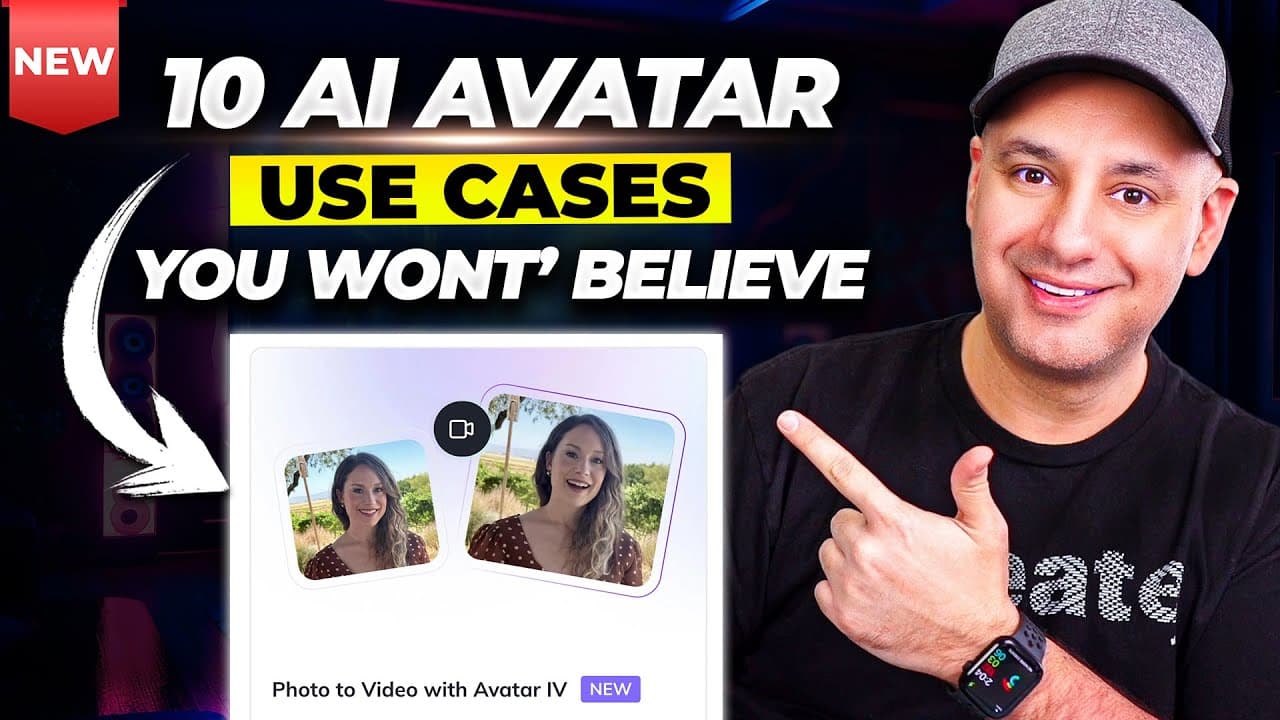
Avatar 4 lets you turn a photo and a script into a high quality avatar video. You can also generate videos from a topic or URL, use templates for quick projects, translate into many languages, convert PDFs or PowerPoints to video, create UGC avatars, and clone yourself with different looks. It covers practical workflows for producing AI avatar content.
Transcript
AI generated avatars keep getting better and better and more platforms are rolling out options for creating them. Hey Genen just released their latest model called Avatar 4. In this video I want to show you 10 awesome ways to use Hey Genen to create AI generated videos. Okay, I guess pretty soon I don't have to make videos anymore. But uh that was ... Read More
Key Insights
- Avatar 4 is the latest HeyGen model that enables more realistic AI avatar videos.
- You can turn a single clear photo into an avatar video by supplying a script and choosing a voice.
- You can generate videos from a URL or topic by writing prompts that define scenes.
- Templates provide a ready made video structure with editable avatars and scenes.
- Video translation supports lip sync and multiple target languages.
- PowerPoint or PDF files can be converted into videos with avatars presenting the content.
- UGC avatars allow more natural, less formal video styles for social content.
- Users can clone themselves by creating new avatars with different looks for varied outputs.
- More videos from this channel:
- More from this channel: Skill Leap AI
Install to Summarize YouTube Videos and Get Transcripts
Explore YouTube Video Summarizer or Get YouTube Transcript Extractor
Questions & Answers
Q: How can I create an AI avatar video using HeyGen Avatar 4 with a photo and script
To create an AI avatar video with a photo and script, start by selecting Avatar 4 in HeyGen, then upload or drag a clear photo. Paste your script into the text area and choose a voice that matches the avatar. You can adjust the size and position of the avatar, confirm the scene, and submit to generate the video. This workflow produces a high quality video where the avatar speaks your script, leveraging Avatar 4’s new capabilities.
Q: What does it take to generate a video from a topic or URL in HeyGen
Generating a video from a topic or URL involves entering a URL or topic into the generate section, which prompts the system to create scenes around the provided content. You can then select from available avatars, adjust outfits and directions, and generate the final video. This enables rapid production of topic focused content without starting from scratch.
Q: How do templates help in creating videos with HeyGen Avatar 4
Templates in HeyGen provide pre built layouts that combine avatars, scenes, and text for quick video assembly. You can resize avatars, change the look, replace background clips, and edit texts within the template. Templates speed up production while allowing customization to align with your brand and message.
Q: Can HeyGen translate videos into multiple languages and how
Yes, HeyGen can translate videos into many languages while preserving lip sync. You can paste or input a video URL, detect the original language, choose a target language, and submit translation. The tool is designed to adapt the speech to the new language and adjust captions and background audio as needed.
Q: What is the process to convert a PDF or PowerPoint to video in HeyGen
To convert a PDF or PowerPoint to video, upload the file to HeyGen, then add or record a script. Choose an avatar and position it in the scene, set a 16x9 video format, and generate the video. The result is a narrated presentation with an avatar delivering the content from your slides.
Q: What are UGC avatars and how are they used in HeyGen Avatar 4
UGC avatars are user generated content avatars designed to look more organic and suitable for social media. You can choose from different looks and voices, then load your script to produce a portrait style video. These avatars are tailored for authentic, relatable delivery in viewer friendly formats.
Q: How can you clone yourself or create multiple looks in HeyGen Avatar 4
You can clone yourself by creating new avatars with different looks. This involves uploading footage or defining features to build lifelike avatars with distinct appearances. You can load different scripts for each avatar, place them in the scene, and produce multiple videos showing the same person with varied styles for diverse content.
Q: What features support video podcasts and interactive avatars in HeyGen Avatar 4
For video podcasts, you can use the avatar system to present lines in a structured format, switching between looks as needed. Interactive avatars are supported by providing dynamic prompts and scene changes, allowing viewers to engage with the presenter. These features create engaging, multi shot presentations without real actors.
Summary & Key Takeaways
-
This video demonstrates the new HeyGen Avatar 4 model and shows how to create AI avatar videos from photos and scripts, including how to choose looks, outfits, and poses. It also explains using the AI Studio to generate videos and how a free plan still carries a watermark.
-
The guide then covers turning a URL or topic into a video, where you can edit scenes, select different avatars, and manage project settings for a generated video. It highlights flexible templates and customization options for quick outputs.
-
The final sections showcase translating videos into many languages, converting PDFs or PowerPoints to video, creating user generated content avatars, cloning yourself with multiple looks, and other practical workflows for scalable AI video creation.
Read in Other Languages (beta)
Share This Summary 📚
Summarize YouTube Videos and Get Video Transcripts with 1-Click
Try YouTube Summary with ChatGPT & Claude or YouTube Transcript Generator
Explore More Summaries from Skill Leap AI 📚




Summarize YouTube Videos and Get Video Transcripts with 1-Click
Try YouTube Summary with ChatGPT & Claude or YouTube Transcript Generator