How to Build an AI Agent with OpenAI Agent Builder?
TL;DR
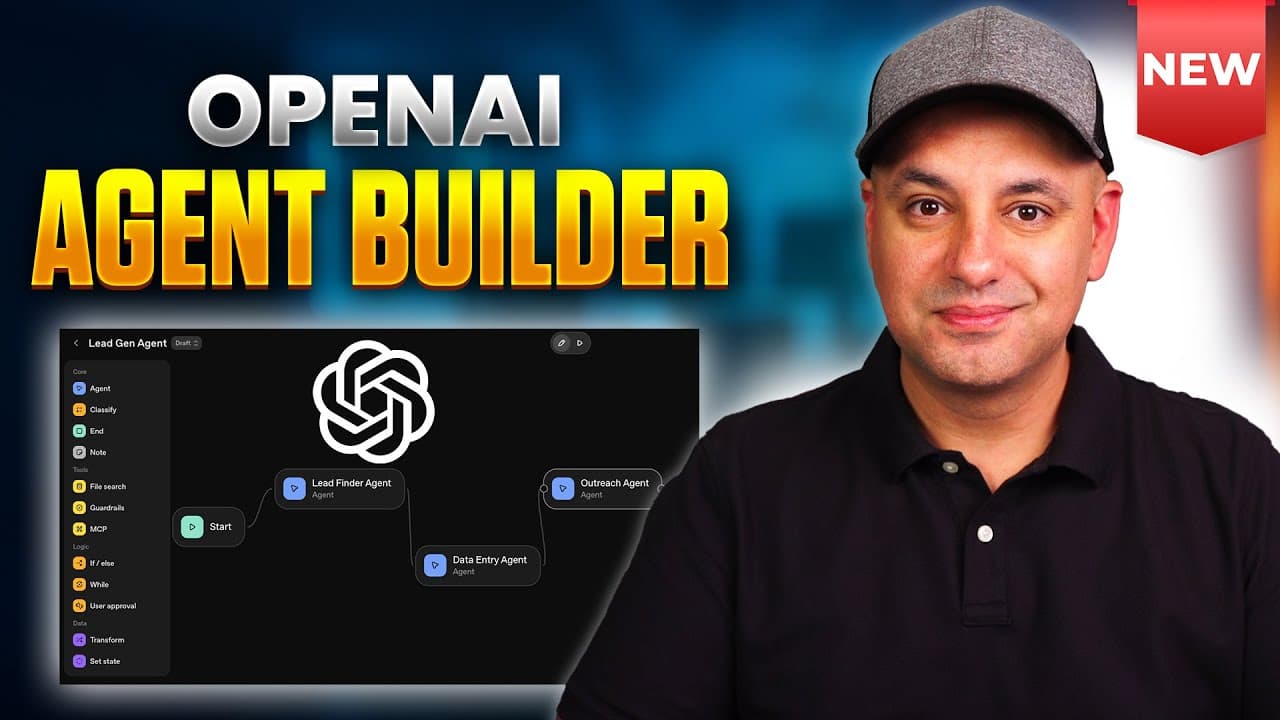
You can create a working AI lead-generation agent without coding by using OpenAI's Agent Builder, wiring three connected agents for web search, data entry, and email outreach. The video walks through templates, notes, guard rails, and tool connectors like Gmail and Sheets, ending with testing before publishing.
Transcript
OpenAI has finally joined the race with a new platform that helps you make AI agents and AI workflows. And I wanted to show you exactly how to create your very first AI agent with this brand new platform. And by the end of the video, you'll have a working AI agent that will do exactly this. It will go search the web and find leads for you. Then it ... Read More
Key Insights
- OpenAI Agent Builder uses a visual canvas of nodes where each node performs a single clear job and data flows through arrows.
- Nodes are the core building blocks for AI agent workflows and can include agents, guard rails, memory, and tools to connect external services.
- Templates provide ready-made building blocks but you can also start from scratch to tailor the workflow to your needs.
- Guard rails act as safety checks to prevent unwanted inputs or outputs and help avoid jailbreaking attempts.
- The MCP (middle component) allows connecting an agent to external services like Gmail or Zapier for extended capabilities.
- Memory in agents stores chat history and contextual data to improve subsequent decisions and responses.
- External tools like Gmail and Google Sheets can be connected to store leads and draft emails, enabling end-to-end automation.
- Testing mode lets you observe the agent’s flow, data routing, and decision making before publishing the workflow to production.
- More videos from this channel:
- More from this channel: Skill Leap AI
Install to Summarize YouTube Videos and Get Transcripts
Explore YouTube Video Summarizer or Get YouTube Transcript Extractor
Questions & Answers
Q: How to start building an AI agent with OpenAI Agent Builder without code?
To start, open the OpenAI platform and navigate to the agent builder or templates. You can drag and drop nodes onto the canvas, connect them with arrows to create data flows, and customize each node with its own instruction, memory, and tools. This approach lets you assemble a complete workflow from modular parts, avoiding coding altogether.
Q: What represents the 'brain' of an AI agent in this builder?
The AI agent node acts as the brain of the workflow. It holds the model configuration, memory settings, and the response format. By wiring multiple agent nodes and conditions, you create a decision graph where data is processed, routed, and transformed to achieve the desired outcome.
Q: What is the purpose of guard rails in AI agent workflows?
Guard rails serve as safety checkpoints that inspect inputs and outputs to prevent unsafe actions, incorrect data handling, or jailbreaking attempts. They help ensure compliance with rules, filter out harmful content, and maintain control over how the agent behaves in different scenarios.
Q: How do external tools connect to an AI agent in this setup?
External tools connect via the MCP connector, which links the agent to services like Gmail, Sheets, or Zapier. This enables data input, data storage, and automated actions such as drafting emails, populating spreadsheets, or triggering other apps, creating a seamless end-to-end automation pipeline.
Q: What role do memory and chat history play in AI agents?
Memory stores relevant context and past interactions so the agent can make informed decisions over time. This enables continuity in conversations, better data enrichment, and more accurate responses. It is a key feature for building multi-step workflows that rely on historical data.
Q: Can you use templates to build agents and still customize them?
Yes, templates provide a usable starting point with preconfigured nodes and flows. You can customize each node, swap in different agents, add or remove tools, and adjust prompts and memory settings. This makes it easier to learn the system while still enabling complex, tailored workflows.
Q: What should you do to verify an agent workflow before publishing?
Enter testing mode and simulate real inputs to observe how the agent flows through the nodes, how data moves between steps, and where it may stall. Verify the accuracy of web searches, data extraction, and email drafting. Only publish once the flow is reliable and safe.
Q: How does the video position the builder for non-developers?
The content emphasizes that you do not need coding skills to build agents. By using drag-and-drop nodes, templates, and visual configurations, non-developers can create functional AI agent workflows, validate them, and deploy automation for tasks like lead generation and outreach.
Summary & Key Takeaways
-
The video demonstrates building a modular AI agent workflow using the OpenAI Agent Builder, starting from a template and customizing with nodes, agents, and memory, to create an end-to-end lead generation and outreach system.
-
It explains the concept of AI agents as proactive tools with goals, not just reactive chatbots, and highlights the importance of building blocks like nodes, guards, and tools to enable complex workflows.
-
The tutorial emphasizes testing and publishing, showing how to verify data flow, interactions between agents, and safety checks before deploying the workflow to real tasks.
Read in Other Languages (beta)
Share This Summary 📚
Summarize YouTube Videos and Get Video Transcripts with 1-Click
Try YouTube Summary with ChatGPT & Claude or YouTube Transcript Generator
Explore More Summaries from Skill Leap AI 📚






Summarize YouTube Videos and Get Video Transcripts with 1-Click
Try YouTube Summary with ChatGPT & Claude or YouTube Transcript Generator