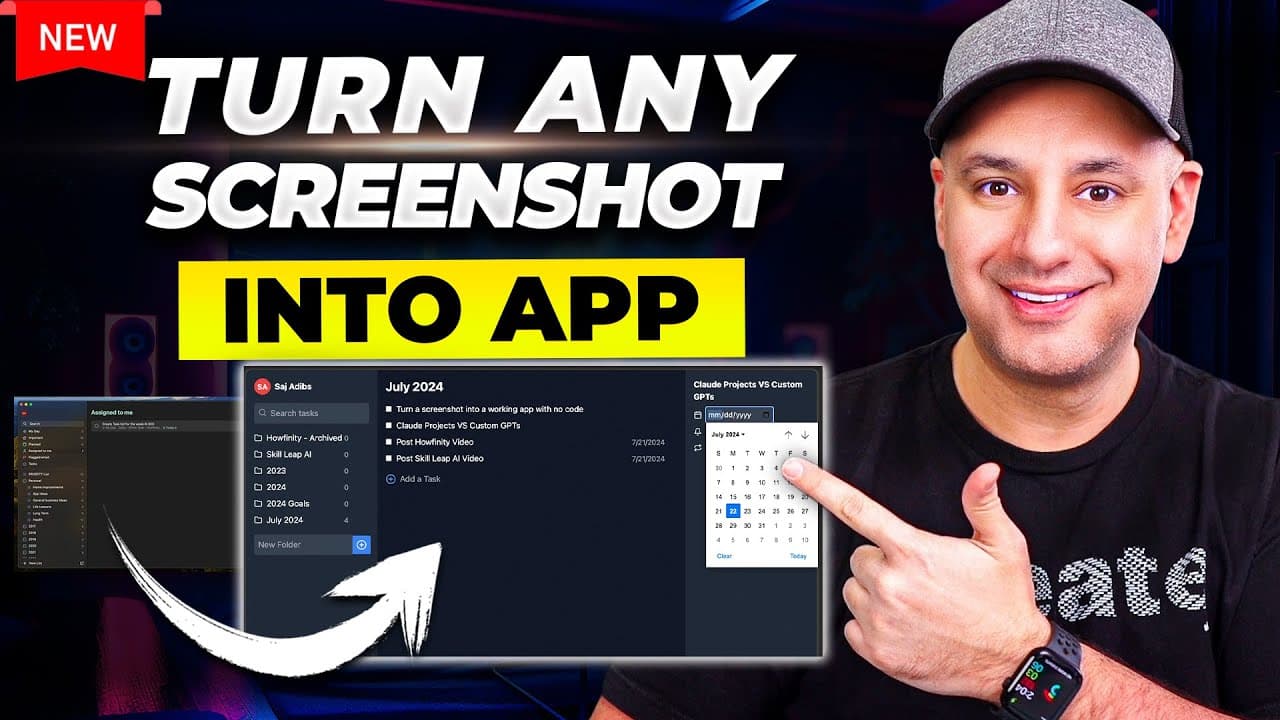
How to turn a screenshot into a working app with Claude
TL;DR
You upload a screenshot to Claude 3.5 Sonnet, give simple instructions like turn this into a functioning app, and iterate with back and forth prompts to refine behavior. The result can be a shareable URL or domain hosted app, including a basic dashboard or website copy. Publishing and minor tweaks are shown as part of the workflow.
Transcript
I want to show you how to take a screenshot of some of your favorite apps and turn it into your own app with your own customization without ever looking at a line of code okay let's start with this example here this is called Microsoft to-do and I'll show you three examples in this video Microsoft to-do is a to-do list app that I've been using for ... Read More
Key Insights
- Clarity of input matters because the model builds the app based on the provided screenshot and prompts.
- Back and forth prompts are used to fix functionality gaps left by the screenshot alone, improving user interactions and data handling.
- Artifact previews help verify how the app will behave before final publishing, reducing the risk of unintentional features.
- Publishing can be done on a shareable cloud URL, or moved to a custom domain with tools like Replit for broader accessibility.
- The workflow is demonstrated across three examples: a to do list app, a redesigned website, and an interactive dashboard.
- Code generation from screenshots relies on Claude 3.5 Sonnet to convert visuals into working logic and UI elements.
- Some limitations exist in reproducing complex website features or advanced interactions, requiring iterative refinement.
- The video emphasizes practicality, showing how non-developers can build and publish customized internal tools for teams.
- More videos from this channel:
- More from this channel: Skill Leap AI
Install to Summarize YouTube Videos and Get Transcripts
Explore YouTube Video Summarizer or Get YouTube Transcript Extractor
Questions & Answers
Q: What is the first step to turn a screenshot into an app with Claude
The first step is to take a screenshot of the target app or design and upload it to Claude, then give a clear, simple prompt such as turn this into a functioning app. The model will generate code or an interactive prototype based on the image, and the user can review the artifact to ensure it matches the intended behavior.
Q: How does back and forth prompting improve the result
Back and forth prompting allows the user to specify exact interactions, such as what happens when a box is checked or how categories affect data. This iterative feedback helps Claude align the generated app with real user expectations, fixing gaps left by the initial interpretation of the screenshot and data constraints.
Q: Can you publish the generated app to a domain
Yes, the workflow shows publishing to a shareable cloud URL or a custom domain. The host explains how to use tools like Replit to deploy the generated code, enabling broader access and real-world testing. This step finalizes the process by making the app reachable on the internet.
Q: What types of apps can Claude create from screenshots
Claude can create a variety of apps from screenshots, including a to do list with task management and folders, a redesigned website layout with navigational elements, and interactive dashboards that use uploaded CSV data. The examples illustrate that both simple and moderately complex interfaces can be reproduced.
Q: What data format is suggested for dashboards
For dashboards, the host recommends uploading data as CSV files to accompany the screenshot design. Claude uses the provided data to render interactive elements such as lists, dates, and filters, making the dashboard functional while preserving the original visual design.
Q: Is there a limit to what Claude can reproduce from a screenshot
The video notes that some functionality may be missing or require refinement because screenshots cannot capture all dynamic behavior. Iterative prompts and minor adjustments help close these gaps, but intricate features or animations may require additional prompts or developer help for full fidelity.
Q: What is Replit used for in this workflow
Replit is used to deploy the generated code to a real domain, providing a hosting environment for the app beyond Claude’s artifact. The host shows steps to publish on Replit, making the app accessible on a custom domain and scalable according to needs.
Q: What is the final takeaway about no code tooling on AI models
The final takeaway is that AI models like Claude make it feasible to create customized tools without coding. Users can design, test, and publish apps or dashboards from screenshots with iterative prompts, lowering barriers and enabling teams to prototype and deploy internal tools quickly.
Summary & Key Takeaways
-
In this video, the host demonstrates turning a screenshot into a functioning app using Claude 3.5 Sonnet, showing how to iterate with prompts to refine features and interactions. The demonstration covers a to do list app, a website mock, and an interactive dashboard, illustrating practical no code tooling.
-
The process includes uploading the screenshot and data, prompting for behavior, testing with checks and revisions, and finally publishing to a URL or domain while noting potential limitations of model artifacts.
-
A key takeaway is that non-developers can create customized tools for personal or team use, with optional steps to deploy on platforms like Replit for broader access and testing across different environments.
Read in Other Languages (beta)
Share This Summary 📚
Summarize YouTube Videos and Get Video Transcripts with 1-Click
Try YouTube Summary with ChatGPT & Claude or YouTube Transcript Generator
Explore More Summaries from Skill Leap AI 📚





Summarize YouTube Videos and Get Video Transcripts with 1-Click
Try YouTube Summary with ChatGPT & Claude or YouTube Transcript Generator