How to create AI videos with LTX Studio platform
TL;DR
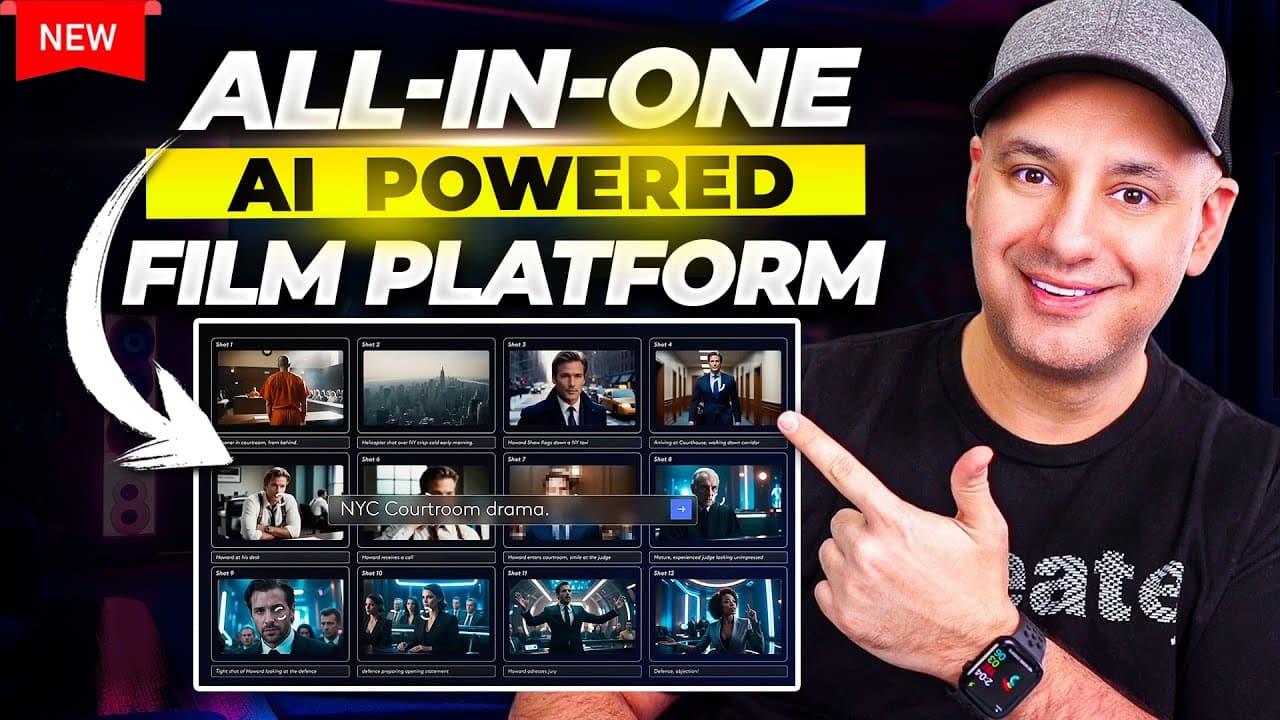
LTX Studio lets you turn text prompts into complete videos from ideation to final render. It includes storyboards, multiple visual styles, character creation, voice options, and scene editing all in one interface. The walkthrough demonstrates generating scenes, adjusting lighting, music, and shot types to craft trailer like content using AI. The video highlights how to start with a prompt and refine output through editing tools.
Transcript
I've had Early Access for about a month now to one of the most comprehensive AI platforms that I've ever tested out it's called LTX studio and I could finally share it with you in this video now LTX studio is an AI platform that could turn a text prompt into a complete video but like nothing you've ever seen before this is an all-in-one platform an... Read More
Key Insights
- LTX Studio is presented as an all in one AI video platform that handles ideation, storytelling, and final production in one workspace.
- The tool supports cinematic prompts, multiple visual styles, and scene based editing with drag and drop reordering for both scenes and shots.
- Character creation includes appearance, clothing, voice options, and face swap, enabling quick customization for each role.
- The storyboard mode and shot editor are highlighted as the easiest way to craft and modify the movie flow, timing, and shot composition.
- Music and voiceover options are integrated, with the ability to upload own audio or generate new tracks from prompts, providing cohesive audio coverage.
- The interface prioritizes accessibility by offering preset shot types such as close up, medium, wide, and establishing shots to simulate camera work.
- Vertical formats for social media are supported, making it easy to adapt trailers for TikTok, Instagram Reels, and YouTube Shorts.
- The creator demonstrates the ability to adjust lighting, location, and weather across scenes, ensuring consistent mood and atmosphere throughout the video.
- More videos from this channel:
- More from this channel: Skill Leap AI
Install to Summarize YouTube Videos and Get Transcripts
Explore YouTube Video Summarizer or Get YouTube Transcript Extractor
Questions & Answers
Q: What is LTX Studio and what can it do for video creation?
LTX Studio is an AI platform that can turn a text prompt into a complete video, handling ideation to final production in one workflow. It offers features like storyboard mode, shot editor, character creation with voices, face swap, and the ability to generate or upload music. Users can adjust scenes, lighting, and camera angles to craft trailers or cinematic content.
Q: How does the platform handle story breakdown and scene structure?
The platform breaks the video into scenes and shots, with a left side panel showing the sequence. Users can drag and drop shots to reorder, and drag scenes to swap order. This enables quick experimentation with pacing, scene hierarchy, and narrative arc without leaving the editing interface.
Q: What customization options exist for characters and voiceovers?
Characters can be created with specific appearances, clothing, and voices. Voices can be tested and swapped, and a face swap feature allows replacing a character with another image. This enables consistent casting across scenes and easy experimentation with different vocal styles and identities.
Q: Can users control the visual style and mood of the video?
Yes, users can select from multiple visual styles such as photo realism, 3D modeling, anime, or comic book looks. Lighting, weather, and location can be adjusted per scene, enabling consistent mood and atmosphere across the entire film or trailer.
Q: How does music integration work in LTX Studio?
Music can be generated from prompts or uploaded as a file. The interface supports real time previews, and users can replace tracks or regenerate music to match the tone and tempo of the scenes, ensuring cohesive audio with the visuals.
Q: Is there support for vertical formats suitable for social media?
The platform includes options for vertical aspect ratios, catering to TikTok, Instagram Reels, and YouTube Shorts. This makes it possible to tailor trailers for different platforms while maintaining narrative integrity and visual impact.
Q: What kinds of prompts and controls are available for motion in shots?
Prompts can specify focal points, cinematic terms, character prompts, and the ad symbol to reference developed characters. A motion scale control adjusts how much movement the generated video will have, allowing tighter or more dynamic camera behavior.
Q: What is the onboarding experience described in the video for new users?
New users can start by typing a simple idea or a full synopsis in a prompt box, then choose a visual style and a set of characters. The platform immediately generates an initial story with scenes and shots, which can be iteratively refined through the storyboard and shot editor to finalize the video.
Summary & Key Takeaways
-
LTX Studio provides an end to end workflow from idea to final video, with storyboard mode and shot editor to control sequences, visuals, and pacing.
-
The platform supports multiple visual styles such as 2D comic, anime and photorealistic looks, as well as vertical formats for social media.
-
Users can customize characters, voices, music, and lighting, and easily rearrange scenes and shots within a unified interface.
Read in Other Languages (beta)
Share This Summary 📚
Summarize YouTube Videos and Get Video Transcripts with 1-Click
Try YouTube Summary with ChatGPT & Claude or YouTube Transcript Generator
Explore More Summaries from Skill Leap AI 📚






Summarize YouTube Videos and Get Video Transcripts with 1-Click
Try YouTube Summary with ChatGPT & Claude or YouTube Transcript Generator