How to create shareable AI web apps without coding
TL;DR
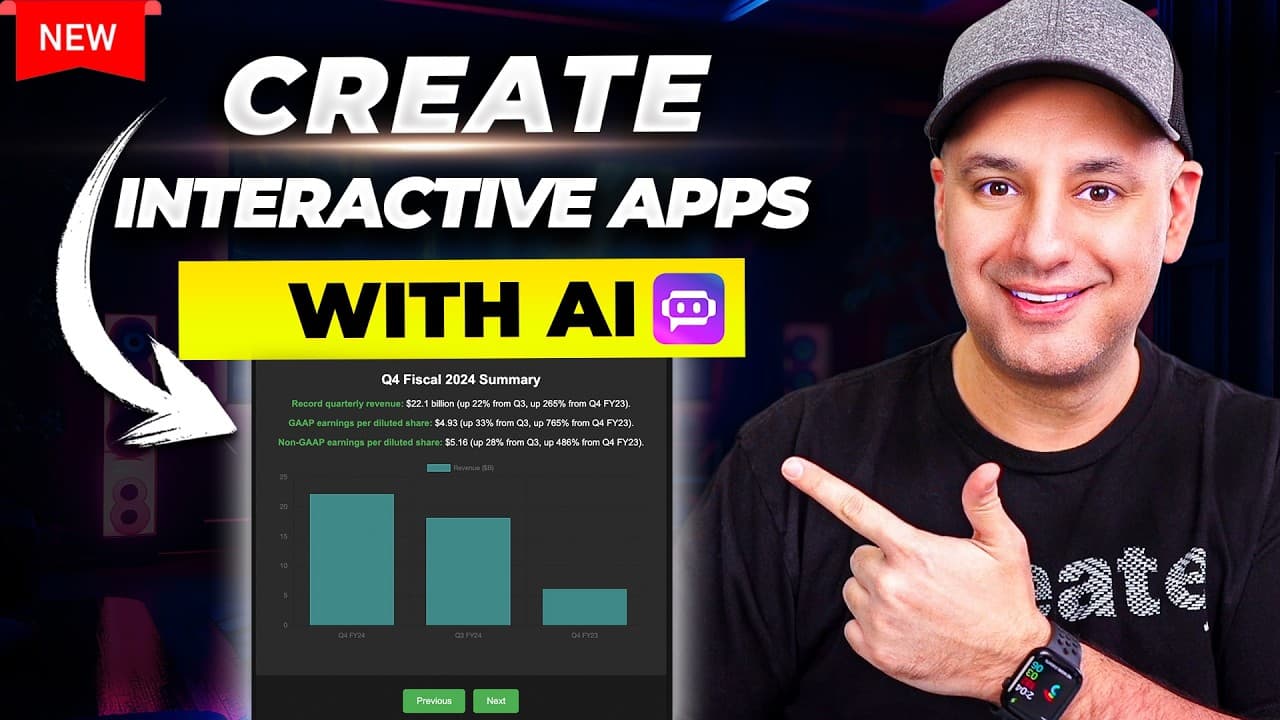
Poe previews lets you turn generated code into functional web apps that you can share via a unique URL or embed on a website. You can test models like Claude, GPT-4o, or Gemini 1.5 Pro, compare results, and easily embed the preview on sites such as Wix or Squarespace without writing code yourself.
Transcript
one of the most useful AI apps called po just released a brand new upgrade called previews where it basically without any technical knowledge you could build web apps and share those web apps with other people you could even embed them on your website here's one of the web apps that they showed as an example this is basically a drum machine and thi... Read More
Key Insights
- Poe Previews converts AI generated code into functional web apps with a shareable URL
- The workflow supports code generation from multiple models including Claude, GPT 4o, and Gemini 1.5 Pro
- Users can preview apps in fullscreen mode to test interactivity and accuracy
- Embedding is accomplished by copying HTML embed code into any website builder
- A unique URL is created for each shared project, enabling easy collaboration
- The system allows uploading documents and turning them into digestible interactive presentations
- The video demonstrates comparing model outputs to choose the best result for a given task
- Non coders can create apps and visualizations by leveraging AI code generation and embed options
- More videos from this channel:
- More from this channel: Skill Leap AI
Install to Summarize YouTube Videos and Get Transcripts
Explore YouTube Video Summarizer or Get YouTube Transcript Extractor
Questions & Answers
Q: How can I turn AI produced code into a live web app for sharing?
Poe Previews takes code generated by AI models and packages it into a functional web app that can be shared with a unique URL. You do not need to write any code yourself. The app can also be embedded on a website by copying the provided HTML embed code, facilitating quick deployment and sharing.
Q: What models are recommended for coding tasks in Poe as shown in the video?
The video recommends using Claude 3.5 Sonnet for writing code, followed by GPT 4o and Gemini 1.5 Pro as strong alternatives. The choice depends on availability and the desired performance, with the aim of producing clean, workable code that can be transformed into a preview app for testing and deployment.
Q: How do you share a created preview with others?
To share, you click the share option and copy the unique URL generated for that specific chat or project. This URL lets others open the preview in its own page, where they can see the live app, copy the embed code, or open it directly in preview mode for interactive use.
Q: Can you embed a Poe Preview into a website without coding knowledge?
Yes, you can embed it by copying the HTML embed code provided by Poe and pasting it into the embed section of any website builder such as Wix or Squarespace. The platform outputs standard HTML that you can insert without writing any additional code, making deployment quick.
Q: What kinds of apps can be created with Poe Previews as shown?
The video shows a drum machine, data visualizations, and interactive flashcards as examples. These apps are generated from AI code and can be previewed, tested, and embedded, demonstrating the versatility of Poe Previews for creating various interactive experiences without manual programming.
Q: How does the fullscreen preview feature help during development?
Fullscreen preview allows you to test the app as it would appear on a dedicated page, ensuring interactivity, layout, and user experience are correct before sharing or embedding. This helps catch issues early and confirms that the generated code behaves as intended across different display modes.
Q: Is there a way to compare different AI models for the same task?
Yes, the tool lets you compare results across different models such as Claude, GPT 4o, and Gemini 1.5 Pro. You can run the same task with each model, check the previews, and decide which model provides the best balance of accuracy, speed, and code quality for your project.
Q: What is the role of the document analysis feature in Poe Previews?
The document analysis feature uses models like GPT 4 to digest uploaded documents and turn them into interactive presentations. This enables users to create data driven or knowledge based apps directly from documents, enhancing the usefulness of the previews for educational or business contexts.
Summary & Key Takeaways
-
Poe Previews enables turning AI-generated code into live web apps that can be shared with a simple URL or embedded in websites. The feature supports a range of models and includes a fullscreen preview for testing. The process emphasizes ease of use for non coders and quick deployment.
-
Users can embed generated apps on popular website builders by copying a ready HTML embed code. The platform supports analyzing data with GPT-4 and features a comparison tool to evaluate multiple models. Sharing is facilitated through unique, shareable URLs for each project.
-
The video demonstrates practical steps for building and publishing interactive web apps, such as a drum machine and data visualization, with no coding required. It highlights how to switch models, preview results, and embed apps on personal sites.
Read in Other Languages (beta)
Share This Summary 📚
Summarize YouTube Videos and Get Video Transcripts with 1-Click
Try YouTube Summary with ChatGPT & Claude or YouTube Transcript Generator
Explore More Summaries from Skill Leap AI 📚





Summarize YouTube Videos and Get Video Transcripts with 1-Click
Try YouTube Summary with ChatGPT & Claude or YouTube Transcript Generator