How to make a pitch deck with LTX Studio Visions
TL;DR
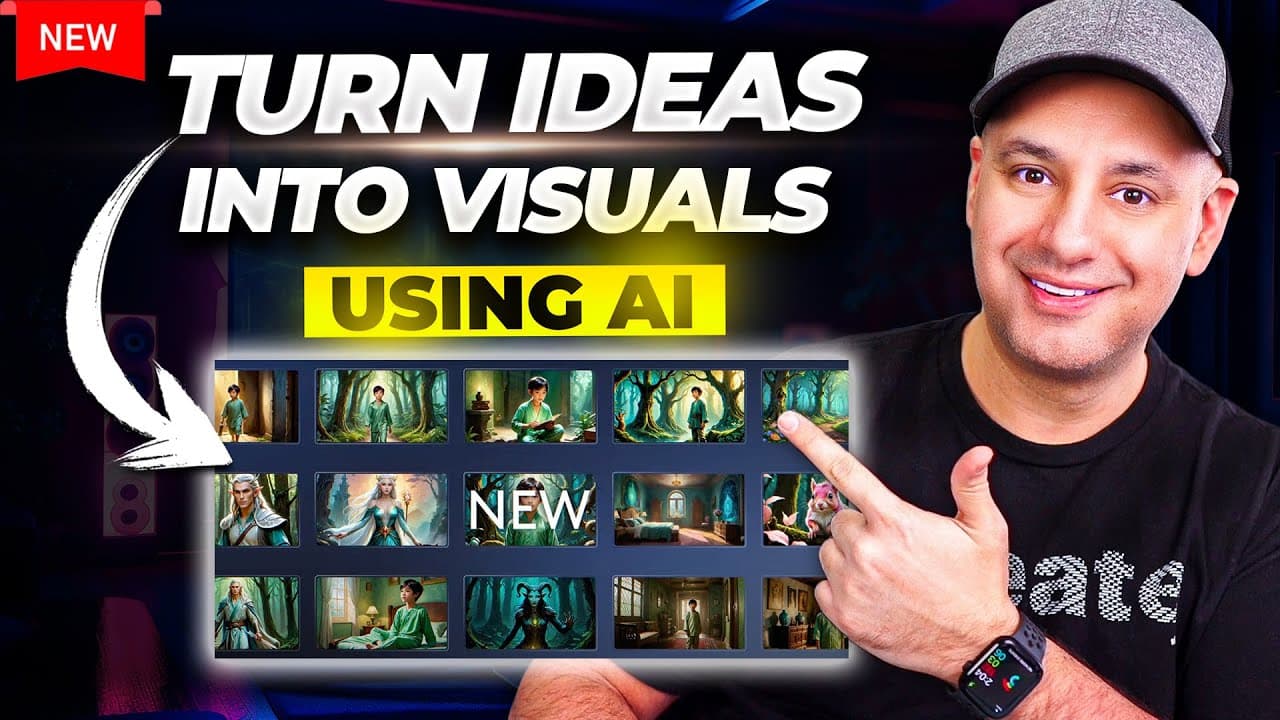
Visions creates a full pitch presentation from a prompt with one click. It lets you set up a project, manage casting, choose aspect ratios, and apply style references, then export a PDF pitch deck and a video preview from each shot. The workflow is designed to save time when pitching concepts to clients.
Transcript
one of the AI tools that I use almost every single week for work is called LTX studio and I've covered it multiple times on this channel but they just added a new update called Visions which is going to save me hours of work each week and hopefully it could save you some time too and I want to show you in this video exactly how to use it step by st... Read More
Key Insights
- LTX Studio can turn a text prompt into a complete video from concept to finish export.
- Visions adds a one-click pitch presentation generation inside LTX Studio.
- Style reference allows you to apply a chosen image’s look to the entire project for consistent visuals.
- You can adjust the aspect ratio to fit different platforms like TV or Instagram.
- Projects can be built with a scene by scene breakdown and multiple shots per scene for flexibility.
- Characters can be edited for age, appearance, clothing, and even voice, enabling quick iterations.
- The pitch deck export creates a 23-page PDF with casting and mood boards for client meetings.
- The workflow supports generating AI animated commercial previews from each shot to illustrate motion and tempo.
- More videos from this channel:
- More from this channel: Skill Leap AI
Install to Summarize YouTube Videos and Get Transcripts
Explore YouTube Video Summarizer or Get YouTube Transcript Extractor
Questions & Answers
Q: How does Visions change the workflow for creating a client pitch deck?
Visions consolidates the pitch creation process into a single click that generates a complete presentation from a text prompt. It combines scene breakdowns, narration, character setup, and shot lists, then allows you to export a PDF pitch deck and accompanying video previews. This reduces manual steps and speeds up client-ready delivery.
Q: What can you customize in a LTX Studio project according to the video?
The project customization includes setting the aspect ratio for different outputs, selecting a cinematic style or other visual styles, and applying a style reference image to influence color, saturation, and brightness across scenes. You can also modify characters by age, appearance, clothing, and voice to fit the concept.
Q: How is a style reference used in Visions to affect output?
A style reference is an uploaded image whose visual attributes are learned by the system. By applying it, the project takes on the reference’s saturation, vibrance, and overall tone. You can adjust the intensity or remove it to revert to the original look, enabling consistent or varied aesthetics across scenes.
Q: What does the pitch deck export include?
The pitch deck export generates a 23-page PDF that includes casting details, character briefs, and mood boards. It compiles the project’s concept into a structured presentation you can use in meetings, along with assets that help the client visualize the final concept and tone.
Q: Can you edit individual shots within a scene in Visions?
Yes, you can edit frames, adjust camera angles, remove objects, and set motions for each shot. This lets you fine-tune the look and movement before generating video previews, ensuring the final visuals align with the client’s expectations.
Q: Is it possible to generate motion previews directly from shots?
Yes, after configuring a shot, you can use the motion settings to create a preview. The system offers multiple motion options, and you can choose a preferred motion to render a video snippet that demonstrates movement, pace, and composition for client reviews.
Q: How does one define the shot list in Visions for a project?
The scene breakdown is created with a list of scenes and, within each scene, multiple shots. You can add, remove, or reorder shots and scenes as needed. Each shot includes prompts and suggested shot types to help communicate the visual plan to the team or client.
Q: What is the benefit of generating AI animated commercial previews?
AI animated previews provide a tangible, moving representation of how the final concept would look and feel. This helps non-technical clients grasp the vision, enables faster feedback loops, and supports iterative refinement without expensive shoots, keeping the project aligned with the original pitch.
Summary & Key Takeaways
-
The video demonstrates using LTX Studio Visions to generate a complete pitch presentation from a text prompt, including scene breakdowns and narration. It emphasizes speed and consistency in delivering client-ready materials.
-
It covers how to set up a project, assign casting, adjust aspect ratios, and apply a style reference image to control color and tone across the project, enabling a cohesive look.
-
A pitch deck export is produced as a 23-page PDF with mood boards and casting details, paired with AI-generated video previews for each shot to support client pitches.
Read in Other Languages (beta)
Share This Summary 📚
Summarize YouTube Videos and Get Video Transcripts with 1-Click
Try YouTube Summary with ChatGPT & Claude or YouTube Transcript Generator
Explore More Summaries from Skill Leap AI 📚





Summarize YouTube Videos and Get Video Transcripts with 1-Click
Try YouTube Summary with ChatGPT & Claude or YouTube Transcript Generator