How to Build ChatGPT Skills for Repeat Workflows
TL;DR
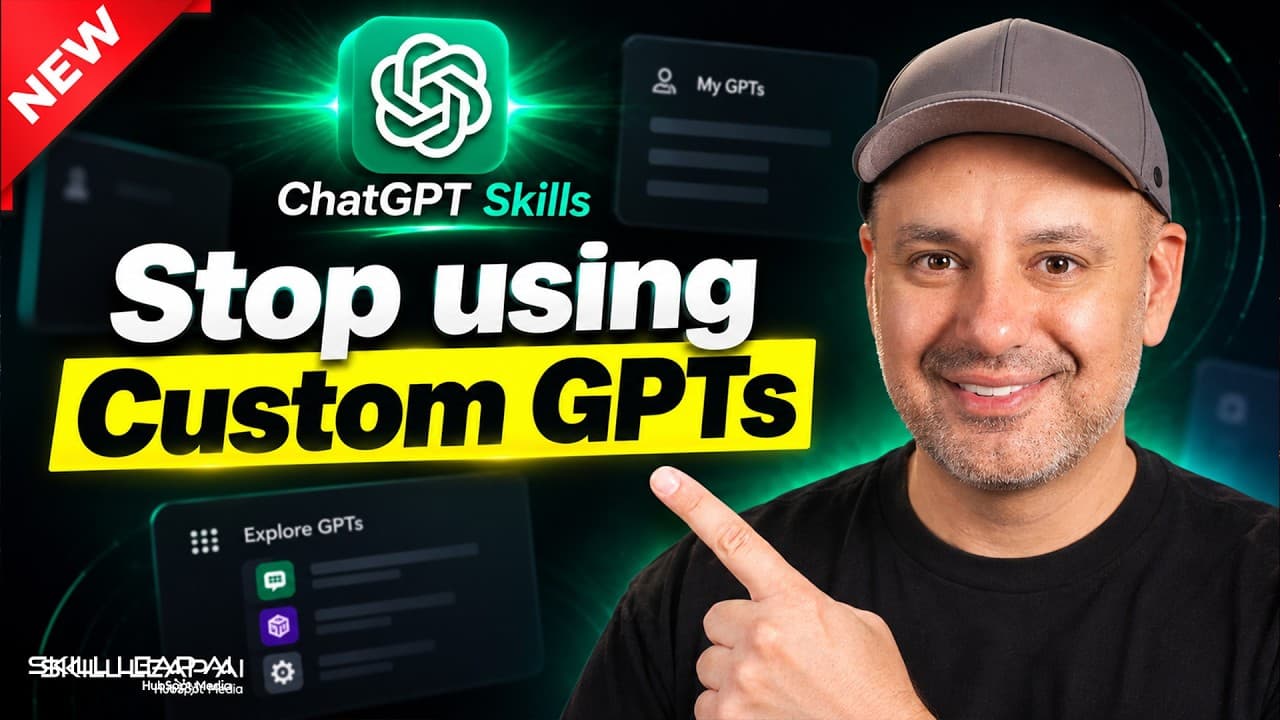
ChatGPT Skills save reusable instructions for specific jobs, allowing ChatGPT to apply preferred methods without requiring the same detailed prompt every time. Skills can support brand voice writing, content repurposing, meeting recaps, interactive dashboards, and decision-making, while remaining editable, selectable through an @mention, and reusable across future chats.
Transcript
Chat GPT recently got one of the biggest upgrades it's had in a long time, and for some reason, it is very hard to find. Let me show you what this update is. So, if you go to Chat GPT, and if you go to plugins, this works on the desktop app in the new desktop app and on the website, too. And if you go to plugins, this right here is called Chat GPT ... Read More
Key Insights
- ChatGPT Skills are saved sets of instructions that teach ChatGPT how to perform specific, repeatable jobs. They act like employee playbooks, preserving preferred processes for tasks such as writing emails, producing branded reports, or defining how a dashboard should look.
- Skills reduce repeated prompting by making established instructions available across future conversations. A brand voice skill, for example, can preserve writing preferences so users do not need to attach extensive style guidance each time they ask ChatGPT to draft something.
- Skills differ from custom GPTs because users do not need to locate and open a separate specialized assistant for every task. The presenter says many skills can remain available, and ChatGPT can bring an appropriate skill into a chat when it is needed.
- A skill can be created through a conversation with the skill creator or by submitting a detailed prompt that contains the necessary requirements. The prompt-based method may still generate follow-up questions, but it can provide a more direct starting point for defining the workflow.
- ChatGPT Work can package a newly created skill and save it in a folder that remains accessible on the account. Users can also select a skill explicitly in a conversation with an @mention when they want to ensure that a particular set of instructions is applied.
- A content repurposing skill can transform a raw YouTube transcript into a week of material, including LinkedIn posts, X threads, and SEO content. Once the skill is selected, uploading the transcript can be sufficient to start the workflow without typing another task prompt.
- A meeting recap skill can convert manual notes, an AI-generated recap, or a call transcript into an organized summary. The demonstrated output includes decisions, action items, risks and concerns, unresolved matters, and a subject line suitable for sending the recap by email.
- Skill creation benefits from careful testing and revision because the first generated output may not fully match the intended result. The presenter recommends using the best model available and high or extra-high reasoning effort when building instructions for a repeatable task.
- More videos from this channel:
- More from this channel: Skill Leap AI
Install to Summarize YouTube Videos and Get Transcripts
Explore YouTube Video Summarizer or Get YouTube Transcript Extractor
Questions & Answers
Q: What are ChatGPT Skills and how do they work?
ChatGPT Skills are reusable sets of instructions that teach ChatGPT how a specific job should be completed. They function like playbooks given to a new employee. A skill can define how to write in a particular voice, create an on-brand report, format a dashboard, organize meeting notes, or complete another repeatable workflow.
Q: How are ChatGPT Skills different from custom GPTs?
Custom GPTs require users to find and open an assistant designed for a particular task. Skills can remain available within the account and be brought into a chat when ChatGPT determines they are relevant. Users can maintain many skills without opening a separate custom GPT for every job, and they can explicitly select one with an @mention.
Q: How do you create a new ChatGPT Skill?
A new skill can be created by opening the skills area and using the skill creator. Users can develop the instructions through a guided conversation or paste a detailed prompt describing the process and desired outputs. ChatGPT may ask follow-up questions, package the completed skill, and save it where it remains available for later use.
Q: How can a ChatGPT Skill preserve a brand voice?
A brand voice skill stores instructions describing how a person or brand should sound in a particular type of writing. Separate skills can be created for email, YouTube, blogs, personal writing, or different brands. Once saved, the relevant voice instructions can be reused without placing extensive style guidance into every new prompt.
Q: How can ChatGPT Skills repurpose a transcript into content?
A content repurposing skill can define all required formats before a transcript is uploaded. In the demonstrated workflow, one YouTube transcript produces LinkedIn posts, X or Twitter threads, and SEO content. The user selects the skill and uploads the transcript without writing another prompt, then reviews the generated text and requests revisions where necessary.
Q: How can ChatGPT Skills organize meeting notes?
A meeting notes skill can process notes written manually, an AI-generated meeting recap, or a full call transcript. It can turn that source material into a clean summary containing decisions, action items, risks and concerns, and matters that remain unresolved. It can also provide a subject line for sharing the recap by email.
Q: How should a newly created ChatGPT Skill be tested?
A newly created skill should be run on a realistic input and its first output should be reviewed closely. Some workflows, especially content repurposing, may require back-and-forth revision. Users can request different results, edit the skill instructions, disable a skill that creates clutter, or uninstall it entirely from the installed skills page.
Q: Which model settings should be used to build a skill?
The presenter recommends using the best model available on the account when creating a skill. Reasoning effort should generally be set to high, or extra high when more time is available. The rationale is that skill creation defines instructions for a repeatable task, so stronger initial reasoning can improve the reusable process that follows.
Summary & Key Takeaways
-
ChatGPT Skills function like reusable playbooks that teach ChatGPT how to perform specific jobs. Unlike custom GPTs that users must locate and open for individual tasks, multiple skills can remain available and be brought into a conversation automatically when relevant or selected directly through an @mention.
-
A skill can be built through a guided conversation with the skill creator or from a detailed prompt describing the required process and output. The presenter recommends using the best available model and high reasoning effort during creation because the instructions will support a task that users expect to repeat.
-
The demonstrations cover practical workflows, including matching a brand voice, converting a YouTube transcript into several content formats, organizing meeting transcripts, and turning numerical documents into interactive dashboards. Initial outputs should be tested and revised, while installed skills can later be edited, disabled, or uninstalled from the skills page.
Read in Other Languages (beta)
Share This Summary 📚
Summarize YouTube Videos and Get Video Transcripts with 1-Click
Try YouTube Summary with ChatGPT & Claude or YouTube Transcript Generator
Explore More Summaries from Skill Leap AI 📚





Summarize YouTube Videos and Get Video Transcripts with 1-Click
Try YouTube Summary with ChatGPT & Claude or YouTube Transcript Generator