How to Create Your Own Custom ChatGPT Easily
TL;DR
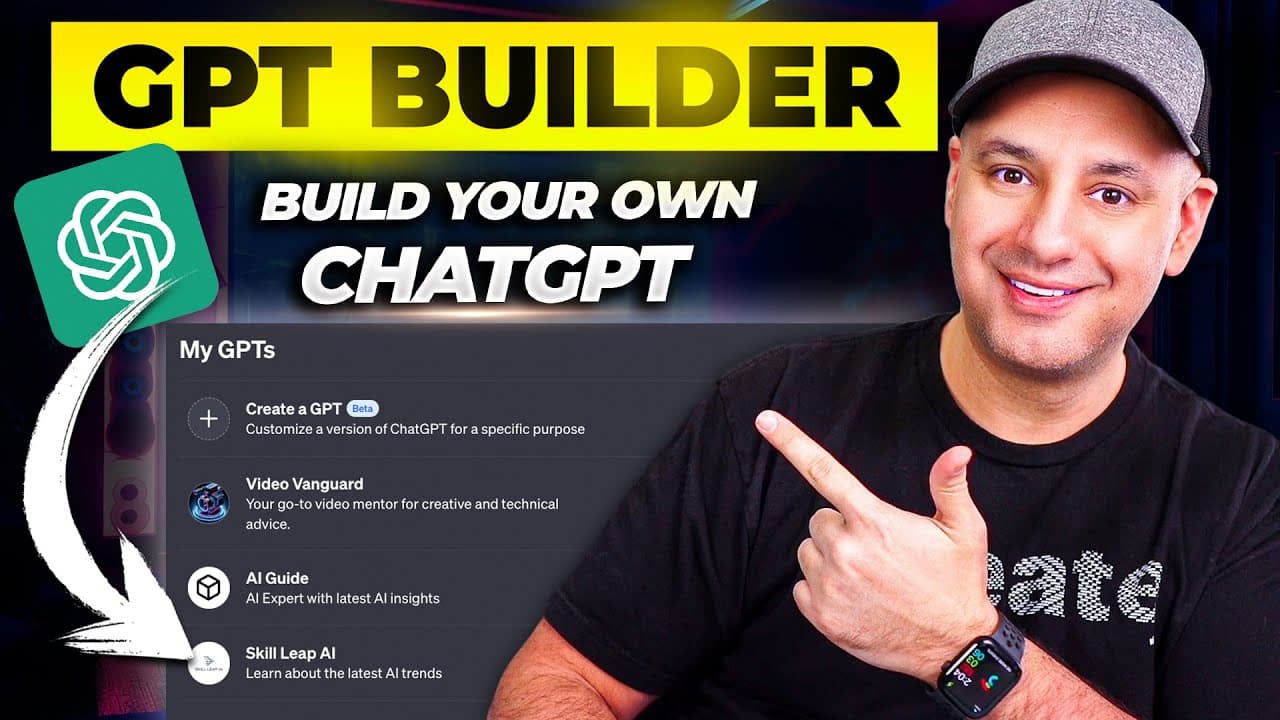
To create a custom ChatGPT, access the GPT feature through ChatGPT Plus or Enterprise, then use plain language prompts to define its function, tone, and focus areas. You can train it with your own data, enable web browsing, and integrate with Zapier for advanced automation. Your custom GPT can be shared privately, publicly, or linked to your business for lead generation.
Transcript
chat GPT has rolled out a new exciting option called gpts with gpts you could basically create your own custom chat GPT and you could train it with your own data and with your own set of instructions and these are basically mini chat gpts for a very specific function so in this video let me show you exactly how to create your own GPT step by step a... Read More
Key Insights
- 🚀 GPTs are a new exciting option in chat GPT that allows users to create their own customized chat models. They can train these models with their own data and set of instructions, making them highly specific for various functions.
- 💰 To access GPTs and build your own, you need either the paid version of chat GPT plus or chat GPT Enterprise. This feature is still being rolled out, so users may need to wait for it to appear in their accounts.
- 💡 GPT 4 in chat GPT includes Dolly web browsing and advanced analysis features, making it an all-in-one solution. The GPTs are now located under a new tab called "explore" in the layout, allowing easy access and usage.
- 📝 Users can create their own GPTs by giving prompts and customizing them with plain language on the left side of the interface. The live preview on the right side provides a real-time update of the changes. Users can also message their GPTs to test their functionality.
- 🔍 GPTs can be created for specific use cases, such as teaching board games for different age groups or helping with negotiations for buying a used car. Users can also access pre-made GPTs by Open AI for various functions.
- 🔧 The configuration tab allows users to customize their GPTs further. They can upload files, set specific capabilities like web browsing and code interpretation, train the model with their own data, and even integrate third-party services like Zapier for automation.
- 📚 Users can make their GPTs privately available for personal use, share them with others through links, or turn them into public models. Open AI plans to introduce a GPT store for public models, enabling users to monetize the usage of their GPTs.
- 🌐 Open AI also offers a Profile Builder feature that allows users to link their GPTs to their own websites, creating a lead generation tool. This can be useful for businesses looking to generate leads and engage with users through the GPT interface.
Install to Summarize YouTube Videos and Get Transcripts
Explore YouTube Video Summarizer or Get YouTube Transcript Extractor
Questions & Answers
Q: How can users access the GPTs feature to build their own customized chat GPTs?
To access the GPTs feature, users need either a Chat GPT Plus or Chat GPT Enterprise account. Once the feature is rolled out to their account, they can access it by going to the explore tab and selecting "My GPTs." From there, users can create their own customized chat GPTs.
Q: What are some examples of specific use cases for GPTs?
GPTs can be tailored for various functions. For example, they can be designed to teach board games for different age groups or assist in negotiating the purchase of a used car. These customized GPTs are built to serve specific purposes and tasks.
Q: How can users customize the prompts and instructions for their own GPT?
Users can use plain language to create prompts and instructions for their GPT. The left side of the GPT creation interface allows users to input their desired prompt and specify the type of GPT they want to build. They can also configure the tone of the GPT and identify topics to focus on during interactions.
Q: Can users integrate their own data and instructions into the GPTs?
Yes, users can upload their own data and instructions to train their GPT. They can upload files, such as scripts or transcripts, and the GPT will use this custom information alongside the base GPT to provide more up-to-date and specific responses. Users can also set their GPT to refer to their own data set first, ensuring the AI prioritizes the user's information.
Q: What additional features can be enabled in the GPTs?
The GPTs feature allows users to enable features like web browsing, image generation, code interpretation, and advanced data analysis. These features provide additional functionality to the GPTs and enhance their capabilities. Users can choose to enable or disable these features based on their specific needs and requirements.
Summary & Key Takeaways
-
The GPTs feature allows users to create their own customized chat GPTs for specific functions.
-
Users can choose a prompt, customize the AI's tone, and specify topics to focus on.
-
The GPTs can be trained using personal data and instructions, and additional features like web browsing and actions can be enabled.
Read in Other Languages (beta)
Share This Summary 📚
Summarize YouTube Videos and Get Video Transcripts with 1-Click
Try YouTube Summary with ChatGPT & Claude or YouTube Transcript Generator
Explore More Summaries from Skill Leap AI 📚

Summarize YouTube Videos and Get Video Transcripts with 1-Click
Try YouTube Summary with ChatGPT & Claude or YouTube Transcript Generator