How to Use Sora: OpenAI's Text-to-Video Tool Explained
TL;DR
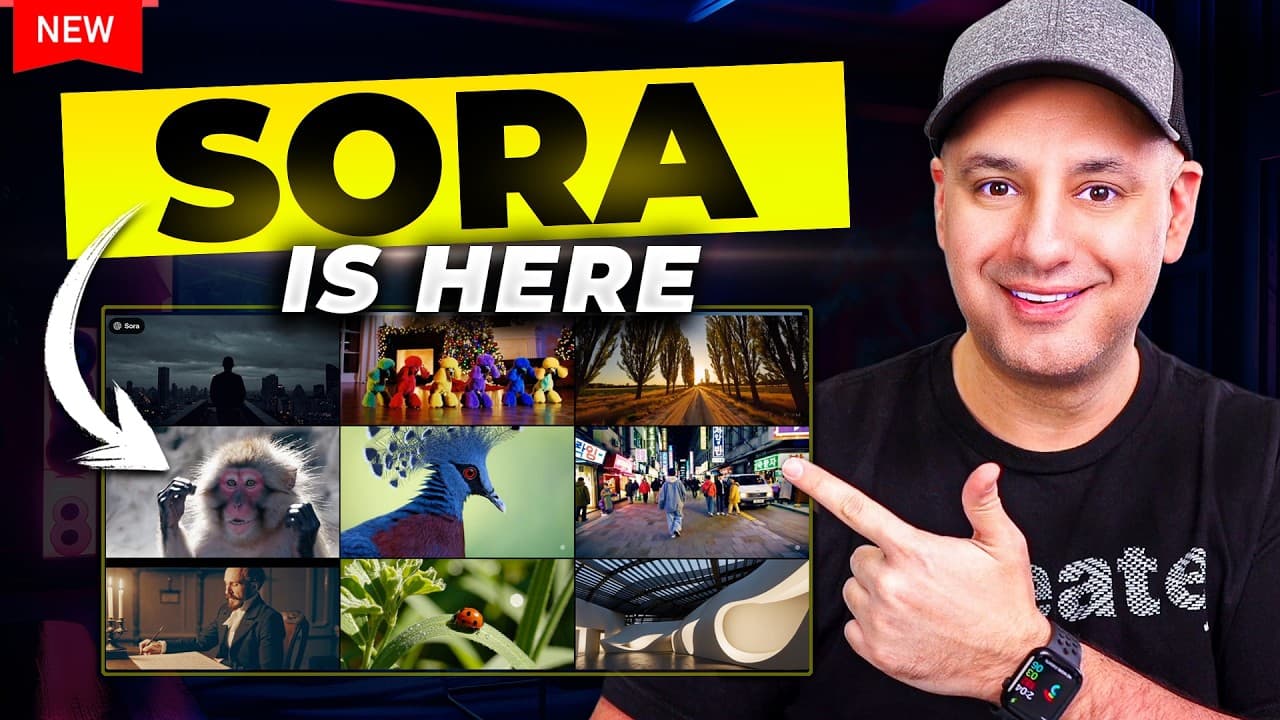
Sora is now available to anyone with a paid ChatGPT plan at sora.com, using the same login as ChatGPT. The Plus plan ($20/month) allows 50 generations monthly, while Pro ($200/month) offers unlimited use. Videos can run up to 20 seconds, with resolution and length options that affect render speed.
Transcript
Sora is finally here the most anticipated AI tool in the last year and I have access to it right now it just rolled out today it's available to everyone with a paid plan I'm going to jump in and show you exactly how to use it right now okay so to access Sora just go to sora.com and you could go ahead and create an account right now as I'm recording... Read More
Key Insights
- Sora is accessed at sora.com rather than the ChatGPT website, but you log in with the same email and password used for ChatGPT. It requires a paid plan to use.
- The ChatGPT Plus plan costs $20 a month and is limited to only 50 Sora generations per month, which the creator considers too low for completing a real project like a short film or commercial.
- The ChatGPT Pro plan costs $200 a month and includes unlimited Sora generations, 500 priority (fast) videos, relaxed slower generations beyond that, a newer o1 model, and removal of the watermark.
- Video length can be generated up to a maximum of 20 seconds, though an earlier demo nine months prior suggested clips up to a minute; the creator recommends assembling 5 to 10 second shots together.
- Resolution directly affects render speed: 1080p takes about 2 minutes while 480p takes only about 5 seconds, so higher resolution means a slower render.
- The storyboard option is an advanced mode using a traditional editing timeline where you describe each shot with photos, videos, and text, and Sora fills in the frames between prompts.
- Sora's media upload agreement is strict: users must be 18, cannot upload violent content or media they lack rights to, and plans do not currently support uploading media containing people, which will fail to generate.
- Sora can replace, remove, and reimagine elements in generated videos, demonstrated by turning mammoths into robots while keeping the rest of the scene intact, and can recut scenes by extending from chosen frames.
Install to Summarize YouTube Videos and Get Transcripts
Explore YouTube Video Summarizer or Get YouTube Transcript Extractor
Questions & Answers
Q: How do you access Sora and what do you need to use it?
To access Sora, go to sora.com and log in with the same email and password used for ChatGPT, since it is not on the ChatGPT website itself. You need a paid version of ChatGPT, either Plus at $20 a month or Pro at $200 a month. At launch, account creation was temporarily paused due to massive volume, but existing paid users can log in directly.
Q: What is the difference between the ChatGPT Plus and Pro plans for Sora?
The ChatGPT Plus plan costs $20 a month and limits you to only 50 Sora generations per month, which the creator considers very low for real projects. The Pro plan costs $200 a month and offers unlimited Sora usage, including 500 priority fast videos, relaxed slower generations beyond that, a newer and better o1 model, and removal of the watermark. Pro suits power users making short films or commercials.
Q: What is the maximum length of a video you can generate with Sora?
In the current release, the maximum clip length is 20 seconds. An earlier demo from nine months prior suggested videos could be up to a minute long, but that is not available at launch. The creator recommends generating 5 to 10 second shots and assembling them together into a longer sequence, which is a common approach in video editing and storytelling.
Q: How does video resolution affect Sora's render speed?
Higher resolution results in a slower render in Sora. According to what was stated at launch, a 1080p video takes about 2 minutes to render, while a 480p video takes only about 5 seconds. For output you plan to use, 1080p is recommended for quality. Render times were also unusually slow at launch because the platform was being bombarded with traffic within an hour of release.
Q: What is the storyboard option in Sora and how does it work?
The storyboard is an advanced mode that helps you visualize the actions, sequences, and timing of your video using a traditional editing timeline. You describe each shot with photos, videos, and text, telling the story in order. Sora automatically fills in the frames between your prompts. You can move prompts closer together so it fills in fewer seconds, or spread them out so it generates everything in between, enabling complex multi-action storytelling.
Q: What are the media upload rules and restrictions in Sora?
Sora has strict upload rules. You must be at least 18 years old, and you agree not to upload media containing violence or anything you do not have the rights to use, which prevents replicating copyright material. Notably, plans do not currently support creating videos or uploading media containing people; any photo or video with people will fail to generate. Breaking these rules will most likely result in suspension.
Q: What editing features does Sora offer for existing videos?
Sora lets you replace, remove, and reimagine elements in videos you generate. In OpenAI's demo, they took a video and asked it to change all the mammoths into robots, and it reimagined the whole scene well while keeping everything else about the same. Sora also supports recutting scenes, where you choose the best frames and then extend the video from that point forward, giving you flexible control over generated footage.
Q: What styles and format options are available when generating a video in Sora?
By default the style preset is set to none, so Sora uses your prompt to determine the style, but you can choose presets like stop motion animation, archival footage, or film noir for a contrasty black and white look. For aspect ratio, 16x9 suits YouTube-style cinematic video while vertical formats work for TikTok and Instagram reels. You can also upload an image, expand prompts for more detail, and generate multiple videos side by side.
Summary & Key Takeaways
-
Sora, OpenAI's text-to-video tool, rolled out to everyone with a paid ChatGPT plan and is accessed at sora.com using the same ChatGPT login. Due to massive volume at launch, account creation was temporarily paused and generation slowed to capacity limits.
-
The interface includes a feed for exploring and remixing other creations, a prompt box supporting text and image uploads, preset styles like stop motion and film noir, aspect ratio choices for YouTube or vertical platforms, resolution options, and clip lengths up to 20 seconds.
-
Pricing splits into Plus at $20 a month for 50 generations and Pro at $200 a month for unlimited use with 500 priority videos, a newer o1 model, and no watermark. Sora also offers storyboard editing plus replace, remove, reimagine, and recut features.
Read in Other Languages (beta)
Share This Summary 📚
Summarize YouTube Videos and Get Video Transcripts with 1-Click
Try YouTube Summary with ChatGPT & Claude or YouTube Transcript Generator
Explore More Summaries from Skill Leap AI 📚





Summarize YouTube Videos and Get Video Transcripts with 1-Click
Try YouTube Summary with ChatGPT & Claude or YouTube Transcript Generator