How to use GenSpark SecondBrain Note for memory
TL;DR
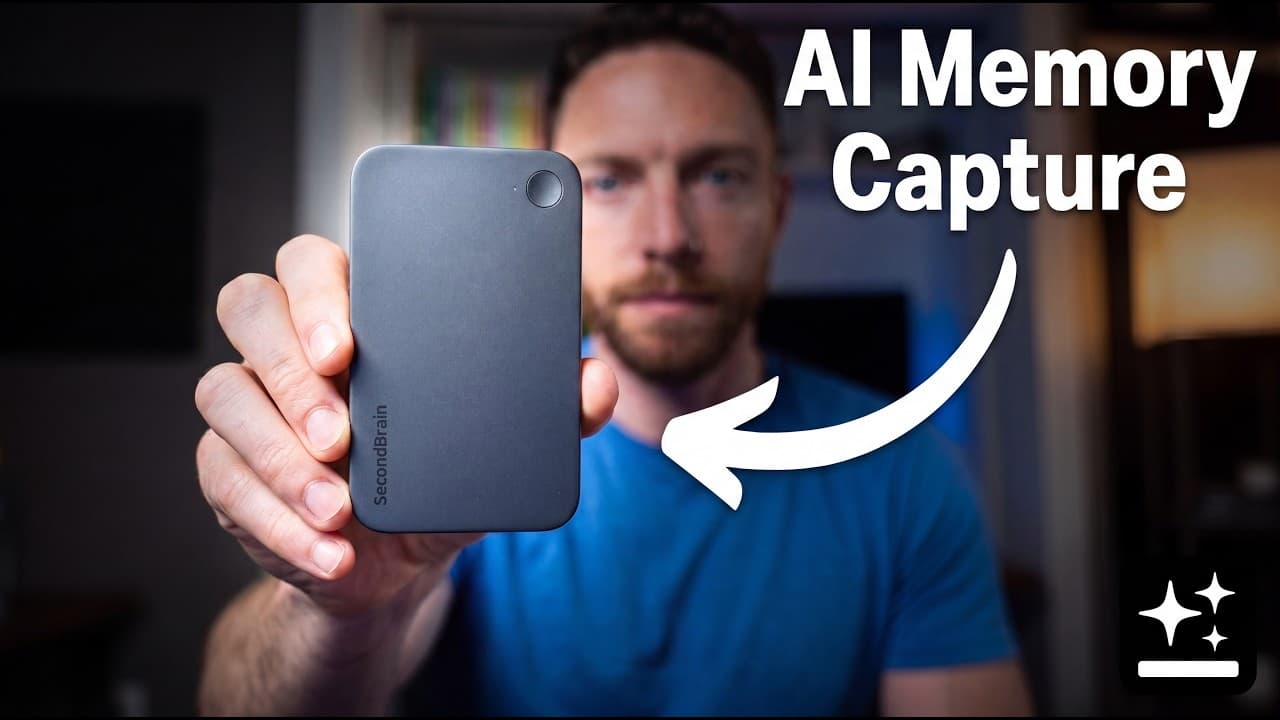
The SecondBrain Note records audio and automatically transfers it to the app where it is transcribed and indexed as a connected memory. It lets you chat with your second brain, connect data sources like Gmail and Google Docs, and turn notes into finished work with a super agent. The limited release price is $179 with a 10 percent discount available.
Transcript
This is the Second Brain Note, a new AI recording device from GenSpark. But, this doesn't just record your meetings and ideas and transcribe them. Every recording automatically becomes part of your own private Second Brain. It indexes your notes, connects ideas together, and gives you a space where you can chat with your entire Second Brain. And it... Read More
Key Insights
- The SecondBrain Note is a credit card thin AI recording card that weighs 26 g and is 2.95 mm thick, designed to slip into wallets or pockets for easy access.
- The device records with four microphones and a bone conduction sensor, capturing audio clearly from up to 5 meters away and offering about 35 hours of continuous recording.
- Each recording transfers automatically to the app after stopping, where it is transcribed and organized into the second brain for easy retrieval.
- Notes are automatically indexed and connected to form a searchable knowledge graph that links ideas across different notes and sources.
- The system supports bookmarking during recording, allowing important moments to be highlighted with a single press and later retrieved easily.
- Data from the SecondBrain can be connected to Gmail, Google Calendar, and Google Docs to form a unified memory feed called the feed brain.
- The memory continues to improve as more meetings and ideas are captured, creating richer context and more useful outputs over time.
- Super Agent enables turning memory into finished work by citing source notes and generating dashboards or documents from remembered data.
- More videos from this channel:
- More from this channel: Paul J Lipsky
Install to Summarize YouTube Videos and Get Transcripts
Explore YouTube Video Summarizer or Get YouTube Transcript Extractor
Questions & Answers
Q: How does the GenSpark SecondBrain Note collect and store data
The SecondBrain Note records audio with a four microphone array and a bone conduction sensor, then stores the data on a device with 64 GB of storage and up to 35 hours of continuous recording. After stopping, the recording automatically transfers to the app where it is transcribed, indexed, and linked to a user’s second brain. This creates a private space where notes from meetings, calls, and ideas become connected memories that can be searched and analyzed later.
Q: What makes the SecondBrain different from traditional note taking
Traditional notes are stored as separate, unconnected items that diminish their value. The SecondBrain system links recordings with other data sources such as Gmail, Calendar, and Docs, creating a connected memory that can be queried across the entire data set. This connectivity allows users to ask questions like which topics appeared across recent notes and receive results with cited sources.
Q: How can users interact with their SecondBrain
Users interact with their SecondBrain via a chat interface where they can ask questions about their notes and data. They can also use the Super Agent to turn memory into finished work, such as generating a one page project dashboard. The assistant cites exact notes that informed each decision, ensuring transparency and traceability.
Q: What are the hardware features of the SecondBrain Note
The SecondBrain Note is a credit card thick device, weighing 26 g and 2.95 mm thick, designed to fit in wallets or with MagSafe compatibility. It includes a four microphone array and a bone conduction sensor for clear audio capture. It can stand on its own and switches on with a two second press and a privacy light indicates recording. These features aim to enable convenient, on the go recording.
Q: How does the data connection workflow work
After recording, the note automatically transfers to the app where it is transcribed and integrated into the second brain. The system can connect Gmail, Calendar, and Google Docs, which adds data sources to the feed brain. This allows the second brain to pull information from multiple sources and answer questions with cited notes.
Q: What is the purpose of the feed brain
The feed brain aggregates connected data sources like Gmail, Calendar, and Docs, along with the user’s notes, to provide a broader context for the second brain. It centralizes inputs from multiple apps in one place, enabling cross-source analysis and more coherent memory retrieval and output generation.
Q: How does the system ensure privacy and security
GenSpark emphasizes privacy by making connectors opt in, meaning data is only shared if the user elects to connect specific sources. The private file vault called personal space stores data securely. The company notes SOC 2 type 2 and ISO 27001 certification, with GDPR compatibility in progress, indicating a focus on data protection and compliance.
Q: What is the pricing model and discount offer
The SecondBrain Note is offered in a limited first release at $179 with a 10 percent discount available via a coupon code in the video description. The free tier provides 300 minutes of recording per month, while higher tiers (plus and pro) offer up to 24 hours of transcription and summarization per day, depending on the plan.
Summary & Key Takeaways
-
The SecondBrain Note is a credit card thin AI recorder that auto transfers recordings to the app where they become connected notes within a private space.
-
It can connect Gmail, Calendar, and Docs to create a unified memory layer that links across your tools and notes.
-
The system evolves by accumulation of notes and meetings, enabling richer, cited answers and automated project dashboards through the super agent.
Read in Other Languages (beta)
Share This Summary 📚
Summarize YouTube Videos and Get Video Transcripts with 1-Click
Try YouTube Summary with ChatGPT & Claude or YouTube Transcript Generator
Explore More Summaries from Paul J Lipsky 📚

Summarize YouTube Videos and Get Video Transcripts with 1-Click
Try YouTube Summary with ChatGPT & Claude or YouTube Transcript Generator