How to use ChatGPT Space and Pages for teamwork
TL;DR
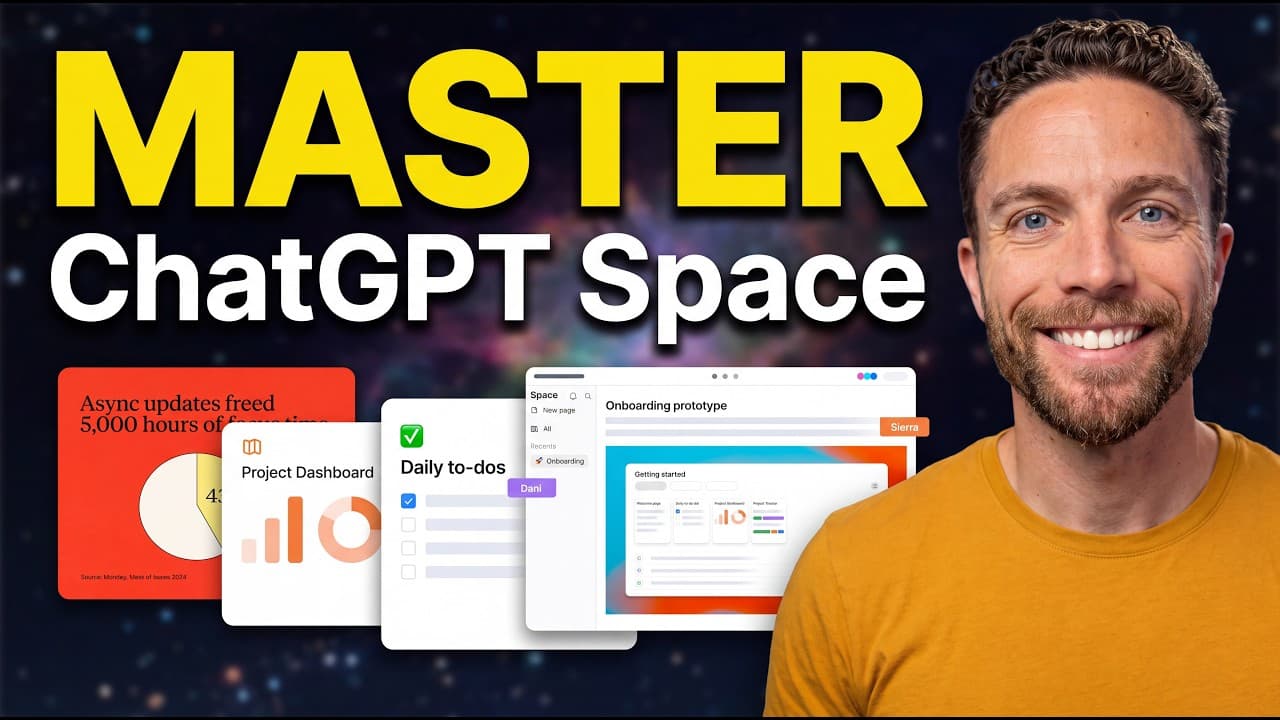
Space and Pages let you collaborate inside ChatGPT by organizing created images, sites and Drive files in Space, while Pages act as a collaborative editor similar to Notion. You can generate content, assign tasks, and build daily briefs or scripts with built in prompts, auto updates, and visual brainstorming, all within the chat experience.
Transcript
Chat GBT space is here. It's a completely new way to work inside of chat GBT, allowing you to collaborate with chat GBT, your dots, and your human teammates. But space's standout feature is pages. Once you learn how it works, it will transform how you work with Chat GBT. You can use this to write docs, daily briefs, brainstorm visuals, and so much ... Read More
Key Insights
- Space consolidates all user creations in one place, replacing the predecessor library for easier access to images and Drive content.
- Pages are a live, collaborative text editor that supports inline edits, suggestions, and context-aware responses via the at symbol for invoking agents.
- The generate tool on a page can add text, while the chat bar can pull context from the current project to make broader edits.
- Using the at symbol lets you delegate tasks to your dot or the main chat, enabling multi-agent collaboration within a page.
- Pages can create recurring, automatically updating content like a morning brief, including sections for emails, Slack messages, and tasks.
- Prompt shortcuts can be saved on a page for quick future reuse, improving workflow efficiency without leaving the page.
- Pages support simple media handling like image generation or uploading images to enrich the workspace visual context.
- The video demonstrates practical use cases including writing documents, outlining videos, brainstorming visuals, and creating interactive reports.
Install to Summarize YouTube Videos and Get Transcripts
Explore YouTube Video Summarizer or Get YouTube Transcript Extractor
Questions & Answers
Q: How do you create a new page in Space
To create a new page you need to be in Space, select Pages, and then click on New Page. You can name the page as you wish, for example Speech, and start typing content. This initiates a collaborative document where you can refine lines, add notes, and later request changes using the generated tools.
Q: What does the generate feature do on a page
The generate feature creates text wherever you select it. You can instruct it to add statistics or other content and then review and accept the generated text. This helps you quickly expand your document with relevant details without leaving the page.
Q: How can you assign tasks or pull in context in a page
Use the at symbol to call in ChatGPT or your dot and assign it tasks within the page. For example you can ask to find talking points from a chat and bring them into the page. The dot will wake up and start working on the assigned tasks, integrating them into the document.
Q: What is the benefit of using the teleprompter feature on a page
The teleprompter feature is achieved by selecting text and turning it into a teleprompter ready script. This allows you to convert rough notes into a polished script suitable for speaking or recording, streamlining the process from rough draft to final delivery within the same workspace.
Q: How can pages be used for a morning briefing
Pages can be configured to update daily to create a morning brief. You can set sections for emails, Slack messages, and tasks, and then instruct the page to update with your decisions each day. This creates a ready-to-view summary of what you need to handle that day.
Q: Can you create visuals inside Pages and how
Yes, you can generate visuals by using the image option to describe what you want and generate an image. You can also upload images from your device. However, the tool notes that images generated with prompts may not see other page context, so you may need to adjust using the chat tool for context-aware visuals.
Q: What is the difference between images in Space and Pages versus outside the page
Images in Space and Pages are tied to the project and can be accessed directly from the chat as well as the Space gallery. This integration makes it easier to manage and reference visuals across the chat and the page, rather than keeping images separate in a different repository.
Q: What kinds of tasks can you accomplish with seven use cases shown in the video
The seven use cases include writing documents together, turning chats into pages, creating daily briefs, visual brainstorming, interactive reports, collaboration, and meeting notes. Each use case demonstrates practical ways to leverage Space and Pages to streamline teamwork, improve content quality, and maintain a connected workflow within ChatGPT.
Summary & Key Takeaways
-
Space groups all created content in one place and replaces the old library, making it easier to access images and Drive items from any chat.
-
Pages function as a collaborative editor with features like generate, accept changes, and at to assign tasks to a dot or the main chat, enabling context-aware editing.
-
You can create pages that update automatically, build a morning brief, and use prompts for quick, repeated actions, all inside ChatGPT Space.
Read in Other Languages (beta)
Share This Summary 📚
Summarize YouTube Videos and Get Video Transcripts with 1-Click
Try YouTube Summary with ChatGPT & Claude or YouTube Transcript Generator
Explore More Summaries from Paul J Lipsky 📚





Summarize YouTube Videos and Get Video Transcripts with 1-Click
Try YouTube Summary with ChatGPT & Claude or YouTube Transcript Generator