How to use OpenAI Dots as a proactive chief of staff
TL;DR
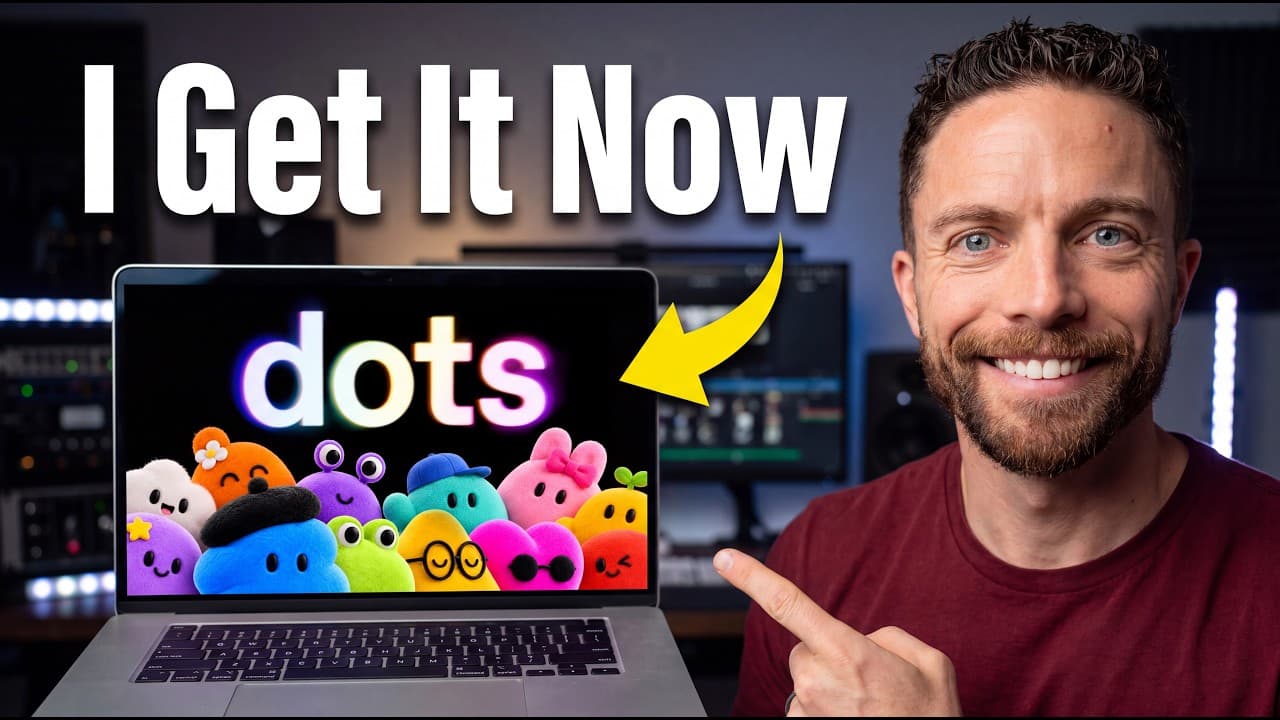
Dots acts as a proactive, always-on assistant with its own cloud computer and memory, integrated inside ChatGPT. It stays on top of tasks, fields follow ups, and coordinates multiple projects like emails, video research, and code tweaks. This video compares Dots to Muse and Grok Bot and explains practical usage.
Transcript
ChatGBT dots is an incredibly powerful AI agent, which may be hard to believe the first time you open it because it seems like it's the same as ChatGBT work or codecs. But once I discovered what I'm about to show you in this video, chat GBT dots finally clicked and unlocked a completely new way of using Chat GBT for me that I absolutely love. So, i... Read More
Key Insights
- Dots is an integrated professional assistant that lives inside ChatGPT, not a separate tool, and it can proactively identify tasks without prompting. This enables a hands-free management layer across multiple projects.
- The key to Dots is its proactive staying-on-top-of-things behavior, which can surface issues like billing problems or upcoming deadlines before the user notices them.
- Dots uses its own cloud computer and browser to operate independently, allowing it to continue tasks even when the user’s device is offline or closed.
- The video positions Dots as powered by GPT6 Astra, describing it as the strongest model available in a personal agent context for now, and emphasizes the potential for more dots in the future.
- Dots can act as a “supercharged chief of staff” by coordinating tasks across apps like Obsidian and Dayboard, and by managing communications such as sponsor emails.
- The demonstration shows Dots executing tasks by creating threads, following up on responses, and updating notes, illustrating how it can orchestrate complex workflows without manual instruction at every step.
- The difference between Dots and tools like Muse and Grok Bot is that Dots is embedded within the ChatGPT ecosystem, enabling more seamless cross-task coordination and background work.
- Outskill is promoted as a learning resource to master Astra and build workflows, reinforcing the video’s theme that advanced AI agents require guided training to unlock their potential.
Install to Summarize YouTube Videos and Get Transcripts
Explore YouTube Video Summarizer or Get YouTube Transcript Extractor
Questions & Answers
Q: What is OpenAI Dots and how does it differ from other AI assistants?
OpenAI Dots is described as an proactive always-on assistant with its own cloud computer, browser, memory, and plugins that lives inside ChatGPT rather than as a separate tool. Unlike standalone assistants such as Muse or Grok Bot, Dots integrates into the user’s existing ChatGPT environment, enabling background work, proactive task handling, and cross-application coordination. This integration is framed as its core advantage, allowing it to stay on top of things without explicit prompts, and to leverage the AI model Astra for stronger performance.
Q: How does Dots stay on top of tasks without being told to do so?
Dots is portrayed as actively monitoring the user’s workflow, surfacing actions before they’re requested. It can identify issues such as hotel billing problems or upcoming video deadlines, and suggest or initiate steps to resolve them. This proactive behavior is described as a core capability, making it a proactive chief of staff that can operate autonomously within the user’s ecosystem by leveraging its memory, background processing, and access to the user’s tools and data.
Q: What are some concrete examples of Dots taking action?
A concrete example is Dots noticing a billing issue at a hotel and suggesting a resolution before checkout to avoid overcharges. It also detects a planned video recording and advises holding off until details are finalized, and it identifies an unread sponsor email and suggests following up. In another scenario, it assists with sending emails to sponsors and then verifies payments after actions are taken, adjusting communications accordingly.
Q: How does the video compare Dots to Muse and Grok Bot?
The video compares Dots to Muse and Grok Bot by acknowledging that Muse and Grok Bot can perform background tasks and have their own environments, but it argues that Dots’ embedded integration within ChatGPT and its Astra-powered performance give it superior background coordination capabilities. It emphasizes that Dots can stay on top of multiple tasks and provide proactive support more seamlessly within the same conversational workspace.
Q: What is Astra and why is it important in this context?
Astra is presented as the GPT-6 model that powers Dots, described as the best model inside a personal agent. The video argues that Astra enables higher quality proactive assistance and more capable background work. This is framed as essential for achieving near-AGI capabilities within a personal agent and is linked to training resources from Outskill to maximize its use.
Q: How can Dots be used for research and content creation tasks?
Dots can be assigned to gather research notes, outline video scripts, and organize content planning within Obsidian or Dayboard, without constantly switching contexts. The video demonstrates using a voice call to instruct Dots to collect information about a topic, assemble an outline, and prepare notes in a structured format. This shows how Dots can streamline multi-step content creation workflows.
Q: What role does Dots play in email and scheduling workflows?
Dots is shown managing email communications and scheduling tasks by drafting messages, following up on responses, and updating calendars or planning boards. By acting as a centralized task manager, it can trigger actions across reminders, calendar events, and project notes, reducing manual handoffs and ensuring that follow-ups and deadlines are addressed in a timely manner.
Q: What should beginners know about using Dots effectively?
Beginners should understand that the value of Dots lies in its ability to stay on top of things and coordinate actions across multiple apps and notes. The video suggests starting with simple, clear tasks to set up the dot, then gradually expanding to more complex workflows, leveraging Obsidian Dayboard integration, and using voice interactions to handle routine or recurring tasks.
Summary & Key Takeaways
-
Dots functions as an always-on assistant with proactive capabilities, operating inside ChatGPT and leveraging its own cloud resources.
-
The creator reframes Dots as a chief of staff that stays on top of tasks and follows up autonomously, enabling smoother project coordination.
-
The video contrasts Dots with Muse and Grok Bot, highlighting Astra model integration and the value of proactive task management for users.
Read in Other Languages (beta)
Share This Summary 📚
Summarize YouTube Videos and Get Video Transcripts with 1-Click
Try YouTube Summary with ChatGPT & Claude or YouTube Transcript Generator
Explore More Summaries from Paul J Lipsky 📚

Summarize YouTube Videos and Get Video Transcripts with 1-Click
Try YouTube Summary with ChatGPT & Claude or YouTube Transcript Generator