How to Prevent Context Rot in Claude Code
TL;DR
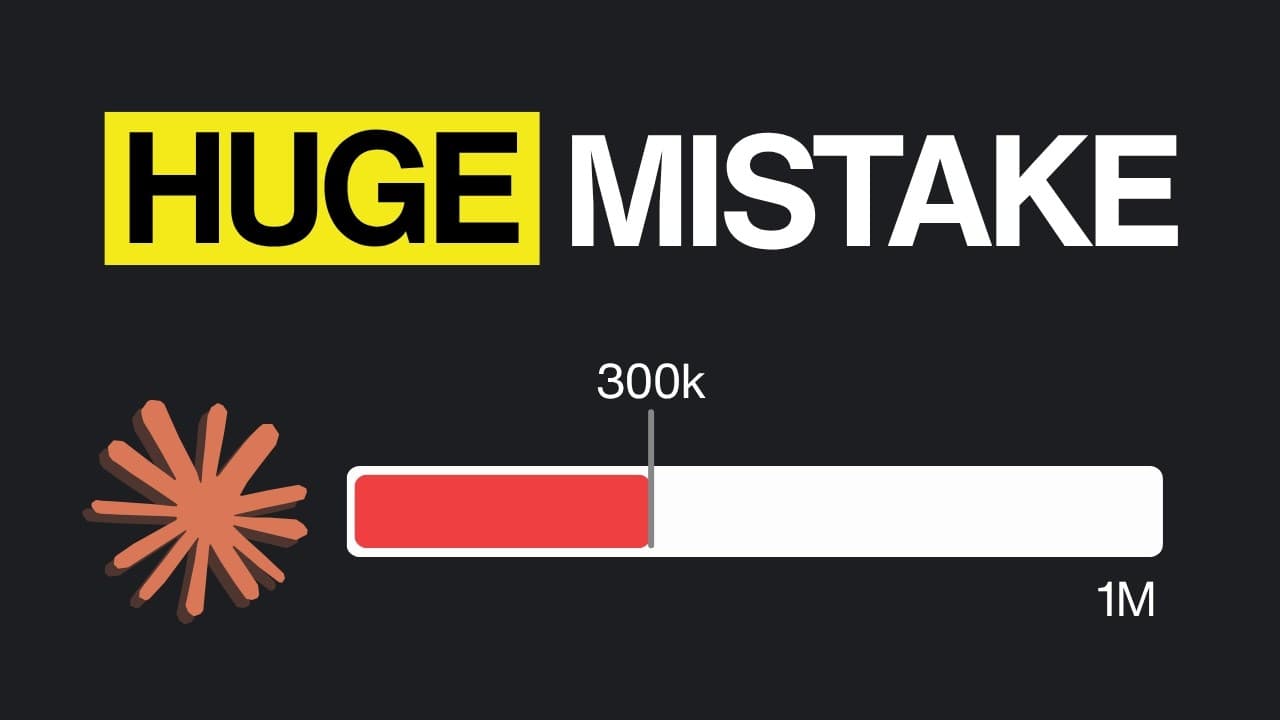
Prevent Claude Code from losing focus by managing context before it becomes heavily bloated, especially around 300,000 to 400,000 tokens. Use instructed compaction only when prior context must carry forward, clear the session for unrelated work, or save a structured JSON handoff before clearing when only selected decisions, constraints, state, and issues should survive.
Transcript
The 1 million context window sounds like a huge upgrade, but in reality, it's way worse than most people realize. And this is exactly why the engineer working on Claude Code, Tariq, wrote the article. If you think Claude Code only starts getting worse at 1 million tokens, or that 1 million is so much you don't have to worry about it, you are actual... Read More
Key Insights
- A larger context window is a double-edged capability because it supports longer tasks while allowing more irrelevant or conflicting information to accumulate. The video says Claude Code can therefore feel less reliable even when the underlying models remain powerful.
- Context rot is the degradation of model performance as increasing amounts of information compete for attention. According to the video, it can begin around 300,000 to 400,000 tokens, well before a 1 million token context window is full.
- The context window includes the conversation, the claude.md file, the system prompt, files read during the session, and tool-call outputs. Every additional prompt or operation expands this working context and can contribute to interference during long-running tasks.
- Poor context management creates four failure modes: context pollution, goal drift, memory corruption, and decision inaccuracy. Together, these problems can make an agent forget objectives, trust outdated facts, hallucinate more often, or apply contradictory implementation patterns.
- Compaction is a lossy summary rather than a complete preservation of the session. Details that matter to the user may be dropped when Claude judges them unimportant, particularly if the current direction of the work is unclear.
- Automatic compaction is especially risky when it activates in the middle of a task. The summarization process may preserve broad recent activity while discarding an older warning, decision, constraint, or tool-call detail that later becomes essential.
- The clear command removes all existing conversational context and begins an empty session. It is appropriate when moving to an unrelated task because earlier reasoning and implementation history can otherwise interfere with the agent's new objective.
- A structured JSON handoff combines selective preservation with a fresh context window. Recording the full task, current state, constraints, decisions, and discovered issues in a file before clearing gives the next session an explicit, consistently organized source of continuity.
- More videos from this channel:
- More from this channel: AI LABS
Install to Summarize YouTube Videos and Get Transcripts
Explore YouTube Video Summarizer or Get YouTube Transcript Extractor
Questions & Answers
Q: What is context rot in Claude Code?
Context rot is the decline in Claude Code's performance as its context window becomes crowded with conversation history, instructions, files, and tool-call outputs. The model has more information competing for its attention, which can reduce focus and reasoning consistency. The video associates this condition with more hallucinations, repeated reminders, forgotten instructions, and weaker performance during long-running tasks.
Q: When does Claude Code context degradation begin?
According to the video, context degradation can begin around 300,000 to 400,000 tokens, or roughly 40 percent of a 1 million token window. It therefore does not appear only when the window is almost full. The practical recommendation is to manage context proactively near that range instead of assuming that all available capacity can be used without affecting performance.
Q: What information occupies the Claude Code context window?
The context window contains everything the model can see at once, including the conversation so far, the claude.md file, the system prompt, files read into the session, and outputs from tool calls. Each new prompt or operation adds information. As this material accumulates, unrelated details and old state can compete with the current task for the model's attention.
Q: What are the main failure modes caused by poor context management?
The video identifies context pollution, goal drift, memory corruption, and decision inaccuracy as four major failure modes. Context pollution creates distracting information, goal drift separates the agent from its original objective, memory corruption causes work based on incorrect or outdated facts, and decision inaccuracy produces contradictory choices in similar situations. These failures become especially troublesome during long-running agent sessions.
Q: Why can automatic compaction make Claude Code less reliable?
Automatic compaction can reduce reliability because it replaces detailed history with a lossy summary created from Claude's judgment of what matters. It may trigger during an unfinished task, favor recent events, omit older constraints, and discard specific warnings or tool-call history. Afterward, the agent may remember only the general debugging activity while losing the exact detail needed for the next instruction.
Q: How should compaction be used in Claude Code?
Compaction should be used when information from the existing task flow must continue into a refreshed context window. The video recommends triggering it deliberately, particularly around the 300,000 to 400,000 token range, and supplying explicit instructions about which decisions, constraints, discoveries, and unresolved issues must remain. It should not be treated as the default choice when a completely fresh start is preferable.
Q: When should the clear command be used instead of compaction?
The clear command should be used when the next task is unrelated or when previous reasoning should not influence new work. It removes all conversational context, so only information supplied again will remain available. The video gives the example of starting a fresh debugging session after generating tests, allowing Claude to examine the application without being shaped by the earlier process used to create those tests.
Q: How does a structured JSON handoff preserve useful context?
A structured JSON handoff preserves selected information by instructing Claude to record the full task, current project state, constraints, discovered issues, decisions, and other necessary details in a file. The user can then clear the session and direct a fresh session to that document. The defined schema is intended to capture important information more consistently than ordinary prose compaction while discarding unwanted conversational history.
Summary & Key Takeaways
-
A 1 million token window allows Claude Code to hold more information and support longer tasks, but it does not eliminate context degradation. According to the video, context rot can begin around 300,000 to 400,000 tokens as accumulated conversation, files, instructions, and tool outputs compete for the model's attention.
-
Poor context management produces four described failure modes: context pollution, goal drift, memory corruption, and decision inaccuracy. These can cause hallucinations, forgotten requirements, reliance on outdated project state, and inconsistent implementation choices. Long-running agents make such problems harder to trace because the original mistake may be buried deep in the session history.
-
Compaction should preserve relevant continuity, while clear should remove context before unrelated work. Because compaction is lossy and biased toward recent details, users should trigger it deliberately and specify what must survive. A structured JSON handoff followed by clear offers tighter control by recording the task, state, constraints, decisions, and discovered issues in a file.
Read in Other Languages (beta)
Share This Summary 📚
Summarize YouTube Videos and Get Video Transcripts with 1-Click
Try YouTube Summary with ChatGPT & Claude or YouTube Transcript Generator
Explore More Summaries from AI LABS 📚





Summarize YouTube Videos and Get Video Transcripts with 1-Click
Try YouTube Summary with ChatGPT & Claude or YouTube Transcript Generator