How to Use Claude Code Like Its Original Creator
TL;DR
Give Claude Code a way to verify every task, then refine its plan before allowing implementation. Boris uses repository-specific CLAUDE.md instructions, controlled permissions, tests, formatters, background tasks, and parallel sessions to improve reliability while keeping the setup relatively simple. He treats Claude as a junior developer whose plans and completed work require review.
Transcript
This is Boris. And when people get stuck with Claude code, they ask him how to use it. But why would they ask him? It's because Boris works at Anthropic and he's the one who actually created Claude Code. Even if he says that his setup is pretty simple, it's not. That's just his perspective. What's simple to him might be a whole system to everyone e... Read More
Key Insights
- Verification is the foundation of reliable Claude Code output. Giving the agent tests or another way to inspect results creates a feedback loop that helps it identify errors and improve the final implementation instead of assuming that its first attempt is complete.
- Verification methods are specific to the work being performed. Code can be checked with tests or bash commands, websites with browser navigation and screenshots, and mobile applications with iOS or Android simulator MCPs. Claude can also propose suitable tests when the user does not know which checks to request.
- CLAUDE.md is the persistent project context supplied to Claude Code sessions. It should document the technology stack, project structure, coding conventions, and actions the agent should avoid. Boris's team adds recurring mistakes to the file so later sessions are less likely to repeat them.
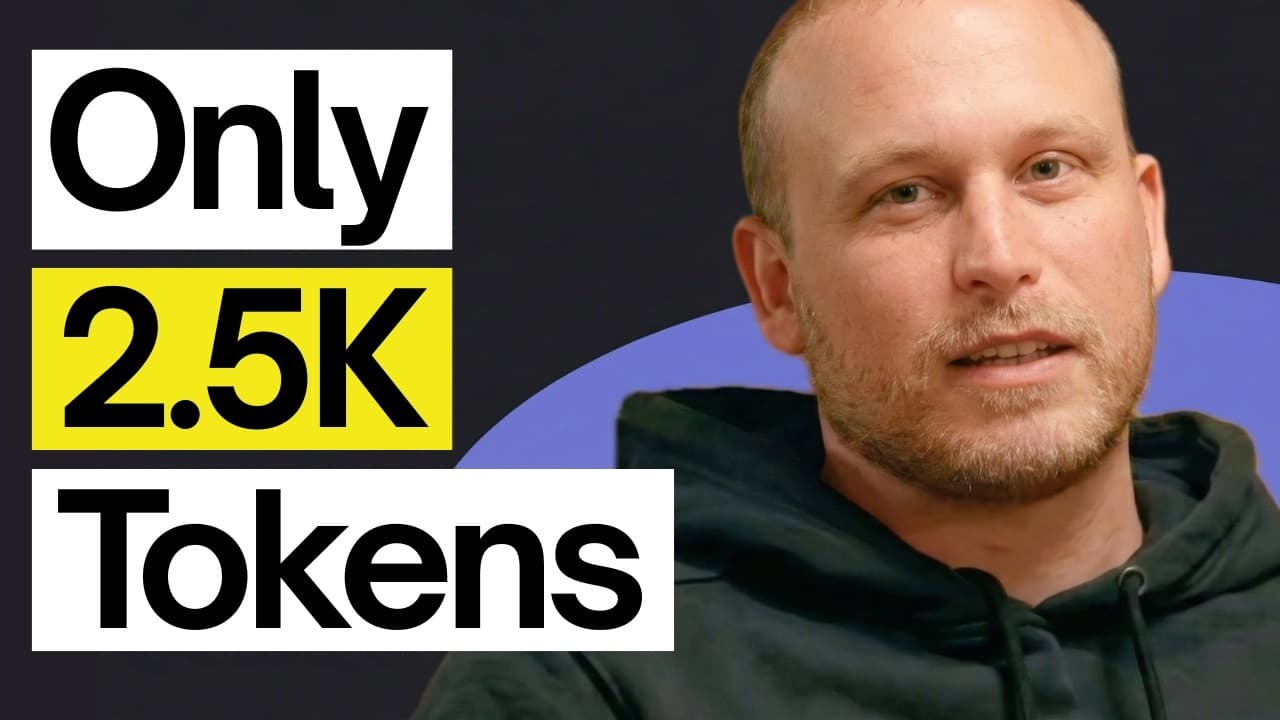
- A useful CLAUDE.md remains concise and repository-specific. Boris reports that his own file is about 2.5k tokens, while full-stack projects can use separate files for microservices, front-end code, and back-end code. This provides focused guidance without bloating a single shared instruction file.
- Permission rules are safer than bypassing every confirmation. Boris does not use the dangerously skip permissions mode, especially in production environments. He defines commands that Claude may run, commands requiring approval, and commands that are denied, then shares those project rules through a settings.json file.
- Plan mode is where Boris resolves most of his back-and-forth with Claude. He describes the task, reviews the proposed approach, and starts implementation only after determining that the plan is valid. He then uses auto-accept edits while retaining the configured command permissions.
- Claude Code is an orchestrator for more than source code. Boris connects tools such as Slack, BigQuery, and Sentry through MCP servers or command-line interfaces, while the presenter uses a Notion MCP connection to create databases, populate them, and work with contextual information about video ideas.
- Long-running work can combine background execution with automatic verification. Boris uses tests proposed by Claude, background tasks that report to the main agent, stop hooks that trigger checks after output ends, and GitHub-connected cloud sessions that create branches and push changes for later human review.
Install to Summarize YouTube Videos and Get Transcripts
Explore YouTube Video Summarizer or Get YouTube Transcript Extractor
Questions & Answers
Q: How should Claude Code verify its work?
Claude Code should receive an explicit verification method for every task. Depending on the domain, that method can include automated tests, bash commands, browser-based checks, screenshots, mobile simulator MCPs, linters, or formatters. If the user does not know which tests are appropriate, Claude can be asked to propose a test for each implemented behavior and run those checks as part of its feedback loop.
Q: What should a CLAUDE.md file contain?
A CLAUDE.md file should contain the essential context that a newly created Claude Code session needs about its repository. The transcript identifies the technology stack, basic project structure, team coding style, conventions, and prohibited behaviors as important contents. It should also record mistakes that the team does not want Claude to repeat, allowing lessons from earlier sessions to guide future work.
Q: How large should a CLAUDE.md file be?
The file should be concise enough to avoid overwhelming every session with unnecessary context. Boris says his own CLAUDE.md is about 2.5k tokens. For a full-stack application, guidance can be divided among separate files for individual microservices, the front end, and the back end. This structure keeps instructions relevant to each area while preventing the central file from becoming bloated.
Q: How does Boris start a new Claude Code project task?
Boris first switches to plan mode and clearly describes the desired feature or task. He reviews Claude's proposed plan and conducts the necessary back-and-forth while the agent is still planning. Implementation begins only after he has verified that the plan is valid. He then starts the work in auto-accept edits mode while continuing to rely on configured permission boundaries.
Q: Why does Boris avoid dangerously skip permissions mode?
Boris avoids dangerously skip permissions mode because it allows Claude to run everything, and a single terminal command can damage a project, particularly in a production environment. Instead, he configures commands that are allowed automatically, commands that require approval, and commands that are completely denied. These project-level rules can be stored in settings.json and shared with the rest of the team.
Q: How does Boris manage multiple Claude Code sessions?
Boris runs five Claude Code sessions in parallel and numbers the terminal tabs so notifications can be matched to the correct session. He also uses web sessions connected to GitHub for long-running cloud work. Background agents can complete tasks, create a new branch, and push their changes for review, while the teleport command can bring a cloud session back into the local terminal.
Q: Why does Boris use Opus 4.5 with thinking enabled?
Boris uses Opus 4.5 with thinking enabled for nearly everything because he believes its lower likelihood of errors reduces the overall time required for steering and correction. Although the model is described as larger and slower than Sonnet, and significantly slower than Haiku models, he considers the complete workflow faster because fewer mistakes require additional human intervention and repeated instructions.
Q: How can Claude Code handle long-running tasks reliably?
Long-running tasks can be placed in the background after Claude defines and runs appropriate verification tests. Boris also uses stop hooks that automatically trigger verification when Claude finishes producing output. Another approach follows the repeated verification pattern associated with the Ralph Wiggum plugin. Linters and formatters can then clean up the remaining code issues before continuous integration checks run through GitHub pipelines.
Summary & Key Takeaways
-
Verification is the central principle of Boris's Claude Code workflow. Tests, bash commands, browser navigation, screenshots, mobile simulators, linters, and formatters give the agent feedback about its work. The appropriate method depends on the domain, but every task should include a clear and practical way to confirm that the result works.
-
Each repository should have a concise, actively maintained CLAUDE.md containing its technology stack, structure, coding conventions, and prohibited behaviors. Boris's file is about 2.5k tokens. Team members update it when Claude makes mistakes, while separate files can provide focused instructions for individual microservices, front-end components, and back-end components.
-
Boris begins tasks in plan mode and resolves uncertainties before implementation. After validating the plan, he uses auto-accept edits with explicit permission rules instead of bypassing permissions. He also runs five numbered sessions, delegates long tasks to background processes or cloud agents, and reviews the branches and changes they produce.
Read in Other Languages (beta)
Share This Summary 📚
Summarize YouTube Videos and Get Video Transcripts with 1-Click
Try YouTube Summary with ChatGPT & Claude or YouTube Transcript Generator
Explore More Summaries from AI LABS 📚

Summarize YouTube Videos and Get Video Transcripts with 1-Click
Try YouTube Summary with ChatGPT & Claude or YouTube Transcript Generator