How to Automate Work with Grok Bot Agents
TL;DR
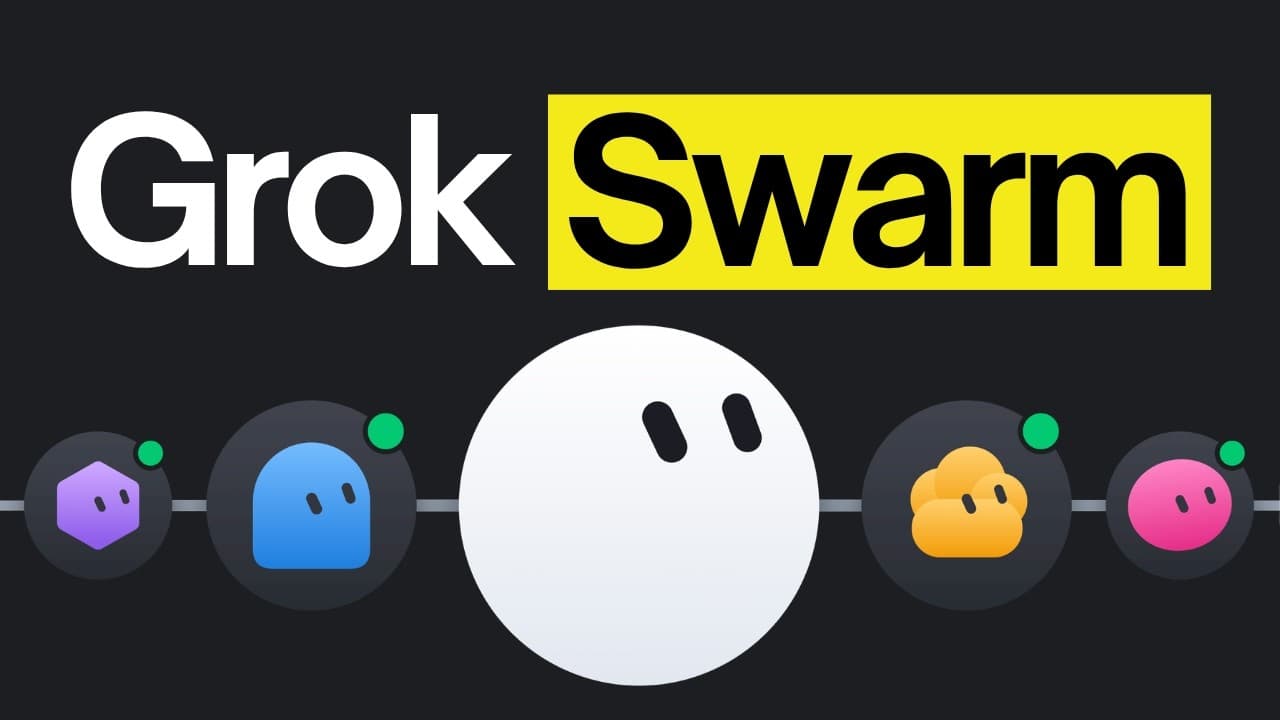
Grok Bot automates persistent work by running multiple agents on a shared online computer, where they can access the same browser, files, and logged-in accounts. Its strongest described uses include role-based product testing, customer-support investigation, churn analysis, and competitor monitoring, but careful instructions and human approval remain important for reliable results.
Transcript
Elon Musk's new AI agent, Grockbot, is being used in really creative ways. Grockbot has made it so easy to automate tasks that we had to manually ask our agents to do. And what's different about it is that the setup needed to automate those tasks is the easiest one we've seen so far. None of the other tools even come close. Now, if you're new to th... Read More
Key Insights
- Grok Bot is a system for managing multiple persistent agents from one place. Each agent is called a bot and runs on an online computer, allowing scheduled or ongoing work to continue even when the user's own computer is turned off.
- All bots on an account share the same online computer, including its files, browser, and authenticated sessions. Logging into a website once can therefore make that account available to multiple bots without repeating the setup for every individual agent.
- Grok Bot differs from Hermes in who manages the execution environment. Hermes requires the user to configure and maintain the computer, browser, integrations, and logins, while Grok Bot handles that environment and mainly requires the user to sign into needed accounts.
- Role-based product testing works by assigning separate bots to roles such as administrator and customer. A lead bot coordinates their checks, receives their findings, and combines the results into a single report that identifies what passed and what failed.
- Authenticated browser access allows testing bots to investigate beyond visible application behavior. When a test returns an unexpected result, a bot can open connected services such as Supabase and inspect relevant information to help identify where the underlying problem originates.
- Customer-support automation is more useful when the bot verifies a complaint before drafting a response. The support bot can reproduce the customer's steps, inspect relevant dashboards, determine whether the problem is user-specific or application-related, and include its findings in the reply.
- Churn analysis requires examining where a new user encounters friction, not merely identifying who canceled. A bot can create a fresh account, explore the application without prior familiarity, record confusing instructions or broken controls, and capture screenshots of the problems it finds.
- Human review remains an important control when bots propose application changes. A support bot may implement a valid fix and open a pull request, but the described workflow keeps that change waiting for inspection and approval before it reaches the live product.
- More videos from this channel:
- More from this channel: AI LABS
Install to Summarize YouTube Videos and Get Transcripts
Explore YouTube Video Summarizer or Get YouTube Transcript Extractor
Questions & Answers
Q: What is Grok Bot and how does it work?
Grok Bot is a tool for managing a group of AI agents called bots from one place. The bots run on an online computer, so they can continue working when the user's computer is turned off. They share files, a browser, and logged-in accounts, can communicate in a group chat, and can be scheduled to perform tasks at set times.
Q: How do you set up Grok Bot agents?
Grok Bot requires a paid Cursor plan or a Super Grok plan according to the transcript. Setup begins by downloading the app and running its installer. After opening the app, users can create bots with the button at the top. A bot can develop its profile through a conversation, or the user can directly enter instructions in the bot's description.
Q: How does Grok Bot differ from Hermes?
Grok Bot and Hermes both let an agent continue working while the user is absent, but responsibility for the computer is different. With Hermes, the user must set up and manage the computer, tools, browser, and login sessions. With Grok Bot, Grok manages the online computer, while the user primarily signs into the accounts the bots need to access.
Q: How can Grok Bot test different user roles in an app?
A developer can create a separate bot for each application role, such as an administrator or customer, and add a lead bot that coordinates the test. After the group receives the product link, the lead bot assigns checks to each role-specific bot. The lead bot then consolidates their findings into one report describing the checks that passed and failed.
Q: Why is shared browser access useful for application testing?
Shared browser access gives bots access to accounts already authenticated on the online computer. This allows a testing bot to reproduce application behavior and then inspect connected services when a result is incorrect. For example, the lead bot can open Supabase to investigate relevant backend information, helping determine where a problem originates rather than merely reporting its visible symptom.
Q: How can Grok Bot automate customer support?
A support bot can read unanswered support emails, classify each reported problem, and reproduce the customer's actions in the browser. It can also inspect relevant dashboards, such as Supabase or Stripe, to verify account or payment details. After investigating, it drafts a response containing its findings and may prepare a code fix as a pull request for human review.
Q: How can Grok Bot help identify reasons for customer churn?
A churn-focused bot can examine the experience from the perspective of a first-time user instead of relying only on database or payment records. It creates a fresh account, moves through the application, and records obstacles such as pages that fail to load, controls that do not work, or instructions that are confusing. It also captures screenshots for the final report.
Q: What precautions should users take with Grok Bot automation?
Bots need clear profiles and instructions because an incorrect setup can waste time instead of improving productivity. Users should also consider that every bot shares the same browser, files, and authenticated accounts on one computer. For application changes, the described workflow uses pull requests so a human can inspect and approve a proposed fix before it goes live.
Summary & Key Takeaways
-
Grok Bot provides each agent, called a bot, with access to an online computer that continues running when the user's own computer is turned off. Bots share files, one browser, and logged-in accounts, can communicate through group chats, and can be scheduled to perform tasks at specific times.
-
The testing workflow assigns separate bots to different user roles and gives a lead bot responsibility for coordinating tests. Each bot examines the product from its assigned perspective, while the lead bot consolidates findings into one report showing passed and failed checks for developers to review and address.
-
Support and churn workflows combine browser interaction with access to connected accounts and dashboards. A support bot can investigate reported problems before drafting replies, while a churn-focused bot can create a fresh account, follow a new user's journey, document broken or confusing experiences, and capture screenshots for later fixes.
Read in Other Languages (beta)
Share This Summary 📚
Summarize YouTube Videos and Get Video Transcripts with 1-Click
Try YouTube Summary with ChatGPT & Claude or YouTube Transcript Generator
Explore More Summaries from AI LABS 📚
Summarize YouTube Videos and Get Video Transcripts with 1-Click
Try YouTube Summary with ChatGPT & Claude or YouTube Transcript Generator