Which Claude Plugins, Skills, and MCPs Help Most?
TL;DR
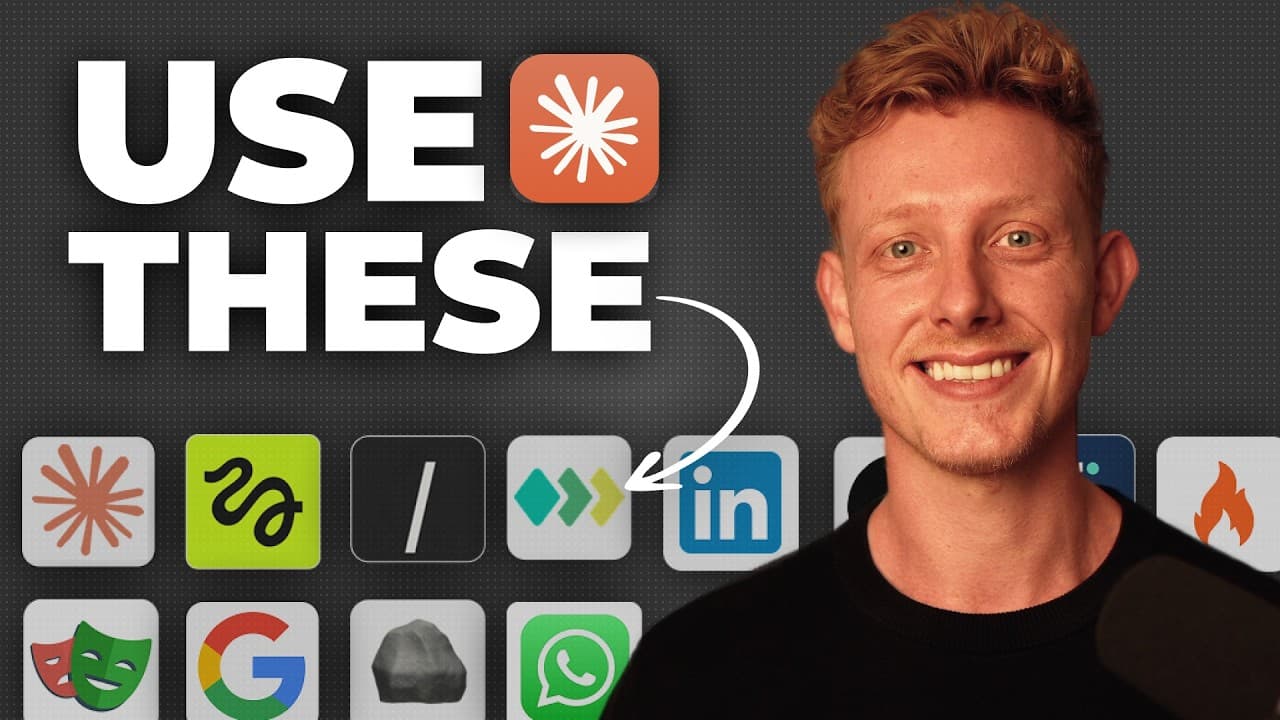
Use the Google Workspace CLI when Claude needs to create or modify Workspace content, not merely read it, and consider CLIs for workflows where token efficiency matters. Higgsfield supports reusable image and video creation, Printing Press supplies or builds CLIs for many services, and Impeccable helps refine HTML-based designs through specialized skills.
Transcript
If you're using cloud code or co-work, you have access to an extensive ecosystem of skills, plugins, mcps, connectors, and CLI to instantly upgrade its capabilities. But with so many out there, it can be hard to know which ones to actually use. So, in this video, I'll break down my top 12 that you might want to use yourself, show you why they matte... Read More
Key Insights
- The Google Workspace CLI connects Claude to Drive, Gmail, Calendar, Sheets, Docs, Chat, and other Google Workspace APIs, enabling actions that the described read-only connectors cannot perform, including creating spreadsheets, editing documents, sending emails, and creating calendar events.
- A CLI is more token efficient than an MCP because it does not automatically load extensive API and tool information into the context window whenever a new conversation starts. The speaker says this reduced context burden can also support better output.
- The Google Workspace CLI works best in Claude Code, according to the speaker. Its setup requires creating a Google application with OAuth, but the provided installation skill can automate most of the process after the user logs in and follows the required steps.
- Higgsfield gives Claude access to image and video models through both an MCP and a CLI. The MCP is intended for Claude Co-Work, while the CLI is used in Claude Code, allowing creative generation inside the environment suited to each connection method.
- Higgsfield supports consistent design generation by accepting brand guidelines and reference images. Generated assets appear directly in the chat, where users can edit, animate, or download them and quickly provide additional prompts to iterate on the initial results.
- Reusable skills can automate recurring Higgsfield workflows by storing repeated instructions and assets, such as a photo or design file. The demonstrated thumbnail skill asks for references, accepts specific logos or photos, gathers a text description, and generates the requested number of variations.
- Printing Press includes a library of more than 50 prebuilt CLIs for services such as ElevenLabs, OpenRouter, DigitalOcean, eBay, Gumroad, and Shopify. It can also build custom CLIs for frequently used software, including software that does not yet provide a public API.
- Impeccable is a collection of Claude Code skills for improving HTML-based websites, presentations, and one-page designs. It lets users select page elements, revise layouts, polish or animate designs, generate three variants, adapt copy using UX writing practices, and inspect pages against supplied brand guidelines.
- More videos from this channel:
- More from this channel: Ben AI
Install to Summarize YouTube Videos and Get Transcripts
Explore YouTube Video Summarizer or Get YouTube Transcript Extractor
Questions & Answers
Q: How does the Google Workspace CLI improve Claude workflows?
The Google Workspace CLI connects Claude to Drive, Gmail, Calendar, Sheets, Docs, Chat, and other Workspace APIs through one command-line interface. The described connectors have limitations, such as read-only Gmail access and an inability to create spreadsheets, edit documents, or create calendar events. The CLI enables those actions and does not automatically load all of its API context into every new conversation.
Q: Why can a CLI use fewer tokens than an MCP?
A CLI can use fewer tokens because it does not automatically place all of its API and tool information into the context window at the beginning of every new conversation. The described MCP and connector approach loads that context immediately. According to the speaker, the extra context consumes more tokens and can also contribute to worse output, while a CLI is invoked when needed.
Q: How do you install the Google Workspace CLI for Claude?
The installation process requires following Google's setup guide and creating a Google application with OAuth. Because that process can be tedious, the speaker provides a downloadable skill that uses the browser to complete most of the setup. The user still needs to sign in to a Google account, follow the displayed steps, and allow the skill to finish the configuration.
Q: What can Higgsfield do inside Claude?
Higgsfield provides access to image and video models from inside Claude through an MCP or CLI. It can generate branded images from instructions, reference images, and a brand guide, then display the results directly in the conversation. Users can edit, animate, or download those results. The speaker also says it can support video, audio, website animation, and slideshow creation.
Q: How can Claude skills automate recurring design work?
A skill can store repeated requirements and assets for a design workflow, so users do not need to provide the same material with every request. In the demonstrated thumbnail workflow, the skill requests reference images, accepts logos or personal photos, gathers a text description, and asks how many variations are needed. It can also retrieve a stored photo or design file when instructed.
Q: How do you connect Higgsfield to Claude Co-Work or Claude Code?
For Claude Co-Work, the speaker instructs users to copy the Higgsfield remote server URL, open the Customize area, enter Connectors, choose the option to add a custom connector, and supply the server URL and name. After adding it, the user logs in to complete the connection. For Claude Code, Higgsfield is installed through its command-line installation command.
Q: What does the Printing Press plugin provide?
Printing Press provides more than 50 prebuilt CLIs for services including ElevenLabs, OpenRouter, DigitalOcean, eBay, Gumroad, and Shopify. It can also create custom CLIs for software a user accesses frequently. The speaker says it can even build interfaces for software without public APIs, offering a workflow described as more reliable, less token-heavy, and less error-prone than browser computer use.
Q: How does Impeccable help improve HTML designs?
Impeccable supplies Claude Code skills focused on HTML and website design. Users can select an element on a locally generated page and request changes to its layout, adaptability, polish, or animation. Individual skills include relevant design practices. The tool can generate three alternatives for review, adjust copy using UX writing practices, and inspect a page for improvements based on a supplied design file or brand guidelines.
Summary & Key Takeaways
-
The Google Workspace CLI connects Claude Code to Drive, Gmail, Calendar, Sheets, Docs, Chat, and other Workspace APIs. Unlike the described connectors, it can perform actions such as creating spreadsheets and calendar events. It also avoids loading extensive MCP information into every new conversation, making it more token efficient.
-
Higgsfield brings image and video models into Claude through an MCP for Claude Co-Work and a CLI for Claude Code. It can generate designs from brand guidelines and reference images, display results in chat, support quick editing or animation, and become part of reusable skills for repetitive creative workflows.
-
Printing Press provides more than 50 prebuilt CLIs and can create new ones for frequently used software, including services without public APIs. Impeccable addresses a different need by supplying Claude Code skills for improving HTML designs, with tools for layout, polishing, animation, copy adaptation, brand-guideline checks, and variant generation.
Read in Other Languages (beta)
Share This Summary 📚
Summarize YouTube Videos and Get Video Transcripts with 1-Click
Try YouTube Summary with ChatGPT & Claude or YouTube Transcript Generator
Explore More Summaries from Ben AI 📚




Summarize YouTube Videos and Get Video Transcripts with 1-Click
Try YouTube Summary with ChatGPT & Claude or YouTube Transcript Generator