How to Use Claude Cowork for Business Context
TL;DR
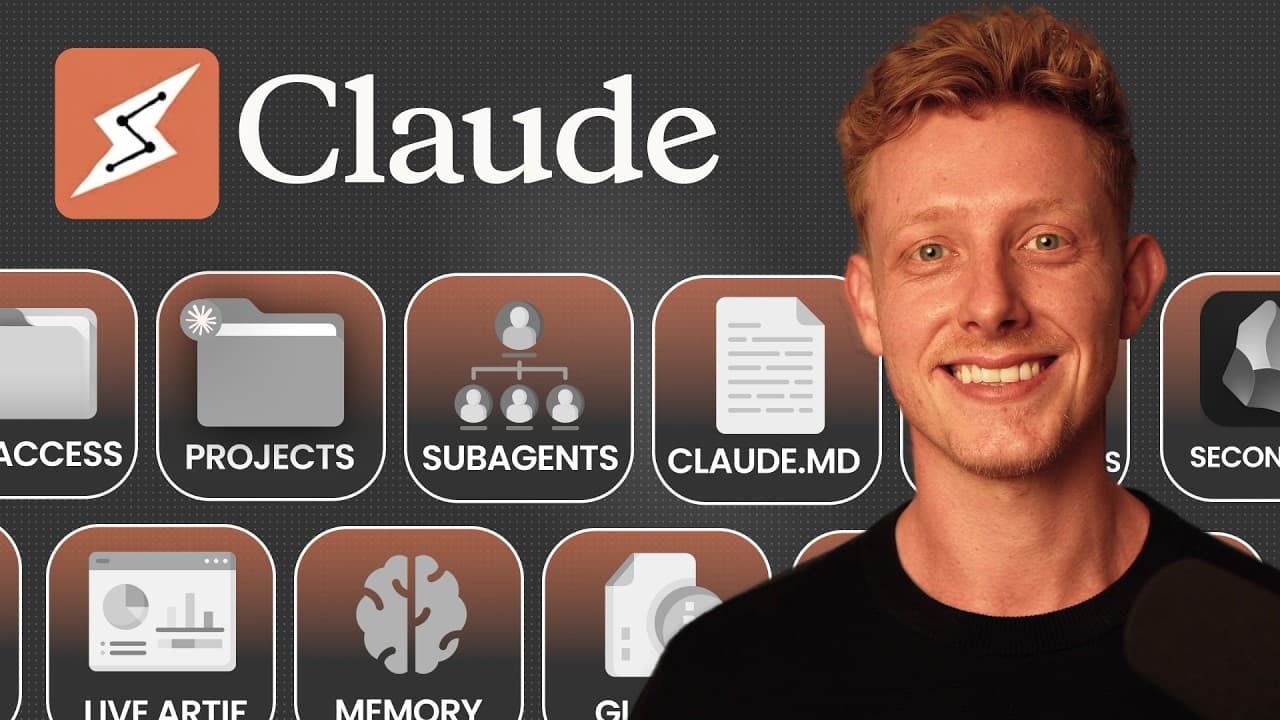
Give Claude persistent, relevant context by storing business and project knowledge in computer folders, selecting the appropriate folder for each chat, and adding a CLAUDE.md file that routes Claude to the right information. As the system expands, projects can organize specialized workflows, while a centralized second brain can reduce duplicated files and support shared business context.
Transcript
Cloud Co has transformed the way me and my team operate. With so many features and new updates, it can become overwhelming and hard to know how to actually use it efficiently. So, in this video, I'll break down every concept and feature clearly in less than 90 seconds, show you what to actually use and when to use it, and show you how to approach u... Read More
Key Insights
- A context window is Claude's short-term memory within a single chat, containing messages, responses, and files it reads. Because it has a limit, long conversations can cause forgotten details, weaker outputs, and increased token usage, a problem described as context rot.
- Starting a fresh chat for each new task reduces accumulated context and helps prevent context rot. When a thread becomes too long, Claude can compact it by summarizing the conversation and beginning with a new context window, but the original detail may no longer remain directly available.
- Global instructions are persistent rules that shape Claude's behavior across every chat. They are suited to broad preferences, such as always responding in English, avoiding certain punctuation, or communicating directly, but they are not appropriate for project-specific context because they apply universally.
- Built-in memory is automatically generated from chat history and stores general facts such as a user's role, recurring work, and preferences. The transcript describes this memory as limited to one document and insufficient for providing the extensive context needed to improve substantive business work.
- File access creates persistent context outside Claude by allowing it to read, update, and write files in a selected computer folder. Reusing that folder in new chats gives Claude access to relevant personal, business, brand, customer, service, strategy, and content information.
- A CLAUDE.md file is a markdown document placed at the root of a folder to guide Claude. It explains the folder structure, identifies which files apply to particular tasks, specifies where new information belongs, and records general rules Claude should follow.
- Claude Cowork projects combine preselected folders, dedicated CLAUDE.md files, specialized instructions, and organized chats. Separate projects can support areas such as YouTube, sales, operations, or community management, letting users enter a prepared workspace without manually selecting folders for every conversation.
- A second brain or AI OS is one centralized folder containing business, project, and personal context. Centralization can reduce duplicated documents across separate folders, while Obsidian can provide a visual interface for navigating, linking, and organizing the growing collection of files.
- More videos from this channel:
- More from this channel: Ben AI
Install to Summarize YouTube Videos and Get Transcripts
Explore YouTube Video Summarizer or Get YouTube Transcript Extractor
Questions & Answers
Q: What is Claude's context window?
Claude's context window is its short-term memory inside a single chat. It contains the messages a user sends, the responses Claude produces, and the files Claude reads during that conversation. The window has a limit, so continually adding information can eventually make details harder to retain, reduce output quality, and consume more tokens.
Q: Why should you start a fresh Claude chat for each task?
Starting a fresh chat for each new task prevents unrelated messages, responses, and files from filling the limited context window. The transcript calls the resulting deterioration context rot, which can make Claude forget details, produce weaker outputs, and use more tokens. A focused conversation gives the current task more room and keeps its supporting context relevant.
Q: What are global instructions in Claude Cowork?
Global instructions are persistent behavioral rules entered in Claude desktop settings under Cowork. They can define preferences that should apply to every conversation, such as responding in English, avoiding particular punctuation, being direct, or skipping unnecessary detail. Because these rules affect all chats, they are better for universal preferences than for context tied to one project.
Q: How does Claude's built-in memory work?
Claude's built-in memory is generated automatically by reviewing chat history and retaining general information about the user. It may include a person's role, the work they commonly perform, and some preferences. The memory can be viewed and managed in the capabilities area, and the transcript also says information can be imported from another AI provider.
Q: How can files give Claude persistent context across chats?
Persistent context can live in files stored within a folder on the user's computer. When that folder is selected for a new chat, Claude can read the relevant documents instead of relying on previous conversations. It can also update existing files or create new ones, allowing decisions, resources, frameworks, facts, and other useful knowledge to remain available.
Q: What is a CLAUDE.md file used for?
A CLAUDE.md file is a markdown document placed at the root of a working folder. It acts as a map that tells Claude how the folder is organized, which context files should be used for different tasks, where updates or new documents belong, and which general rules apply. Claude reads these instructions when a new chat begins.
Q: How do Claude Cowork projects organize business work?
Claude Cowork projects provide organized workspaces with preselected folders, project-specific CLAUDE.md files, dedicated instructions, and grouped chats. A business can create separate projects for functions such as YouTube, sales, operations, and community management. Opening the appropriate project immediately supplies its relevant folder and behavioral guidance, reducing repetitive setup at the start of each conversation.
Q: What is a second brain or AI OS for Claude?
A second brain, also called an AI OS in the transcript, is one centralized folder that contains personal, project, and business context. It addresses the duplication that appears when brand, customer, and strategy documents are copied across many separate folders. The system can also include team structure, task lists, meeting transcripts, business priorities, and other current information.
Summary & Key Takeaways
-
Claude's context window functions as short-term memory for one chat, holding messages, responses, and files. As more material accumulates, important details can be forgotten, outputs can deteriorate, and token use can increase. Starting a fresh chat for each task helps limit this context rot, but removes access to earlier conversations.
-
Global instructions apply broad behavioral preferences across chats, while built-in memory automatically retains limited general facts such as a user's role and typical work. Neither provides enough detailed project context for complex work. Storing context in external files allows Claude to retrieve, update, and reuse relevant knowledge whenever the same folder is selected.
-
A CLAUDE.md file serves as a map for a selected folder, describing its structure, routing Claude to appropriate documents, and defining update rules. Projects can pair folders with specialized instructions and organized chats. A centralized second brain extends this model by keeping business, project, team, and personal context together.
Read in Other Languages (beta)
Share This Summary 📚
Summarize YouTube Videos and Get Video Transcripts with 1-Click
Try YouTube Summary with ChatGPT & Claude or YouTube Transcript Generator
Explore More Summaries from Ben AI 📚




Summarize YouTube Videos and Get Video Transcripts with 1-Click
Try YouTube Summary with ChatGPT & Claude or YouTube Transcript Generator