How to build AI apps with Flowise without coding
TL;DR
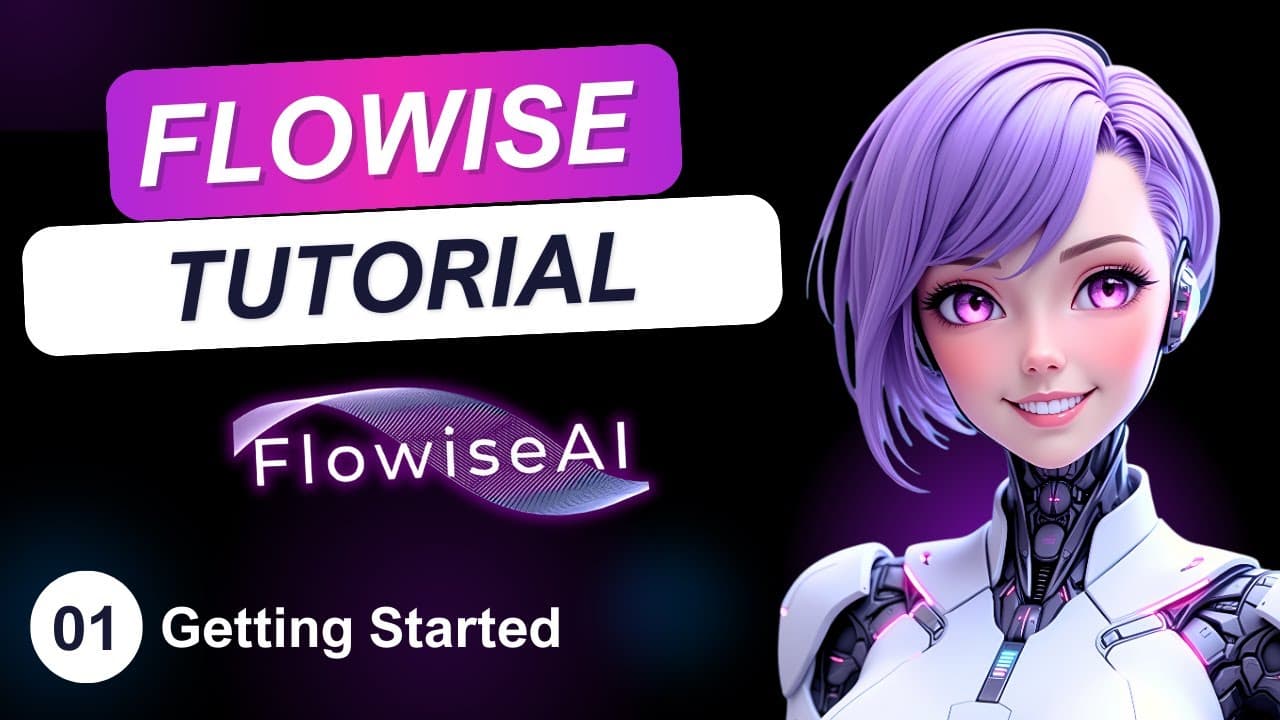
Flowise is a open source low-code tool for building AI apps without writing code. The tutorial covers three setup paths: local installation, cloud deployment, and Flowise Cloud service, plus eight example projects. You can swap LLM providers by exchanging nodes, and old solutions remain compatible across updates. Version noted is 2.2.3.
Transcript
AI development used to look something like this. But what if I told you it could look something like this instead? In this Flow-wise Masterclass, I'm going to show you how anyone, yes, anyone, can build powerful AI-driven solutions without writing a single line of code. Figuring out which AI platform to learn can be overwhelming, especially since t... Read More
Key Insights
- Flowise is an open source, low-code tool for LLM orchestration and AI agents.
- Flowwise enables building AI apps without coding by using node based workflows.
- Workflows are composed of interchangeable nodes, allowing easy LLM provider swaps.
- Local setup lets Flowise run without internet access and process large models on your machine.
- Cloud deployment makes Flowise accessible from anywhere via web browser.
- Flowise Cloud includes team collaboration features and managed updates without breaking existing solutions.
- The tutorial highlights Flowise version 2.2.3 and ongoing feature additions.
- Over 33 thousand stars on GitHub indicate strong community interest and adoption.
- More videos from this channel:
- More from this channel: Leon van Zyl
Install to Summarize YouTube Videos and Get Transcripts
Explore YouTube Video Summarizer or Get YouTube Transcript Extractor
Questions & Answers
Q: What is Flowise and what problem does it solve?
Flowise is an open source, low code platform designed to let developers build AI driven solutions using large language models and agents without writing extensive code. It solves the problem of steep learning curves by providing a node based workflow system, enabling users to assemble AI apps with drag and drop simplicity while keeping control over LLMs and integrations.
Q: How can you run Flowise on your own machine?
To run Flowise locally, you install Node.js, then run a single command npx flow-wise start. The first run prompts you to install Flowwise, after which the interface is accessible from a browser at localhost 3000. This setup runs without internet access and keeps your data processing on your own hardware.
Q: What are the three access options for Flowise described in the video?
The video outlines three access paths: local installation on your machine for offline operation, deployment to a cloud instance such as Render or Railway for online access, and using the paid Flowise Cloud service which provides hosted infrastructure, team collaboration, and additional features.
Q: What is the advantage of using nodes in Flowise workflows?
Nodes in Flowise workflows allow users to swap out components like LLM providers without changing the overall architecture. This modularity means you can experiment with different models or services, optimize performance, and scale capabilities by simply replacing a node rather than rewriting logic, keeping projects flexible and up to date.
Q: What does the Flowise Cloud service offer beyond the open source version?
Flowise Cloud offers features not present in the community or open source version, including the ability to create teams, invite collaborators, and manage deployments at scale. It also provides hosted infrastructure so users do not need to manage updates or scaling manually, which can ease enterprise level use.
Q: What is the significance of Flowise version 2.2.3 in the video?
Version 2.2.3 is highlighted to show that Flowise is actively developed and that new releases add features without breaking existing solutions. This stability is emphasized by the creator, noting that older chatbots built years ago still run in production, illustrating reliable backward compatibility and ongoing support.
Q: How many projects are planned to be created in the course, and what is the value of those projects?
The course plans to create eight different projects to teach the fundamentals of Flowise. These projects provide practical, hands on examples that demonstrate how to implement AI driven workflows with minimal or no coding, enabling learners to apply concepts to real world scenarios.
Q: What are some advantages of running Flowise in the cloud according to the video?
Running Flowise in the cloud offers global accessibility through web browsers, easy integration with external apps like WhatsApp or Telegram, and centralized management. It also enables collaboration through team based workflows and can simplify scaling, updates, and maintenance, especially for teams or enterprise environments.
Summary & Key Takeaways
-
Flowise is presented as an open source, low-code platform for building AI solutions using LLMs and agents without coding.
-
The course guides setup on local machines, cloud deployment, and Flowise Cloud, including a 14 day trial and collaboration features.
-
The tutorial emphasizes stability, non breaking updates, and ongoing feature additions as Flowise evolves through version 2.2.3.
Read in Other Languages (beta)
Share This Summary 📚
Summarize YouTube Videos and Get Video Transcripts with 1-Click
Try YouTube Summary with ChatGPT & Claude or YouTube Transcript Generator
Explore More Summaries from Leon van Zyl 📚



Summarize YouTube Videos and Get Video Transcripts with 1-Click
Try YouTube Summary with ChatGPT & Claude or YouTube Transcript Generator