How to Use Claude Code Subagents Effectively
TL;DR
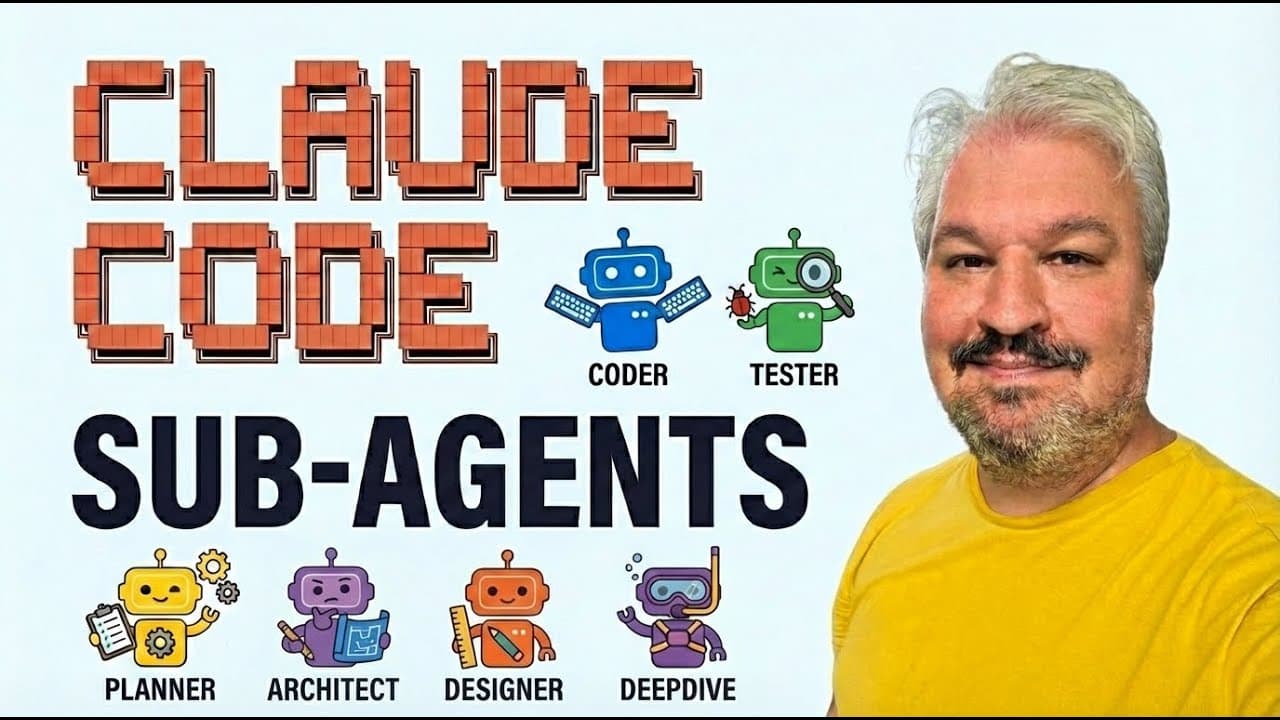
Use specialized subagents to offload research, planning, terminal work, interface design, and other focused tasks from Claude Code’s main conversation. Running agents in parallel or in the background keeps the main thread cleaner, protects its limited context window, and can improve results because each agent receives a narrower, more specific assignment.
Transcript
In this video, we're looking at sub agents and background agents. Understanding how sub agents work and knowing how to run specialized agents in the background is a critical skill to have, whether you're vibe coding or if you're using agentic coding as an experienced developer. So, after this video, you'll know exactly what sub agents are and how t... Read More
Key Insights
- Claude Code includes specialized built-in agents for Bash commands, general research, codebase exploration, planning, status-line setup, and guidance about Claude Code features. Selecting the agent whose role matches the task gives that work a clearer and more focused scope.
- Direct agent invocation works through the @ symbol followed by an available agent’s name. This lets the user ask a specialist a question or assign it a change without requiring the main agent to decide which subagent should handle the request.
- Background agents are activated with Ctrl+B after an agent begins working. Moving the task into the background frees the main conversation for continued interaction, while the agent view still allows users to inspect the specialist’s current activity and output.
- Parallel subagents can divide a broad investigation into independent assignments. In the demonstration, one Explore agent examined the technology stack and configuration while another focused on core features, allowing both parts of the codebase review to proceed at the same time.
- Narrow task scope can improve the quality of agent results. The example argues that separate agents focused on distinct application concerns can produce more useful summaries than a single main agent handling every search and analysis step sequentially, especially in complex projects.
- Custom agents are created through the /agents command and can be stored at project or personal level. Project agents serve the current codebase, while personal agents are created in the user folder and remain available across multiple projects.
- Custom agent configuration includes a written role, permitted tools, model selection, and display color. The demonstrated UI expert was assigned Opus, given all offered tools, and instructed to enforce a minimalist, responsive neo-brutalist interface with bright colors and hard shadows.
- Context preservation is a central reason to delegate work. The demonstrated Claude Code session reported 27,000 used tokens from a 200,000-token context window, approximately 13 percent, and the speaker warns that heavy main-thread usage eventually triggers conversation compaction and loss of earlier details.
Install to Summarize YouTube Videos and Get Transcripts
Explore YouTube Video Summarizer or Get YouTube Transcript Extractor
Questions & Answers
Q: How do you use subagents in Claude Code?
Use the @ symbol followed by an agent name when you want to invoke a specialist directly, or ask the main agent to launch the appropriate subagent for you. Assign each agent a focused responsibility, such as exploring files, examining configuration, planning a solution, or running terminal commands. Press Ctrl+B when you want the active specialist to continue in the background while you keep using the main conversation.
Q: What built-in subagents are available in Claude Code?
The demonstrated Claude Code setup includes Bash, general-purpose, Explore, Planning, status-line setup, and Claude Code guide agents. Bash handles command execution and Git operations. The general-purpose agent researches complex questions and performs multi-step work. Explore rapidly searches code patterns and files with Haiku, while Planning investigates requirements and code during planning. The remaining specialists configure the status line and answer questions about Claude Code features.
Q: Why should subagents be used instead of the main agent?
Subagents keep tool responses, intermediate investigation, and specialist output out of the main conversation’s working thread. This protects the limited context window and gives each delegated task a narrower scope. The transcript argues that focused agents can return better results on complex projects because they concentrate on specific concerns, while the main agent remains available to coordinate their findings and continue interacting with the user.
Q: How do background agents work in Claude Code?
A running subagent can be moved into the background by pressing Ctrl+B. The main conversation is then freed so the user can continue working instead of waiting for the specialist to finish. Users can press down, open the running-agent view, and select an agent to inspect its output. This supports asynchronous work while preserving visibility into what each background specialist is doing.
Q: How can parallel subagents speed up codebase analysis?
Parallel subagents split an investigation into independent areas and work on those areas at the same time. In the demonstration, two Explore agents were launched together: one inspected the technology stack and configuration, while the other examined the project’s core features. A single main agent would otherwise need to examine those concerns sequentially, which the speaker says can take longer and produce less differentiated results.
Q: How do you create a custom agent in Claude Code?
Run the /agents command, choose whether the agent belongs at project or personal level, and describe the specialist you want. Claude Code can write the agent’s system prompt from that description. You then select its available tools, model, and color before reviewing the configuration. If the new project agent is not immediately detected, the demonstration exits and restarts Claude Code so the agent becomes available.
Q: What is the difference between project and personal agents?
A project-level agent is created for the current project and appears in that project’s Claude configuration. A personal-level agent is created in the user folder and can be used across all of the user’s projects. The demonstration chooses a local project agent for its UI specialist, then edits the generated file to rename the specialist to UI expert before restarting Claude Code.
Q: Why does the Claude Code context window matter?
The context window limits how much conversation and task information the model can retain at once. The example session shows 27,000 tokens used from an available 200,000, or about 13 percent. As interactions and tool outputs accumulate, Claude Code eventually compacts the conversation, and earlier details can be dropped to make room. Delegating work helps protect the main thread from unnecessary context consumption.
Summary & Key Takeaways
-
Claude Code includes built-in Bash, general-purpose, Explore, Planning, status-line setup, and Claude Code guide agents. They specialize in terminal commands, complex research, rapid codebase inspection, solution planning, interface configuration, and questions about Claude Code. Agents can be invoked directly with the @ symbol or coordinated through the main agent.
-
Background execution allows a subagent to continue working while the user interacts with the main agent. Pressing Ctrl+B moves an active agent task into the background, while the agent view exposes its current output. Multiple Explore agents can investigate separate concerns, such as the technology stack and core features, at the same time.
-
Custom agents are created with the /agents command at either project or personal level. Their system prompt, tools, model, and color can be configured for a specialized role. The demonstrated UI expert used Opus and received explicit requirements covering neo-brutalist styling, bright colors, hard shadows, minimalism, and responsive behavior across device sizes.
Read in Other Languages (beta)
Share This Summary 📚
Summarize YouTube Videos and Get Video Transcripts with 1-Click
Try YouTube Summary with ChatGPT & Claude or YouTube Transcript Generator
Explore More Summaries from Leon van Zyl 📚




Summarize YouTube Videos and Get Video Transcripts with 1-Click
Try YouTube Summary with ChatGPT & Claude or YouTube Transcript Generator