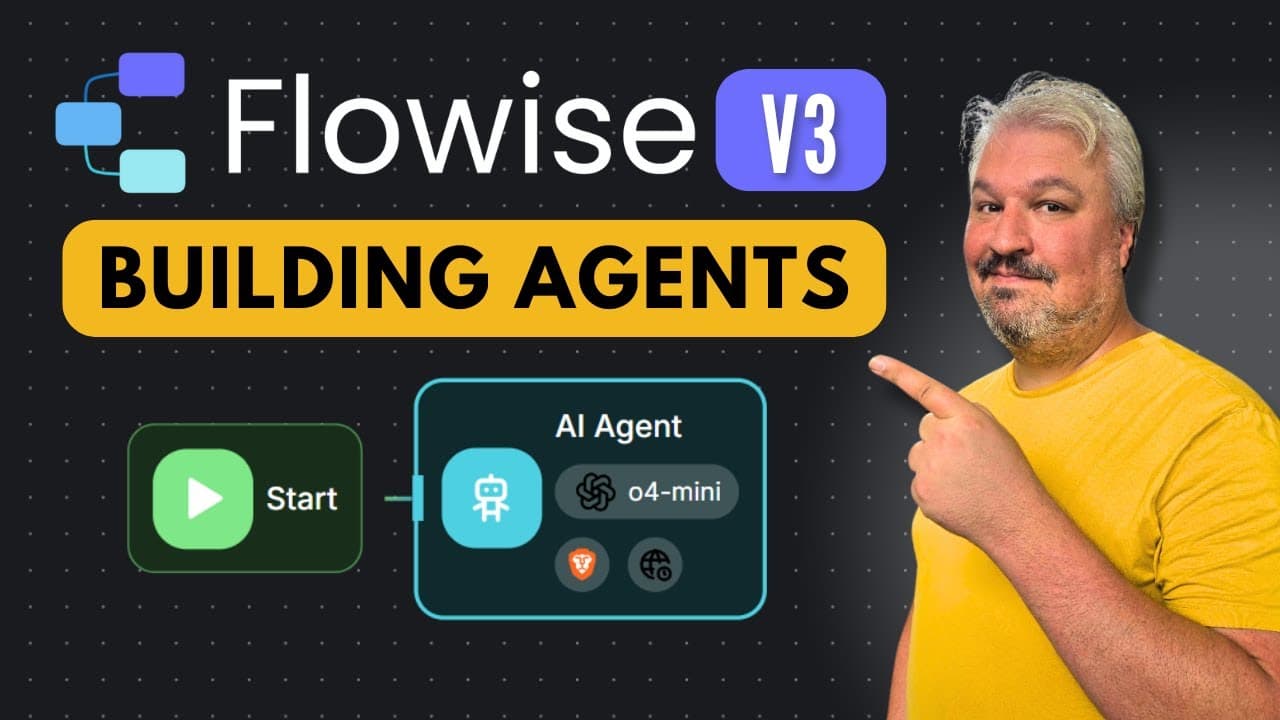
How to build AI agents with Flowise v3 and web search
TL;DR
Flowise v3 allows building no code AI agents that query a custom knowledge base, perform live web searches, and interact with external tools like Gmail. The tutorial covers creating agent flows, setting up document stores, embedding data with OpenAI, and wiring a Postgres vector database for upserted knowledge. It demonstrates live QA from documents and search results wired to actions.
Transcript
Flowwise makes it super easy to build AI agents. And with the release of version 3, it just got way simpler. In fact, what you're looking at here is everything you need to build an agent that's able to answer questions from a custom knowledge base, go online and perform a Google search, and perform actions on external systems like sending email. So... Read More
Key Insights
- Flowise v3 enables agents to access a custom knowledge base and answer questions from uploaded documents. The system supports integration with external tools and web search to fetch fresh information.
- The tutorial demonstrates how to create agent flows, configure system prompts, and add tools like web search and email integration to extend the agent’s capabilities.
- Knowledge bases are loaded using document stores, where documents are chunked, embedded, and upserted into a vector database with embedding three large models.
- Flowwise supports various loaders and document formats, including Word documents, API calls, and web scrapers, making data ingestion flexible and scalable.
- The encoder uses OpenAI embeddings to vectorize chunks, enabling efficient similarity search within the vector store.
- The vector database example uses Postgres, with a guided setup that includes a hosted database via Supabase for a quick start.
- A record manager is used to prevent duplicates and keep the knowledge base clean, ensuring up-to-date results and consistent data.
- The video highlights the importance of testing tools like SERP API and the current date tool to keep results accurate and timely.
- More videos from this channel:
- More from this channel: Leon van Zyl
Install to Summarize YouTube Videos and Get Transcripts
Explore YouTube Video Summarizer or Get YouTube Transcript Extractor
Questions & Answers
Q: What is Flowise v3 used for in this tutorial
Flowise v3 is used to build a no code AI agent that can answer questions from a custom knowledge base, perform web searches, and execute actions on external systems such as sending emails. The tutorial walks through creating an agent flow, configuring tools like web search, and loading a knowledge base with documents that are chunked, embedded, and stored in a vector database for fast retrieval.
Q: How does the agent access information from the knowledge base
The agent accesses information from the knowledge base by loading documents into a document store, chunking them into smaller pieces, and converting those chunks into vector embeddings. These embeddings are stored in a Postgres based vector database with an associated record manager to avoid duplicates and stale data, enabling accurate retrieval during question answering.
Q: What tools are demonstrated for extending the agent’s capabilities
The tutorial demonstrates adding tools such as web search, Gmail integration, and a datetime tool. These tools allow the agent to fetch current information from the web, send results via email, and time stamp responses, expanding the agent's practical usefulness beyond static document lookup.
Q: How is нового data handled to prevent duplicates
New data is handled with a record manager that sits on top of the vector store. When upserting chunks, the record manager checks existing records and skips duplicates, ensuring the knowledge base remains clean and up to date while allowing easy addition of new content without creating redundant entries.
Q: What is the role of embeddings in Flowise v3
Embeddings convert text chunks into high dimensional vectors using a model like OpenAI embeddings three large. These vectors enable efficient similarity search within the vector database, allowing the agent to retrieve the most relevant document chunks in response to user queries and provide accurate citations.
Q: Which database is used for the vector store in the example
The example uses a Postgres based vector database, with guidance to set up a free database via Supabase. This setup includes creating a project, obtaining host, database name, user, and password, and configuring Flowise to connect to the database for vector storage and retrieval.
Q: How are documents loaded into the knowledge base
Documents are loaded into the knowledge base via document loaders that can pull data from Word documents or other sources like APIs and web scrapers. After loading, the documents are split into chunks, embedded, and then upserted into the vector store, enabling fast retrieval during agent interactions.
Q: What are the key steps to test the Flowise v3 agent
Key steps include creating an agent flow, adding and configuring tools such as web search and Gmail, running queries to trigger tool calls, and inspecting the tool inputs and outputs to verify correct behavior. The process also involves checking the top of the flow to confirm available tools and examining the system prompt and user question for context.
Summary & Key Takeaways
-
Flowise v3 introduces agentFlows and a guided setup to create an AI assistant that can access a knowledge base, search the web, and perform actions like sending emails. The process includes creating an agent, adding tools such as web search, and configuring credentials for services. The tutorial emphasizes ease of integration and real time results from the setup.
-
Flowise v3 shows how to load documents into a knowledge base, chunk and embed data, and store it in a vector database. It also demonstrates avoiding duplicates and stale data with a record manager. The result is a searchable, updatable knowledge store used by the agent for accurate answers.
-
Flowise v3 provides practical steps for testing, debugging, and validating the agent’s behavior with web searches and document lookups. The video covers managing tools, credentials, and flow visualization to ensure correct tool calls and outputs for end users.
Read in Other Languages (beta)
Share This Summary 📚
Summarize YouTube Videos and Get Video Transcripts with 1-Click
Try YouTube Summary with ChatGPT & Claude or YouTube Transcript Generator
Explore More Summaries from Leon van Zyl 📚
Summarize YouTube Videos and Get Video Transcripts with 1-Click
Try YouTube Summary with ChatGPT & Claude or YouTube Transcript Generator