How to Install and Update n8n Locally for Free
TL;DR
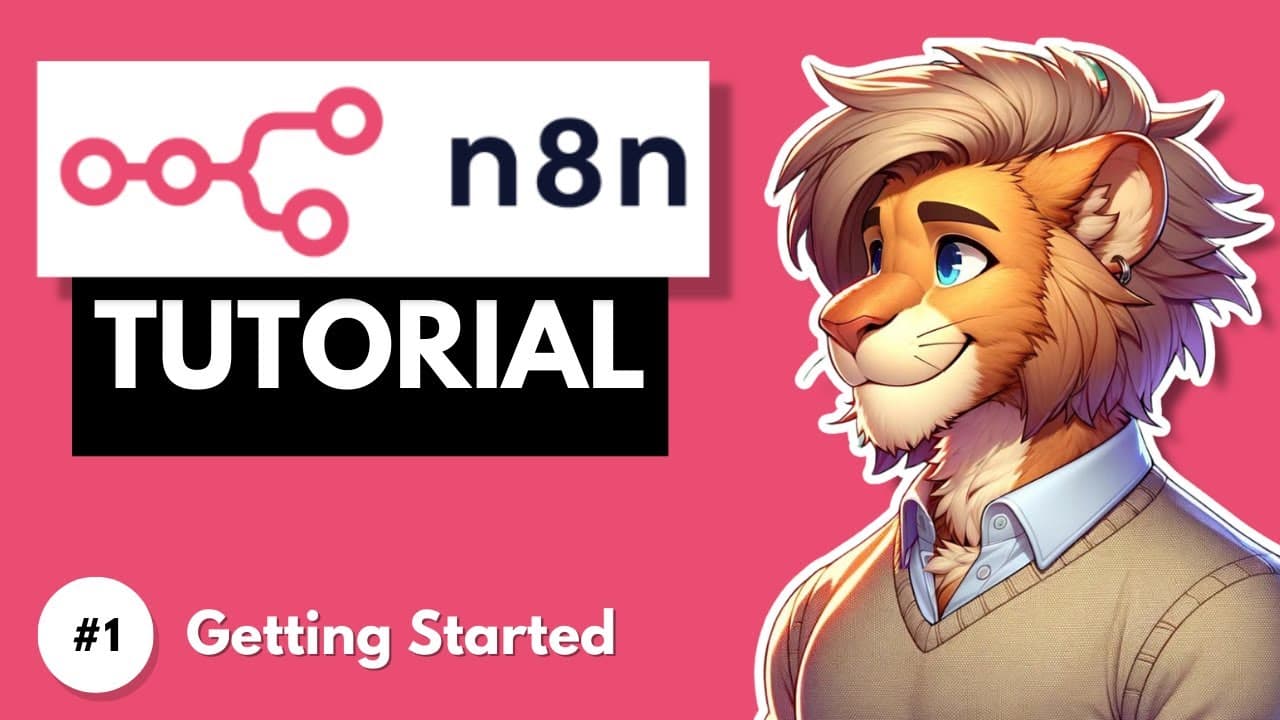
To run n8n locally for free, install Node.js from nodejs.org, then run 'npm install n8n -g' in a terminal or command prompt. Start it with 'n8n' or 'n8n start', open the URL it prints, and create an admin account. Update it later with 'npm update -g n8n' to get new features.
Transcript
In this complete tutorial series, you will learn how to use N8n to automate everyday tasks and improve your productivity. N8n is an open source platform that lets you design powerful workflow automations with a sleek, intuitive interface. Unlike Zapier, Power Automate and make.com, N8n's open source nature gives you full control. You can self-host ... Read More
Key Insights
- n8n is an open source workflow automation platform with a visual interface. Unlike Zapier, Power Automate and make.com, it can be self-hosted or run locally, which allows unlimited automations without the constraints of a paid plan.
- Running n8n locally on your own machine is free, while the n8n paid cloud service could cost about 20 euros per month. The cloud option suits users who do not want to handle installation and updates themselves.
- Node.js is required before installing n8n locally. It is downloaded from nodejs.org, and the installer is run by following its standard installation instructions before any n8n commands are entered.
- The installation process for n8n is the same on Windows, Linux and Mac. Windows users open the command prompt from the Start menu, while Linux and Mac users open the terminal and run the npm global install command.
- n8n is started by entering 'n8n' or 'n8n start' in the terminal. After a short setup, it prints a local URL that is pasted into a browser, where the user creates an admin account with email, name and password.
- Keeping a local n8n instance current is done with an npm global update command. The n8n community constantly adds new features and improvements, so updating regularly gives access to the latest capabilities.
- The n8n templates marketplace offers pre-created workflows, including an AI category with examples such as an AI Slackbot using Google Gemini. Any template can be imported into the local instance with the Import Template to Local Host button.
- A self-hosted n8n instance allows unlimited workflows, but some features need paid plans. Global variables are only available on the Enterprise plan, and inviting additional users requires upgrading the n8n package.
Install to Summarize YouTube Videos and Get Transcripts
Explore YouTube Video Summarizer or Get YouTube Transcript Extractor
Questions & Answers
Q: How do I install n8n locally on my computer?
First install Node.js by downloading it from nodejs.org and following the installer instructions. Then open the command prompt on Windows, or the terminal on Linux or Mac, and run 'npm install n8n -g'. The installation takes a few minutes. The process is the same on all three operating systems, and once installed you do not need to repeat it.
Q: How do I start n8n after installing it?
Open your terminal or command prompt and enter either 'n8n' or 'n8n start', since both commands work. n8n performs some setup and then displays a local URL. Copy that URL and paste it into your browser. On first launch you create an admin account by entering your email address, first name, last name and a password, then complete a short form and click Get Started.
Q: How do I update n8n when it is installed locally?
Run the npm global update command for n8n, 'npm update -g n8n', in your terminal or command prompt. After the update finishes, start n8n again and open it in the browser. The n8n community constantly adds new features and improvements to the platform, so keeping your local instance up to date ensures you have access to the latest capabilities.
Q: Is n8n free to use?
Yes, n8n can be run locally on your own machine or self-hosted for free, and in that setup you can create unlimited workflows. n8n also offers a paid cloud service for people who do not want to handle installation and updates, and based on the pricing shown, the cloud service could easily cost about 20 euros per month.
Q: What is the difference between n8n and Zapier or make.com?
The main difference is that n8n is open source, which gives you full control. You can self-host it or run it locally and create unlimited automations without constraints, while Zapier, Power Automate and make.com do not offer that open source model. n8n also includes AI features and integrates with hundreds of service providers and external platforms.
Q: Do I need coding skills to use n8n?
No deep coding knowledge is required to use n8n. Although it is generally seen as a developer-heavy workflow automation platform, it offers an intuitive visual interface for designing automations. Users can build workflows ranging from simple triggers to complex AI-driven processes, and pre-created templates can be imported to speed up getting started.
Q: How do I use templates in n8n?
Click Templates on the left side of the n8n dashboard to open a marketplace of pre-created workflows. You can browse categories such as AI, which includes examples like an AI Slackbot built with Google Gemini. Clicking a template shows its details and the nodes it uses, and the Import Template to Local Host button copies it into your local n8n instance.
Q: Which n8n features require a paid or Enterprise plan?
Variables, which let you create values shared globally between different workflows, are only available on the Enterprise plan through the n8n cloud service. Inviting additional users to your instance also requires upgrading your n8n package, and many other settings menu items are Enterprise specific. Self-hosted instances still allow unlimited workflows and API key generation through the n8n API menu.
Summary & Key Takeaways
-
n8n is an open source automation platform that integrates with hundreds of services, including email providers, social media apps and databases. When no integration exists, the HTTP request module lets users build their own. An example workflow reads new Gmail messages, uses an AI model to extract lead information, and stores it in Airtable or Google Sheets.
-
To install n8n locally, first download and install Node.js from nodejs.org. Then open the command prompt on Windows or the terminal on Linux and Mac and run the npm global install command for n8n. Start it with 'n8n' or 'n8n start', open the printed URL, and set up an admin account.
-
The n8n dashboard shows workflows, credentials for third-party systems, templates, execution history and a Help section with documentation and courses. Settings include a dark mode theme, user invitations on paid plans, and an n8n API menu for generating API keys so external systems can interact with the platform.
Read in Other Languages (beta)
Share This Summary 📚
Summarize YouTube Videos and Get Video Transcripts with 1-Click
Try YouTube Summary with ChatGPT & Claude or YouTube Transcript Generator
Explore More Summaries from Leon van Zyl 📚


Summarize YouTube Videos and Get Video Transcripts with 1-Click
Try YouTube Summary with ChatGPT & Claude or YouTube Transcript Generator