How to Set Up a Next.js AI SaaS Starter with Claude Code
TL;DR
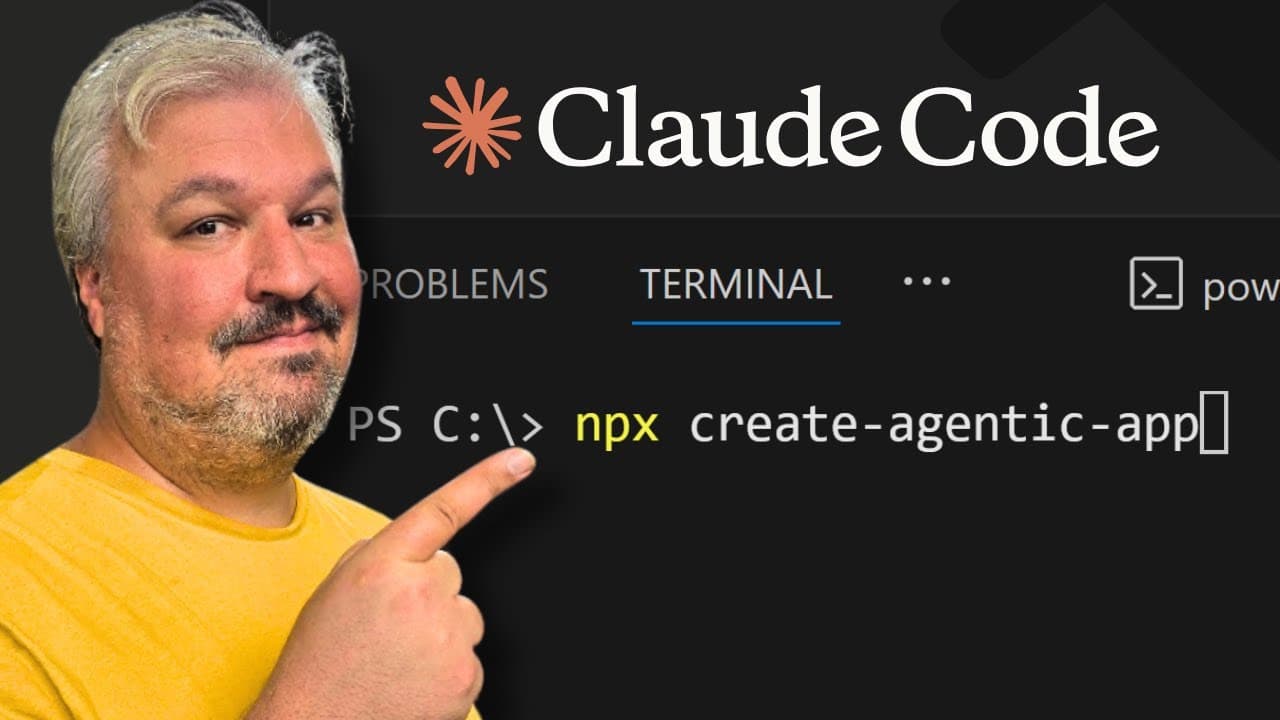
A free boilerplate project installed with one npx command gives you a ready-made Next.js AI SaaS stack: ShadCN components, BetterAuth authentication, a Postgres database run through Docker, and the Vercel AI SDK with Open Router. After installing, you start Postgres with docker compose up -d, migrate the auth tables, and add Google OAuth credentials to the .env file.
Transcript
Hey there and welcome back. So in the previous video I gave you this demo of this AI powered interior decorating app. It includes everything from user authentication to payment processing, web analytics and this also includes integration with other AI services. But how do we get started with this? Of course you might want to use something like Luva... Read More
Key Insights
- Next.js is the core framework of the stack because it handles both the front end and the back end, and many popular app builders use Next.js under the hood for real-world SaaS applications.
- The tech stack combines Next.js, ShadCN for UI components, BetterAuth for open source authentication, Postgres for the database, and the Vercel AI SDK paired with Open Router for access to hundreds of AI models.
- Postgres is preferred over other databases because it is easy to work with and handles applications that may need vector embeddings or full text search, so one database covers most needs.
- The free boilerplate installs with an npx command in the current directory, lets you choose a package manager such as pnpm, installs all dependencies, and creates an initial git commit automatically.
- The starter kit includes Claude Code sub-agents (a BetterAuth expert, a Polar expert, and a UI developer) plus commands for creating checkpoint commits and planning new features, along with a docs folder of technical notes.
- A Docker Compose file in the boilerplate starts a local Postgres database with docker compose up -d, using default development credentials on localhost 5432, so the .env file needs no changes if the defaults are kept.
- Database schema changes made by the coding agent must be applied by running db generate followed by db migrate; otherwise the application fails because it tries to use tables that do not exist yet.
- Google sign-in through BetterAuth requires creating a Google Cloud project, configuring the OAuth consent screen, publishing the app, creating a web app client, and adding the Google client ID and secret to the .env file.
Install to Summarize YouTube Videos and Get Transcripts
Explore YouTube Video Summarizer or Get YouTube Transcript Extractor
Questions & Answers
Q: How to set up a Next.js AI SaaS project with Claude Code quickly?
The fastest route is a free boilerplate project instead of installing Next.js, ShadCN, BetterAuth, and Postgres one by one. Open a new folder in a code editor such as VS Code or Cursor, run the starter kit's npx install command in the terminal, and choose a package manager like pnpm. The installer copies all project files, installs dependencies, and creates an initial git commit, so Claude Code or another coding agent can start building features right away.
Q: What tech stack is used to build an AI SaaS app with Claude Code?
The stack is Next.js as the main framework, because it covers both front end and back end. ShadCN provides the design system and UI components. BetterAuth, an open source library, handles user authentication. Postgres is the database. For AI features, the Vercel AI SDK is combined with Open Router to reach hundreds of models, although the AI SDK can also connect directly to model providers. Payment processing and web analytics are added later in the series.
Q: Why use Postgres as the database for an AI SaaS application?
Postgres is chosen because, after trying many types of databases, it stands out as easy to work with and capable of doing everything a typical app needs. It is especially useful for applications that may need vector embeddings or full text search, which are common in AI products. In the starter project, Postgres runs locally inside a Docker container started from a ready-made Docker Compose file, so no manual database installation is required.
Q: How do you run a local Postgres database for the Claude Code starter kit?
Download and install Docker Desktop from docker.com. Then, in the project folder, open a terminal and run docker compose up -d. The first run downloads the Postgres image and starts the container, which then appears in Docker Desktop. The boilerplate ships with a default development user, password, and database name, accessible on localhost 5432. Because these defaults match the .env file, nothing needs changing unless you edit the Docker Compose settings.
Q: What is included in the free agentic coding starter kit for Claude Code?
Besides the Next.js project with ShadCN components, BetterAuth, and a Postgres setup, the kit includes a Claude folder with three sub-agents: a BetterAuth expert, a Polar expert, and a UI developer. It also provides commands, such as a checkpoint command for creating commits easily and a create feature command for planning and building new features, similar to speckit. A docs folder stores technical information about the AI framework and BetterAuth for the agent to reference.
Q: Why do you need to run db generate and db migrate after schema changes?
When Claude Code or a developer adds or removes a table in the schema file, the change exists only in code until it is applied to the database. Running db generate creates a migration, and db migrate applies it. Skipping these steps makes the application fail, because it tries to read or write tables that do not exist yet. The video demonstrates this by adding a todo table, migrating it, then deleting it and migrating again.
Q: How can you view the tables in your Postgres database during development?
Run npm run db studio in the project terminal. This prints a Drizzle Studio URL where you can browse every table in the database and its contents. Before migrations the database is empty. After migrating the authentication schema, four tables appear: user, session, account, and verification, which BetterAuth uses to run the login system. The same table definitions can be read in code in the schema file under the source lib folder.
Q: How do you set up Google sign-in with BetterAuth?
BetterAuth supports email and password plus social providers such as Apple, Discord, Facebook, Google, and GitHub. For Google, open the Google Cloud console and create a new project. Under APIs and services, configure the OAuth consent screen with an app name and your email, select external as the audience, agree to the terms, and publish the app. Then create a web app client, set the authorized redirect URIs, and copy the Google client ID and client secret into the .env file.
Summary & Key Takeaways
-
The video starts a full-stack AI SaaS series by building locally with Claude Code instead of Lovable or Bolt. The stack uses Next.js, ShadCN, BetterAuth, Postgres, and the Vercel AI SDK with Open Router. The example app, Plushify, turns photos of people or pets into plushies using a credit system.
-
A free boilerplate project replaces installing each framework separately. One npx command copies the files, installs dependencies with the chosen package manager, and creates a git repository. It also includes Claude Code sub-agents, commands for checkpoints and feature planning, and a docs folder covering the AI framework and BetterAuth.
-
Setup continues by running the dev server on localhost 3000, starting Postgres via Docker Desktop with docker compose up -d, and migrating BetterAuth's user, session, account, and verification tables. A demo todo table shows that every schema change needs db generate and db migrate. Google OAuth configuration in Google Cloud then begins.
Read in Other Languages (beta)
Share This Summary 📚
Summarize YouTube Videos and Get Video Transcripts with 1-Click
Try YouTube Summary with ChatGPT & Claude or YouTube Transcript Generator
Explore More Summaries from Leon van Zyl 📚

Summarize YouTube Videos and Get Video Transcripts with 1-Click
Try YouTube Summary with ChatGPT & Claude or YouTube Transcript Generator