How to Integrate DeepSeek R1 with n8n for Free
TL;DR
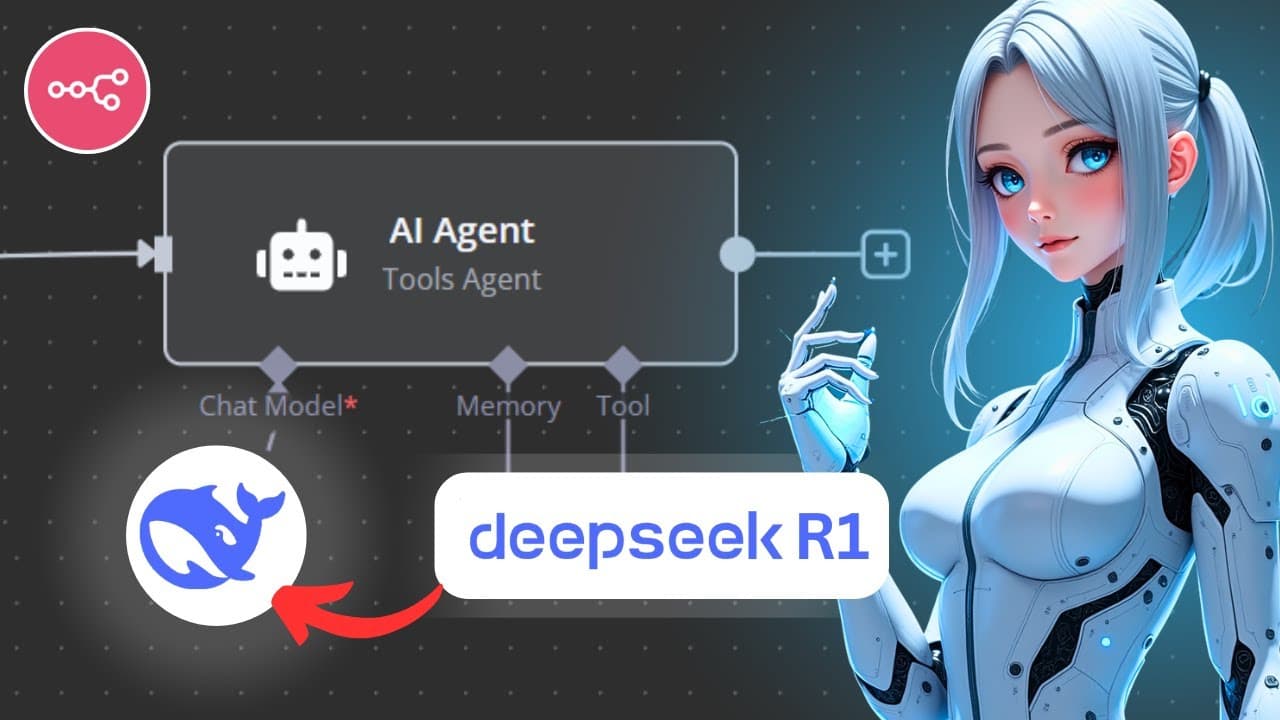
You can integrate DeepSeek R1 with n8n for free by setting it up locally using Olama, or via a cloud API. This model is significantly more affordable than OpenAI's offerings, costing just $0.55 per million input tokens, and offers excellent reasoning capabilities that you can test within your n8n projects.
Transcript
<b>In this video, I'll show you the correct</b> <b>way to add DeepSeek</b> <b>R1 to your N8N agents.</b> <b>The fact that you clicked on this video</b> <b>means that you most likely already know</b> &am... Read More
Key Insights
- DeepSeek R1 is a new reasoning model from DeepSeek Labs, offering a cost-effective alternative to OpenAI's O1 model, costing significantly less per million tokens.
- The model is open source, allowing users to run it locally for free, suitable for various hardware, including mobile devices.
- The video provides a step-by-step guide on setting up DeepSeek R1 locally using Olama, including downloading and installing the necessary software.
- For cloud integration, the video explains using the OpenAI SDK as a wrapper to interact with DeepSeek models, requiring an API key and base URL setup.
- A simple AI agent setup in n8n is demonstrated, showcasing how to test the model's reasoning capabilities with example queries.
- The video discusses the differences in response visibility between local and cloud setups, offering solutions for viewing reasoning steps.
- An additional method using an HTTP request node is covered, providing flexibility in how users can interact with the model.
- The video emphasizes the affordability and flexibility of DeepSeek R1, making it a viable option for projects of varying sizes.
Install to Summarize YouTube Videos and Get Transcripts
Explore YouTube Video Summarizer or Get YouTube Transcript Extractor
Questions & Answers
Q: What is DeepSeek R1, and how does it compare to OpenAI's models?
DeepSeek R1 is a reasoning model from DeepSeek Labs, comparable in performance to OpenAI's O1 model. It stands out due to its cost-effectiveness, being significantly cheaper per million tokens for both input and output compared to OpenAI. Additionally, it is open source, allowing users to run it locally for free.
Q: How can DeepSeek R1 be set up locally?
To set up DeepSeek R1 locally, users need to download and install Olama for their operating system. After installation, they can select and download the appropriate DeepSeek R1 model based on their hardware capabilities. The video provides a detailed walkthrough of these steps, ensuring users can run the model on their machines.
Q: What are the steps for integrating DeepSeek R1 with n8n via cloud API?
Integrating DeepSeek R1 with n8n via cloud API involves using the OpenAI SDK as a wrapper to interact with the model. Users must create new credentials in n8n, provide an API key, and set the base URL to DeepSeek's endpoint. The video guides viewers through these steps, ensuring a seamless setup.
Q: How does the video address testing the model's reasoning capabilities?
The video demonstrates testing the model's reasoning capabilities by setting up a simple AI agent in n8n. It includes example queries to showcase the model's ability to process and reason through information, highlighting its effectiveness in handling logical puzzles and queries.
Q: What differences are noted between local and cloud setups for DeepSeek R1?
The video notes that local setups allow users to see the model's reasoning steps, while cloud setups using the OpenAI node may not display these steps. For those who prefer viewing the reasoning process, the video suggests using the HTTP request node as an alternative solution.
Q: What additional method is covered for interacting with DeepSeek R1?
An additional method covered is using the HTTP request node, which offers flexibility in interacting with the model. This method allows users to manually enter model names and set up authentication, providing a way to view reasoning steps and customize interactions with the model.
Q: How is DeepSeek R1 positioned in terms of affordability and project suitability?
DeepSeek R1 is positioned as an affordable alternative to other models, with significant cost savings per million tokens. Its open-source nature and flexibility in local and cloud setups make it suitable for projects of various sizes and hardware capabilities, appealing to a wide range of users.
Q: What are the key takeaways regarding the video's content and purpose?
The key takeaways are that the video provides a comprehensive guide to integrating DeepSeek R1 with n8n, highlighting its cost-effectiveness and flexibility. It offers detailed instructions for both local and cloud setups, ensuring users can leverage the model's reasoning capabilities in their projects efficiently.
Summary & Key Takeaways
-
This video demonstrates how to integrate DeepSeek R1, a cost-effective reasoning model, with n8n using both local and cloud setups. It provides detailed instructions for setting up the model locally via Olama and accessing it through a cloud API.
-
The guide includes steps for downloading and installing necessary software, setting up API credentials, and testing the model's reasoning capabilities. It also explores different interaction methods, including using the OpenAI SDK and HTTP request nodes.
-
DeepSeek R1 is highlighted as an affordable alternative to OpenAI's models, with significant cost savings per million tokens. The video showcases its flexibility and suitability for various hardware, making it accessible for diverse project needs.
Read in Other Languages (beta)
Share This Summary 📚
Summarize YouTube Videos and Get Video Transcripts with 1-Click
Try YouTube Summary with ChatGPT & Claude or YouTube Transcript Generator
Explore More Summaries from Leon van Zyl 📚




Summarize YouTube Videos and Get Video Transcripts with 1-Click
Try YouTube Summary with ChatGPT & Claude or YouTube Transcript Generator