How to build a no code voice email AI with ElevenLabs
TL;DR
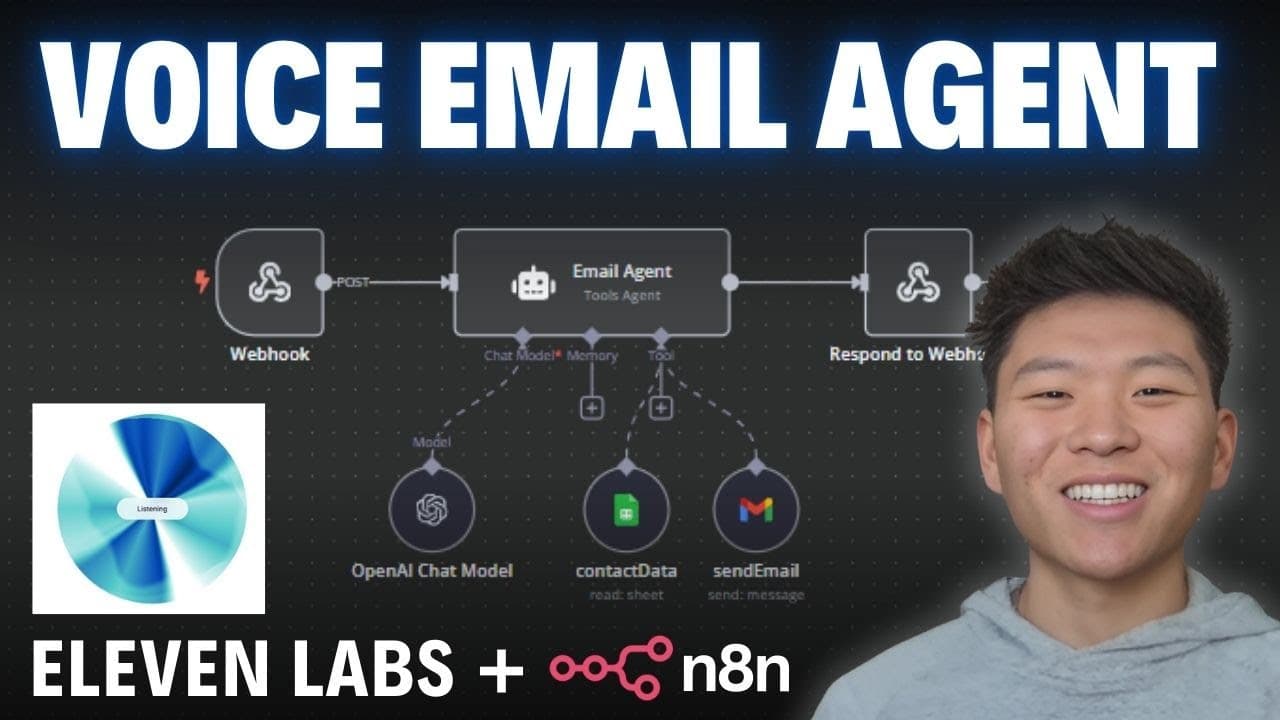
The video demonstrates creating a no code voice email AI workflow using ElevenLabs for voice and n8n for orchestration. It explains setting up tools like contact data and send email, configuring a system and user prompt, and using a POST webhook to handle inputs and outputs. The result is an automateable email agent that sends messages via Gmail without coding.
Transcript
hey there I'm Archer what can I do for you hey Archer can you help me send an email of course I'd be delighted to help who's the email for and what's it about just give me the details and I'll get it sent out awesome yeah I just wanted to send one to Phil I wanted to ask about an update for the project that we discussed last week got it so you want... Read More
Key Insights
- AI agents operate by taking an input, processing it with a system prompt and tools, then producing an output.
- The two core tools in this setup are contact data for finding addresses and send email for composing and sending emails.
- The system message defines the agent role, available tools, and behavior, while the user message provides per execution instructions.
- The POST webhook allows ElevenLabs to send input data to the agent and receive a generated response.
- n8n is used to orchestrate the workflow, connecting the AI prompts to practical actions like sending emails.
- A Google Sheet is used as a simple contact data source, showing how external data can drive automation.
- The email content is dynamically generated from the user instruction, enabling personalized messages without coding.
- The workflow can be downloaded and imported to replicate the setup, which is useful for learners and practitioners alike.
- More videos from this channel:
- More from this channel: Nate Herk | AI Automation
Install to Summarize YouTube Videos and Get Transcripts
Explore YouTube Video Summarizer or Get YouTube Transcript Extractor
Questions & Answers
Q: What is the main goal of the video tutorial
The main goal is to show how to build a no code voice email AI agent using ElevenLabs and n8n that can draft and send emails automatically. It covers setting up tools, prompts, and a webhook so users can implement their own voice driven email automation without writing code.
Q: Which tools are used to manage contacts and send emails
The video uses a Google Sheets based contact data tool to retrieve recipient information and a Gmail tool to compose and send emails. These tools are connected to the AI agent so it can automatically determine who to email and how to structure the message.
Q: What is the role of the system prompt in the agent
The system prompt defines the agent’s job, mentions the available tools, and describes how the agent should behave. It stays constant across runs, providing a stable reference for how the agent should handle tasks and interact with other components in the workflow.
Q: How does the webhook fit into the workflow
The webhook acts as the communication bridge between ElevenLabs and the n8n agent. ElevenLabs sends post parameters like recipient and message body, and the agent processes them, then responds which lets ElevenLabs capture the result and confirm delivery or take further actions.
Q: What is the purpose of using a post webhook in this setup
The POST webhook allows the input data to be transmitted to the agent in a structured way and enables the output to be returned to ElevenLabs. This enables real time or near real time email drafting and sending as part of an automated voice driven workflow.
Q: How can a viewer reproduce the workflow
Viewers can reproduce by downloading the prompts playbook from the community resources described, then importing it into their own n8n environment. They would connect a Google Sheets data source, configure the Gmail tool, and ensure the webhook endpoints are correctly set for test and production.
Q: What is the benefit of using ElevenLabs for voice in this build
Using ElevenLabs provides realistic voice generation to drive the interaction with the email agent, making the workflow more natural for users who prefer conversational input. It allows voice controlled automation without needing to write frontend code, improving accessibility and speed.
Q: What future steps does the video suggest for learners
The video encourages joining the learning community to ask questions, access more workflows, and practice with additional prompts. It also points to deeper dives into n8n and AI automations, live sessions, and opportunities to extend the setup with more tools and integrations.
Summary & Key Takeaways
-
The video walks through building an AI email agent with two tools, contact data and send email, in a no code environment. It explains how the agent uses a system prompt to define behavior and a user prompt for each run. A webhook handles input and output to integrate ElevenLabs with n8n.
-
The tutorial covers connecting Google Sheets for contacts and a Gmail tool for sending emails. It shows how to configure the agent to extract recipient data, draft a professional email, and sign off as the user. It also explains different workflow nodes and production deployment.
-
The final segment emphasizes downloading a ready Made workflow from the community and encourages exploring prompts to extend the setup. It highlights the sharing of resources and the learning community around n8n and AI automation.
Read in Other Languages (beta)
Share This Summary 📚
Summarize YouTube Videos and Get Video Transcripts with 1-Click
Try YouTube Summary with ChatGPT & Claude or YouTube Transcript Generator
Explore More Summaries from Nate Herk | AI Automation 📚






Summarize YouTube Videos and Get Video Transcripts with 1-Click
Try YouTube Summary with ChatGPT & Claude or YouTube Transcript Generator