How to Create an AI Animated Short Film
TL;DR
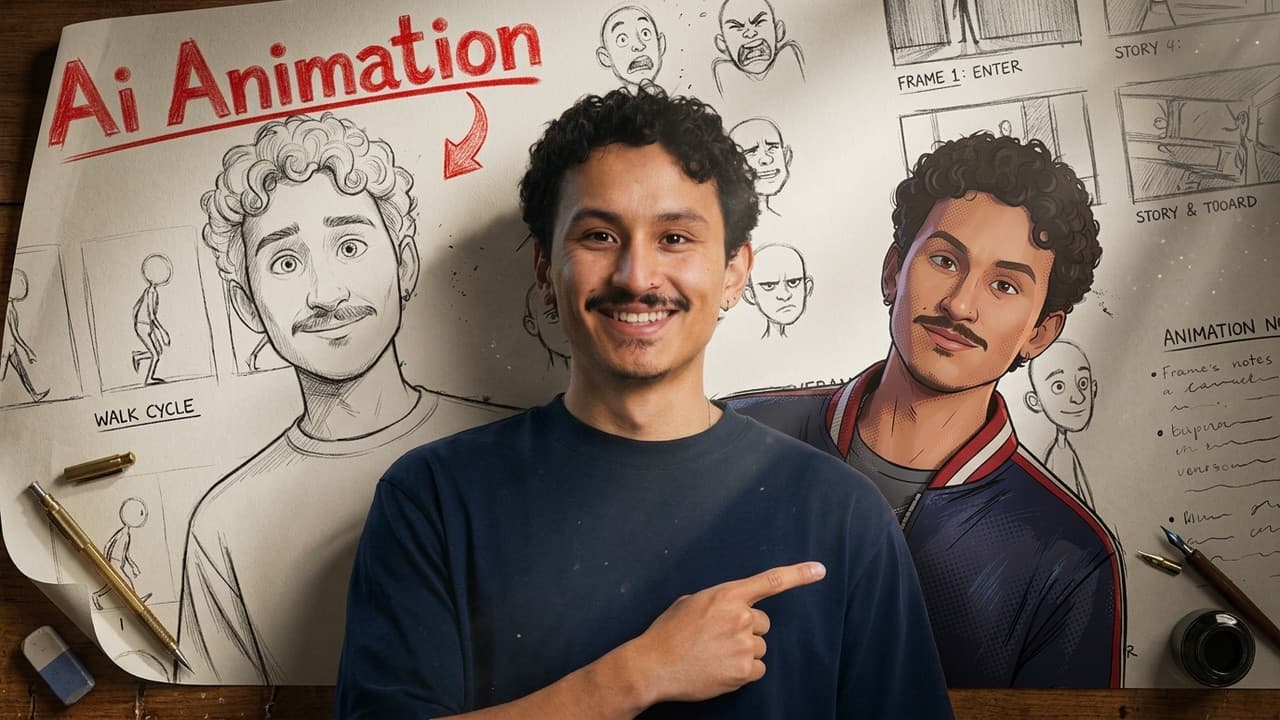
Build each scene from a strong key frame, a detailed shot-by-shot prompt, and the preceding generated video so the story carries smoothly across changing animation styles. Create reusable character and prop references, edit mismatched details instead of restarting, and keep scenes under 15 seconds to simplify generation and final editing.
Transcript
Animation used to be studio exclusive, requiring huge budgets and years of training. Now it takes a couple hours and the right prompts. Hi, I'm Adil. So Cance 2.0 just went fully global in Kicksfield. And I mean everyone anywhere with no weight list, no business account, just open. And to top it off, we're offering unlimited access for 7 days. More... Read More
Key Insights
- Character consistency starts with a strong reference image that establishes the hero's recognizable appearance. Soul Cinema supplies varied visual styles, while Nano Banana Pro edits mismatched features such as hair, clothing, or facial appearance without requiring the creator to discard the entire image and generate again.
- The watch prop sheet is a continuity tool because the same object appears throughout all eight scenes. Its material breakdown, internal components, and multiple viewing angles give the generation model enough visual information to represent the watch consistently as camera position and animation style change.
- Prompt enhancement is useful for visual discovery because a simple description can produce creative styles the creator might not have requested directly. The workflow uses broad generation for exploration, then selects the strongest image and corrects specific character details through targeted image editing.
- A detailed shot-by-shot prompt improves control over complex scenes containing multiple actions, angles, camera movements, dialogue, and transitions. Claude turns a rough narrative description into a Seedance 2.0 prompt, giving each short sequence a defined beginning, escalation, and teleport ending.
- The previous generated video is the main bridge between scenes because it shows what happened immediately before the next sequence. Feeding it into Seedance 2.0 alongside the new key frame helps preserve the character, portal effect, story logic, and transition across different visual universes.
- Keeping every scene under 15 seconds simplifies both generation and editing. Within that duration, Seedance 2.0 produces complete sequences with multiple angles and camera movements, allowing each visual style to be handled as one generation rather than assembled from numerous separate shots.
- Style-specific references can communicate more than surface appearance. In the manga sequence, the output includes ink treatment, speech bubbles with question marks, and kanji sound effects, showing that the generated scene can reproduce recognizable storytelling conventions associated with the selected visual format.
- The final scene demonstrates that a reference prop and earlier prompt can support a new setting without a fresh Soul Cinema key frame. Seedance 2.0 invents Anna's appearance while maintaining the restaurant lighting, shared disheveled condition, performances, and overall aesthetic needed to complete the story.
Install to Summarize YouTube Videos and Get Transcripts
Explore YouTube Video Summarizer or Get YouTube Transcript Extractor
Questions & Answers
Q: How do you create an AI animated short film?
Start by generating a strong character key frame and creating reference material for any recurring prop, such as the watch used across all eight scenes. Describe each scene as a sequence of actions, let Claude turn that description into a shot-by-shot Seedance 2.0 prompt, and provide the new key frame plus the previous generated video. Keep each scene under 15 seconds, then connect the resulting sequences in editing.
Q: How do you keep an AI character consistent across scenes?
Use the original character image as a recurring visual reference, then correct inconsistent features instead of repeatedly starting over. In the workflow, Soul Cinema establishes the style, while Nano Banana Pro changes details such as hair color, clothing, or an incorrect character appearance. For style-specific transformations, create a dedicated character sheet, as demonstrated when the bedroom character was converted into a black-and-white manga design.
Q: Why should you feed the previous video into each new generation?
The previous video provides direct context for the next scene's starting point, including the hero's condition, the teleport transition, the established visual logic, and the preceding action. Combined with a new key frame and a prompt based on the earlier sequence, it helps Seedance 2.0 carry the story forward while the setting and animation style change dramatically.
Q: How do you write prompts for Seedance 2.0 scenes?
Begin with a plain-language description of the complete scene, including where the character arrives, what conflict occurs, how the character reacts, and how the scene ends. Give Claude the relevant key frame and an earlier animation prompt, then ask it to structure the idea shot by shot. Spending an extra two minutes developing the prompt can produce a more controlled result than relying only on a basic instruction.
Q: How do you keep a recurring prop consistent in AI animation?
Create a dedicated prop sheet before generating the full sequence. The watch sheet in the workflow contains its materials, internal construction, and several viewing angles. Those views matter because the watch appears in every scene and may be shown from different directions. Reusing the sheet gives the animation model a stable reference instead of forcing it to reinterpret the object from text alone.
Q: When should you edit an AI image instead of regenerating it?
Edit the existing image when its composition and style already work but one or two character details are wrong. The workflow uses Nano Banana Pro to give the low-poly hero black hair and a suit, and to replace an incorrect wedding-crash character with one matching the first scene. This preserves the successful visual foundation while avoiding unnecessary batches of entirely new generations.
Q: How can one AI short film use multiple animation styles?
Generate a separate key frame for each visual world using concise style-defining phrases, then connect the scenes through consistent references and repeated story elements. The film moves through paper cutout, French graphic novel, chibi low-poly, stop-motion, manga, claymation, and a 2D character inside a live-action wedding. The hero, watch, teleport effect, and preceding video maintain continuity across those changes.
Q: Why keep AI-generated animation scenes under 15 seconds?
Short scenes make the final editing process easier while still allowing Seedance 2.0 to produce a complete narrative unit. The demonstrated sequences contain several actions, angles, and camera movements within 15 seconds, often ending with the hero activating the watch and teleporting away. Treating each style as one compact generation reduces the need to assemble many independent shots.
Summary & Key Takeaways
-
The workflow begins by generating a stylized hero in Soul Cinema, exploring several batches, and selecting a paper-cutout bedroom image. When character details look wrong, Nano Banana Pro edits the existing image. A separate watch prop sheet supplies material details and multiple angles because the watch connects all eight scenes.
-
Claude converts rough story descriptions, key frames, reference sheets, and earlier prompts into detailed Seedance 2.0 instructions. Each scene stays under 15 seconds and includes its required actions, camera changes, visual style, and transition. This structure lets one generation cover a complete scene while keeping the final edit comparatively manageable.
-
Story continuity comes from providing each new generation with a style key frame and the previous video. The process moves through graphic-novel, low-poly, stop-motion, manga, claymation, mixed-media wedding, and restaurant settings while preserving the hero, watch, teleport effect, narrative progression, and responsive behavior of surrounding characters.
Read in Other Languages (beta)
Share This Summary 📚
Summarize YouTube Videos and Get Video Transcripts with 1-Click
Try YouTube Summary with ChatGPT & Claude or YouTube Transcript Generator
Explore More Summaries from Higgsfield AI 📚

Summarize YouTube Videos and Get Video Transcripts with 1-Click
Try YouTube Summary with ChatGPT & Claude or YouTube Transcript Generator