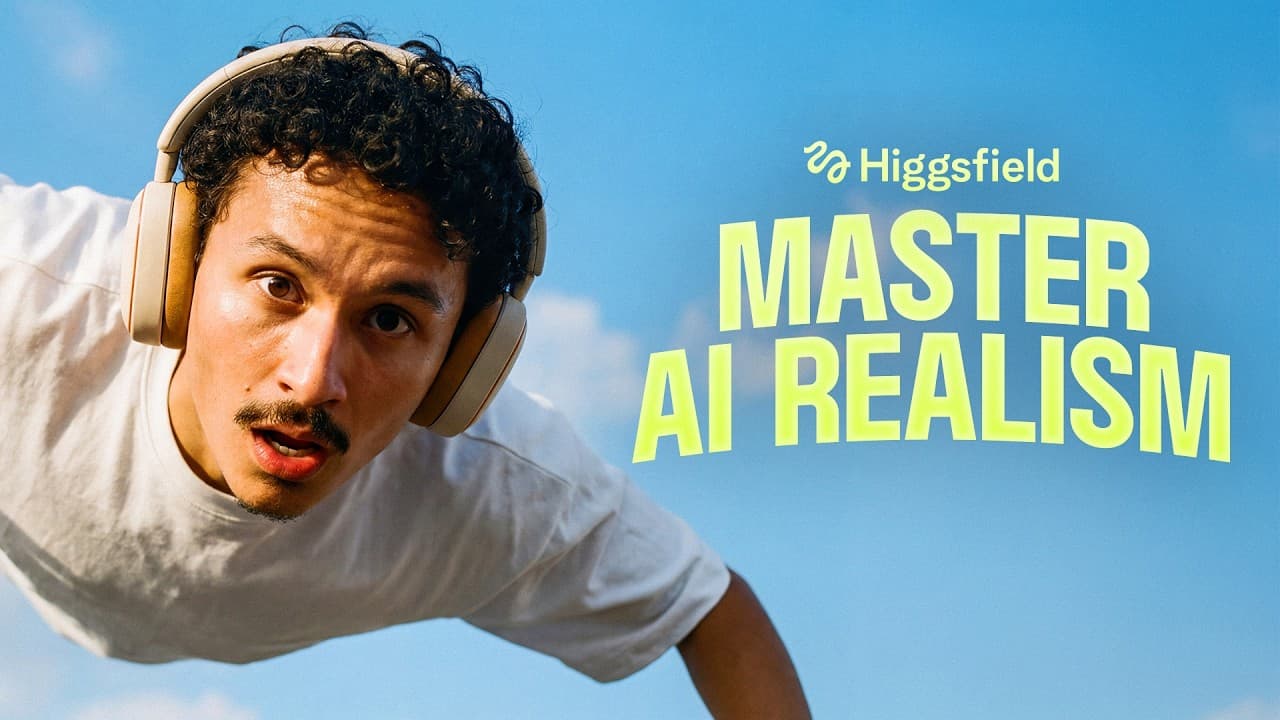
How to Create Ultra-Realistic AI Ads in 3 Steps
TL;DR
To create an ultra-realistic AI ad, follow a three-step workflow: build and test assets using Soul Cinema and GPT Image 2.0, convert scripts into connected shot lists with a custom Claude skill, and generate scenes using Seedance 2.0. This process ensures high-quality, cinematic results without the need for traditional filming equipment.
Transcript
Well, you're begging me to stay, but I'm going my own looking cloud away. I won't even roll the dice so that you can't blame me twice. No blame. Who do you think I am? Well, I'm going to take my own road. I'm sorry, baby. You can't go. Got to hit the ground running. >> I'm on my way. >> Where the hell have you been? >> This is the third time this w... Read More
Key Insights
- AI tools like Soul Cinema and GPT Image 2.0 can generate photorealistic assets, including characters and locations, for cinematic ads.
- A structured workflow involving asset creation, shot list conversion, and scene generation is crucial for producing high-quality AI ads.
- Using a layout map helps maintain consistency in location and asset placement across different scenes.
- Choreographing movements and syncing them to music tracks enhance the realism and engagement of AI-generated ads.
- Iterative testing and selection of the best seconds from multiple generations result in polished final videos.
- Locking characters and props ensures consistency and prevents visual drift in AI-generated scenes.
- The use of Claude skills allows for efficient prompt writing and scene editing, streamlining the ad creation process.
- AI-generated ads can achieve broadcast-grade quality without upscaling or the typical 'AI-slop' look.
Install to Summarize YouTube Videos and Get Transcripts
Explore YouTube Video Summarizer or Get YouTube Transcript Extractor
Questions & Answers
Q: How to create ultra-realistic AI ads?
To create ultra-realistic AI ads, follow a three-step process: build and test assets using AI tools like Soul Cinema and GPT Image 2.0, convert your script into a connected shot list with a custom Claude skill, and generate scenes using Seedance 2.0. This approach ensures high-quality, cinematic results by maintaining consistency and allowing for iterative improvements.
Q: What tools are used to generate AI ad assets?
The tools used to generate AI ad assets include Soul Cinema for photorealistic character creation and GPT Image 2.0 for developing detailed product sheets and location assets. These tools allow for the creation of high-quality, cinematic visuals without the need for traditional filming equipment.
Q: Why is a layout map important in AI ad creation?
A layout map is important in AI ad creation because it helps maintain consistency in the placement and size of assets across different scenes. By providing a visual reference, it ensures that elements like characters and props remain anchored, reducing visual drift and improving the overall coherence of the ad.
Q: How does Claude skill enhance AI ad production?
Claude skill enhances AI ad production by converting scripts into connected shot lists with precise prompts tailored for Seedance 2.0. This streamlines the editing process, allowing for efficient adjustments and ensuring that changes are consistently applied across all scenes, ultimately improving the quality and coherence of the final ad.
Q: What is the role of iteration in AI ad creation?
Iteration plays a crucial role in AI ad creation by allowing creators to test multiple versions of scenes and select the best seconds from different takes. This process of refinement ensures that only the highest quality footage is used in the final ad, resulting in a polished and professional output.
Q: How can AI ads achieve broadcast-grade quality?
AI ads can achieve broadcast-grade quality by using tools like Seedance 2.0, which renders in crisp 4K without the need for upscaling. By following a structured workflow that includes asset locking and iterative testing, creators can produce cinematic ads that rival traditional high-budget productions.
Q: Why is choreographing movements important in AI ads?
Choreographing movements is important in AI ads because it enhances the realism and engagement of the scenes. By specifying exact dance moves and syncing them to music tracks, creators ensure that the motion appears natural and fluid, contributing to the overall cinematic quality of the ad.
Q: What are the benefits of locking characters and props in AI ads?
Locking characters and props in AI ads ensures consistency and prevents visual drift across different scenes. This technique maintains the integrity of the assets, allowing for seamless transitions and a coherent visual narrative, which is essential for producing high-quality, professional-looking ads.
Summary & Key Takeaways
-
To create ultra-realistic AI ads, start by building assets with Soul Cinema and GPT Image 2.0, focusing on characters and locations. Use a layout map to maintain consistent asset placement and choreograph movements for realism.
-
Convert your script into a connected shot list using a custom Claude skill, allowing for efficient editing and prompt writing. This step is crucial for maintaining consistency across scenes and ensuring high-quality output.
-
Generate scenes with Seedance 2.0, iterating to select the best seconds from multiple takes. This process, combined with locked assets and choreographed movements, results in a polished, cinematic AI ad.
Read in Other Languages (beta)
Share This Summary 📚
Summarize YouTube Videos and Get Video Transcripts with 1-Click
Try YouTube Summary with ChatGPT & Claude or YouTube Transcript Generator
Explore More Summaries from Higgsfield AI 📚
Summarize YouTube Videos and Get Video Transcripts with 1-Click
Try YouTube Summary with ChatGPT & Claude or YouTube Transcript Generator