How to Make a Cinematic AI Short Film in 4K
TL;DR
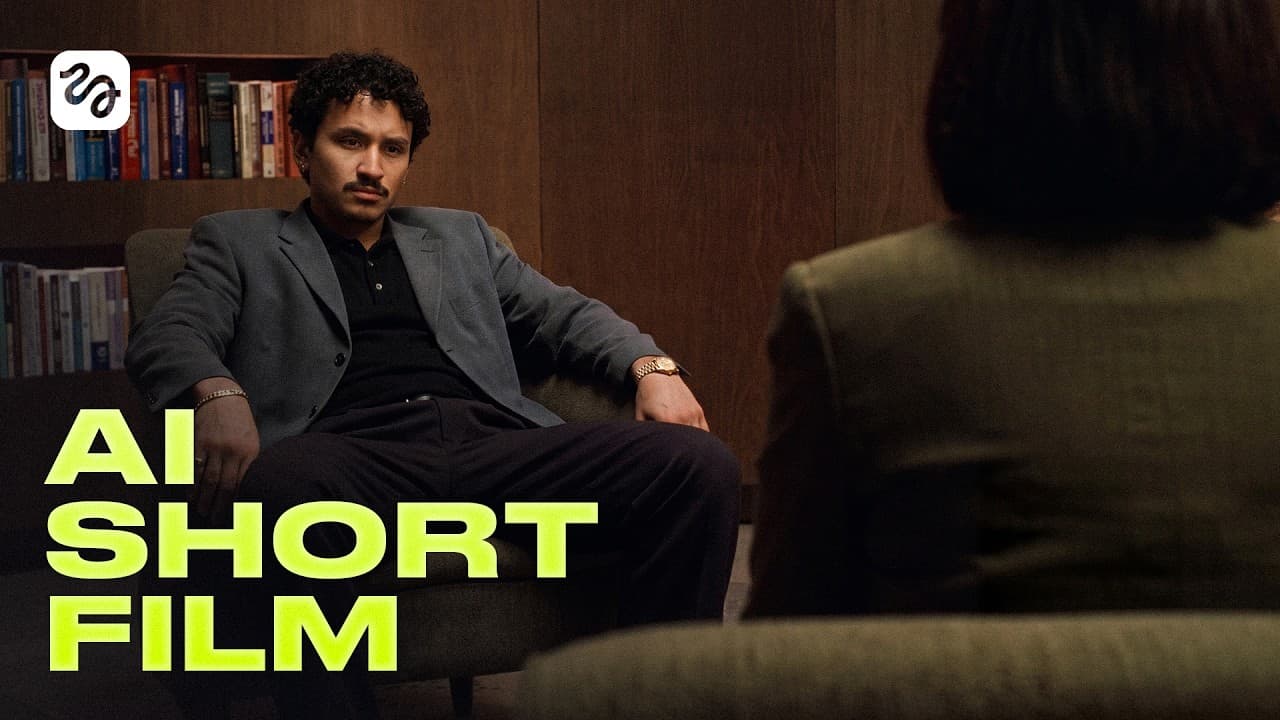
Build a cinematic AI short by writing a structured screenplay, creating reusable character and location assets, and generating each scene as several deliberately framed shots. Seedance 2.0 in 4K handles video generation, while specific descriptions of movement, emotion, lighting, and camera position improve consistency and let the strongest parts of multiple generations form the final edit.
Transcript
Think of the last film that hit your heart. >> A film that made you feel inspired, heartbroken, the guys believed in me, >> or happy. All of those emotions come not just from a good idea. It's the colors, the camera angles, the storytelling. So today, you're not going to just learn how to make an AI film like before. You are going to start thinking... Read More
Key Insights
- A screenplay is the production blueprint because it identifies every character, location, prop, and shot that must be created. Limiting each shot to 15 seconds also aligns the written plan with one Seedance generation per shot.
- A dramatic story structure consists of setup, rising action, climax, and resolution. Applying this sequence introduces the protagonist, develops the central problem, brings the conflict to its decisive moment, and then shows how the situation is resolved.
- A clean character sheet should show front and back views plus a separate close-up headshot on a plain gray background. These multiple angles give the generation system a clearer visual reference for maintaining the same character across different shots.
- Soft lighting is essential for useful character references because harsh facial shadows and glare in the hair can obscure defining features. Selecting a clean, evenly illuminated image creates a stronger source asset for realistic cinematic video generation.
- A 3/4 camera angle gives generated locations greater volume and depth. It helps the model represent distances between objects more clearly, making the environment more useful when characters and camera movements are introduced later.
- Positive prompting works better than negative instructions in Seedance. Instead of writing that a character is not crying, the prompt should directly specify the intended state, such as an anxious expression, along with exact movements and emotional beats.
- A Dutch angle creates tension by tilting the camera, while tight edge framing makes a character appear trapped. Combining these choices can visually communicate discomfort or a loss of control without relying only on dialogue or character movement.
- A strong final scene can combine the best segments from several imperfect generations. Splitting one scene into multiple shots creates more camera variety, improves pacing, and allows successful wide shots, close-ups, emotional performances, and tilted compositions to be selected independently.
- More videos from this channel:
- More from this channel: Higgsfield AI
Install to Summarize YouTube Videos and Get Transcripts
Explore YouTube Video Summarizer or Get YouTube Transcript Extractor
Questions & Answers
Q: How do you write a script for an AI short film?
Start with a clear premise, the protagonist's age and background, the central conflict, and the intended ending. Ask Claude Fable 5 to produce a roughly two-minute screenplay in which every shot lasts no more than 15 seconds. Organize the narrative into setup, rising action, climax, and resolution, then use the shot breakdown to identify every required character, location, and prop.
Q: How do you keep an AI character consistent across shots?
Create the character before generating any scenes. Use a plain gray character sheet containing front and back views plus a separate close-up headshot, and choose a result with soft light, visible facial details, and no harsh shadows or hair glare. Save the approved reference as a named element so later prompts can retrieve the same character automatically.
Q: How should locations be prompted for cinematic AI scenes?
Describe the type of location, desired mood, lighting temperature, weather, and time of day. Include a 3/4 viewing angle so the generated environment has visible volume, depth, and clearer distances between objects. After selecting the strongest location image, use it as a stable scene asset alongside the saved character elements when preparing the video-generation prompt.
Q: Why should an AI scene be divided into multiple shots?
Dividing a scene creates changes in framing and camera position that make the sequence feel directed rather than static. A scene can move between a wide view, a character close-up, and a tension-building angle. Multiple shots also let the editor select the strongest parts from different generations when one take has good action but another has better emotion or composition.
Q: How do you prompt character emotion in Seedance 2.0?
State the desired emotion directly and describe how it appears through specific expressions or movements. The workflow recommends positive instructions rather than negative prompts because telling the model what should not happen can confuse it and produce the unwanted behavior. For example, request an anxious look instead of saying that the character should not cry, then specify each emotional beat clearly.
Q: What camera techniques make an AI film feel cinematic?
Use camera choices that support the scene's emotion and spatial logic. Wide establishing shots clarify character positions, push-ins intensify a feeling, close-ups emphasize reactions, and 3/4 location angles add depth. A Dutch angle can create discomfort, while placing very little space between the character and frame edge can make that person appear psychologically trapped.
Q: What should you do when every generated take looks wrong?
Treat repeated failures as evidence that the prompt needs revision. Add more specific character movements, emotional beats, framing instructions, and camera positions. Remove negative wording, then consider splitting the scene into three shots instead of two. Generate another batch and evaluate each section separately, since one result may provide the best wide shot while another supplies the strongest close-up.
Q: How are the best AI-generated takes assembled into a scene?
Review each generation for successful action, emotion, framing, continuity, and camera angle rather than expecting one clip to solve the entire scene. Select the strongest portion of each take, such as a wide shot from one result and a Dutch-angle reaction from another. Combine those chosen segments in sequence until the completed scene matches the planned tension, pacing, and emotional progression.
Summary & Key Takeaways
-
The workflow begins with a roughly two-minute screenplay divided into shots lasting no more than 15 seconds. Claude Fable 5 turns the initial premise into a shot-by-shot drama structured around setup, rising action, climax, and resolution, revealing which characters, locations, and props must be created before video generation begins.
-
Reusable character assets are created from reference sheets showing front, back, and close-up head views against a plain gray background. Soft, even lighting without harsh facial shadows or hair glare produces cleaner references. Saving approved characters as named elements lets later prompts retrieve their appearances and associated voices automatically.
-
Scenes improve when prompts specify positive actions, precise emotions, framing, and camera movement. Wide shots establish spatial relationships, 3/4 location views add depth, and Dutch angles create tension. Instead of accepting one generation, the workflow splits scenes into several shots and combines the strongest portions of different takes during editing.
Read in Other Languages (beta)
Share This Summary 📚
Summarize YouTube Videos and Get Video Transcripts with 1-Click
Try YouTube Summary with ChatGPT & Claude or YouTube Transcript Generator
Explore More Summaries from Higgsfield AI 📚

Summarize YouTube Videos and Get Video Transcripts with 1-Click
Try YouTube Summary with ChatGPT & Claude or YouTube Transcript Generator