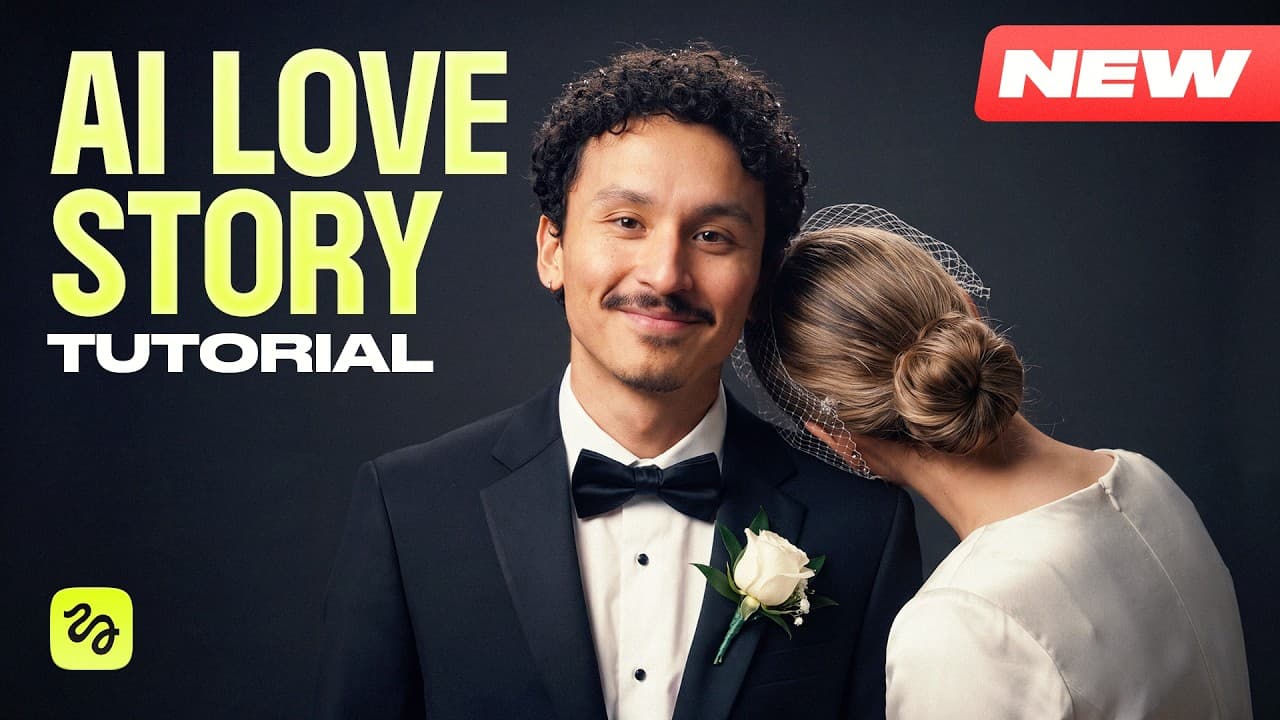
How to Make a Viral AI Love Story With Prompts
TL;DR
Build a convincing AI love story by organizing assets first, combining generated character sheets with real face photos, and giving the video model visual references whenever text cannot preserve scale or spatial logic. Detailed physical actions, active background characters, carefully selected locations, and separate prompts for action and acting help reduce failed generations and produce more consistent scenes.
Transcript
A love story I made for my friend's wedding went viral, getting around 500 million views across social media. Agencies charge thousands for films like this. Today, I'm showing you how to make one yourself. Just steal my prompts. Hi, I'm Adil. I generated the whole thing with Claw and Cedence 2.5 in Geeksville. Today, you're getting the full workflo... Read More
Key Insights
- Asset organization is the first step of the workflow because a project can accumulate hundreds of generations. Creating folders for every scene and subfolders for characters, locations, and props makes later selection and reuse manageable.
- The hybrid face method is a way to preserve identity while retaining generated costumes. It combines the body, clothing, and silhouette from an AI character sheet with the real person’s photograph placed where the generated face appeared.
- Location design determines much of a scene’s usefulness because the environment must support every planned action. The selected harbor included space for a crowd, collision, sprint, and ship boarding while keeping the center clear and visual clutter toward the sides.
- Physical mechanics are more reliable than broad action descriptions. Replacing a vague shoulder bump with specific movements, including striking shoulders, swinging suitcases, forward momentum, planted feet, and body turns, produced a more natural collision instead of an unintended embrace.
- Background crowds look more believable when every extra is assigned visible activity. Requiring each person to be mid-action prevents passive characters from staring into space and helps a busy environment support the main performance.
- Visual scale references are more dependable than repeated size descriptions. A simple pencil comparison aligned the hero’s head with the giant’s mid-thigh, giving the generation model a concrete relationship that kept the invented opponent consistently large.
- Separate prompts improve scenes containing both physical action and emotional acting. The arena sequence divided the fight from the queen’s reaction and the hero’s disappointment, then joined both generated sections during editing so each prompt retained a clear focus.
- Hand-drawn storyboards solve spatial logic problems by showing geometry that text struggles to preserve. For the train sequence, sketches established the horse’s position, direction, and diagonal jump while the written prompt supplied story details and character behavior.
Install to Summarize YouTube Videos and Get Transcripts
Explore YouTube Video Summarizer or Get YouTube Transcript Extractor
Questions & Answers
Q: How do you make an AI love story with real people?
Start by collecting photographs of the real people and generating character sheets for their costumes, bodies, and overall silhouettes. If the generated faces resemble lookalike actors instead of the intended people, erase the generated head and insert the real photograph into the relevant character-sheet panels. Use those hybrid sheets as references when generating scenes so identity and clothing remain consistent.
Q: How can you stop AI-generated faces from looking like different people?
Use a hybrid character sheet rather than relying entirely on a model to reconstruct a face from reference photographs. Keep the generated costume, body, and silhouette because those elements can already look realistic, but replace the imperfect generated head with the actual person’s photograph. Repeating the same process for each principal character reduces the generic, inconsistent look described in the workflow.
Q: How should assets be organized for an AI video project?
Create the project structure before generating anything. Give every scene its own folder, then add subfolders for the characters, locations, props, and other references used in that scene. This becomes especially valuable when the project contains hundreds of generations, because the filmmaker can quickly find approved assets, attach the correct references, and avoid confusing similar outputs from different batches.
Q: How do you choose a useful AI-generated location?
Judge each location by whether its layout can support every planned story beat, not simply by whether the image looks attractive. The harbor needed room for a packed crowd, a shoulder collision, a long sprint, and a leap onto a moving ship. The chosen version provided a long pier, boarding access, and a clear central action area, with clutter held toward the sides.
Q: How do you write better prompts for physical interactions?
Describe the interaction as a sequence of physical mechanics instead of using a broad phrase. For the harbor collision, the revised prompt specified shoulders making contact, suitcases swinging, momentum carrying both people half a step forward, feet planting, and bodies turning. These details constrained the motion and prevented the model from converting a brief accidental bump into hugging or kissing.
Q: How can you keep an AI-generated giant consistently large?
Create a visual height comparison rather than repeating a phrase such as three times taller. The demonstrated method converted the character sheet into a structured prompt, positioned the hero’s head at the giant’s mid-thigh, and rendered a simple pencil sketch containing both outlines. Feeding that drawing back as a reference gave the video model a concrete scale relationship to maintain.
Q: Why should action and emotional acting use separate prompts?
A single prompt can lose quality when it must manage demanding physics and nuanced facial performance at the same time. The arena sequence was divided into a fight section covering the grab, throw, and takedown, followed by an acting section covering worry, departure, hope, and disappointment. Generating them separately preserved focus, and the completed segments were stitched together during editing.
Q: How do hand-drawn storyboards improve AI video generation?
Hand-drawn storyboards communicate spatial relationships that a text prompt may not preserve across a complex sequence. In the train scene, sketches showed where the horse remained relative to the railcar and how it entered the shot on a diagonal. The drawings supplied exact geometry, while the text supplied narrative beats and character traits such as clumsiness, precision, and pursuit.
Summary & Key Takeaways
-
The workflow begins by creating a project structure with separate folders for every scene and asset. Character sheets, locations, props, and reference images are prepared before video generation. This organization becomes important when a project grows to hundreds of generations and filmmakers need to locate, compare, and reuse assets consistently.
-
Real faces are preserved through a hybrid character-sheet method. The generated sheet supplies the costume, body, and overall silhouette, while the actual person’s photograph replaces the generated head in the main and portrait panels. This avoids the lookalike effect while retaining realistic clothing textures and a consistent visual identity.
-
Complex video problems are converted into visual references instead of being described only with text. Height-comparison drawings establish character scale, while hand-drawn storyboards communicate shot geometry and spatial relationships. Action and emotional performance are also generated separately, allowing each prompt to concentrate on one demanding objective before editing combines the results.
Read in Other Languages (beta)
Share This Summary 📚
Summarize YouTube Videos and Get Video Transcripts with 1-Click
Try YouTube Summary with ChatGPT & Claude or YouTube Transcript Generator
Explore More Summaries from Higgsfield AI 📚

Summarize YouTube Videos and Get Video Transcripts with 1-Click
Try YouTube Summary with ChatGPT & Claude or YouTube Transcript Generator