How to Create Ultra-Realistic AI Film Scenes
TL;DR
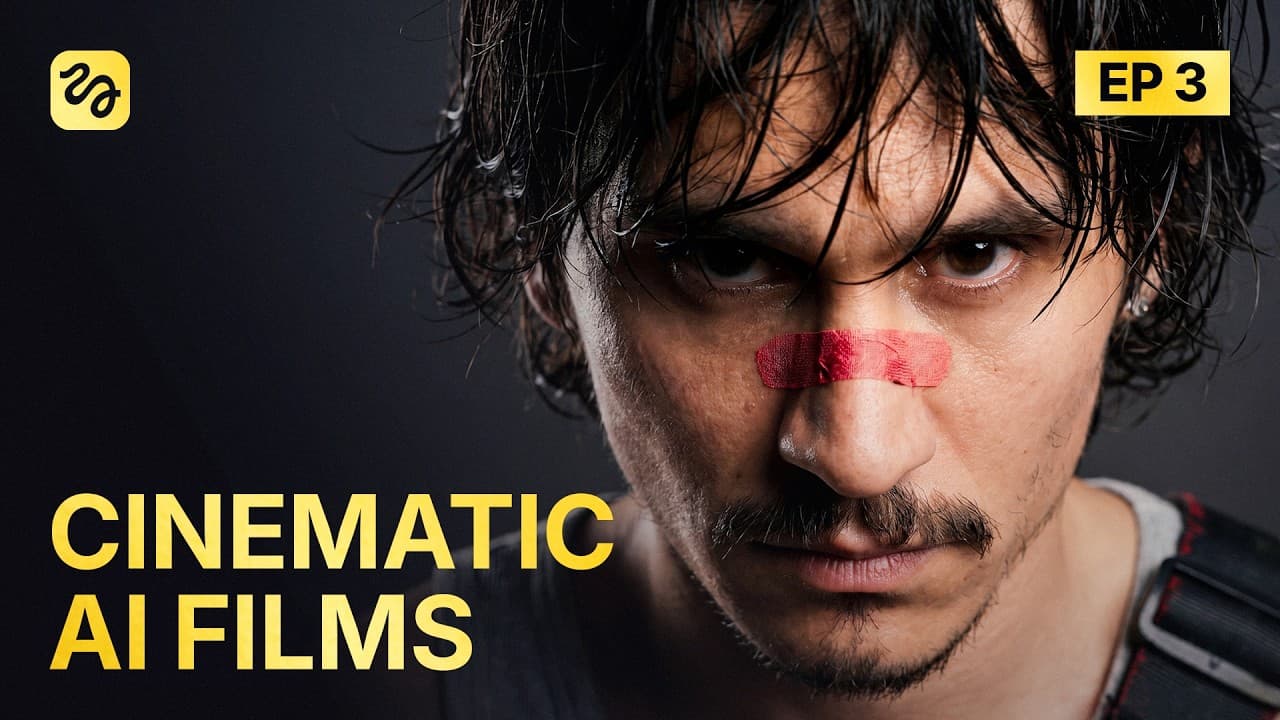
Realistic AI film scenes require precise prompts that define emotional context, anatomical behavior, camera choices, lighting, composition, and asset references. A shared system prompt improves adherence across a team, while structured reviews and targeted regeneration help correct continuity errors, plastic-looking characters, unnatural reactions, cheap effects, and malformed anatomy.
Transcript
We're presenting a full feature film and can in less than a month. 80 minutes long, fully AI generated. Now, the issue is that we don't have the film yet. But what we do have is 10 million credits, a team of 15 people, 14 days, and no [ __ ] clue if we'll make it. Welcome to episode 3. We're at day eight of 14. The plan was to have the full draft t... Read More
Key Insights
- Emotional realism is improved by describing both situational context and observable anatomical behavior. A prompt should specify what the character feels and how that feeling affects the body, including arm extension, finger position, jaw movement, eye movement, tears, posture, and physical distance from another subject.
- Photographic specificity is more useful than generic quality terms when generating source images. Prompts can define the camera, lens, aperture, grain, film stock, halation, bokeh, viewing angle, depth of focus, time of day, and the direction and color of light within the scene.
- A shared system prompt is a practical method for improving adherence across a production team. The team's version covered safe language, on-screen text, prompt clarity, density limits, reference-image discipline, mode selection, output settings, and a coordinate system for positioning characters and objects within each frame.
- One shot is easier to control when it contains one main idea, one main action, and one main camera strategy. This density rule reduces competing instructions and was included in the system prompt that the 15-person team spent a full week polishing during production.
- Frame coordinates can make spatial instructions more precise by dividing an image into X and Y axes. Instead of using vague placement language, the prompt can assign a character or object to percentage positions, such as 20 percent on the X-axis and 30 percent on the Y-axis.
- Continuity errors can originate from asset selection rather than generation quality. One scene had to be regenerated because its creator selected an outdated skateboard from the project canvas, showing why teams need reliable methods for identifying and using the current approved assets.
- Lighting and reactions must respond to events inside the scene to appear convincing. In the corrected portal sequence, blue and purple light reflected the portal, the characters stepped away from danger, and their frightened expressions and movements made the supernatural event feel more physically connected to them.
- AI film review requires checking brief details as well as obvious failures. The team identified malformed anatomy, inconsistent character positions, incorrect props, excessive facial light, plastic textures, weak visual effects, and robotic emotional responses, then used targeted regeneration to repair the showcased scenes over three days.
- More videos from this channel:
- More from this channel: Higgsfield AI
Install to Summarize YouTube Videos and Get Transcripts
Explore YouTube Video Summarizer or Get YouTube Transcript Extractor
Questions & Answers
Q: How can AI-generated characters show realistic emotions?
AI-generated characters can show more realistic emotions when prompts connect the dramatic situation to specific physical behavior. Instead of stating only that a character watches someone disappear, describe the attempted movement, facial anatomy, hand position, posture, distance, and immediate reaction. The example specifies an extended arm, spread fingers, an open mouth, visible teeth, and a landing on hands and knees.
Q: How should cinematic AI image prompts be written?
Cinematic AI image prompts should describe the image as a photographer or filmmaker would capture it. Specify the camera, lens, aperture, grain, film stock, halation, bokeh, viewing angle, depth of focus, lighting source, time of day, and spatial layout. Generic phrases such as photorealistic, cinematic, and high quality were presented as less useful than precise capture and lighting instructions.
Q: What should an AI video system prompt include?
An AI video system prompt should include rules for safe language, on-screen text, prompt clarity, instruction density, reference-image usage, generation-mode selection, output settings, and spatial positioning. The team's system also distinguished text-to-video, image-to-video, reference-to-video, and video-to-video workflows. Its frame coordinate system used X and Y percentages to place characters and objects more precisely.
Q: Why should an AI video shot use one main action?
An AI video shot should use one main action because the team's prompt-density rule calls for one main idea, one main action, and one main camera strategy per shot. This structure keeps the requested result focused and reduces the number of competing instructions. The rule formed part of the shared system prompt developed to improve generation adherence across the production team.
Q: How can spatial consistency be improved in AI scenes?
Spatial consistency can be improved by defining exact frame positions and reviewing continuity between shots. The team's coordinate method divides the frame into X and Y axes, then assigns percentage positions to characters or objects. This addresses vague placement, while review remains necessary because the portal scene showed a character standing beside another person and then unexpectedly appearing behind him.
Q: What common defects make AI film scenes look unrealistic?
Common defects include plastic-looking faces, excessive facial lighting, robotic emotional reactions, inexpensive-looking effects, malformed anatomy, incorrect props, and inconsistent character positions. The reviewed footage contained all of these problems: a weak portal, characters moving discontinuously, a monster's claw resembling a sword, and an outdated skateboard appearing because the wrong project asset was selected.
Q: How did the team fix the portal scene?
The team removed unwanted green lines, corrected the facial lighting, reduced the plastic appearance, strengthened the characters' fear reactions, and regenerated the portal. The corrected scene also showed the characters stepping away from danger. Blue and purple light from the portal appeared on them, visually connecting the effect to the environment and making their reactions feel more human.
Q: What production lessons came from the AI feature film draft?
The draft showed that generating usable footage does not eliminate review, editing, or regeneration. By day eight, the team had 110 minutes of footage for a film intended to be cut to 90 minutes, meaning 20 minutes had to be removed. Approximately 40 scenes still needed work, and the team then spent three days fixing issues before demonstrating selected results on day 11.
Summary & Key Takeaways
-
A 15-person team attempted to produce an 80-minute, fully AI-generated feature film for Cannes in less than a month. By day eight of a 14-day production period, the first draft contained 110 minutes of footage, needed a 20-minute reduction, and still had approximately 40 scenes requiring corrections.
-
Three reviewed scenes demonstrated recurring AI filmmaking problems. One contained plastic-looking faces, excessive facial lighting, unnatural reactions, an inexpensive-looking portal, and inconsistent character positions. Another transformed a monster's arm into something resembling a sword. A third used the wrong skateboard because a team member selected an outdated asset from the project canvas.
-
The team organized 28 techniques discovered during eight days of generation into prompting, pre-production, teamwork, and editing chapters. The demonstrated advice emphasizes describing emotions through visible anatomy, prompting images like a photographer, and creating a shared system prompt that controls safety language, on-screen text, prompt density, references, generation modes, output settings, and frame coordinates.
Read in Other Languages (beta)
Share This Summary 📚
Summarize YouTube Videos and Get Video Transcripts with 1-Click
Try YouTube Summary with ChatGPT & Claude or YouTube Transcript Generator
Explore More Summaries from Higgsfield AI 📚

Summarize YouTube Videos and Get Video Transcripts with 1-Click
Try YouTube Summary with ChatGPT & Claude or YouTube Transcript Generator