How to Make AI Film Shots Look Cinematic
TL;DR
Build cinematic AI footage by refining the keyframe, location, lighting, props, and continuity before relying on the video prompt. Use shared style rules, generate controlled batches, reject weak results early, and preserve prompts and source assets so collaborators can reproduce or revise every shot consistently.
Transcript
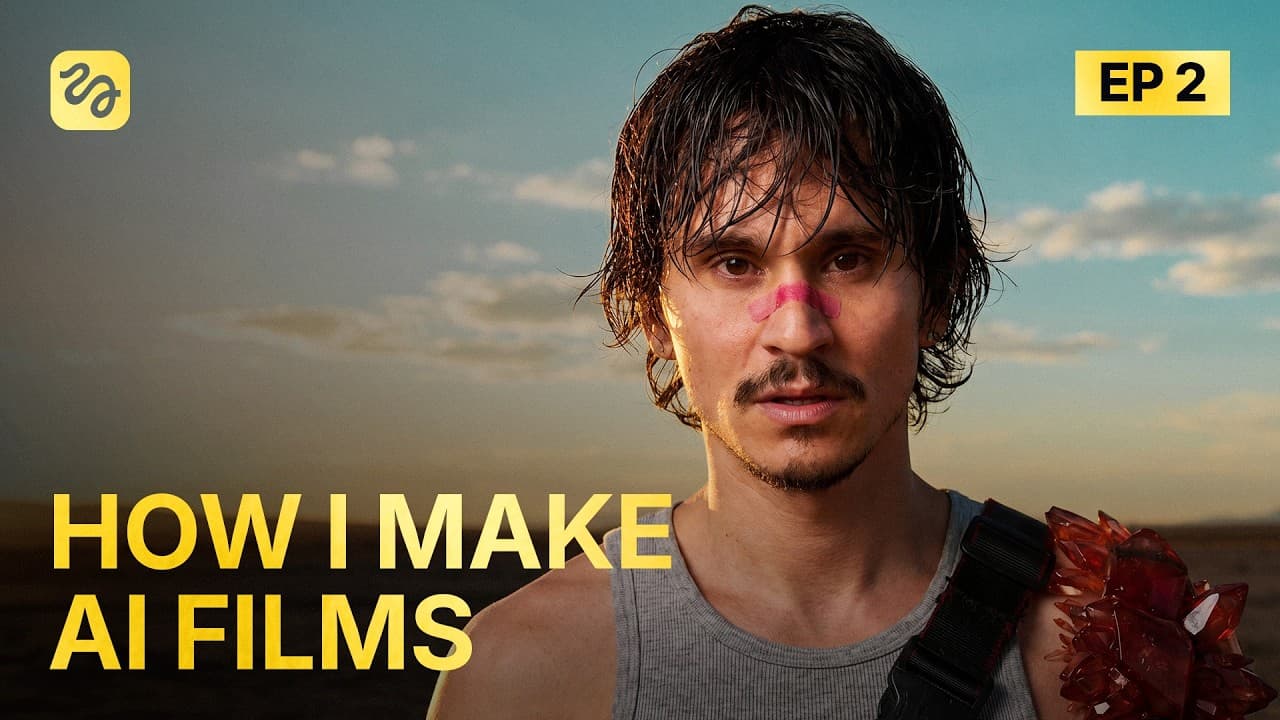
We're presenting a full feature film in can in less than a month. 80 minutes long, fully AI generated. Now, the issue is that we don't have the film yet. But what we do have is 10 million credits, a team of 15 people, 14 days, and no clip will make it. Welcome to episode 2. Hi, I'm Adil. If you're new here, here's what's happening. We're making the... Read More
Key Insights
- The keyframe is more important than the prompt because the location reference establishes much of the lighting, style, composition, and texture that will carry into the generated footage. A weak reference image therefore makes later video generations look inconsistent or sloppy.
- A shared style prefix keeps a 15-person production consistent by defining lighting, color, composition, and audio rules. The featured prefix requires natural light from the sky and windows, environmental sound effects only, no music, and no subtitles.
- The shot-list workflow starts with the script and converts each selected scene into 15-second shots tailored to the intended video model. It then requests the character sheets, location references, and story props required to build those shots.
- Location design depends on precise spatial instructions, including where windows, hallways, doors, furniture, and the kitchen should appear. The apartment must also show the established city outside its windows so the new setting remains connected to the film's existing world.
- Reference selection must account for model limitations because uploading a city image directly to an image generator can cause unwanted spatial interpretation. The demonstrated workaround is to let Claude use the reference while writing a detailed location prompt for the image model.
- Controlled batches make prompt problems easier to diagnose because a detailed prompt produces relatively consistent outputs. If the same layout or texture problem appears across four generations, revising the prompt is more useful than repeatedly generating unchanged variations.
- Atmospheric haze and explicit lighting language reduce the plasticky texture associated with the apartment generations. Set refinements also include smaller windows, an L-shaped couch, a freestanding television, contrasting wall and couch colors, and posters placed on a full wall.
- Collaboration projects preserve more than exported images because teammates can access assets, inputs, prompts, and the tools used for each generation. Members can also manage permissions, comment on individual outputs or the overall project, exchange messages, and join a video call.
- More videos from this channel:
- More from this channel: Higgsfield AI
Install to Summarize YouTube Videos and Get Transcripts
Explore YouTube Video Summarizer or Get YouTube Transcript Extractor
Questions & Answers
Q: How do you make AI-generated film shots look cinematic?
Start by building a strong keyframe with intentional composition, natural lighting, believable textures, and a clearly defined location. Refine the environment before generating video, because much of the resulting shot's visual character comes from that reference. Use a shared style prefix, generate small controlled batches, identify recurring problems, and revise the prompt instead of accepting visibly weak results.
Q: Why does the keyframe matter more than the video prompt?
The keyframe supplies the video model with the location, lighting, texture, composition, and overall visual style that it must bring to life. If the reference already looks plasticky, spatially confused, or poorly lit, the video prompt has a weak foundation. The production therefore treats location generation and refinement as essential work before moving into Seedance 2.0.
Q: How can a large team keep AI film shots consistent?
A large team can use one shared style prefix that defines lighting, color, composition, and audio constraints across every generation. In this production, the rules specify natural light from the sky and windows, environmental sound effects only, no music, and no subtitles. Shared project folders also preserve prompts, assets, inputs, and model information for later revisions.
Q: How do you turn a script into an AI film shot list?
Upload the relevant script pages to Claude, invoke the custom shot-list builder, state which scenes should be included or skipped, and provide the production's style prefix. The demonstrated skill divides the material into 15-second shots tailored to the intended video model. It also identifies every required character sheet, location reference, and prop before generation starts.
Q: How should an AI film location be designed and refined?
Describe the location's layout in concrete spatial terms, including windows, walls, hallways, doors, furniture, props, and adjacent rooms. Generate a small batch, compare the results with the intended design, and revise specific failures. The apartment workflow adjusts the hallway, kitchen, windows, couch, television, posters, colors, lighting, and atmospheric haze through successive prompt revisions.
Q: Why should AI image generations be made in small batches?
Small batches help reveal whether a failure comes from the prompt rather than random variation. With a detailed prompt, the image model produces fairly consistent interpretations, so a repeated error across four outputs signals that the instructions need revision. This approach makes it easier to diagnose missing hallways, incorrect walls, dull color choices, plasticky textures, or misplaced architectural elements.
Q: How do you prevent unwanted music in AI-generated dialogue scenes?
State the audio requirements explicitly in the shared style prefix before generating the scene. The demonstrated production requests environmental sound effects only, with no music and no subtitles. This matters because Seedance 2.0 provides one audio track and may add music during emotional moments, making the dialogue, environmental sound, and unwanted score difficult to separate in post-production.
Q: What assets are needed before generating an AI film scene?
Prepare the character sheets, location references, and narrative props identified by the shot list. For scenes 21 and 23, the required materials include Roko's existing character sheet, the old apartment, a photo-wall arrangement, a note saying food is in the fridge, and a Polaroid of Roko and Lulu. These assets support character, setting, and story continuity.
Summary & Key Takeaways
-
The production team is attempting to complete an 80-minute, fully AI-generated feature film for Cannes. On day four, Adil develops scenes 21 and 23 while a coworker handles scene 22. The featured scenes require Roko to revisit an old apartment, remember happier moments with the group, and emotionally react to Lulu's absence.
-
The workflow begins by uploading the selected script and invoking a custom shot-list builder in Claude. The tool divides scenes into 15-second shots and identifies required characters, locations, and props. A shared style prefix specifies composition, color, natural lighting, environmental sound effects, and exclusions such as generated music and subtitles.
-
The apartment is refined through repeated four-image batches before video generation begins. Layout, windows, hallway, kitchen, furniture, wall colors, posters, atmospheric haze, and exterior city continuity are adjusted through prompt revisions. Shared project folders preserve assets, prompts, model information, permissions, comments, and collaboration context for the 15-person production team.
Read in Other Languages (beta)
Share This Summary 📚
Summarize YouTube Videos and Get Video Transcripts with 1-Click
Try YouTube Summary with ChatGPT & Claude or YouTube Transcript Generator
Explore More Summaries from Higgsfield AI 📚

Summarize YouTube Videos and Get Video Transcripts with 1-Click
Try YouTube Summary with ChatGPT & Claude or YouTube Transcript Generator