How to use Claude Design for finance workflows
TL;DR
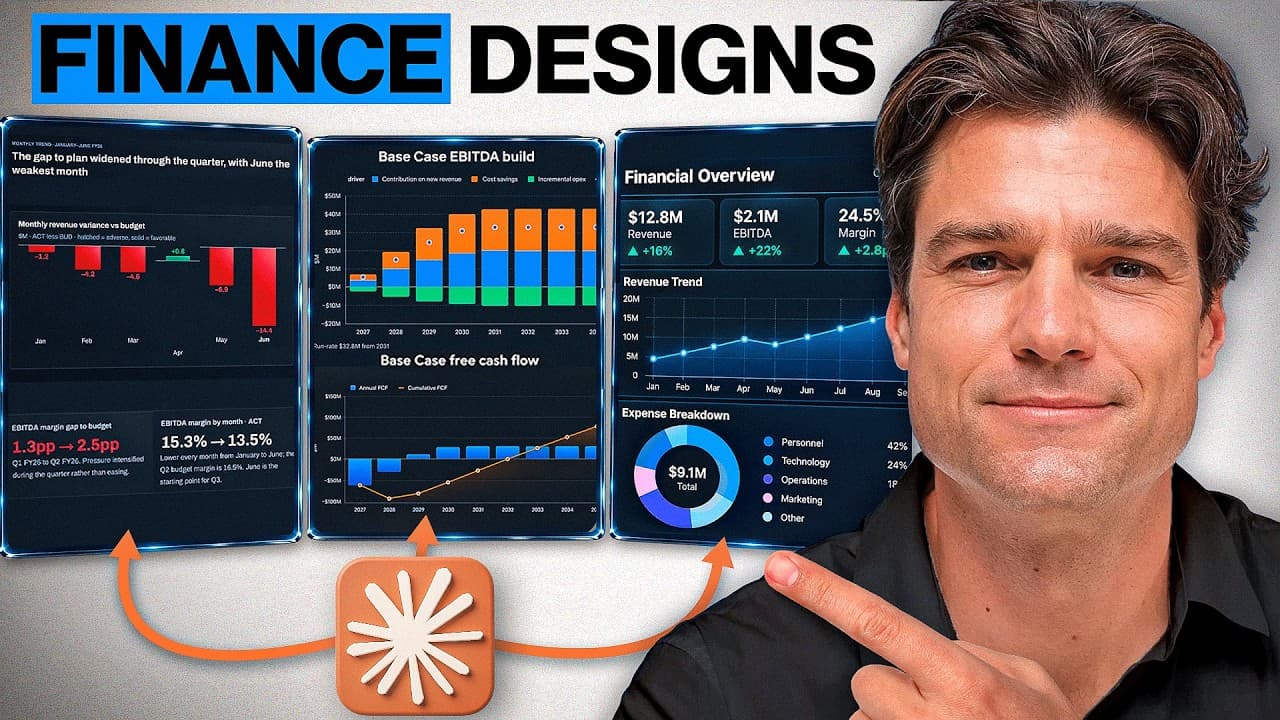
Claude Design updates unify finance outputs with design systems across slides, docs, and interactive apps. The video demonstrates three use cases: clean board-ready slides, living investment documents, and an interactive capital allocator, all kept in one workflow with design system integration. An emphasis is placed on connecting data, analysis, and branding within Claude for faster, clearer decision making.
Transcript
Claude just changed how design works across slides, docs, and interactive applications. And for finance, this fixes some of the biggest limitations in the workflow. [music] Until now, Claude could already build impressive finance outputs, but the workflow around them was pretty fragmented. Your company design system could sit separately from the co... Read More
Key Insights
- Claude Design can apply a company design system at the start of a Claude project, enabling auto-branded outputs across slides, docs, and design components.
- Higsfield is used to render financial visuals inside Claude, transforming numbers into infographics and strategic diagrams while preserving exact figures and geography.
- The board deck workflow includes automatic discrepancy checks and a board ask for a full year reforcast, highlighting where numbers diverge from source files.
- Claude Docs converts static documents into living, editable artifacts that can be updated within the same document without exporting to external tools.
- A living investment business case in Claude Docs shows source, calculated, and judgment labels for transparency and auditability.
- The capital allocation simulator demonstrates testing projects against liquidity, returns, risk, and corporate strategy within a single, on-brand workflow.
- The three use cases emphasize keeping finance context and design system together to reduce back-and-forth and improve decision speed.
- The video invites viewers to connect Higsfield via MCP to reproduce the visuals in their own Claude workflows.
Install to Summarize YouTube Videos and Get Transcripts
Explore YouTube Video Summarizer or Get YouTube Transcript Extractor
Questions & Answers
Q: How can Claude apply a company design system at the start of a project
Claude can select the design system at the outset of a conversation, ensuring that the deck, documents, and interactive elements all use the same branding, typography, colors, and components. This maintains consistency from the FPNA data package through the final board presentation, reducing manual reformatting and alignment errors.
Q: What is the role of Higsfield in Claude finance workflows
Higsfield provides a powerful visual layer that translates financial data into infographics, geographic visuals, and strategic road maps. It works inside Claude via MCP, allowing exact figures and geography to stay accurate while improving comprehension and decision making without leaving the workflow.
Q: How does the board deck ensure data accuracy in the slides
Claude checks key figures against source files and flags discrepancies on slides. It highlights where totals differ, notes mismatched margins, and identifies items needing a reforcast or further review, so the board sees a trustworthy, on-brand presentation built from the underlying data.
Q: What makes Claude Docs a living investment document
Claude Docs turns a document from a static artifact into a living one that can be edited directly, with Claude generating its own charts and tables inside the document. It preserves provenance, allows targeted edits, and exports to Word, PDF, or Google Docs while keeping all changes connected.
Q: How is a capital allocation simulator integrated into Claude
The simulator lets CFOs test projects against liquidity, returns, risk, and company strategy within Claude Design. It combines data, analysis, and visuals in one workflow, enabling rapid scenario testing and clear, on-brand visuals to guide funding decisions.
Q: What issue does the three-use-case flow address in AI finance tools
The flow addresses fragmentation where finance analysis exists separately from design work. By keeping finance context and the design system together across Slides, Docs, and Design, outputs are easier to build, edit, and use for real decisions without constant backtracking.
Q: How can users access prompts and datasets referenced in the video
The video mentions a free community where prompts and datasets are shared. Viewers can join this community via the provided links to access prompts, datasets, and additional resources that support replicating the workflow in their own Claude environments.
Q: What is the recommended path to reproduce visuals with Claude and Higsfield
To reproduce visuals, connect Higsfield through MCP inside Claude, then instruct Claude to resolve identified discrepancies and rebuild specific slides or sections as infographics or road maps. This preserves accuracy, aligns with the design system, and speeds up producing decision-ready visuals.
Q: What are the three main Claude use cases demonstrated
The video demonstrates three main use cases: creating an on-brand board review in Claude Slides by applying the design system to a multi-file FPNA package, building a living investment business case in Claude Docs with embedded charts and export options, and constructing an interactive capital allocation simulator in Claude Design to test projects within the brand context.
Summary & Key Takeaways
-
This overview introduces Claude Design updates that merge finance analysis with brand design across Claude Slides, Claude Docs, and Claude Design. It shows how design systems can be selected at the start of a project, ensuring consistency from data to presentation. The three use cases illustrate a streamlined workflow for board reviews, investment cases, and capital allocation simulators.
-
The first use case demonstrates generating a brand-aligned board deck directly from FPNA data, with automatic checks for data discrepancies and a design system applied to all slides. The second use case focuses on building a living investment document that updates in place as inputs change, preserving provenance and source annotations.
-
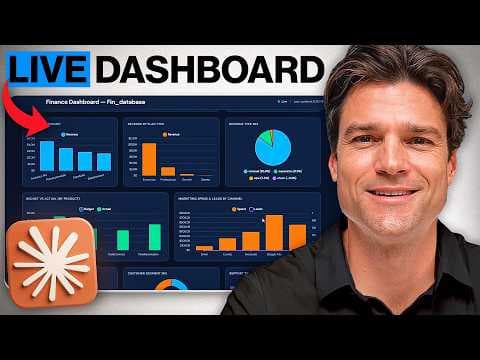
The third use case features an interactive capital allocation tool integrated into Claude Design, enabling live scenario testing and visuals that align with the company’s design language, all within the same workflow and without leaving the conversation
Read in Other Languages (beta)
Share This Summary 📚
Summarize YouTube Videos and Get Video Transcripts with 1-Click
Try YouTube Summary with ChatGPT & Claude or YouTube Transcript Generator
Explore More Summaries from Luke Finance 📚


Summarize YouTube Videos and Get Video Transcripts with 1-Click
Try YouTube Summary with ChatGPT & Claude or YouTube Transcript Generator