How to blend Blender and AI for an animated short
TL;DR
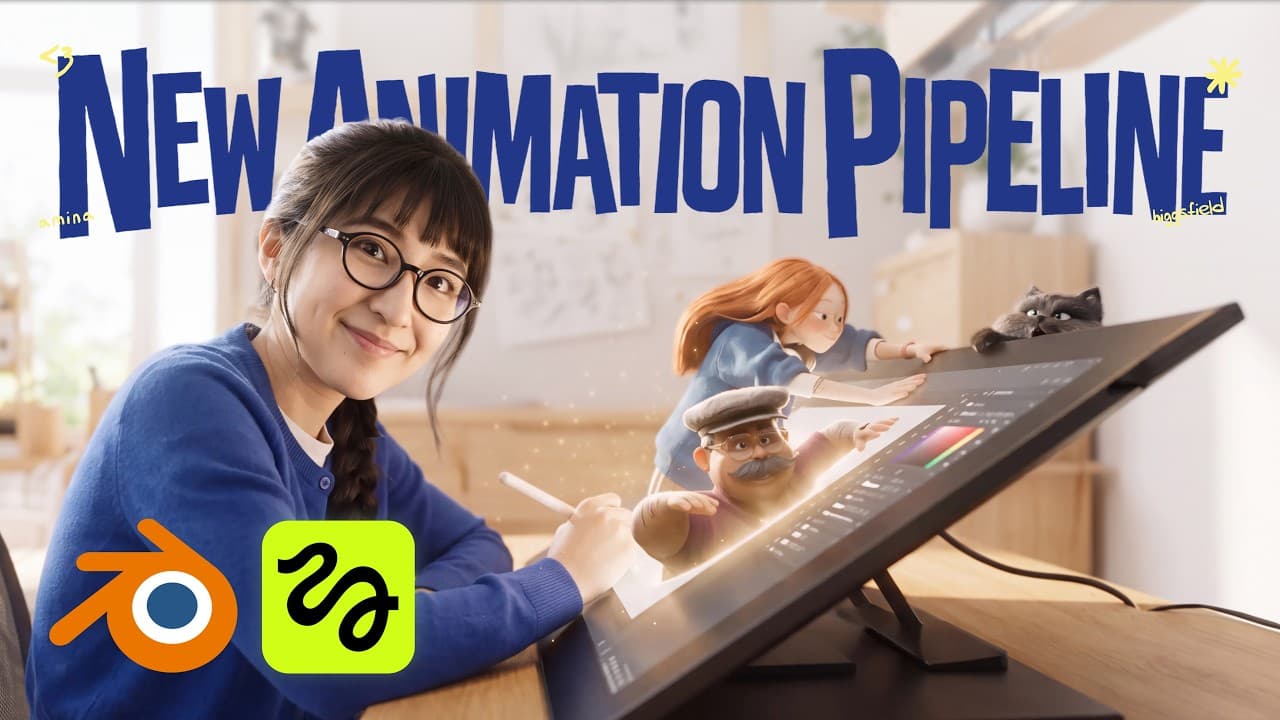
AI helps accelerate animation while preserving craft. The breakdown shows using Blender for complex shots and AI video generation for simpler ones, with asset-first inputs and hand refined prompts to keep a cohesive style. It also discusses balancing watercolor visuals with 3D, and notes lessons from tests and iterations.
Transcript
Hi, I'm Amina, and welcome to the first episode of Hixeld Animation. This channel is dedicated to showcase our projects and dive deeper into our processes and pipelines in a form of a tutorial. Today, we're looking at our upcoming animated short called Passport Crush. It's a 5-minute action comedy about a girl who arrives at the airport and suddenl... Read More
Key Insights
- Asset-first inputs determine film quality and require consistent design across characters, props, and backgrounds.
- Blender is used for shots requiring precise movement and camera work, while AI generation handles simpler, quicker sequences.
- Characters are created via prompts and hand edited to ensure the right balance of expressiveness and style.
- An art direction rule, asset managers, ensures all assets belong to the same film world.
- Soul 2.0 is the chosen AI model for asset creation in this pipeline.
- Prompts are drafted in Claude and refined with human checks to match designs before generation.
- Photoshop refinements, like color adjustments and hand painted strokes, elevate AI outputs.
- Iterative testing helps decide between watercolor and 3D looks and guides early asset direction.
Install to Summarize YouTube Videos and Get Transcripts
Explore YouTube Video Summarizer or Get YouTube Transcript Extractor
Questions & Answers
Q: How do you start an AI assisted animation project for a short film?
The project begins with pre production, where ideas, scripts and storyboards set the direction. Artists generate initial designs from prompts and then edit by hand to compare options. This process helps establish a baseline style before committing to assets, ensuring that the final visuals feel cohesive across characters, props and backgrounds.
Q: What is an asset-first approach in this workflow?
The asset-first approach centers on high quality image inputs such as character sheets, prop sheets and backgrounds. These inputs determine how polished the final film will look, so teams invest time in clear, consistent designs. Asset managers ensure that every asset belongs to the same world and maintains the intended artistic direction.
Q: How are Blender and AI used differently in the production?
Blender handles complex shots with specific movement and camera angles, acting as the previs and control for action timing. AI video generation is used for less complicated shots to speed up production. The workflow blends both tools, using Blender where precision is needed and AI where adaptability and speed can save time.
Q: What role do prompts play in creating characters?
Prompts describe appearance, clothing and posing, and framing and lighting, guiding the AI to generate character sheets. They are written by team members in conjunction with Claude, then reviewed and adjusted to ensure alignment with the established designs. This careful prompt crafting keeps character visuals consistent with the film’s style.
Q: How do you maintain a cohesive look when mixing watercolor backgrounds with 3D characters?
The team experiments with both watercolor and 3D styles, iterating until they find a balance. They adjust color, contrast and apply hand painted strokes to silhouettes in Photoshop to unify the look. This blend requires careful asset management and consistent world rules to prevent a disjointed appearance.
Q: What is Soul 2.0 and how is it used?
Soul 2.0 is the image model used to create all assets for the project. The team selects it in the model picker, pastes prompts, sets aspect ratios and generates multiple options. Outputs are evaluated for fit, and tweaks are made to better match the film's art direction before final selection.
Q: What challenges do you face during testing and iteration?
Testing reveals failed generations, missing details and mismatched visuals. The team uses these results to refine prompts, adjust character scales and tweak lighting. They also consider changing the overall look from watercolor to more 3D if required, learning from every version to guide later choices.
Q: How is the final asset direction settled for a scene?
Final direction comes from a combination of board guidance, Blender shots for movement, and AI generations for other parts. The process is iterative, with assets readjusted as needed to stay in the same film world. The team aims to keep the narrative beats clear while maintaining a consistent artistic voice across all scenes.
Summary & Key Takeaways
-
The team explains an asset-first pipeline where image inputs dictate final quality, stressing consistent character, prop, and background design for a cohesive world. They demonstrate how Blender handles complex motion and camera work while AI fills simpler sequences. The workflow emphasizes iteration, testing, and manual refinement to preserve the artistic voice.
-
They outline a hybrid look combining stylized 3D characters with watercolor backgrounds, and describe how prompts, Claude, and Soul 2.0 are used to generate assets, which are then refined in Photoshop for color and silhouette. The process includes failed generations and lessons learned to guide future work.
-
The video covers pre production, art direction, character design, location planning, and production in Blender, concluding with a focus on prompt engineering, asset management, and improving image inputs to maintain consistency across scenes.
Read in Other Languages (beta)
Share This Summary 📚
Summarize YouTube Videos and Get Video Transcripts with 1-Click
Try YouTube Summary with ChatGPT & Claude or YouTube Transcript Generator
Explore More Summaries from Higgsfield AI 📚



Summarize YouTube Videos and Get Video Transcripts with 1-Click
Try YouTube Summary with ChatGPT & Claude or YouTube Transcript Generator