How to build a $10k no code site with AI tools

TL;DR
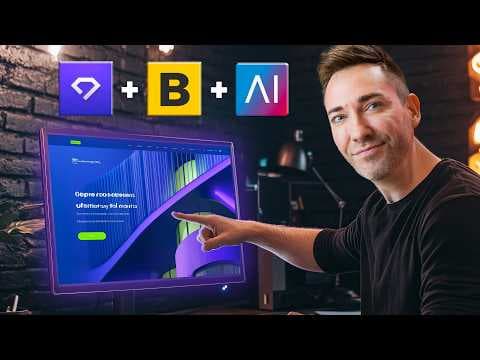
The video shows how to plan, write, and design a simple yet persuasive website that can be worth over $10,000 using no code and AI. It covers using an AI tool to generate a site map and wireframes, finding design inspiration, and building with WordPress and Elementor without coding. It emphasizes hosting, domain setup, and choosing templates for fast results.
Transcript
this website this website and this website are all easily worth over 10 grand to the businesses that made them because of how much revenue they bring in these websites also happen to be created with absolutely zero code and with some strategic help from AI so in this video I'm going to show you how you can go from no website at all to an expertly p... Read More
Key Insights
- AI can produce a site map and suggested sections for a business site, guiding the overall structure.
- Wireframes generated by AI include headlines and copy that can be tweaked, reducing the need for starting from scratch.
- Design inspiration can be sourced from a community showcase to inform color, fonts, and layout decisions.
- Hosting and a domain are required so the site can be published and accessed by visitors.
- WordPress with a plugin like Starter Templates enables building without coding, using various templates and themes.
- Elementor provides a drag and drop interface to place elements such as videos and buttons easily.
- Choosing a color scheme and fonts early can help align the finished site with a chosen inspiration.
- The build process can be accelerated by sticking to a simple, well structured plan rather than a complex architecture.
- More videos from this channel:
- More from this channel: Wes McDowell
Install to Summarize YouTube Videos and Get Transcripts
Explore YouTube Video Summarizer or Get YouTube Transcript Extractor
Questions & Answers
Q: How can I turn a service business into a $10k no code website quickly
You start by letting an AI tool generate a sit map and sections tailored to your service, then create a wireframe with AI selected layouts and copy. Use a free hosting solution and a domain, install WordPress, and add a no code builder like Elementor with starter templates. This approach lets you publish a professional site without coding and scale pricing by offering a complete, persuasive package to clients.
Q: What role does AI play in planning and writing the site
AI helps generate the basic structure of the site, including pages and sections required to sell the service. It can also draft headlines and copy within the wireframe, which you can improve or simplify. This reduces the need to write everything from scratch and speeds up the early planning stage while keeping content aligned with the business goals.
Q: Which tools are used to build a no code website in the video
The video uses a combination of a free AI planning tool to create sit maps, WordPress for hosting, and Elementor as the no code page builder. Starter templates plugin accelerates design, offering multiple free templates and color schemes. Together these tools enable building a polished site with no traditional coding.
Q: Why is a simple site structure preferred for a $10k website
A simple structure helps ensure the site is fast to load, easy to navigate, and focused on converting visitors into leads or customers. The video emphasizes clear sections such as a homepage and essential pages, which makes it easier to test and optimize persuasive elements like headlines and calls to action while keeping costs reasonable.
Q: How does hosting and a domain contribute to the project
Hosting and a domain are foundational to publishing the site online. The video outlines choosing a plan, registering a domain, and configuring hosting so the site can be accessible to customers. This step is necessary to move from planning to a live, professional online presence that customers can visit.
Q: What is the purpose of the WordPress and Elementor combo
WordPress provides the platform and hosting framework, while Elementor offers a drag and drop interface to design pages without code. This combination lets you customize layouts, add blocks, and edit content easily, aligning the site with the planned wireframes and design inspiration while keeping development approachable for non coders.
Q: How can design inspiration influence the final site
Design inspiration helps pick colors, fonts, and layouts that feel professional and trustworthy. By exploring showcases, you select visual treatments that resemble the desired style and adapt them to your brand. This accelerates the design phase and helps achieve a cohesive look without expensive custom design work.
Q: What is the recommended workflow to deliver a finished site
Start with AI generated sit maps and wireframes, then choose hosting and a domain, install WordPress, and apply a starter template with Elementor. Customize content to match the wireframe, tweak colors and fonts to align with your inspiration, and refine the copy for clarity and persuasion. The result is a ready to launch site that can attract clients and justify higher value.
Summary & Key Takeaways
-
A simple, high value site can be planned and built without code by using an AI tool to generate structure and copy, then refined design decisions are guided by inspiration sources.
-
Hosting and domain setup are essential steps that unlock the ability to publish a no code site quickly, typically with a focus on cost efficiency.
-
Popular no code workflows include WordPress with Elementor and templates to accelerate the build while maintaining control over design and content.
Read in Other Languages (beta)
Share This Summary 📚
Summarize YouTube Videos and Get Video Transcripts with 1-Click
Try YouTube Summary with ChatGPT & Claude or YouTube Transcript Generator
Explore More Summaries from Wes McDowell 📚





Summarize YouTube Videos and Get Video Transcripts with 1-Click
Try YouTube Summary with ChatGPT & Claude or YouTube Transcript Generator