How to use AI to build a high converting website

TL;DR
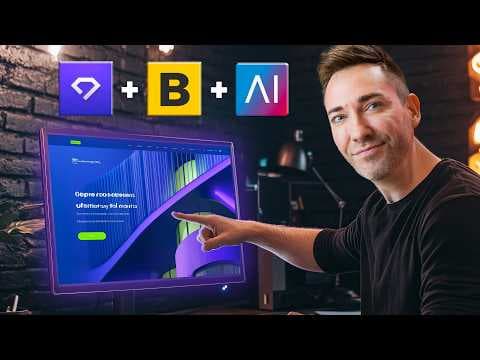
AI is best used in a structured, section by section workflow for websites. Start by gathering copy for each site section with prompts, then assemble content in a WordPress plus Elementor setup, and finally fine tune the site for messaging and conversions. Avoid relying on generic all in one AI builders which often produce limited, non tailored results.
Transcript
with the AI revolution in full swing you've probably been tempted to see how far you can take this thing in creating you a brand new shiny High converting website for your business and the truth is you can use AI to help you create that website and you should AI is an incredible new tool that we all have access to now that's just going to help us d... Read More
Key Insights
- AI is a powerful tool for website creation when used to generate targeted copy for each site section.
- The best workflow uses prompts to build content section by section rather than relying on generic AI outputs.
- All in one AI website builders often produce canned designs and non tailored content that harms conversions.
- AI copy should mimic tones or styles if you provide samples, helping brands keep a consistent voice.
- A finished website is easier to achieve with no code tools like WordPress and Elementor.
- The strategy centers on strong messaging and correct content order to move prospects from awareness to purchase.
- Mockups from image generators are useful as references but not as final content for conversion focused sites.
- The video offers a hands on playlist that guides from homepage blueprint to implementing content in Elementor.
- More videos from this channel:
- More from this channel: Wes McDowell
Install to Summarize YouTube Videos and Get Transcripts
Explore YouTube Video Summarizer or Get YouTube Transcript Extractor
Questions & Answers
Q: How to use AI to write website copy for each section
To use AI effectively for website copy you should provide detailed prompts for every section you plan to include, such as headline, subheadline, benefits, features, testimonials, and calls to action. Feed AI with your business niche and audience pain points, then refine the tone to match your brand. This section by section approach yields coherent messaging across the site and helps maintain a persuasive flow that guides visitors toward conversion.
Q: What is better than all in one AI website builders
All in one AI website builders tend to output generic layouts and repetitive content that do not align with proven marketing structures. The recommended approach is to craft copy manually with AI assistance for each section, then assemble the site using a no code tool like WordPress with a page builder such as Elementor. This gives you control over messaging and layout for higher conversions.
Q: How can AI help with visual design without harming conversions
AI visual tools can provide layout ideas and image prompts, but they should not drive the final site design. Use AI to generate references and prompts for sections, while focusing on readable copy and a conversion friendly order. Real images or professionally produced visuals should be used where possible to avoid generic or stock style that undermines trust.
Q: What role does tone play in AI generated website content
Tone is crucial because it shapes how visitors perceive your brand and trust your expertise. You can guide AI to imitate a chosen style by providing sample writings or specifying tone descriptions (e.g., professional, approachable, authoritative). Consistent tone across headlines, body text, and CTAs helps reinforce brand identity and increases credibility with potential clients.
Q: Can you finish a website in one afternoon using AI
Yes, with a structured approach you can complete a website in an afternoon. Start by drafting target copy for each section using AI prompts, then assemble the content into a WordPress page builder like Elementor. Finally, adjust visuals, colors, and typography to align with your brand. This method emphasizes speed without sacrificing messaging quality.
Q: Why should prompts be used for each website section
Prompts for each section ensure you capture the specific purpose and customer journey of that portion of the site. Different sections require different persuasive angles, such as attention grabbing headlines, trust signals, and clear CTAs. Section by section prompts help create cohesive, targeted messaging that leads visitors along a defined conversion path.
Q: What is the recommended tech stack for AI assisted websites
The video recommends a no code approach using WordPress with the Elementor page builder. You start by activating Elementor, using pre designed templates and content blocks, and then substitute your own copy, images, and styling. This stack balances ease of use with flexibility, allowing for customized designs without coding.
Q: How to avoid risky AI generated images on websites
To avoid risky AI generated imagery, rely on human produced or carefully sourced visuals that reflect real customers and scenarios. AI images may look polished but can fail to accurately represent your brand or fail to convert. Use AI prompts for layout and reference visuals, then replace with authentic images that support your messaging.
Summary & Key Takeaways
-
AI helps create a website by focusing on strong messaging and a structured content plan that feeds AI prompts section by section. The approach emphasizes copy first, then visuals and layout, followed by a no code build with familiar tools. The result aims for a high conversion path from visitor to client.
-
The method differentiates between AI assisted content generation and all in one builders, arguing that the latter deliver pre set sections and generic content that may not convert. It recommends a tailored workflow with prompts for each site area.
-
The video provides a practical, step by step blueprint for completing a website in an afternoon by using AI to craft copy, plus Elementor for easy design without coding.
Read in Other Languages (beta)
Share This Summary 📚
Summarize YouTube Videos and Get Video Transcripts with 1-Click
Try YouTube Summary with ChatGPT & Claude or YouTube Transcript Generator
Explore More Summaries from Wes McDowell 📚




Summarize YouTube Videos and Get Video Transcripts with 1-Click
Try YouTube Summary with ChatGPT & Claude or YouTube Transcript Generator