How to automate product videography with AI in n8n
TL;DR
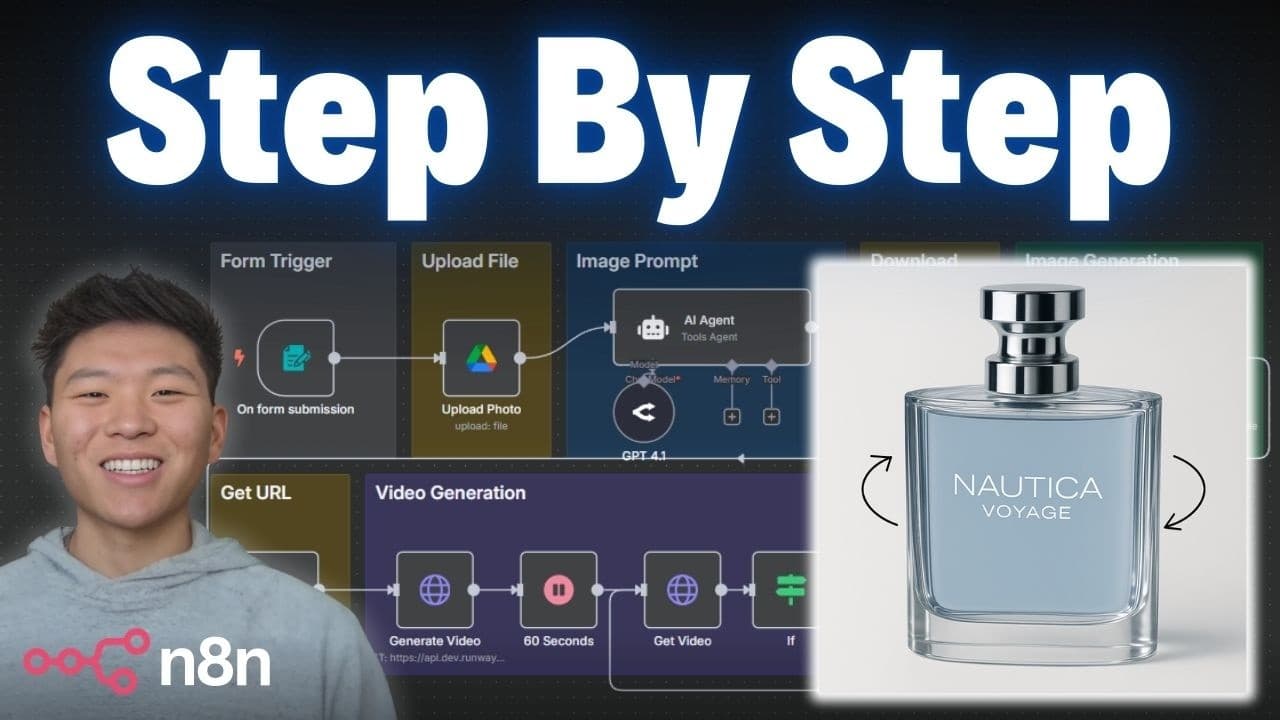
The video shows building a no code workflow that takes a product photo, title and description from a form, uploads the image to Google Drive, then uses an AI agent to generate a professional image prompt and a marketing video. The result is delivered by email with the video link and a Drive image, illustrating a step by step automation pipeline.
Transcript
Okay. So, all I have to do in this form submission is enter in a picture of a product, enter in the product name, the product description, and my email address. And we'll send this off, and we'll see the workflow over here start to fire off. So, we're going to upload the photo. We're going to get an image prompt. We're going to download that photo.... Read More
Key Insights
- The workflow begins with a form trigger that captures product data including a photo, title, and description, which starts the automation process.
- The system uploads the original product image to Google Drive using a dynamic name that includes the product title to keep assets organized.
- An AI agent is configured with a system prompt and a user prompt to generate a text image prompt tailored to the product description.
- OpenAI or similar models are accessed through a unified interface (Open Router) to simplify model selection and credentials management.
- A dynamic prompt is created by injecting form values so the AI generates a tailored image prompt for each product submission.
- The asset pipeline ensures the uploaded image is available via a public URL for downstream video generation tools like Runway.
- The workflow cycles while waiting for the video to finish, demonstrating a robust wait-and-check pattern for asynchronous tasks.
- Email delivery is integrated to send both the video link and the generated image to the submitter, completing the marketing material package.
- More videos from this channel:
- More from this channel: Nate Herk | AI Automation
Install to Summarize YouTube Videos and Get Transcripts
Explore YouTube Video Summarizer or Get YouTube Transcript Extractor
Questions & Answers
Q: What is the first step in the automation workflow and why is it important?
The first step is triggering the workflow with a form submission that collects a product photo, title, description, and email. This step is crucial because it initiates the entire automation, provides all the essential data for subsequent steps, and ensures each product submission can generate a customized output without manual intervention.
Q: How is the product photo handled after submission?
After submission, the binary product photo is uploaded to Google Drive with a dynamic name based on the product title followed by original. This preserves the original asset for reference and enables later editing or processing in the image workflow, while keeping Drive organized by product.
Q: What role does the AI agent play in this workflow?
The AI agent is configured with a system prompt and a user prompt to convert the product data into a professional text image prompt for a marketing style image. It uses the submitted product description and title to tailor prompts, enabling consistent, high quality outputs for each product.
Q: Why is an API model selector like Open Router used in this setup?
Open Router provides a single place to access multiple AI models. This simplifies credential management and model switching, allowing the workflow to leverage different AI capabilities (eg, image prompt generation) without changing underlying tasks, which saves time and reduces configuration errors.
Q: How does the system ensure the image prompt stays dynamic per submission?
The system message establishes the prompt structure while the user message injects submission-specific data. By setting the user message as an expression pulling values from the form, each submission generates a unique, tailored prompt that guides the AI to produce a product-specific image.
Q: What happens while the video is being generated, and how is timing handled?
The workflow includes a loop that checks the video status at intervals, waiting for completion. If not finished, it waits and checks again. This wait-and-check pattern supports asynchronous processing, ensuring the final video is captured and delivered without manual polling.
Q: What is delivered to the user at the end of the workflow?
The user receives an email containing the produced 10-second video link and the generated image file, along with the original photo in Google Drive. This completes the marketing asset package for the product submission and provides ready-to-use materials.
Q: How does the system ensure data remains usable across steps?
Data from the form submission is propagated through each step, with the image uploaded to Drive, prompts generated using dynamic form values, and outputs linked back to the user. This ensures consistency, traceability, and reusability of assets across the entire automation.
Summary & Key Takeaways
-
The guide demonstrates a form triggered workflow that collects a product photo, title, description and email, then uses that data to drive subsequent steps in the automation.
-
The process uploads the submitted image to Google Drive for later editing and reference, enabling streamlined asset generation.
-
The end result includes a 10-second professional video and auxiliary marketing materials delivered via email, showcasing a complete end-to-end automation pipeline.
Read in Other Languages (beta)
Share This Summary 📚
Summarize YouTube Videos and Get Video Transcripts with 1-Click
Try YouTube Summary with ChatGPT & Claude or YouTube Transcript Generator
Explore More Summaries from Nate Herk | AI Automation 📚






Summarize YouTube Videos and Get Video Transcripts with 1-Click
Try YouTube Summary with ChatGPT & Claude or YouTube Transcript Generator