How to Build a Multi AI Agent System in n8n?
TL;DR
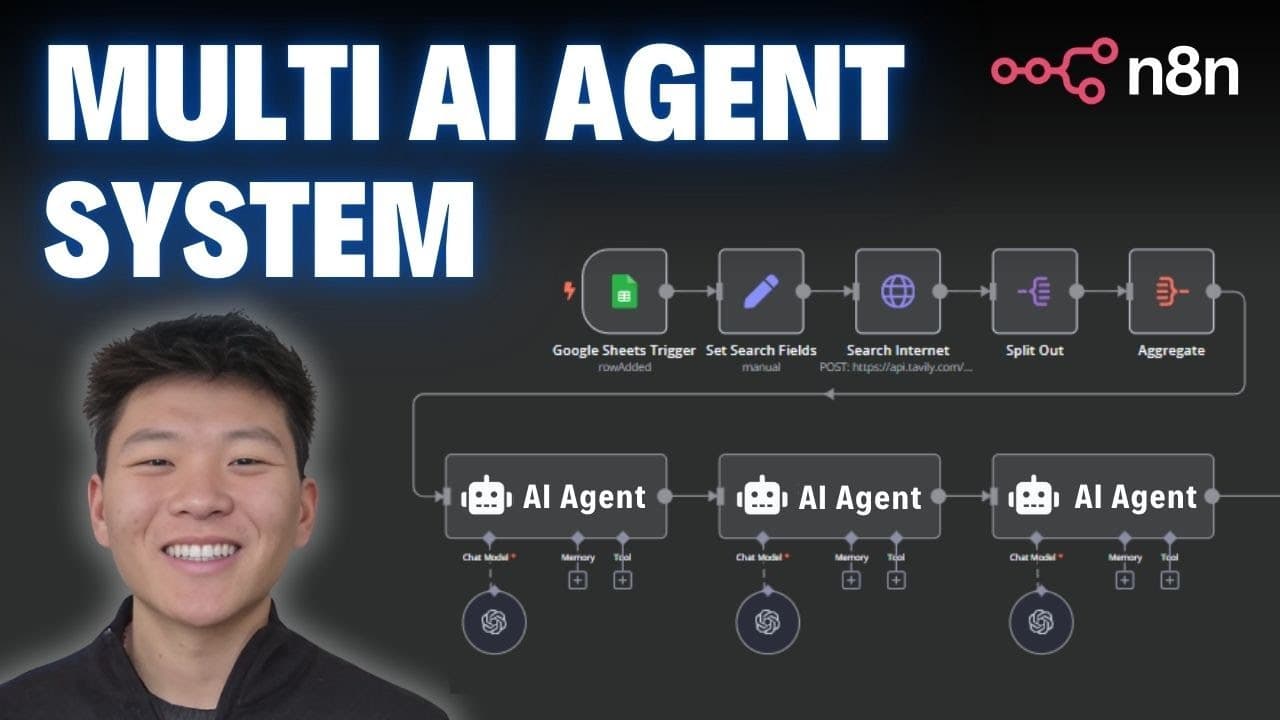
The workflow takes campaign data and a target audience, performs automated research with Tavali, and generates tailored LinkedIn, X, and blog posts. It then writes the results back to a Google Sheet for review or publishing. The system uses three agents and can switch prompts and agents for different styles.
Transcript
so right here we have a Content creation database where we input a campaign name a subject and a target audience and then this agentic workflow right here will take these three things and make very tailored LinkedIn posts X posts and blog posts like I said based on the information that we provide so in this demo we'll be looking at the campaign of ... Read More
Key Insights
- The system uses a campaign input with fields for campaign name, subject, and target audience to tailor content.
- The workflow pulls recent information via Tavali to ensure up-to-date content for posts.
- Three specialized agents are used to generate LinkedIn, X, and blog posts tailored to the audience.
- Prompts can be swapped between tools-based and conversational modes to adjust output style.
- Outputs are written back to a data store (Google Sheet) to keep campaigns organized.
- Testing is demonstrated step by step to validate each component before going live.
- The design enables future automation by replacing manual steps with triggers like Google Sheets changes.
- The content structure includes mobile-optimized LinkedIn text with emojis, concise X posts, and two-paragraph blog articles.
- More videos from this channel:
- More from this channel: Nate Herk | AI Automation
Install to Summarize YouTube Videos and Get Transcripts
Explore YouTube Video Summarizer or Get YouTube Transcript Extractor
Questions & Answers
Q: How does the system determine what to include in LinkedIn posts for a campaign?
The system uses the campaign subject and target audience to guide the content. It fetches recent information from Tavali to ensure relevance, then passes the data to a LinkedIn agent. The agent composes mobile-friendly text with emojis and a call to action, aligned with the audience and topic.
Q: What role does Tavali play in this workflow?
Tavali acts as a dedicated search API that provides recent articles matching the campaign query. The results include titles and raw content which are then organized and fed into three specialized agents. This helps ensure the generated posts reflect current developments and credible sources.
Q: Can you switch the agents from tools to conversational prompts, and why would you do that?
Yes, switching from tools to conversational prompts changes how the agents respond, potentially making outputs more human-like and fluid. This can affect tone, structure, and readability, enabling experimentation with different voice styles while still preserving the core information gathered during the research phase.
Q: How are the final outputs stored after generation?
The generated LinkedIn, X, and blog posts are written back into the original campaign row in the data store, such as a Google Sheet. This keeps all related content together with the campaign metadata, allowing for review, edits, or automated posting workflows in the future.
Q: What is the purpose of testing steps in this workflow?
Testing steps validate each component of the pipeline, including data retrieval, agent prompts, and content generation. They help ensure the right fields are read, the correct content is produced, and the integration points function reliably before turning on an active workflow for continuous operation.
Q: How does the workflow handle different audience targets?
The target audience information is fed into each content generation step, guiding tone, examples, and focal points. By parameterizing audience details at the input stage, the system can produce content that resonates with different groups while maintaining topic accuracy.
Q: What is the benefit of returning content to a sheet instead of publishing automatically?
Returning content to a sheet provides a centralized review point, enabling human oversight, quick edits, and image or formatting tweaks before posting. It also creates a clear audit trail of what was generated for each campaign and simplifies iterating on prompts or styles.
Q: Is this workflow adaptable to other content formats beyond LinkedIn, X, and blogs?
Yes, the architecture is modular. The same data, prompts, and agent orchestration can be extended to additional formats or channels by adding new agents and output adapters. You can tailor prompts for each channel to preserve voice and optimize for engagement across platforms.
Summary & Key Takeaways
-
The video demonstrates a three-agent content creation pipeline in n8n that builds tailored LinkedIn, X, and blog posts from a simple campaign input. It shows how to connect data sources, perform live research, and orchestrate outputs back into a sheet for review. The approach emphasizes customization and automation.
-
The content shows how to automate research and content generation using a centralized workflow. It includes switching between tool-based and conversational prompts, and exporting results to a Google Sheet for easy alignment with campaigns. It also highlights potential for automation in publishing.
-
The tutorial outlines a practical method to scale content creation with automated agents and live data. It covers integration setup, agent prompts, and workflow testing, ultimately enabling rapid generation of multiple post formats from a single input.
Read in Other Languages (beta)
Share This Summary 📚
Summarize YouTube Videos and Get Video Transcripts with 1-Click
Try YouTube Summary with ChatGPT & Claude or YouTube Transcript Generator
Explore More Summaries from Nate Herk | AI Automation 📚






Summarize YouTube Videos and Get Video Transcripts with 1-Click
Try YouTube Summary with ChatGPT & Claude or YouTube Transcript Generator