How to build 3D websites with anti gravity and Spline
TL;DR
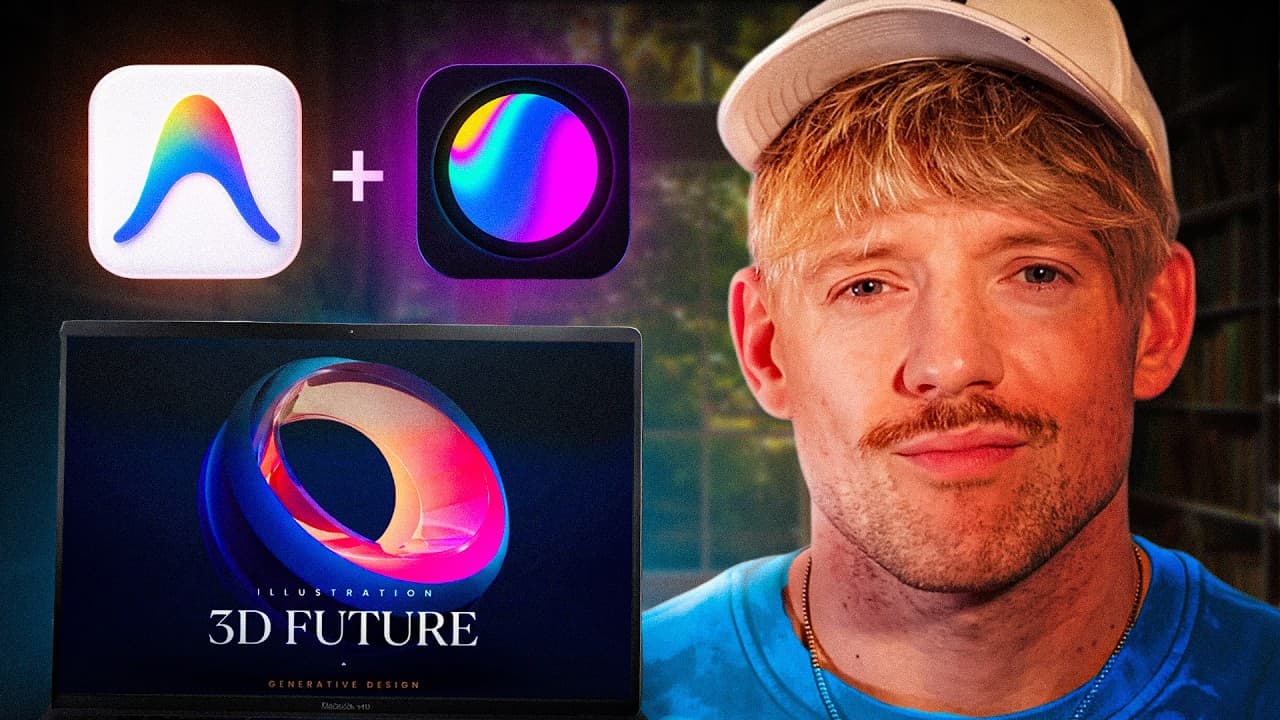
Anti gravity now connects to Spline to create 3D animated websites without coding. The method emphasizes a strong design process called vibe design or design intelligence to plan assets, fonts, and interactions. It covers workflow from asset selection to posting and hosting, plus a bonus tip to capture leads in a database.
Transcript
These 3D animated websites are all made with an anti-gravity without a single line of code. I found a new skill that lets you connect anti-gravity to Spline to create beautiful websites. And in this video, I'll show you how to build jaw-droppingly beautiful websites. I'm going to show you a brand new secret skill that enables you to vibe design bet... Read More
Key Insights
- Anti gravity enables building 3D websites by integrating Spline assets with no coding required, expanding creative possibilities for modern web design.
- The central design principle is to establish a single hero feature and build around it, ensuring a clear focal point that drives user attention and interaction.
- Spline provides a library of 3D assets and interactive examples that can be remixed and exported into a web context for rapid prototyping and deployment.
- A remix workflow is used to import a Spline asset into anti gravity, allowing designers to customize and test interactions before export.
- The process involves adjusting asset visibility and tagging to tailor the scene while preserving the core 3D experience for users.
- Exporting code from anti gravity yields vanilla.js options that can be deployed on websites with additional platform support as needed.
- Gemini 3.1 and other tools are mentioned as enhancements that boost the capability to create sophisticated 3D experiences on the web.
- The video also discusses posting and hosting strategies to make 3D sites reachable and functional on live environments, including lead capture and database storage.
- More videos from this channel:
- More from this channel: Jack Roberts
Install to Summarize YouTube Videos and Get Transcripts
Explore YouTube Video Summarizer or Get YouTube Transcript Extractor
Questions & Answers
Q: How can I start creating a 3D website with anti gravity and Spline?
To start, create a free account on Spline and remix a featured 3D asset to customize it for your page. Then use anti gravity to upload the connected files, prompt the AI to generate a landing page that integrates a Spline asset, and export the code as vanilla.js for embedding on your site.
Q: What is the role of a hero feature in these 3D websites?
The hero feature acts as the main focal point of the page. Everything is built around this central element to ensure a cohesive design. By keeping one strong hero and aligning other sections to support it, you create a visually compelling and navigable experience.
Q: What is vibe design and why is it important?
Vibe design describes using a process to capture concepts, images, and assets that align with your objectives to produce a brilliant outcome. It emphasizes selecting fonts, tones, and interactions that harmonize with the hero concept, leading to a more polished and distinctive website.
Q: How do you integrate Spline assets with anti gravity?
You remix a Spline asset, then export the generated code and import it into anti gravity. The toolchain allows you to connect 3D assets to web interfaces, update text and interactions, and preview the result before final export to a live site.
Q: What steps follow after building the 3D site in anti gravity?
After building and testing the 3D site in anti gravity, export the code, review the interaction design, and prepare for hosting. The video covers posting and hosting workflows and suggests ways to store leads in a database to grow a business.
Q: What role do fonts play in the design process described?
Fonts are highlighted as a crucial element that many designers overlook. The approach recommends selecting fonts that enhance readability and vibe with the 3D aesthetic to improve overall visual appeal and user experience.
Q: What is the suggested workflow for testing and exporting?
The recommended workflow is to test within anti gravity by using the play and visibility options, then adjust the scene, and finally export the code as vanilla.js for deployment. This creates a straightforward handoff from design to live site.
Q: What extra tips are offered beyond the core tutorial?
Beyond the core tutorial, the video hints at a fifth surprise tip and discusses leveraging a community-sourced skill for faster implementation. It also points to a free resource bundle and mentions Gemini 3.1 as an enhancement to the design capabilities.
Summary & Key Takeaways
-
A designer-focused workflow introduces anti gravity and Spline to build 3D websites with editable text and animations, aiming for visually stunning results. It showcases selecting assets, tweaking visibility, and exporting code to integrate into a living site.
-
The video emphasizes a design process called vibe design or design intelligence to guide asset choice, typography, and layout around a single hero concept for cohesive visuals.
-
The content reviews hosting and posting steps, along with a fifth surprise tip, and mentions integrating to store leads in a database to grow a business while using a community-sourced skill for implementation.
Read in Other Languages (beta)
Share This Summary 📚
Summarize YouTube Videos and Get Video Transcripts with 1-Click
Try YouTube Summary with ChatGPT & Claude or YouTube Transcript Generator
Explore More Summaries from Jack Roberts 📚



Summarize YouTube Videos and Get Video Transcripts with 1-Click
Try YouTube Summary with ChatGPT & Claude or YouTube Transcript Generator