How to Run Claude Code With Free Model APIs
TL;DR
Connect the Claude Code harness to a free NVIDIA API key through the featured GitHub repository, then add other provider keys for automatic rerouting when one free tier becomes unavailable. The setup preserves Claude Code features such as skills and MCP access, but free models are best reserved for routine work while frontier models handle the most demanding tasks.
Transcript
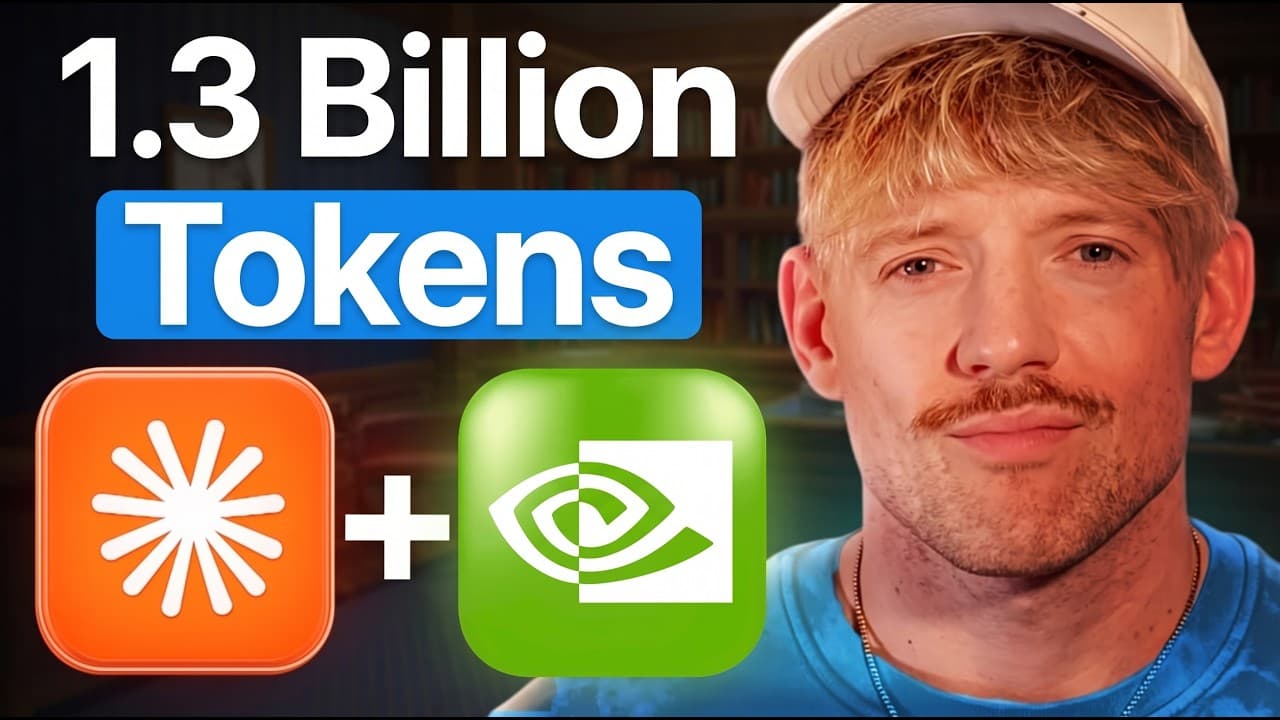
Imagine if you could use Claude code 100% for free. The truth is that Claude is expensive and once you hit your limits, you are stopped dead in your tracks. However, a brand new repo just came out that gives you 1.3 billion tokens to use inside the Claw Code harness every month for $0. And in this video, I'll show you exactly how to set it up in on... Read More
Key Insights
- Model performance is determined by both the selected model and the coding harness. The harness supplies the rules, prompts, skills, MCP connections, and working environment, so users can retain the Claude Code workflow while routing requests to models from other providers.
- The featured repository connects the Claude Code harness to free API providers. The source describes access to 1.3 billion tokens per month when keys from multiple providers are combined, while also noting that provider limits can change from day to day or month to month.
- NVIDIA Build offers a free API key without requiring debit card information. The walkthrough states that the account permits up to 40 requests per minute, equivalent to approximately one API request every 1.5 seconds under the described limit.
- The configuration works like a keyring containing credentials for several providers. Suggested options include NVIDIA, OpenRouter, Gemini, Groq, and GitHub, and users can add each API key through the repository's configuration interface rather than depending on a single source.
- Automatic rerouting reduces interruptions when a free provider becomes unavailable. If one configured tier runs dry, the system selects another available option, allowing coding sessions to continue without requiring the user to switch models manually each time a limit is reached.
- Free Claude Code retains access to MCP servers used in the standard harness. The walkthrough demonstrates adding a Zapier MCP server through a generated token, allowing selected external tools and services to remain available while requests are handled by free models.
- Separate authentication levels can limit what connected tools are allowed to access. The presenter creates a dedicated MCP server for the free coding environment and chooses its permissions, which provides more control than reusing one unrestricted connection across every model and application.
- Free models are positioned as a supplement rather than a complete replacement for frontier models. The recommended allocation is 80% of routine or lower-cost work on free or cheaper tiers, with the remaining 20% reserved for demanding tasks that benefit from stronger frontier performance.
- More videos from this channel:
- More from this channel: Jack Roberts
Install to Summarize YouTube Videos and Get Transcripts
Explore YouTube Video Summarizer or Get YouTube Transcript Extractor
Questions & Answers
Q: How can I run Claude Code with free model APIs?
Install the featured GitHub repository by copying its setup command into Claude and approving the recommended run action. When its local configuration window opens, connect a provider account, create a free NVIDIA API key at build.nvidia.com, paste that key into the configuration field, and apply the settings. Open a terminal, run the provided Free Claude Code command, trust the selected folder, and begin submitting prompts through the new model pool.
Q: How do I create the NVIDIA API key used by Free Claude Code?
Go to build.nvidia.com, sign in or create an account, and open the API keys section. Select the option to generate a key, assign it a recognizable name, and generate it. Copy the resulting key into the NVIDIA field in the repository's configuration window, then click apply. The walkthrough states that no debit card information is required and that the key expires after 12 months.
Q: How much free usage does the described setup provide?
The source claims access to 1.3 billion tokens per month through a combination of free keys from different providers. That total depends on configuring several sources rather than relying only on NVIDIA. The walkthrough also warns that token limits can change from day to day or month to month, so the stated amount reflects the providers and limits available when the setup was demonstrated.
Q: Which API providers can be added to the model keyring?
The walkthrough recommends NVIDIA as the starting provider and also names OpenRouter, Gemini, Groq, and GitHub as useful additions. Each account supplies an API key that can be entered into the configuration interface. The presenter does not recommend configuring every available provider automatically. Instead, the keyring should contain a practical selection that gives the routing system several free or inexpensive model sources to choose from.
Q: What happens when one free model reaches its usage limit?
The repository automatically reroutes requests when a configured free tier runs dry. Because several provider keys are stored in the same keyring, the system can select another available model instead of ending the coding session immediately. This addresses a common weakness of free tiers, where a user may lose access during active work. Continued availability still depends on having other configured providers with remaining capacity.
Q: Can Free Claude Code use existing MCP servers?
Free Claude Code can connect to MCP servers in a manner similar to the standard Claude Code harness. The walkthrough shows adding a Zapier MCP server by creating a dedicated server, generating its token, and entering the connection information in the chat environment. This lets free models access selected tools and services while the user controls which capabilities the separate MCP connection is authorized to use.
Q: Why does the interface show a cost when the model is free?
The terminal demonstration shows a displayed charge of 48 cents, but the presenter says this is not an actual amount being paid. According to the walkthrough, the harness reports an estimated cost even though the request is connected through NVIDIA and routed among free models. The displayed figure should therefore be interpreted as a harness estimate rather than proof that the configured provider billed the user.
Q: When should I use free models instead of frontier models?
Use free or cheaper models for routine work that does not require the strongest available performance, and save frontier models for the most important or difficult tasks. The presenter recommends placing roughly 80% of the workload on free tiers or cheaper models such as Haiku, then reserving 20% for frontier models. Users already satisfied with a $200 plan may have less need for this setup.
Summary & Key Takeaways
-
The setup separates the Claude Code harness from the model serving it. A repository with more than 50,000 stars connects the harness to free model providers, beginning with NVIDIA. Users install it through a prompt, configure an account, paste an API key, apply the settings, and launch Free Claude Code from a terminal.
-
NVIDIA Build provides the primary free API key described in the walkthrough. Creating the key requires an account but no debit card information, and the stated limit is 40 requests per minute. Additional keys from OpenRouter, Gemini, Groq, and GitHub can expand the available pool of models and free usage tiers.
-
The repository functions like a keyring that selects among configured providers and reroutes requests when a tier runs dry. It also supports existing MCP servers, including a separately authenticated Zapier MCP server. The recommended workflow assigns 80% of routine work to free or cheaper models and reserves 20% for frontier models.
Read in Other Languages (beta)
Share This Summary 📚
Summarize YouTube Videos and Get Video Transcripts with 1-Click
Try YouTube Summary with ChatGPT & Claude or YouTube Transcript Generator
Explore More Summaries from Jack Roberts 📚



Summarize YouTube Videos and Get Video Transcripts with 1-Click
Try YouTube Summary with ChatGPT & Claude or YouTube Transcript Generator