How Can Anti-Gravity and Remotion Automate Video Editing and Content Creation?

TL;DR
Anti-Gravity can use Remotion with Claude Code to automate video cuts, branded captions, audio enhancement, animations, product demos, and dynamic visual assets. Remotion represents every video frame as code, enabling functions, loops, and conditionals to scale production. The demonstrated setup uses Node.js and can transcribe footage with Whisper word-level timestamps before identifying cuts, so read on for the setup process and practical capabilities.
Transcript
AI has just changed content creation forever. Anti-gravity can now create beautiful animations, product demos, and even edit your videos completely on autopilot. This is using Remotion, a new skill that just launched, and it will change everything. And in this video, I'm going to show you how you create something so good that you would actually use... Read More
Key Insights
- Remotion is a system for making videos programmatically, with every frame treated as code. This structure allows functions, loops, and conditionals to automate and scale video production, editing, graphics, and animation rather than requiring every visual element to be assembled manually.
- Programmatic video composition supports many content formats, including intro and outro animations, explainer videos, product demonstrations, social media advertisements, animated infographics, logo reveals, and kinetic typography. The same environment can also produce dashboards, landing pages, component libraries, loading animations, and data visualizations.
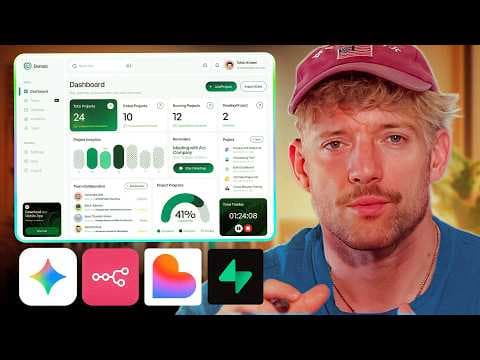
- Dynamic visual assets can update when their underlying data changes. The demonstrated branded dashboard changed its displayed value from 85,300 to 100,000 after the source value was edited, showing how code-based compositions can connect visual output directly to changing project data.
- AI-assisted editing can combine several production tasks within one prompt. In the demonstrated example, the system cut a supplied video, added captions using the creator's brand guidelines, positioned those captions over the footage, and enhanced the recording's audio.
- Website assets can provide source material and visual guidance for generated videos. The described workflow allows AI to read a webpage, pull down its images and other assets, and use that material to create videos that reflect the website's established branding.
- The Remotion setup requires Node.js before its installation instructions are passed into Anti-Gravity. After the environment validates Node.js and Git, the user can create a dedicated project folder, add unedited footage, and instruct Claude to perform the required production work.
- Claude Code can operate inside Anti-Gravity through the Claude extension. If the regular chat panel behaves unpredictably, opening Claude directly in the editor provides another interface for giving instructions, editing files automatically, and managing the Remotion project.
- MCP servers connect Anti-Gravity and Claude to external services. Users can open Anti-Gravity's raw MCP configuration, copy it into Claude Code, and request a separate Claude MCP configuration so the coding agent can access the same configured servers.
Install to Summarize YouTube Videos and Get Transcripts
Explore YouTube Video Summarizer or Get YouTube Transcript Extractor
Questions & Answers
Q: How do Anti-Gravity and Remotion automate video editing?
Remotion represents every frame as code, allowing Anti-Gravity and Claude Code to automate editing through programming. In the demonstrated workflow, the system cut supplied footage, added captions based on GLO brand guidelines, and enhanced the audio from one prompt.
Q: What is Remotion, and why is programmatic video creation useful?
Remotion is an engine for making videos programmatically by treating every frame of a video asset as code. This lets creators use functions, loops, and conditionals to automate and scale video production, editing, graphics, and animations.
Q: How do you install Remotion in Anti-Gravity?
First, install Node.js if it is not already available. Then copy the Remotion installation instructions into Anti-Gravity and ask it to complete the setup; the environment can validate Node.js and Git before the installation finishes.
Q: How can Remotion add branded captions and improve audio?
Place the unedited footage in a dedicated project folder and provide instructions describing the desired brand style. The workflow can transcribe the recording with Whisper word-level timestamps, parse the transcript to guide cuts, position branded captions over the footage, and enhance the audio.
Q: What can Remotion generate?
Remotion can generate intro and outro animations, explainer videos, product demos, social media video ads, animated infographics, logo reveals, and kinetic typography. Its broader capabilities also include landing pages, marketing sites, dashboards, admin panels, component libraries, loading animations, form designs, and data visualizations.
Q: How does Remotion create dynamically updated visuals?
A Remotion composition can connect its displayed content to values in the underlying code. In the demonstrated dashboard, changing a source value from 85,300 to 100,000 updated the displayed figure to 100,000 instantaneously.
Q: How can website assets be used to create branded videos?
AI can read a webpage and pull down its images and other assets for a video project. The demonstration used material and brand guidelines from a specific website to create a similar-looking interactive dashboard from one prompt.
Q: How can Claude Code access Anti-Gravity MCP servers?
Open Anti-Gravity's MCP server management area and view its raw configuration. Copy that configuration into Claude Code and ask Claude to create a separate MCP configuration, giving it access to the same configured external services.
Summary & Key Takeaways
-
Remotion makes videos programmatically by representing frames as code. This structure lets creators apply programming tools such as functions, loops, and conditionals to editing, graphics, and animation. When connected to Claude inside Anti-Gravity, the approach can automate production tasks and generate reusable, dynamically updated visual content from prompts and project files.
-
The setup begins by installing Node.js and the Remotion skill inside Anti-Gravity. Claude can run through an installed extension when the standard chat panel causes friction. Users can also copy their raw MCP server configuration into Claude Code, giving Claude access to connected external tools through its own MCP configuration.
-
The introductory editing workflow places an unedited clip inside a project folder and asks the system to create polished output. The described process transcribes the entire recording with Whisper word-level timestamps, parses the transcript to guide intelligent cuts, adds branded captions, and can enhance the audio while preserving a consistent visual identity.
Read in Other Languages (beta)
Share This Summary 📚
Summarize YouTube Videos and Get Video Transcripts with 1-Click
Try YouTube Summary with ChatGPT & Claude or YouTube Transcript Generator
Explore More Summaries from Jack Roberts 📚

Summarize YouTube Videos and Get Video Transcripts with 1-Click
Try YouTube Summary with ChatGPT & Claude or YouTube Transcript Generator