How to Build Better Websites With Claude Code

TL;DR
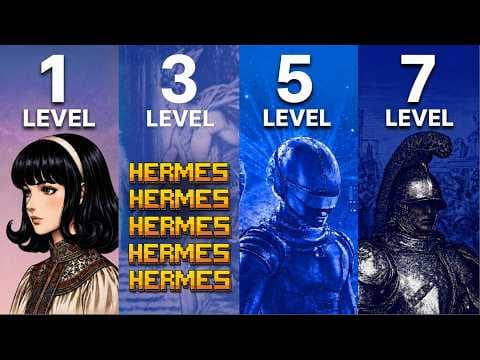
Better Claude Code websites come from supplying design references, specialized skills, visual assets, reusable interface components, real data, and a detailed design blueprint. The seven-level process progresses from vague chatbot prompts to extracting the design system of a strong reference site, then rebuilding it with clearer guidance and richer inputs.
Transcript
Claude code builds beautiful websites. However, 95% of them are complete garbage. And that's not your fault. It's because Claude doesn't have the correct skills or knowledge. That's like having Mozart with no piano. So, in this video, I'll cover the seven levels of building beautiful Claude code websites. How to make them look stunning. [music] How... Read More
Key Insights
- Vague chatbot prompts produce basic websites because Claude receives almost no information about the intended visual direction. Asking it simply to make a site look nice is compared to asking a designer to renovate a room without showing preferences, examples, or requirements.
- Screenshots are practical design specifications because they show Claude the desired visual style directly. References from Godly, Land-book, Awwwards, and Dribbble can communicate layout, composition, typography, color, and interface patterns more effectively than a broad request for an attractive website.
- Mood boards improve design direction by combining several visual references that represent specific preferences. A user can collect screenshots of appealing dashboards, landing pages, or other interfaces, place them in Claude Code, and explicitly ask Claude to update the website using those images as stylistic guidance.
- Design skills are prepackaged instruction sets that teach Claude which principles and patterns to apply. They supplement the model's raw intelligence with codified guidance about effective website design, undesirable conventions, color palettes, font pairings, UI styles, and other practical design decisions.
- UI UX Pro Max contains examples spanning 67 UI styles, 161 color palettes, and multiple font pairings. The transcript presents it alongside Anthropic's frontend-design resources and shadcn/ui as useful material that Claude can inspect, download, and convert into skills for later activation.
- Combining references with relevant skills produces a more deliberate result than either an unspecific prompt or a reference alone. The demonstrated yellow iPhone site gains a centralized palette, phone-oriented typography, motion, product controls, yellow shade options, and a Bento Box-style section.
- The later levels add images, video, reusable interface components, and real information to the design workflow. The description specifically identifies OpenArt for visual assets, 21st.dev for UI snapping, and Firecrawl for pulling real data into the website-building process.
- Design extraction is presented as the strongest stage because it converts a favored website into a fuller design blueprint. Claude can use that blueprint as implementation guidance, allowing the new website to reproduce the relevant visual principles while rebuilding and improving the result.
Install to Summarize YouTube Videos and Get Transcripts
Explore YouTube Video Summarizer or Get YouTube Transcript Extractor
Questions & Answers
Q: Why do Claude Code websites often look basic?
Claude Code websites often look basic because the model has not been given enough design knowledge, references, or specific direction. A request such as “build me a nice website” treats Claude like a general chatbot and leaves key visual decisions undefined. The resulting page may function, but it commonly has a simple, familiar AI-generated appearance rather than a deliberate design system.
Q: How can screenshots improve a Claude Code website?
Screenshots improve a Claude Code website by showing the desired visual direction instead of relying only on abstract descriptions. Users can collect examples from Godly, Land-book, Awwwards, or Dribbble, place those images in the conversation, and ask Claude to use them as stylistic references. The images provide concrete evidence about preferred layouts, colors, typography, spacing, and composition.
Q: How do you create a mood board for Claude Code?
A mood board for Claude Code can be created by searching design galleries for websites or interface types that match the project, such as dashboards. Select several examples with appealing visual characteristics, copy their images, and add them to Claude. Then explain that the images represent the desired reference style and ask Claude to update or build the website using that direction.
Q: What are design skills in Claude Code?
Design skills are prepackaged sets of instructions that give Claude specialized guidance about creating effective visual work. They can describe what strong websites should look like, which design mistakes to avoid, and how to choose styles, colors, fonts, and interface patterns. The transcript compares this combination of raw intelligence and expert instructions to giving Mozart a piano.
Q: Which design resources are recommended for Claude Code?
The recommended resources include UI UX Pro Max, Anthropic's frontend-design materials, shadcn/ui, and a power design skill mentioned by the presenter. UI UX Pro Max is described as containing 67 UI styles, 161 color palettes, font pairings, and additional examples. Claude can inspect a GitHub repository, download its information, and convert suitable guidance into a reusable skill.
Q: How should design skills and references be combined?
Design skills and references should be included together with an explicit instruction to apply all relevant design principles. The skills provide general knowledge about strong design, while screenshots communicate the particular appearance wanted for the project. In the demonstration, this combination produced a more developed yellow iPhone site with coordinated colors, motion, product controls, typography, and a Bento Box-style layout.
Q: What tools support the later website-building levels?
The later levels use additional tools to enrich both appearance and content. The description identifies OpenArt for image and video work, 21st.dev for snapping interface elements, and Firecrawl for pulling real data. These capabilities move the workflow beyond static visual guidance by adding generated media, reusable UI material, and information gathered for use in the website.
Q: What is the strongest method for rebuilding a website?
The strongest method described is extracting a complete design blueprint from a website the user already likes. Instead of supplying only a screenshot or a loose request, the process captures the site's broader visual system and uses it as structured guidance. Claude can then rebuild the experience with those principles while aiming to improve the resulting implementation.
Summary & Key Takeaways
-
The first level treats Claude like a general chatbot and asks it to make a nice website without meaningful direction. This produces a functional but basic first draft with a familiar AI-generated appearance. The central problem is insufficient design context, rather than a lack of raw intelligence in the underlying model.
-
The next levels improve results by supplying screenshots from Godly, Land-book, Awwwards, or Dribbble, then adding specialized design skills from GitHub. These resources communicate desired layouts, colors, typography, UI styles, and design principles more clearly than vague text prompts, giving Claude stronger instructions for making deliberate visual choices.
-
The complete seven-level system extends beyond references and skills to image and video generation, interface components from 21st.dev, real data gathered with Firecrawl, and design extraction. Its strongest method analyzes a site the user likes, converts its visual language into a detailed blueprint, and uses that blueprint to create a better-informed implementation.
Read in Other Languages (beta)
Share This Summary 📚
Summarize YouTube Videos and Get Video Transcripts with 1-Click
Try YouTube Summary with ChatGPT & Claude or YouTube Transcript Generator
Explore More Summaries from Jack Roberts 📚



Summarize YouTube Videos and Get Video Transcripts with 1-Click
Try YouTube Summary with ChatGPT & Claude or YouTube Transcript Generator