How to Run Private AI Models Locally with Ollama
TL;DR
Run downloadable AI models through Ollama to keep prompts and sensitive data on your computer, work without an internet connection, and avoid losing access when a provider retires or restricts a hosted model. Check your available memory first, choose a model smaller than your full capacity to preserve headroom, test several candidates, and keep frontier services for tasks requiring the strongest reasoning.
Transcript
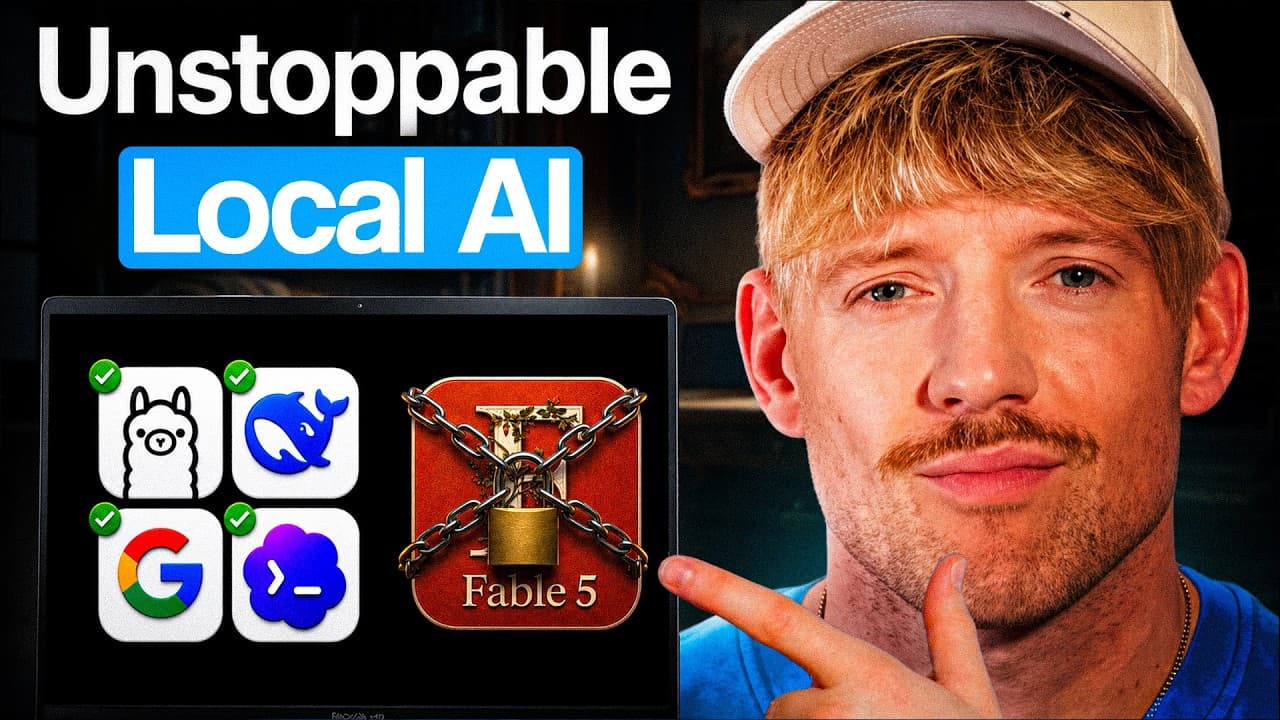
Claude Fable 5 just got banned with no warning or notice. The best AI model on the planet can be taken away from you at any time. And so there are two things that you need to do right now. And barely anybody is talking about the second. And so in this video, I'm going to show you exactly how to run the world's most powerful models on your computer ... Read More
Key Insights
- Hosted AI models are services that users do not own, so providers or government actions can remove, retire, or restrict access without preserving a user's existing workflow.
- Local AI models are downloaded to the user's computer, allowing continued use without region locks, token charges, internet access, or the risk that the downloaded model will be remotely retired.
- Local inference is presented as 100% private because prompts, sensitive health information, and company data remain on the user's computer rather than being sent to a hosted model provider.
- Computer memory determines the practical ceiling for local models, and larger models generally require more capable hardware. A model should not consume the machine's entire available capacity because the system needs operational headroom.
- Local models are estimated in the presentation to trail premier frontier models by roughly 6–12 months. The difference matters most for the hardest reasoning tasks, so frontier services can remain useful.
- An RTX 5090 is claimed to run a previous year's frontier-level model at roughly 70–85% of its quality, with no token fees and local control over prompts and data.
- Ollama provides a beginner-accessible route for installing and chatting with downloadable models. The demonstrated workflow copies a model command, runs it in the terminal, and then uses the installed model through the application.
- Owning the platform means running both models and useful software locally. The presentation extends this idea to agent systems, CRM-style tools, and an Open Notebook application that serves as a local NotebookLM alternative.
- More videos from this channel:
- More from this channel: Jack Roberts
Install to Summarize YouTube Videos and Get Transcripts
Explore YouTube Video Summarizer or Get YouTube Transcript Extractor
Questions & Answers
Q: How do you run a private AI model locally with Ollama?
First, inspect your computer's specifications, especially its available memory, and ask Claude which powerful model should run at a reasonable speed on that hardware. Keep some capacity in reserve instead of selecting a model that fills all available memory. Download Ollama, copy the installation command for the chosen model, run it in the terminal, and open the application to begin a local conversation.
Q: Why should you download an AI model to your computer?
A downloaded model gives you a version that cannot be retired, revoked, or region locked by a hosted service. It can work without an internet connection, has no token meter, and uses the computer's own processing capacity. The presentation also emphasizes privacy: prompts, health information, and private company data stay on the user's machine while the model is running locally.
Q: How do you choose the right local AI model for your hardware?
Check the computer's system information, including its memory, then provide those specifications to Claude and ask for the most powerful model that can run at a reasonable speed. The model must be smaller than the machine's full capacity because the computer needs headroom. Downloading and testing several recommendations is encouraged, since practical speed and usefulness can vary among models.
Q: How capable are local AI models compared with frontier models?
The presentation estimates that local models are generally 6–12 months behind premier frontier models. It claims that an RTX 5090 can run a previous year's frontier-level model at about 70–85% of its quality. The difference is said to become most noticeable on the hardest reasoning tasks, which is why local models should complement rather than automatically replace every frontier service.
Q: Can local AI models work without an internet connection?
Yes. After a compatible model has been downloaded, it runs using the computer's own processing resources and can be used without an internet connection. The presentation says this makes local AI available on a plane or in other disconnected settings. Offline use also avoids token charges and prevents a hosted provider from revoking access to that particular downloaded model.
Q: What are the privacy benefits of running AI locally?
Local operation keeps prompts and data on the user's computer, which the presentation describes as 100% private. That arrangement is positioned as useful for sensitive health information, private company material, and topics a user may not want to send to a hosted service. Privacy depends on using the locally downloaded model rather than routing the conversation through a cloud model.
Q: Why should you own the AI platform, not only the model?
Owning the platform means running useful applications locally in addition to keeping a downloadable model. The presentation argues that subscription software, notebook tools, CRM-style systems, and other small applications can be built and operated on the user's computer. Its featured example is Open Notebook, a locally run alternative to NotebookLM that is cloned from GitHub and connected to local AI.
Q: When should you continue using frontier AI models?
Frontier models remain appropriate when a task requires the strongest available reasoning, because the presentation acknowledges that local models do not currently outperform the best hosted options. A model-agnostic workflow routes each job to the model that fits it best. Local models provide privacy, offline access, and continuity, while frontier services remain available for especially difficult work.
Summary & Key Takeaways
-
Hosted AI access can disappear because users do not own the underlying models. A downloaded local model remains available on the computer, is not region locked or metered, and can process private prompts offline. The recommended strategy is model agnostic: retain local options while selecting the best available model for each specific task.
-
Setting up local AI begins by checking the computer's memory and other system information. Users can provide those specifications to Claude and request suitable model recommendations. The selected model should leave spare capacity instead of consuming all available memory. Trying several models helps identify the best balance of capability and acceptable speed.
-
Ollama provides an application and terminal-based process for downloading and chatting with local models such as Qwen 3 or GPT OSS. Local models can also connect with agent systems, support text, images, or tool calls when available, and power locally hosted software, including an Open Notebook alternative modeled on NotebookLM.
Read in Other Languages (beta)
Share This Summary 📚
Summarize YouTube Videos and Get Video Transcripts with 1-Click
Try YouTube Summary with ChatGPT & Claude or YouTube Transcript Generator
Explore More Summaries from Jack Roberts 📚



Summarize YouTube Videos and Get Video Transcripts with 1-Click
Try YouTube Summary with ChatGPT & Claude or YouTube Transcript Generator