How to Use Claude Code from Beginner to Advanced
TL;DR
Use Claude Code for file access and complex building tasks, then improve results with a detailed first prompt that states your goal and invites clarifying questions. Connect relevant tools, parallelize independent research with sub-agents, reuse successful workflows as skills, map codebases with Graphify, and apply least-access safeguards when granting Claude permission to act.
Transcript
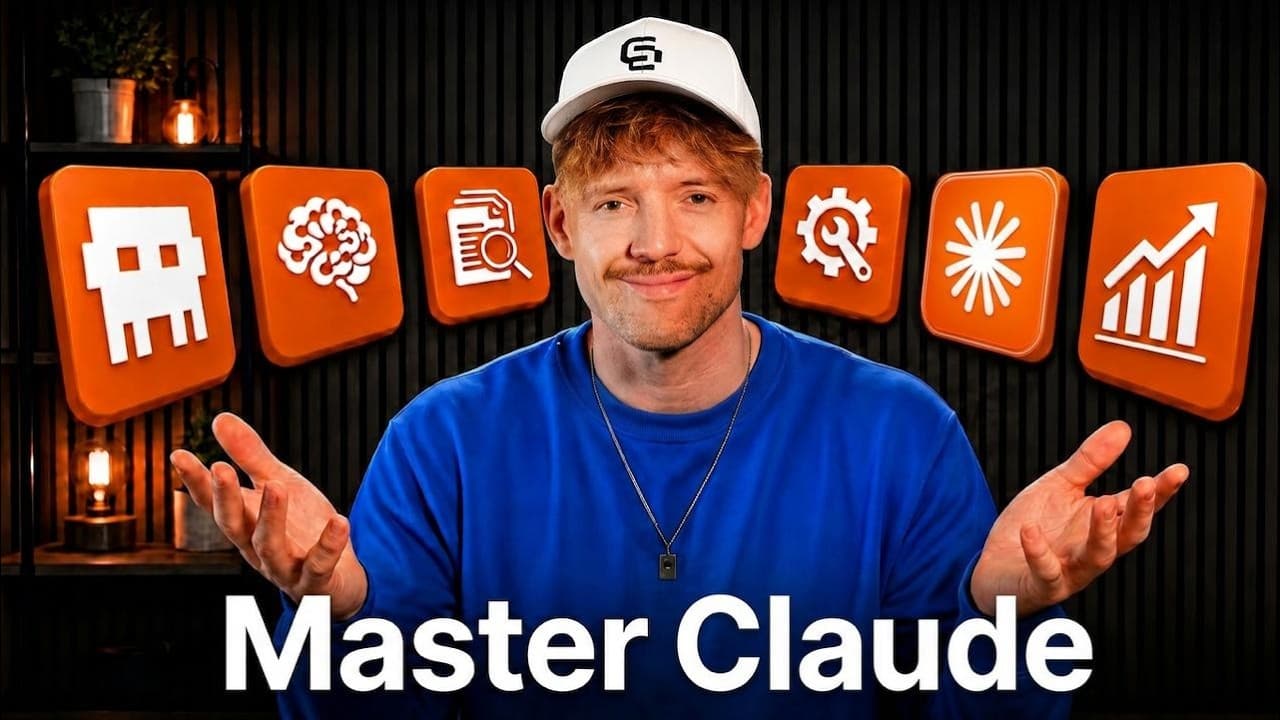
Most people use Claude like a Google search which is only 5% of what it can actually do. I have spent over a,000 hours in Claude building, experimenting, and I have seen every masterass. And in this video, I'll show you the seven levels of Claude that you need to know step by step and the mistakes that you have to avoid so you can save more time, g... Read More
Key Insights
- Claude has three primary usage modes: chat provides quick answers without touching files, co-work can interact with files inside a constrained environment, and Claude Code provides the fullest access for building and completing more involved tasks through conversational instructions.
- Model selection should match the difficulty of the work: Opus 4.8 is presented as the most capable option, Sonnet 4.6 as the everyday workhorse, and 4.5 as a fast choice for simple, token-light tasks. High or max effort is recommended for most demanding work.
- The first prompt is the most important part of a Claude conversation because Claude executes the stated request well but may not infer important context. Stating the intended outcome and asking Claude to interview and challenge you produces clearer goals before work begins.
- Connectors give Claude practical access to external systems such as Gmail, calendars, Google Drive, CRMs, and Firecrawl. Once connected, Claude can select an appropriate tool from the request, retrieve relevant information, and perform tasks that would not be possible through an isolated chat.
- Sub-agents increase output by handling independent tasks simultaneously instead of processing every request sequentially. A research project comparing several AI companies can assign one agent to each company, collect their findings in parallel, and then synthesize the separate results into one response.
- Ultra Code supports a more structured multi-agent process that can include research, verification, synthesis, and adversarial debate. It is presented as useful for personal or strategic decisions where multiple agents can evaluate competing options and challenge one another before producing a recommendation.
- Graphify creates relational maps of files and codebases so Claude can locate components and understand how they connect. This map can help Claude reach relevant files faster, improve its answers, and reduce token use when working with applications or larger collections of code.
- Skills are reusable recipes for completing recurring tasks in a consistent way. They can be downloaded from GitHub or created from a successful workflow by asking Claude to turn the completed process into a skill, which can later be activated directly or selected automatically.
- More videos from this channel:
- More from this channel: Jack Roberts
Install to Summarize YouTube Videos and Get Transcripts
Explore YouTube Video Summarizer or Get YouTube Transcript Extractor
Questions & Answers
Q: How should beginners choose between Claude chat, co-work, and Claude Code?
Use chat when you need a quick answer and do not need Claude to interact with files. Choose co-work when file access is useful but you want to remain inside a more constrained environment. Use Claude Code for the fullest access and for building or completing complex work through conversation. The word “code” should not be treated as a requirement to be a programmer.
Q: How do you write a better first prompt for Claude?
Begin by stating the result you are trying to achieve, then ask Claude to interview you before proposing a solution. Invite it to ask as many questions as necessary, identify missing details, and challenge your assumptions. For a YouTube strategy, useful clarification areas include the channel’s subject, its current state, and what success should look like.
Q: Why can Claude give a technically reasonable but impractical answer?
Claude may execute the literal wording of a question without considering unstated circumstances. In the example, it recommends walking to a car wash that is 50 meters away because the distance is short, overlooking that the car must be brought there. Clear context, a stated intention, and an invitation to ask questions help prevent this type of mistake.
Q: How do connectors expand what Claude can do?
Connectors link Claude to services and information outside the basic conversation. The examples include Gmail, calendars, Google Drive, a CRM, and Firecrawl. With those connections, Claude can work with emails, schedules, business data, and website content. It can also identify which connected capability fits a request, so the user may not need to name the tool explicitly.
Q: How can Firecrawl help Claude retrieve website information?
Firecrawl can search or scrape web pages and return the specific information requested. The demonstration asks Claude to collect a company’s brand information, summarize what its website does, identify colors and text styling, and retrieve its logo. The transcript claims this targeted retrieval can save about 80% of token cost because it avoids collecting all of the page’s HTML.
Q: How do Claude sub-agents improve research output?
Sub-agents allow several independent tasks to run at the same time instead of forcing each task through one sequential conversation. A comparison of OpenAI, Anthropic, Grok, and DeepSeek can assign a separate research agent to each company. Claude can first ask clarifying questions about the partnership goal and evaluation criteria, then combine the resulting findings.
Q: What does Graphify do for a Claude Code project?
Graphify creates a relational map that helps Claude understand how files and parts of a codebase connect. The map can show where features such as login logic or stored files belong. By giving Claude a clearer view of the project’s structure, it can locate answers faster, provide better responses, and use fewer tokens during codebase work.
Q: How can a repeated Claude workflow be turned into a skill?
Complete the workflow with Claude first, then ask it to turn that process into a skill if you expect to repeat it. Skills can also be obtained from GitHub repositories, including repositories found by searching for a task such as front-end design. After installation, a skill can be activated with a slash command or selected automatically from a description of the task.
Summary & Key Takeaways
-
Claude offers three main working modes: chat for quick answers, co-work for interacting with files inside a more limited environment, and Claude Code for full-access building work. Model selection and the effort slider should reflect task complexity, with more capable models and higher effort reserved for demanding work.
-
Effective Claude conversations begin with a clear statement of intent rather than an isolated question. Asking Claude to interview you, challenge assumptions, and gather missing details helps define the objective before execution. This approach reduces literal but impractical answers and produces recommendations that better reflect the user’s actual circumstances.
-
Claude becomes more useful when connected to external services, parallel sub-agents, codebase maps, and reusable skills. Connectors provide access to services such as Gmail, calendars, Google Drive, CRMs, and Firecrawl. These capabilities should be combined with safe, compliant access practices, including granting only the permissions needed for the task.
Read in Other Languages (beta)
Share This Summary 📚
Summarize YouTube Videos and Get Video Transcripts with 1-Click
Try YouTube Summary with ChatGPT & Claude or YouTube Transcript Generator
Explore More Summaries from Jack Roberts 📚




Summarize YouTube Videos and Get Video Transcripts with 1-Click
Try YouTube Summary with ChatGPT & Claude or YouTube Transcript Generator