How to build gorgeous websites with Kimmi K3 prompts
TL;DR
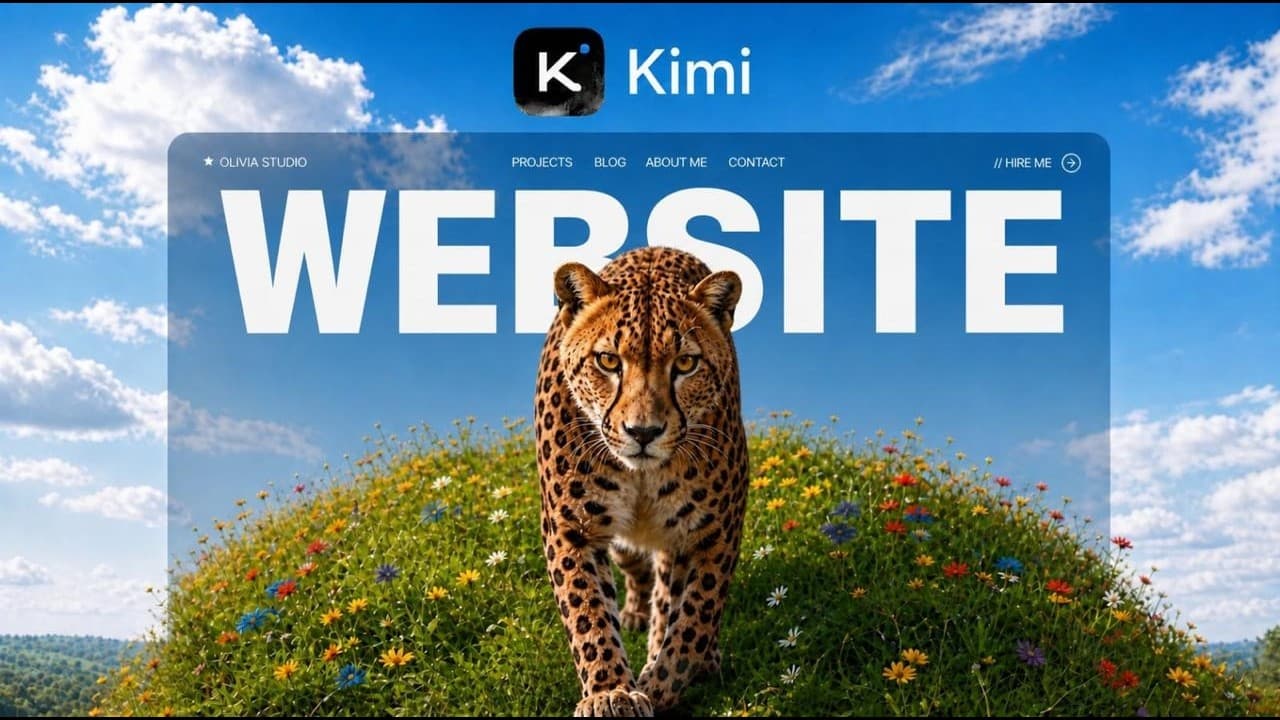
Kimmi K3 can generate stunning websites at a fraction of the price of competing models. By using a free download skill and following prompts across three levels, you build desktop ready, mobile optimized, and brand focused sites that integrate Higgsfield and hosting on Vercel. The method emphasizes prompt accuracy, design references, and practical hosting steps.
Transcript
Kimikaze 3 builds beautiful, show-stopping websites, but 97% of them look terrible, and it's not your fault. You just have to give it the correct prompt. And in this video, I'm going to show you how to build beautiful websites like the top 3% using this new system. How to make them look gorgeous every time, and the costly mistakes that you must avo... Read More
Key Insights
- Kimmi K3 is presented as the leading design capable AI model, outperforming Fable 5 and other competitors in terms of design quality.
- The core idea is to combine three essential components for a beautiful website: an AI design model, a media asset source like Higgsfield, and a hosting platform such as Vercel.
- A free download skill is provided to guide users through the process, enabling repeatable and quick results while avoiding common mistakes.
- Mobile optimization is identified as a critical challenge, with Level two dedicated to adapting the same design system for smaller screens.
- The workflow uses Claude Code and an Agentic OS to orchestrate conversations with models, facilitating seamless collaboration between tools.
- Higgsfield CLI is highlighted as a method to access image and video assets, expanding capabilities beyond code only approaches.
- The presentation stresses cost efficiency, claiming Kimmi K3 is cheaper than Claude based options, with quantifiable pricing references.
- The tutorial includes practical steps like obtaining an OpenRouter key, setting up the API, and running a multi model workflow to finalize a live site.
- More videos from this channel:
- More from this channel: Jack Roberts
Install to Summarize YouTube Videos and Get Transcripts
Explore YouTube Video Summarizer or Get YouTube Transcript Extractor
Questions & Answers
Q: What is the three level approach to building a website with Kimmi K3
The three level approach starts with Level one, a gorgeous one scroll story site, then moves to Level two which focuses on mobile optimization, and finishes with Level three a fully personalized brand site that pulls in logos and colors. Each level increases complexity and polish while maintaining design consistency and flow across devices.
Q: How does the video compare Kimmi K3 to other design models
Kimmi K3 is described as the top design model, ranking above Claude and Fable 5 in design capabilities. It is also shown to be cheaper than Claude based options, making it a preferred choice for creating high quality visuals at lower cost while maintaining usability and aesthetics.
Q: What role does Higgsfield play in the workflow
Higgsfield serves as the media engine to generate and source images and videos for the site. It integrates into the workflow via a CLI, allowing a designer to attach media assets to the generated website and ensure rich visuals without extensive manual coding.
Q: What steps are required to access Kimmi K3 via Claude Code
The process involves obtaining an API key from a provider like OpenRouter, using Claude Code to connect to Kimmi K3 in a terminal, and running the provided skill to open and control Kimmi K3. This setup enables direct interaction with the model and access to its design capabilities.
Q: What is the purpose of the free download skill
The free download skill is provided to give users a ready made tool that mirrors the workflow shown in the video. It enables beginners to follow along with the three level design approach, implement prompts correctly, and reproduce the show stopping website results without starting from scratch.
Q: How does the tutorial address mobile optimization
The tutorial dedicates Level two to translating the desktop design into a mobile friendly version. It emphasizes preserving the same visual hierarchy, interaction patterns, and storytelling flow while adapting layout and assets to fit smaller screens and touch interactions.
Q: What hosting and deployment steps are covered
The video covers hosting the finished site on Vercel, explaining how to publish online so visitors can access the site. It also references hosting related tools and workflows within the Agentic OS to simplify deployment and ongoing maintenance.
Q: What assets are highlighted as essential for the builds
Key assets include the visuals from Higgsfield, a strong design model like Kimmi K3, and a branded identity including logos and color schemes. The combination enables rich, immersive web experiences while staying within a cost effective framework.
Summary & Key Takeaways
-
A three level workflow guides you from a gorgeous one scroll site to a mobile optimized version and then a fully branded site with real logos and colors. The system uses Kimmi K3 as the primary design model to create show stopping visuals. Higgsfield integration adds media without code only designs.
-
The video emphasizes a free skill download, prompt based control, and hosting on Vercel. It contrasts Kimmi K3 with other models, noting cost and design superiority. It also covers connecting to Higgsfield via a CLI and leveraging Claude Code for orchestration.
-
The content includes practical steps to access models, install the skill, obtain an API key, set up the Agentic OS, and run pre flight checks. It aims to empower complete beginners to deploy attractive websites quickly and cheaply.
Read in Other Languages (beta)
Share This Summary 📚
Summarize YouTube Videos and Get Video Transcripts with 1-Click
Try YouTube Summary with ChatGPT & Claude or YouTube Transcript Generator
Explore More Summaries from Jack Roberts 📚



Summarize YouTube Videos and Get Video Transcripts with 1-Click
Try YouTube Summary with ChatGPT & Claude or YouTube Transcript Generator